

 Español
 Català
 Deutsch
 Français
 Português
 Italiano
 Nederlands
 Polski
Where the button is and when it appears
The Returns (BI) forms open from the menu Amazon › Analytics / BI › Returns. Each part of that menu asks for the Viewer permission: without it, you do not see that part. The button is on that screen in Odoo 17, 18, 19 and 20.
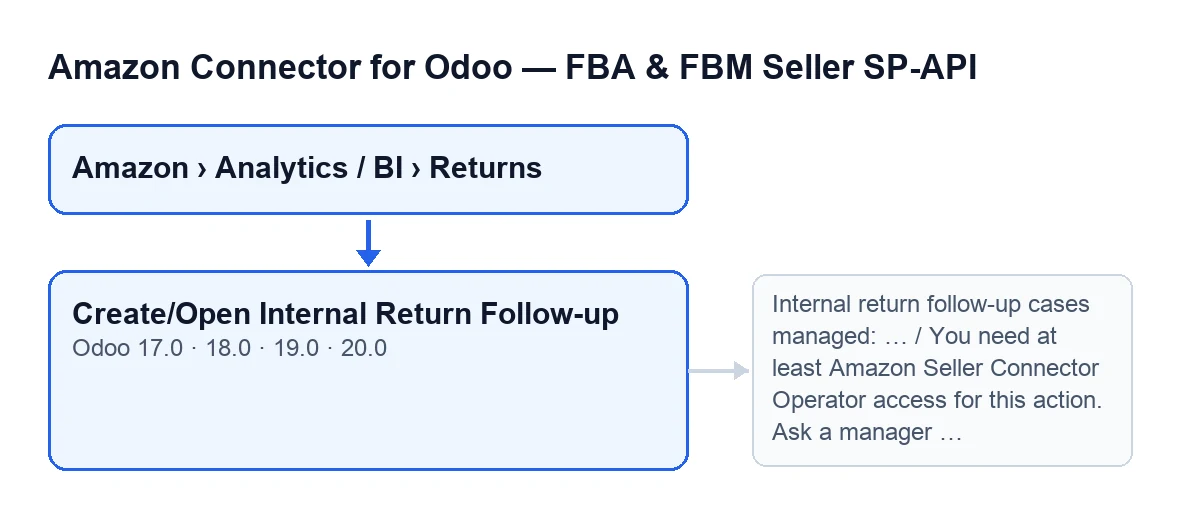
With the default values the button is not visible. It appears only when the line has Pending Action Required ticked and its Primary Postsale Case is empty. If a primary case already exists, or the line has no pending action, the button is hidden.
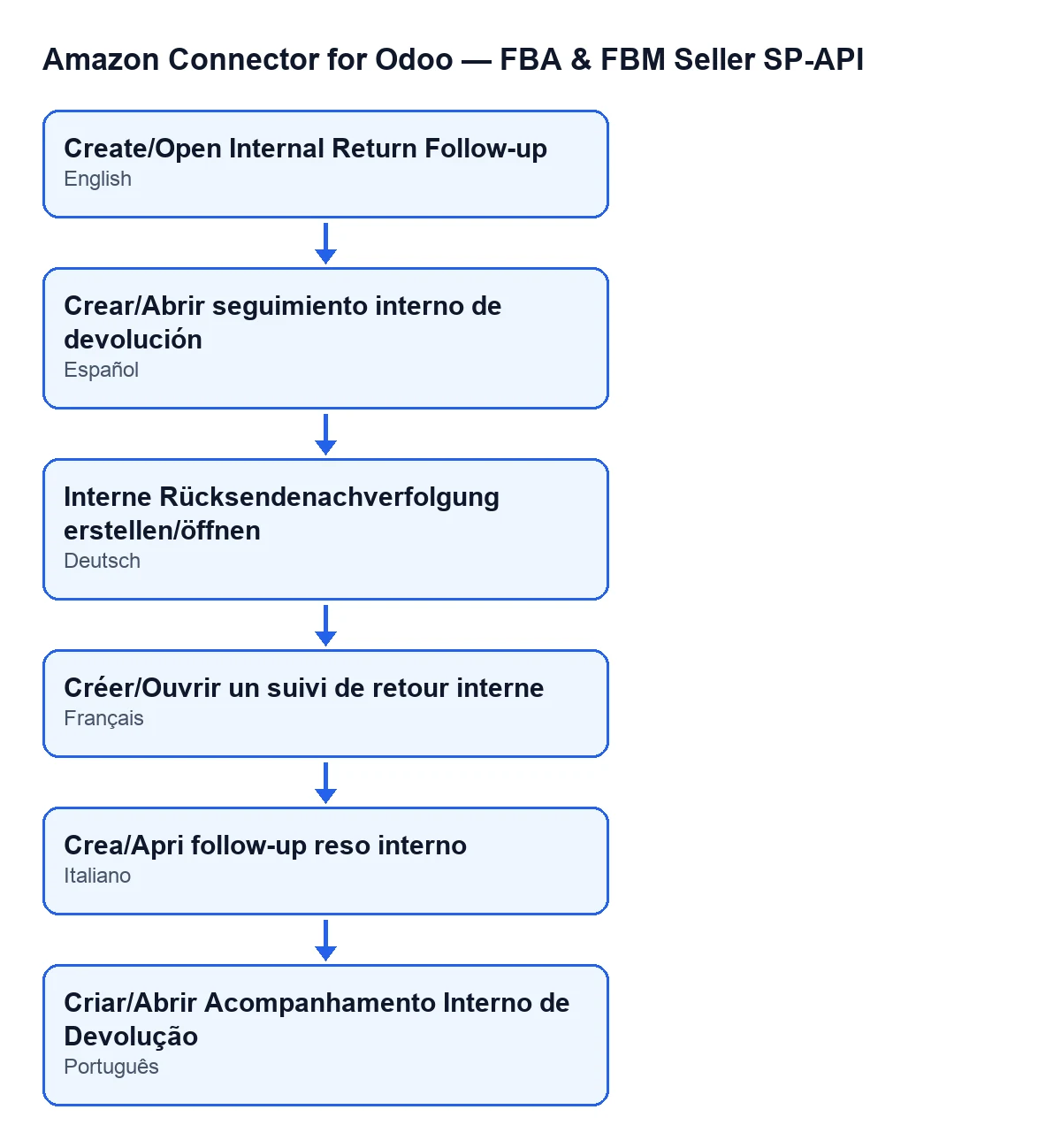
The second diagram shows how the same button label reads in Spanish, German, French, Italian and Portuguese, depending on the language of your Odoo.

Step by step
The button is the manual route. Before using it, it helps to know what Odoo does on its own.
- Look at the automatic route first. On the
Accountsform, in theOrders & Fulfillmenttab, groupPost-Sales Cases (ON by default), there are tick boxes that decide it:Post-sales: auto case from return pending actionandPost-sales: auto case from refund. They are on by default in the code. - Let the scheduled task
Amazon SP-API - Post-sales pipelinerun. It runs every hour, is active on installation and reaches, without anyone pressing the button, the same code that creates the case for a return with a pending action. - If you want to create or open the case for one particular line without waiting, go to
Amazon › Analytics / BI › Returnsand open the line. - Check that you can see the button: the line must have
Pending Action Requiredticked and thePrimary Postsale Casemust be empty. - Press
Create/Open Internal Return Follow-up. - Look at the result: either the case form opens, or a notice appears with the number of cases handled.
The button's code does not consult the tick boxes from the first step. Pressing it by hand is the exception for one specific line, not the normal step when the automatic route is on.
What the button does internally
When you press it, the module works in this order:
- Permissions. If you are not a superuser and your user does not have at least Operator access to the connector, the action stops with the message in the table below. It also checks that your user can write to the record.
- One pass per line. For each line, it asks the account to find or create the case. If the line does not have
Pending Action Requiredticked, it is skipped and nothing is created. - If the case for that return already exists, it updates it: it recalculates the priority from the return reason, updates the refund reason, and fills in the amount, the sales order and the return line only if the case did not have them. If the case was resolved or cancelled, it reopens it and clears its resolution date.
- If it does not exist, it creates a new one with the content detailed below.
- Link and external status. Once the case is created or updated, it refreshes the line's link to its primary postsale case and updates that line's partial-refund cases, if there are any: it copies to them the latest refund status and the latest refund error, with the action
Amazon refund feed. - Response. If the result is a single case, it opens its form. In any other case it shows a notice.
What the new case contains
- A return follow-up type, an open state and a priority based on the return reason.
- The title
Amazon return pending action …, with the Amazon order or, if that is missing, the line identifier. - A deadline calculated from the post-sales case SLA hours set on the account.
- The line's refund amount and refund reason, the currency of the account's company and the Odoo sales order if the module finds one for that Amazon order.
- A description that starts with
Case auto-generated from a return with a pending action., continues with the SKU, the RMA,Return status: …andReason: …, and addsPending action: …andBuyer comment: …when the line has that data.
What to check afterwards
If the case form opens, check that the title starts with Amazon return pending action … and that the description picks up the SKU, the RMA, the return status and the reason. If you see the notice instead, the number tells you how many cases the button handled.
Notices and errors
| Message | When it appears | What to do |
|---|---|---|
You need at least Amazon Seller Connector Operator access for this action. Ask a manager to grant Operator or Manager access. | When you press the button, if you are not a superuser and your user does not have at least Operator access to the connector | Ask a manager to give you Operator or Manager access, as the message itself says. The action stops before touching any case |
Internal return follow-up cases managed: … | When you press the button and the result is not a single case. It is a success notice, titled Amazon SP-API, and it does not stay fixed on screen | Nothing: it is informational, and the number shows how many cases the button handled |
If you need help
The module is published on Odoo Apps for versions 17, 18, 19 and 20 (see its listing or its page on flexigotech.com). FlexigoTech implements Odoo 17, 18, 19 and 20 and develops custom connectors and integrations, in case you need to adapt the Amazon returns process to the way you work.
Keep reading
Checked in the connector's source code (version 20.0) and the linked sources
Sources
- Module source code: flexigobe_amazon_seller_connector 20.0 (8576afa5): views/amazon_spapi_return_line_views.xml
- Module source code: flexigobe_amazon_seller_connector 20.0 (8576afa5): models/amazon_spapi_return_line.py
- Module source code: flexigobe_amazon_seller_connector 20.0 (8576afa5): models/amazon_spapi_account.py
- apps.odoo.com/apps/modules/20.0/flexigobe_amazon_seller_connector
- flexigotech.com/en/services.html