

 Español
 Català
 Deutsch
 Français
 Português
 Italiano
 Nederlands
 Polski
Where the button is and when it shows
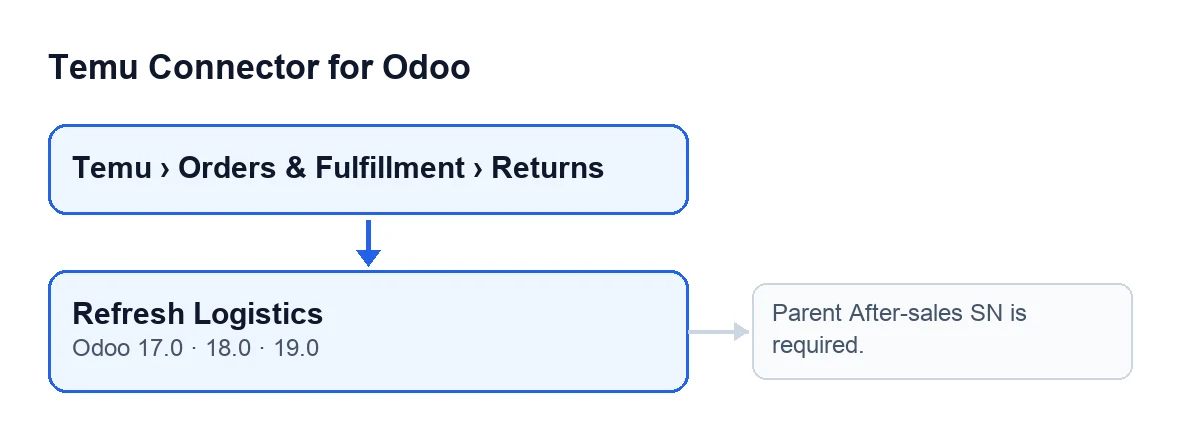
Returns open from the menu Temu › Orders & Fulfillment › Returns. The Refresh Logistics button is on the Temu Returns form. The view puts no condition on it: it shows on any return, and the button is present in the published branches for Odoo 17, 18 and 19. What follows comes from the Odoo 19.0 code.

What it does when you press it, step by step
These are the steps in the order the button runs them on the return you are looking at.
- Open the return from
Temu › Orders & Fulfillment › Returnsand pressRefresh Logistics. - First check: the module looks at whether the
Parent After Sales Snfield is empty. If it is, the action stops with the messageParent After-sales SN is required.and nothing is saved. That field is visible on theTemu Returnsform and also in its list. - Request to Temu: using the return's instance (the
Instancefield, also visible on the form and in the list), it asks Temu for the data of the parent return using theParent After Sales Snnumber. IfAfter Sales Snis filled in on the return, it sends that too in the request. - Reading the reply: the module pulls the return's data out of Temu's reply: status, reason, buyer comment, amount and currency, dates and number of items, among others. To fill in some values it also relies on the original content the return already had stored.
- Filtering: from that data it drops the instance, the Temu identifier of the return and the original content, none of which are rewritten from here (the last sync date is set afterwards with the current time). If reading the reply yields a status, it is written even when it comes back empty; the rest of the data goes through a filter that decides what gets written.
- Recording what came back: on top of that it adds the full logistics reply, the reply to the request together with the API method that was used, the date and time of the last logistics sync and of the last sync, and it clears the previous error.
- Tracking number: if the reply carries a logistics list, its first entry has a tracking number and the
Label Tracking Numberfield is empty, the module fills it with that number. If the return already had one, this step leaves it alone. - Saving: the return is written with all of the above. If anything fails in the request, the reading or the writing, the action stops, you see the error and what it was about to change is not saved.
The error the button can give
The message from the initial check is Parent After-sales SN is required.. It appears when you press Refresh Logistics on a return whose Parent After Sales Sn field is empty. It is the first thing the button looks at, before it talks to Temu, so if you see it no request has been sent and nothing on the return has changed.
What to do: open the return's form, or look at the Temu Returns list, and check whether Parent After Sales Sn has a value. While it is empty, the button will keep stopping with that message. For other failures (those that can come from the request to Temu or from the writing) the button stops the action and shows you the error that occurred.
What to check after pressing it
- Open the
Return Labeltab on the form and look atLabel Tracking Number: it is the field filled with the first tracking number in the logistics reply, and only if it was empty. - Review the return's status: if Temu's reply can be read, the button rewrites it with what it interprets from that reply.
- Check that
Instanceis the instance you expect: the request is made with it.
What you need to use it
The module is a one-off payment per version and needs a FlexigoTech Cloud subscription: the Connector plan costs €49 a month or €490 a year, excluding VAT, for up to 3 accounts on the platform. It is published on Odoo Apps for Odoo 17, 18, 19 and 20; you can see it on its Odoo Apps page or on the module page at flexigotech.com.
If you want to read how another button in the module works with the same approach, there is another button of the module, step by step.
How FlexigoTech can help
FlexigoTech implements Odoo 17, 18, 19 and 20 and builds custom connectors and integrations. If you are setting up Temu returns handling in your Odoo and want someone to review it with you, get in touch.
Keep reading
Checked in the connector's source code (version 19.0) and the linked sources
Sources
- Module source code: flexigobe_temu_connector 19.0 (455b3f0f): views/temu_return_views.xml
- Module source code: flexigobe_temu_connector 19.0 (455b3f0f): models/temu_return.py
- apps.odoo.com/apps/modules/19.0/flexigobe_temu_connector
- flexigotech.com/precios.html
- flexigotech.com/en/services.html