

 Español
 Català
 Deutsch
 Français
 Português
 Italiano
 Nederlands
 Polski
A case: the button that stops at the first check
Example Illustrative case: the company and its figures are made up to explain the flow.
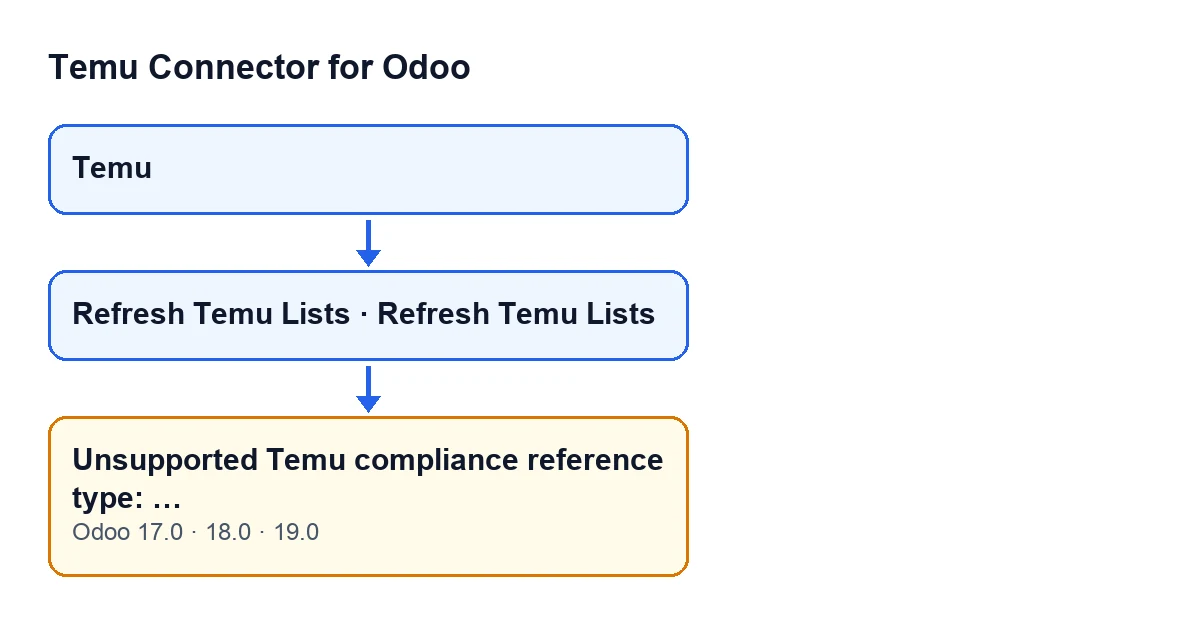
Hogar Norte, a shop invented for this example, is preparing to publish a product on Temu. From the Prepare Product Publish wizard they click Refresh Temu Lists. Instead of the lists refreshing, Odoo shows Unsupported Temu compliance reference type: …, with some text after the colon, and the action stops.
The person who sees it wonders what that "reference type" is, whether the fault lies with Temu, and what to do next. The answers come from the module's published code.

Exactly when it appears
The message is raised by the module routine that queries Temu for a list of compliance data for a given reference type. The first thing it does is look the received type up in the module's own table of compliance information types. If that lookup returns nothing, meaning the type has no entry or the entry is empty, it raises the error and the action stops. What you see after the colon is the reference type it received.
Because that check comes first in the routine, the module has not yet asked Temu for that compliance list when the message appears.
The text is in the published code of branches 17.0, 18.0 and 19.0.
Where you reach it from
The Refresh Temu Lists button is on two screens: the Product Publishing form and the Prepare Product Publish wizard. In Odoo 17.0, 18.0 and 19.0 it is always visible on both, and from either screen you can reach the message. The routine belongs to the Temu instance, whose records open from the Temu menu.
What it means
It means the routine received a reference type for which its compliance information table has no usable equivalent. It is not a connection failure: the message appears before the routine asks Temu for that list, so it does not depend on what Temu answers to that request.
For diagnosis, what matters is the value after the colon: it tells you which reference type reached the routine and found no entry.
What the module does when the type is valid
If the type is in the table, the routine asks Temu for the list page by page. It sends the type, the page number and the page size (normalised with a cap) and, if they were given, a search text and a language. It keeps requesting pages until one comes back empty, the response indicates there are no more, or the instance's maximum number of pages is reached. At the end it returns all the rows collected.
This message covers only the unrecognised type, which is checked before that loop.
Questions people ask when they see it
Does it come from Temu?
No. The module itself raises the message in its first check, before sending the request for the compliance list.
Which versions have it?
The text is in the published code of Odoo 17.0, 18.0 and 19.0. The module is published on Odoo Apps for 17.0, 18.0, 19.0 and 20.0.
Is there a view condition that explains why I can see the button?
No: in Odoo 17.0, 18.0 and 19.0 the Refresh Temu Lists button is always visible, both on the Product Publishing form and in the Prepare Product Publish wizard.
How to act, step by step
- Copy the whole message, including what follows the colon: it is the reference type the module received.
- Note which screen you clicked
Refresh Temu Listson: theProduct Publishingform or thePrepare Product Publishwizard. - Write to us with the copied text, the screen and your Odoo version.
- Once a fix is in place, click the button again. If another message appears, it is a different issue.
What to take from the case
- The error comes before the routine asks Temu for the compliance list.
- The condition is just one: the received type has no entry in the module's table, or the entry is empty.
- What helps diagnosis is the value after the colon and the screen you clicked the button on.
- The button is always visible on both screens in Odoo 17.0, 18.0 and 19.0.
How FlexigoTech can help
We implement Odoo 17, 18, 19 and 20 and build custom connectors and integrations. The module needs the FlexigoTech Cloud subscription, Connector plan: €49 a month or €490 a year, excluding VAT. The connection goes through that service, which stores the credentials encrypted and emails you if synchronisation fails. More details are on the module page.
Keep reading
Checked in the connector's source code (version 19.0) and the linked sources
Sources
- Module source code: flexigobe_temu_connector 19.0 (455b3f0f): models/temu_instance.py
- Module source code: flexigobe_temu_connector 19.0 (455b3f0f): views/temu_product_binding_views.xml
- Module source code: flexigobe_temu_connector 19.0 (455b3f0f): wizard/temu_product_publish_wizard_views.xml
- Module source code: flexigobe_temu_connector 19.0 (455b3f0f): models/fgt_cloud.py
- apps.odoo.com/apps/modules/19.0/flexigobe_temu_connector
- flexigotech.com/en/services.html
- flexigotech.com/precios.html