

 Español
 Català
 Deutsch
 Français
 Português
 Italiano
 Nederlands
 Polski
What the message says and when it appears
What do the gaps in the message mean?
The first holds the domain of the Shopify store; the second holds the text of the error that caused the failure. The module does not interpret the cause: it picks up the error from the step that failed and shows it after the domain. That is why the second gap is the one that tells you what to fix.
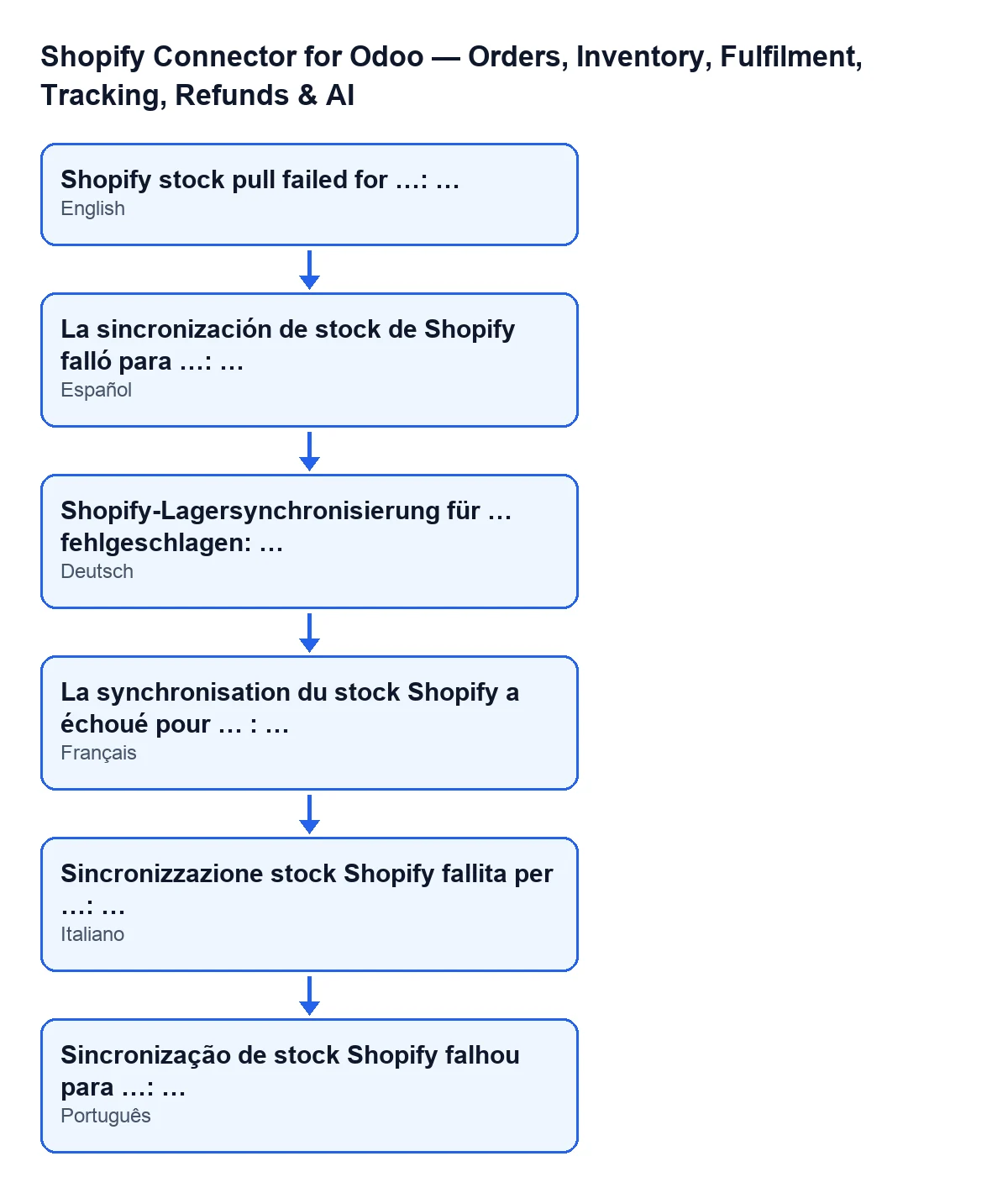
Shopify stock pull failed for …: …; it also shows the text in Spanish, German, French, Italian and Portuguese.When exactly does it appear?
Two conditions have to be met together. First: the store has stock sync switched on; if not, the action skips that store and does nothing. Second: once the run has started, something fails that is not a FlexigoTech Cloud pause. In Odoo 20.0 the module does this, in this order: it opens a run in the sync log, looks for the products linked to Shopify that are active, have a Shopify inventory item identifier and belong to the same company as the store, decides the Odoo stock location, gets the store's Shopify location, asks Shopify for the available quantities in groups, and applies them product by product. If one of those steps raises an error that is not one of the situations explained below, the module marks the run as failed in the log with the error text, writes it to the server log and raises this message.
How do I reach this message?
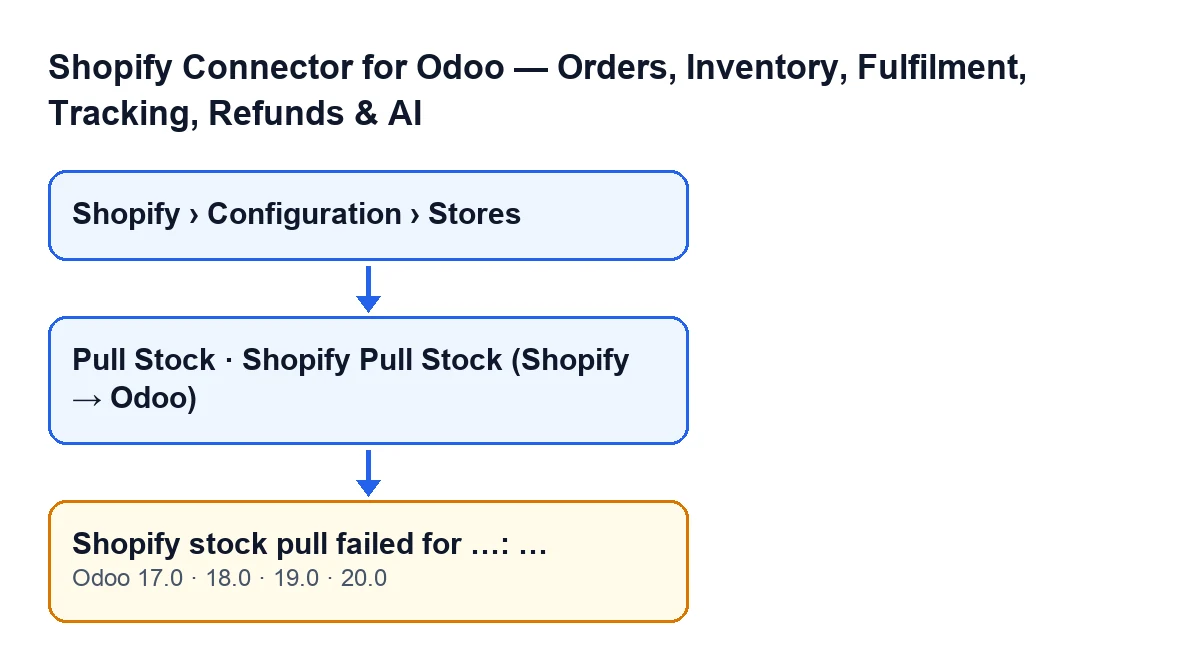
Through the Pull Stock button on the store form; the button is always visible, in Odoo 17, 18, 19 and 20. The form opens from the menu Shopify › Configuration › Stores. Each menu level asks for a permission and, if you lack one, you do not see that level: Configuration asks for Operator and Shopify asks for Viewer. To see what the button does before it reaches the error, there is the button explained step by step. There is also a scheduled task called Shopify Pull Stock (Shopify → Odoo).

Situations that do not raise this message
What happens if there are no linked products or no stock location?
Neither of those situations raises this message. If no linked products meet the conditions above, the run is closed as done with a note in the log. For the location, the module uses the primary Shopify location that is mapped to an Odoo location; if there is none, it uses the store's warehouse or, if the store has no warehouse, the first warehouse of its company, with its stock location. If it still finds none, it leaves the run marked as failed in the log and moves on to the next store, without raising this message.
Does a single product that fails to update raise the message?
No. Applying quantities has its own check per product: if one fails, the module notes it in the server log, counts it as an error and carries on with the next. When it finishes, the run is stored in the log with the updated quantities and the errors counted: successful if there were no errors, partial if there were errors and at least one product was updated, and failed if there were errors and none was updated. Each product that is updated gets the date of its last stock sync.
And if FlexigoTech Cloud has paused the sync?
This message does not appear either: the module deletes the run from the log, so it is not shown as failed, and raises the pause again. The connection goes through FlexigoTech Cloud, which watches the sync and emails you if it fails.
What happens to the action when the message appears?
The action stops. Fix the cause and press Pull Stock again.
How to fix it
What do I do when it appears?
First, read the whole second gap and check that the domain in the first is the store you expected. Then fix the cause that text describes: it may come from looking up the store's Shopify location, from the call to Shopify or from any other step in the process. If the store has no default Shopify location saved, the module asks Shopify for the first one it returns and saves it. Finally, press Pull Stock again. If the second gap does not make clear what is failing, keep the full text before asking for help.
Does it appear in every Odoo version?
The module is published on Odoo Apps for 17.0, 18.0, 19.0 and 20.0, and the message is in the published code of all those branches. The Pull Stock button is always visible in them.
If you need help with stock sync
FlexigoTech implements Odoo 17, 18, 19 and 20 and builds custom connectors and integrations. You can see the module on the Odoo Apps listing or on its page at flexigotech.com. It is a one-off payment per Odoo version and needs a FlexigoTech Cloud subscription (Connector plan: €49 a month or €490 a year, excluding VAT).
Keep reading
Checked in the connector's source code (version 20.0) and the linked sources
Sources
- Module source code: flexigobe_shopify_seller_connector 20.0 (d7e627b4): models/shopify_instance.py
- Module source code: flexigobe_shopify_seller_connector 20.0 (d7e627b4): views/shopify_instance_views.xml
- Module source code: flexigobe_shopify_seller_connector 20.0 (d7e627b4): data/ir_cron_data.xml
- Module source code: flexigobe_shopify_seller_connector 20.0 (d7e627b4): models/fgt_cloud.py
- apps.odoo.com/apps/modules/20.0/flexigobe_shopify_seller_connector
- flexigotech.com/en/services.html
- flexigotech.com/precios.html