

 Español
 Català
 Deutsch
 Français
 Português
 Italiano
 Nederlands
 Polski
What the module adds to Odoo's menus
The Odoo Apps listing sums it up in its first heading, Let customers pay later with seQura. Inside your Odoo, that becomes a set of menus, the module's own models and the payment provider form.
Which new menus appear when you install Payment Provider: seQura?
A seQura menu appears with two blocks. Under seQura › Operations you have Orders under review, Awaiting shipment report and All seQura payments. Under seQura › Configuration there is seQura account. On top of that, under the module's root menu (in the code, flexigo_sequra_bnpl.menu_sequra_root) there is a Finance section with a Disbursements entry. Besides these menus, seQura shows up as another card in Invoicing › Payment Providers.
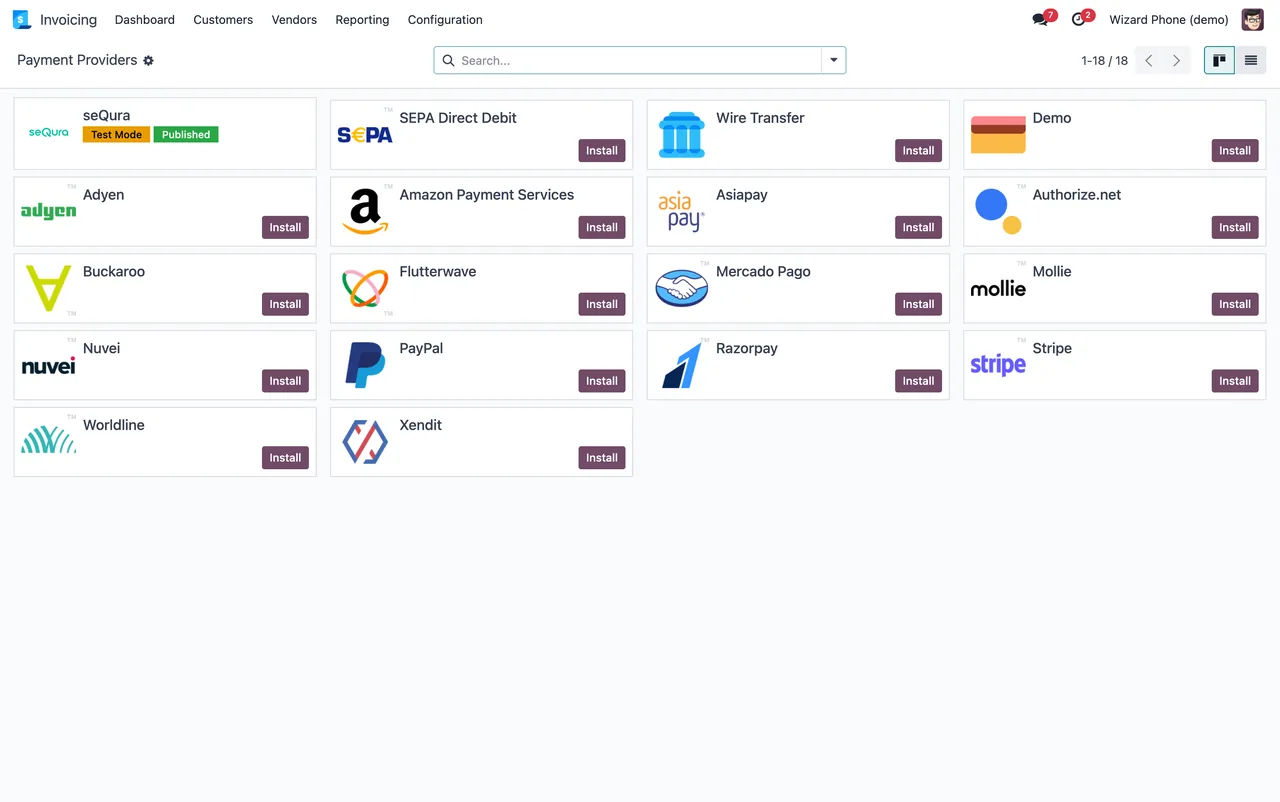
Invoicing › Payment Providers, with seQura in Test Mode and Published (demo data).Where do you set up the seQura account?
There are two places with their own name: the seQura › Configuration › seQura account menu and the seQura provider form under Invoicing › Payment Providers. On that form, the Credentials tab shows the deployment, the username and the password (hidden) and the Fetch merchant accounts button. The seQura accounts tab shows, in the screenshot, one line with Spain as the country, Merchant ID and Assets key, alongside the notification and webhook URLs. Which fields to fill in and in what order is covered in the module set-up guide.
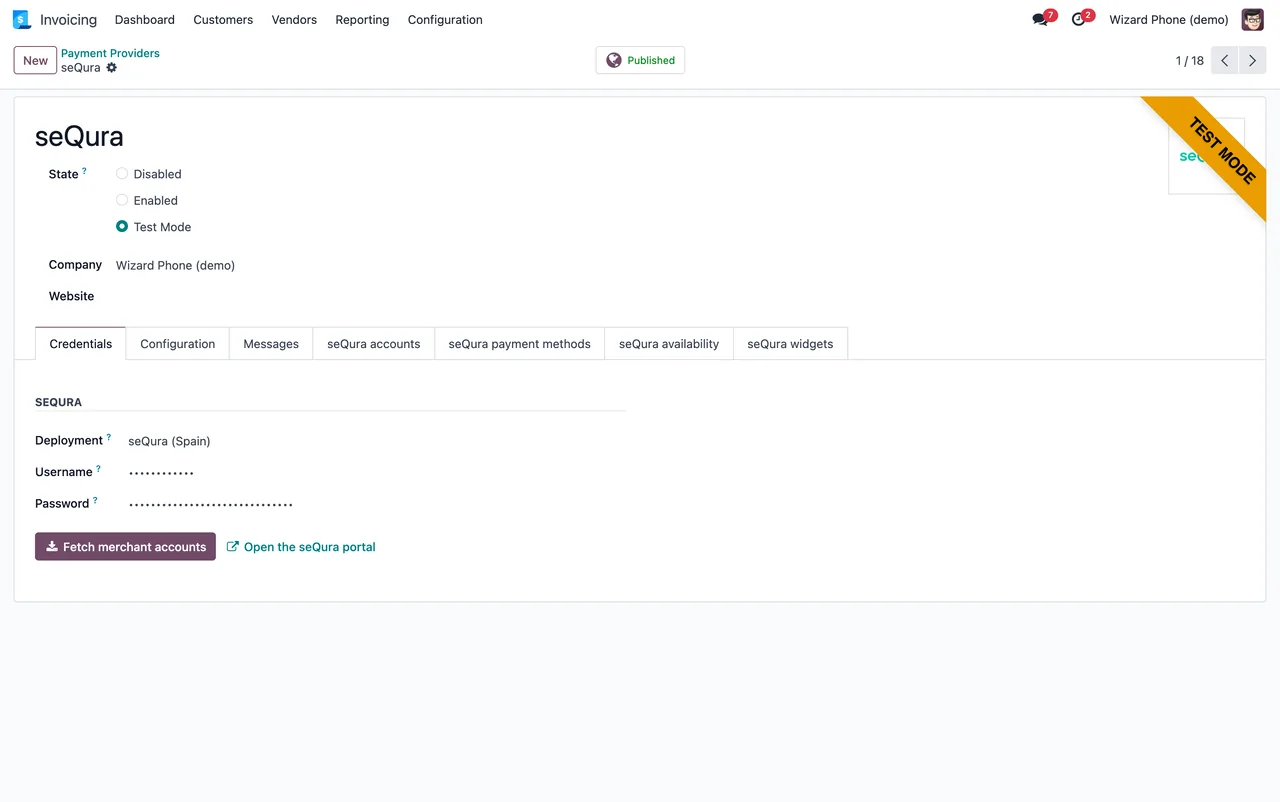
Credentials tab of the seQura provider in test mode: deployment, hidden username and password, and the Fetch merchant accounts button (demo data).What does the module store inside your Odoo?
It defines its own models, and each one's description tells you what kind of record it is:
sequra.country.config:seQura Merchant Account.sequra.disbursement:seQura Disbursement.sequra.disbursement.line:seQura Settlement Line.sequra.payment.method:seQura Contracted Payment Method.sequra.send.link:Send a seQura payment link.
The scheduled actions and what a record goes through
Which scheduled actions run, and how often?
There are three, and all three come active. Two run every day and one every 7 days:
| Scheduled action | Frequency | Active |
|---|---|---|
seQura: send the delivery report | Every day | Yes |
seQura: import disbursements | Every day | Yes |
seQura: refresh contracted payment methods | Every 7 days | Yes |
Which lists does an order paid with seQura pass through?
The module splits operations into three lists under seQura › Operations: Orders under review, Awaiting shipment report and All seQura payments. Which status moves an order into each list, and what to check in them during the first week, is in the set-up guide. If you see a warning while reviewing an order, the exact wording and what to do about it are in the module's error messages.
Where can you see seQura disbursements?
In Finance › Disbursements, under the module's root menu. Disbursement records belong to the seQura Disbursement model, and the module also stores settlement lines in seQura Settlement Line. The seQura: import disbursements action is one of the two that run every day.
What about the contracted payment methods?
The module stores them as seQura Contracted Payment Method and has the seQura: refresh contracted payment methods action, which runs every 7 days. On the provider form, the payment methods tab shows a table and a Refresh button; in the sequence below, the table has one row for Spain with Paga Fraccionado and part_payment.
Invoicing › Payment Providers kanban to the seQura provider in test mode: credentials, the seQura accounts tab and the payment methods tab with one row for Spain (Paga Fraccionado) and a Refresh button (demo data).The service behind the connection
Why does the app also need a subscription?
The listing flags it in a section of its own, Before you buy: this app uses a paid external service, and also has its own Privacy policy section. The connection goes through FlexigoTech Cloud, which stores the credentials encrypted, monitors synchronisation and emails you if it fails; if seQura changes its API, both the module and the service are adapted. The app costs €9 per Odoo version, a one-off payment excluding VAT, for 17, 18, 19 and 20; the Connector plan costs €49/month or €490/year excluding VAT, with up to 3 seQura accounts (Pro: €98/month or €980/year excluding VAT, up to 10 accounts).
What happens if you cancel the subscription or the service is suspended?
Whatever the subscription provides stops. Your data stays in your Odoo.
What changes when you upgrade Odoo?
The module is published on Odoo Apps for 17.0, 18.0, 19.0 and 20.0. With the subscription, the module for new Odoo versions is included if you bought it on flexigotech.com; if you bought it on the Odoo App Store, each Odoo version is bought there.
How FlexigoTech can help
FlexigoTech implements Odoo 17, 18, 19 and 20 and builds bespoke connectors and integrations. If you want to look at the module before deciding, there is its Odoo Apps listing and the module page on flexigotech.com, where you can also take out the Connector plan. If what you need is a full implementation or a seQura flow adapted to the way you work, get in touch and we will look at it on your own Odoo.
Keep reading
Checked in the connector's source code (version 20.0) and the linked sources
Sources
- Module source code: flexigo_sequra_bnpl 20.0 (f94d334a): views/sequra_disbursement_views.xml
- Module source code: flexigo_sequra_bnpl 20.0 (f94d334a): views/sequra_operations_views.xml
- Module source code: flexigo_sequra_bnpl 20.0 (f94d334a): data/ir_cron_data.xml
- Module source code: flexigo_sequra_bnpl 20.0 (f94d334a): static/description/index.html
- Module source code: flexigo_sequra_bnpl 20.0 (f94d334a): models/sequra_country_config.py
- Module source code: flexigo_sequra_bnpl 20.0 (f94d334a): models/sequra_disbursement.py
- Module source code: flexigo_sequra_bnpl 20.0 (f94d334a): models/sequra_payment_method.py
- Module source code: flexigo_sequra_bnpl 20.0 (f94d334a): wizards/sequra_send_link.py
- apps.odoo.com/apps/modules/20.0/flexigo_sequra_bnpl
- apps.odoo.com/apps/modules/17.0/flexigo_sequra_bnpl
- apps.odoo.com/apps/modules/18.0/flexigo_sequra_bnpl
- apps.odoo.com/apps/modules/19.0/flexigo_sequra_bnpl
- flexigotech.com/en/services.html
- flexigotech.com/precios.html