
 Español
 Català
 Deutsch
 Français
 Português
 Italiano
 Nederlands
 Polski


seQura connector for Odoo
Offer seQura's pay-later and instalments in your Odoo shop and follow each payment through to the payout.
€49/month14 days free, no card
Yearly and Pro
- Standard€49/month · €490/year
- Pro€98/month · €980/year
Reply within 1 working day; with Pro, 4 hours. FlexigoTech Cloud pricing
After you buy
- You pay for the license (€9 + VAT) and get an email with the link to download the module.
- You install it in your Odoo, on Odoo.sh or your own server.
- In Settings → FlexigoTech Cloud you accept the data list and press «Try free for 14 days». The trial doesn't ask for a card.
- To continue, you press «Subscribe», create your account on app.flexigotech.com and pay for the plan by card.
Every purchase includes 2 months of support: we help you install it, set it up and get it working, by email and video call.
- Tested on Odoo 17, 18, 19 and 20
- Odoo Learning Partner
 Each payment, with its seQura stateReal Odoo screenshot
Get started in 3 steps
- Install the moduleFrom Odoo Apps, on Odoo.sh or on your own server.
- Start the trialIn Settings › FlexigoTech Cloud, an administrator accepts the data list and starts the 14-day trial. No card.
- Connect seQuraIn seQura › Configuration › seQura account, type your seQura username and password and click «Fetch merchant accounts»: your accounts and methods come in.
Sell Publish the payment provider: your shoppers choose seQura at checkout and Odoo confirms the order once seQura approves it.
What you need Your seQura merchant account. Odoo 17, 18, 19 or 20 on Odoo.sh or your own server, not Odoo Online; the module installs eCommerce.
What it does
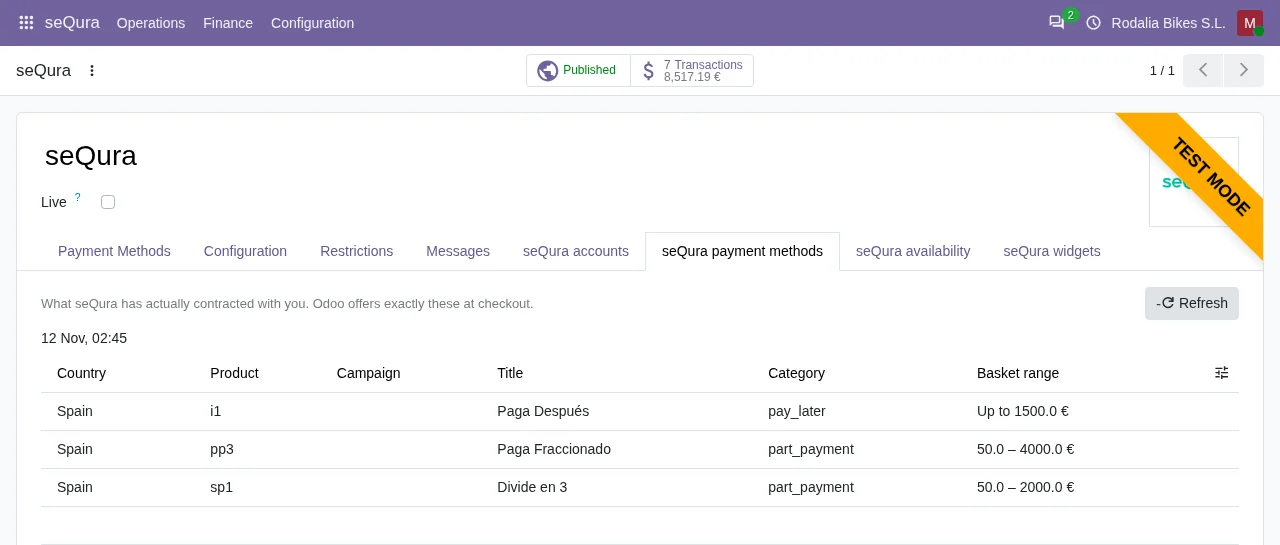
- Pay later, in 3 or in instalmentsOnly what seQura has contracted with you.
- Shipments reported on their ownValidate the delivery and seQura knows.
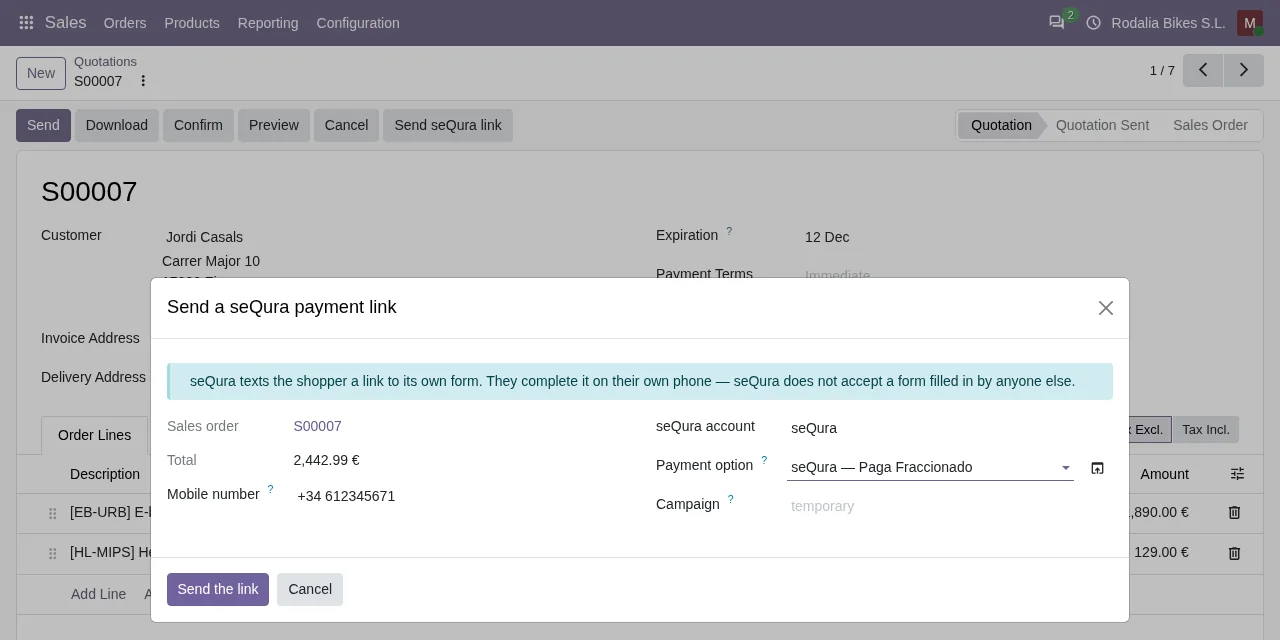
- Phone salesseQura texts the payment link to the shopper.
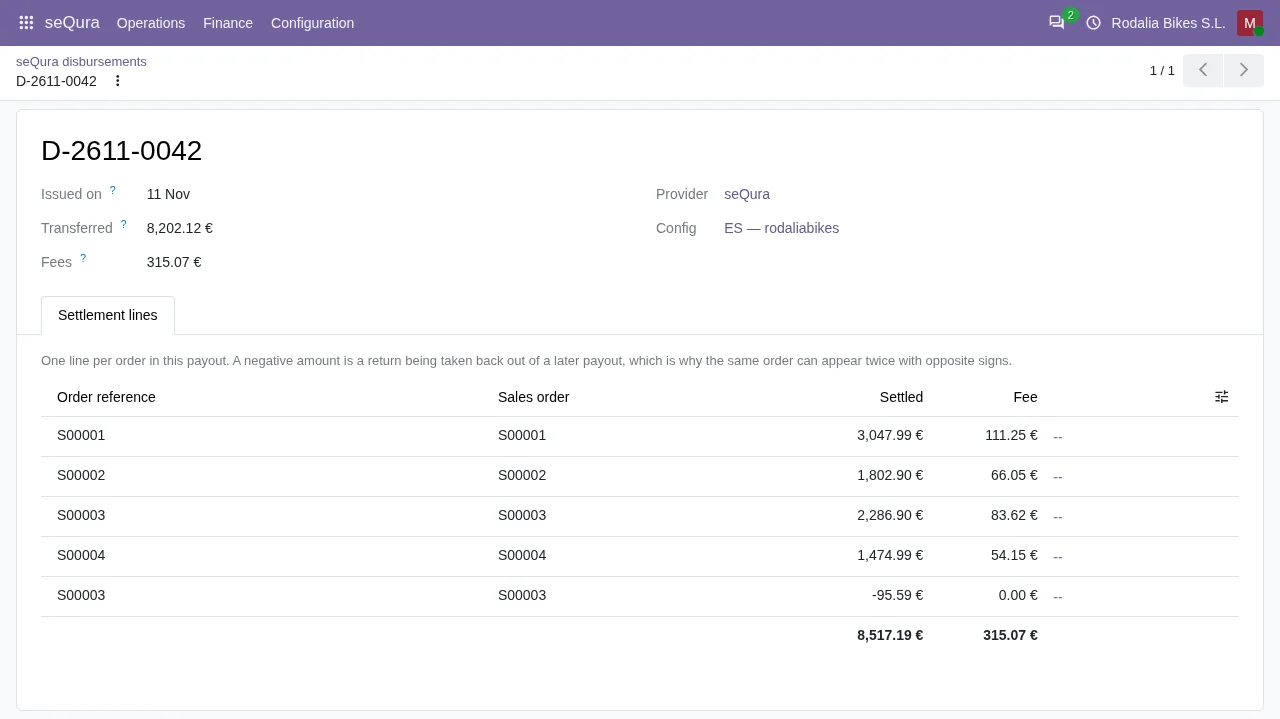
- Payouts order by orderEach transfer, with its fees.
How it works

Leaves Odoo
- Each order's cart
- Shipments and cancellations
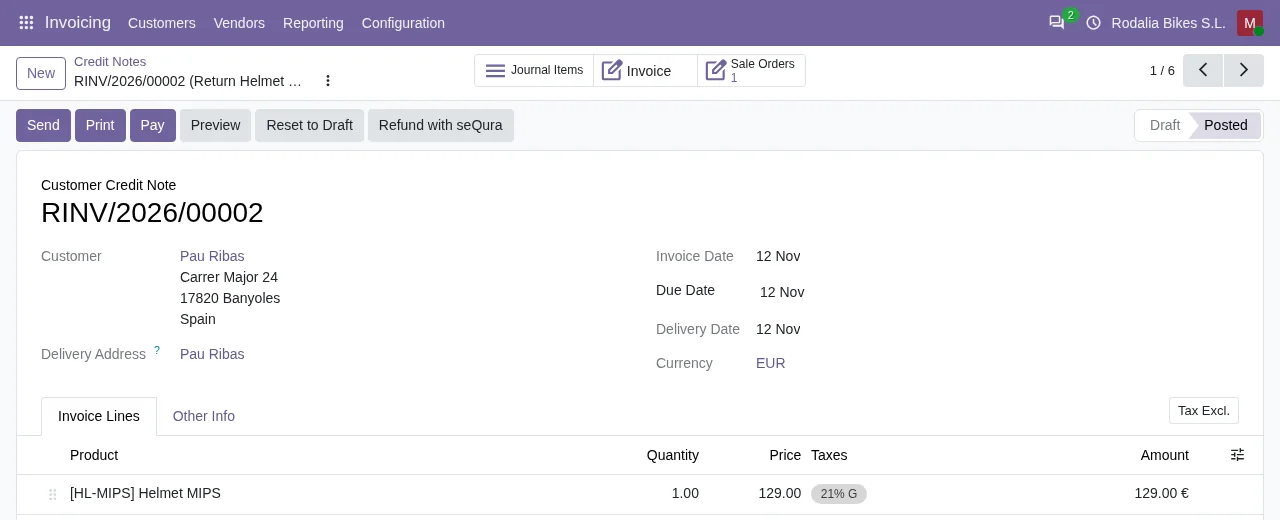
- Refunds
FlexigoTech Cloud
Comes from seQura
- Approval or review of the payment
- Your contracted methods
- Payouts with their orders

FlexigoTech Cloud keeps your seQura username and password encrypted and relays every call to seQura.
Where you see it in Odoo
- seQura menuorders under review, payments and payouts
 SalesSMS payment link
 Invoicingrefunds from the credit note
 eCommerceseQura at checkout and on the product
Inside Odoo
Real Odoo screenshots.
Price
Standard
€49a month + VAT
€490 a year + VAT 2 months free
- The connection runs on our servers
- We alert you if sync fails
- First response 1 working day
- Video call included for the first 2 months
- Accounts per connector Up to 3
Pro
€98a month + VAT
€980 a year + VAT 2 months free
- Everything in Standard
- First response 4 working hours
- Video call if needed
- Accounts per connector Up to 10
- + €9 for the module license, per Odoo version
- 14 days free, no card
- Cancel in two clicks
- Every purchase includes 2 months of support: we help you install it, set it up and get it working, by email and video call. While you're subscribed, support for the service stays included. Still integrating or testing? Extend your free trial.
If you cancel What the subscription gives stops. Your data stays in your Odoo.
- Support with response timesMonday to Friday, 9:00 to 18:00 (Barcelona), except public holidays.
- Maintenance and improvementsOdoo 17-20, on Odoo.sh or your own server
- We handle changes to their APIIf the platform changes its API, we adapt the module and the service.
- Servers in GermanyWe store your credentials encrypted
- Tested On Odoo 17, 18, 19 and 20. Real seQura API: tested in its sandbox.
- 1 purchase on Odoo Apps · 11-11-2026
- 6,791 lines of code · 13-11-2026
- Over 240 tests passing (Odoo 17 to 20) · 07-11-2026
- No reviews yet · leave yours
Frequently asked questions
Which seQura methods does it offer?
The ones seQura has contracted with you, such as pay later, pay in 3 or instalments. The module fetches them from seQura and, for each cart, shows only those that accept its amount.
What about sales that do not go through the website?
From the quotation, «Send seQura link»: seQura texts the shopper, who fills in the form on their own phone.
When does seQura pay me?
seQura pays for what it knows has shipped. Odoo tells it when you validate each delivery and sends the delivery report every day; payouts reach Odoo broken down by order.
Do I need Odoo Enterprise?
No. It only uses Odoo Community modules (eCommerce, Sales, Inventory and Invoicing): it works on Community and Enterprise.
What happens if I stop the subscription?
Odoo stops calling seQura and seQura no longer shows at your shop's checkout. The payments, orders, credit notes and payouts you already have stay in your Odoo.
What happens after you press «Buy now»?
1. You pay for the license (€9 + VAT) and get an email with the link to download the module. 2. You install it in your Odoo, on Odoo.sh or your own server. 3. In Settings → FlexigoTech Cloud you accept the data list and press «Try free for 14 days». The trial doesn't ask for a card. 4. To continue, you press «Subscribe», create your account on app.flexigotech.com and pay for the plan by card.
Does it work on Odoo Online?
No: Odoo Online does not allow third-party modules. It is for Odoo 17, 18, 19 and 20, on Odoo.sh or on your own server.
Who installs it?
You do: you buy it on flexigotech.com or on Odoo Apps and install it in your Odoo. We help you install it and set it up, by email and video call, during the 2 months of included support. Custom development and data migration are quoted separately.
What support is included?
Every purchase includes 2 months of support: we help you install it, set it up and get it working, by email and video call. While you're subscribed, support for the service stays included.
What if something fails?
We monitor the connection and email you if something fails. And support has response times: first response within 1 working day; with Pro, within 4 working hours.
What about my data? And if I cancel?
The connection goes through FlexigoTech Cloud, on our servers in Germany, with your credentials encrypted. You cancel in two clicks: if you don't subscribe when the trial ends, the service stops and nothing is charged. Your data stays in your Odoo, and you can always view and export it.
Using seQura but not Odoo yet?
We set up Odoo, connect it to seQura and stay on.
From €2,450 + VAT
Start with OdooMore about the seQura connector
What it does
Native payment provider
Enable or switch to test mode in one click, with credentials and settings in tabs, like any Odoo gateway.
Charge on shipment
The charge is confirmed when you validate the delivery: you get paid for what you ship.
Refunds the seQura way
Full or partial refunds sent to seQura from the credit note.
Payout reconciliation
Each seQura settlement is broken down into the orders it paid for.
Sales outside the website
Manual sales orders can also be paid with seQura, and every transaction is traceable.
Technical sheet
- Odoo versions
- Odoo 17.0, Odoo 18.0, Odoo 19.0, Odoo 20.0
- License
- OPL-1
- Family
- Sales & operations
- Technical name
flexigo_sequra_bnpl· Odoo Community and Enterprise- Author
- FlexigoTech, Barcelona · Odoo Learning Partner
- Odoo App Store
- View on the Odoo App Store
Related
seQura is a trademark of its owner. FlexigoTech publishes this connector on its own, with no endorsement or sponsorship from the trademark owner.
seQura guides
4 practical guides on this module: FAQs, use cases and guides for sellers without an ERP.
- Read the seQura guides
- Payment Provider: seQura errors in Odoo: a worked example from start to finish
- How Payment Provider: seQura works in Odoo: menus, scheduled actions and records
- Setting up Payment Provider: seQura in Odoo, step by step with a worked example
- You take payments with seQura but don't use Odoo yet: six myths about the connector