

 Español
 Català
 Deutsch
 Français
 Português
 Italiano
 Nederlands
 Polski
What happens when you press nothing
Do I need to press the button for pan-European eligibility to synchronise?
For accounts that have the synchronisation switched on, no. The scheduled task Amazon SP-API - Sync Pan-European Eligibility reports (opt-in) runs every day and is active from the moment you install the module. It goes through the active accounts that have this synchronisation switched on (the opt-in in its name) and, for each one, does the same work as the button.
How does the daily run differ from pressing the button?
In three ways. The result summary carries Source: CRON when the task runs it and Source: Manual when the button does. With the button, the summary is also posted as a message on the account; in the daily run it is not. And if one of the two parts fails (FBA and MFN, below), the task neither stops nor shows an error: the failure is written into the summary that gets saved. If a whole account were to fail, the task records it as a warning in the server log and carries on with the other accounts.
The button is therefore the way to run one account's synchronisation when you want to, without waiting for the daily task.

Where the button is and who can press it
Where is it and when does it appear?
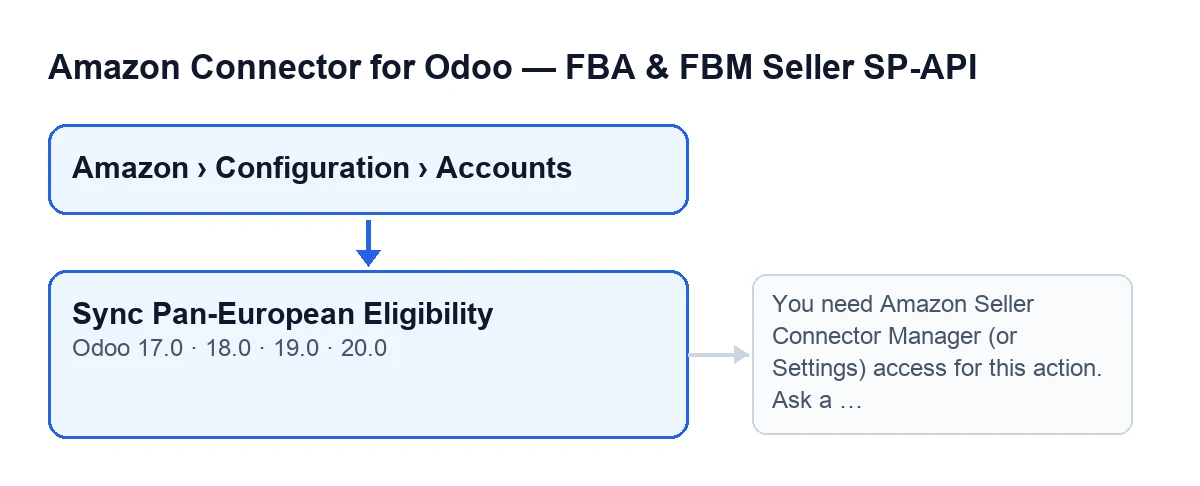
Open Amazon › Configuration › Accounts and go into an account: the Sync Pan-European Eligibility button is on its form, on the Accounts screen. It has no visibility condition: it is always shown, in Odoo 17, 18, 19 and 20. The menu, however, asks for permissions tramo by tramo: Amazon asks for Viewer, Configuration asks for Manager and Accounts asks for Manager. If you lack the permission for one level, you do not see that level.
Who can press it successfully?
Seeing the button is not enough. When you press it, the module checks on the server that you belong to the connector's Manager group or have Settings access, and also that you can write to that account. This check comes first, before the synchronisation starts.
Which message appears if I lack permission, and what do I do?
When you press the button you may get: You need Amazon Seller Connector Manager (or Settings) access for this action. Ask a manager to grant Manager access. Ask whoever administers the connector to give you Manager access, then press the button again.
What it does when you press it
What does the button do, in order?
First, the permission check above. Then it works on the account whose form you are on. After that it processes two parts, one after the other: FBA and MFN (self-fulfilled), each with its own report type. If one fails, it records the error and carries on with the other. When it finishes it builds a summary that begins with Amazon Pan-EU eligibility sync finished., followed by Account: … and Source: Manual, and adds what each part returned.
What is saved, and where is there a record of it?
The account stores the date and time of the run and the summary text, cut to a maximum of 5000 characters. With the button, the summary is also posted as a message on the account (the chatter).
What happens if one of the two parts fails?
The summary shows a block with the name of the part (FBA or MFN (self-fulfilled)) and an Error: … line with the reason. The other part is still processed. At the end, because you launched it with the button, the action stops with an error whose text is that complete summary: read it to see which part failed and why. And because the error cuts the action short, nothing that press was going to change is saved: not the date, not the result, not the message on the account. The daily run, on accounts with the synchronisation switched on, does save the result with the errors inside.
Versions, subscription and help
Is it in my Odoo version, and what do I need to use it?
The button is in the published branches of the module, for Odoo 17, 18, 19 and 20. What is described here about how it works comes from the Odoo 20.0 code. The module is a one-off payment per version and needs the FlexigoTech Cloud subscription, Connector plan: €49/month or €490/year, excluding VAT, up to 3 Amazon accounts (the Pro plan, €98/month or €980/year, up to 10). The connection goes through FlexigoTech Cloud, which stores the credentials encrypted, monitors the synchronisation and emails you if it fails. Without a subscription, or with the service suspended, whatever the subscription provides stops; your data stays in your Odoo. With the subscription, the module for newer Odoo versions is included if you bought it on flexigotech.com; on the Odoo App Store, each Odoo version is bought there.
How FlexigoTech can help
FlexigoTech implements Odoo 17, 18, 19 and 20 and builds connectors and custom integrations. To see the module, there is its page on flexigotech.com and its Odoo Apps listing. And if you would like to see another button of the connector explained in the same way: Preview on Amazon.
Keep reading
Checked in the connector's source code (version 20.0) and the linked sources
Sources
- Module source code: flexigobe_amazon_seller_connector 20.0 (8576afa5): views/amazon_spapi_account_views.xml
- Module source code: flexigobe_amazon_seller_connector 20.0 (8576afa5): models/amazon_spapi_account.py
- apps.odoo.com/apps/modules/20.0/flexigobe_amazon_seller_connector
- flexigotech.com/en/services.html
- flexigotech.com/precios.html