

 Español
 Català
 Deutsch
 Français
 Português
 Italiano
 Nederlands
 Polski
When exactly does it appear
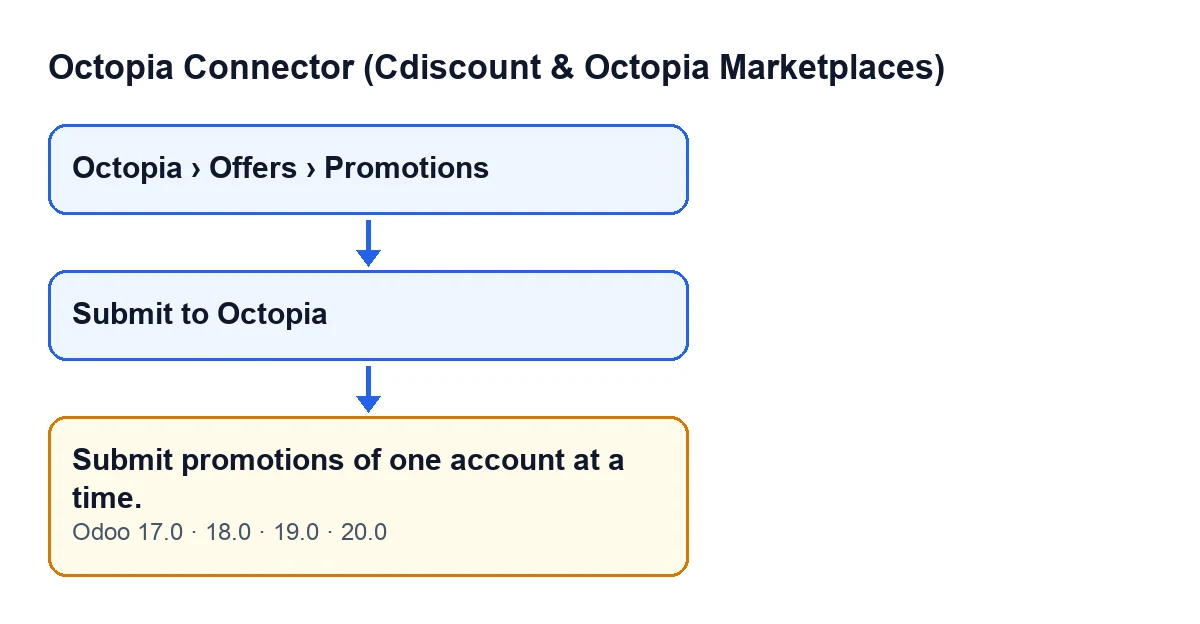
The warning Submit promotions of one account at a time. appears when you press the Submit to Octopia button on the promotions view. That button is only visible while the promotion is in draft (the State field has that value); once the state changes, the button is hidden. This is the same in Odoo 17, 18, 19 and 20, and the message is in the published code of all four versions.
The condition is this: the module keeps the draft promotions from your selection and counts how many Octopia accounts they belong to. If there is more than one, the action stops and the message appears. Several promotions from the same account do not trigger this error.
Promotions open from the menu Octopia › Offers › Promotions. You see the Octopia section of the menu if you have the Octopia User permission.

What it means and what has not happened
The message does not say that a promotion is wrong: it says that the selection mixes accounts. The module prepares a single XML package for the selected promotions and, according to the method's own description, that package requires them all to share an account. The account used is that of the first draft promotion, and the package is sent through that account's connection.
Because the warning stops the action before anything is built, nothing is saved: the module has not prepared the package or sent it to Octopia, and the promotions are still as they were, in draft. You can correct the selection and press the button again without cleaning anything up first.
One detail from the code: the account check only looks at draft promotions. If your selection includes promotions that are no longer in draft, they do not count towards this warning.
Envíe las promociones de una cuenta cada vez.; in German, Übermitteln Sie Werbeaktionen jeweils nur für ein Konto.; in French, Soumettez les promotions d'un seul compte à la fois.; in Italian, Invia le promozioni di un account alla volta.; in Portuguese, Submeta promoções de uma conta de cada vez.How to fix it, step by step
- Close the warning. There is nothing to undo: no promotion has changed state.
- Open
Octopia › Offers › Promotions. - Decide which Octopia account you will send first and select only the draft promotions of that account.
- Press
Submit to Octopia. With a single account in the selection, the module carries on with the submission. - Repeat steps three and four for each of the other accounts: one selection and one submission per account.
- Check the result: the promotions you sent are no longer in draft, so the
Submit to Octopiabutton disappears from them, and the module records in the account's synchronisation log that the promotion package was submitted.
If you still cannot submit after adjusting the selection, the reason will be a different one: the same button has other checks, which we cover in what the «Submit to Octopia» button does.
What happens when the submission does go ahead
To see why the module asks for one account per submission, this is the order the code follows when the selection is valid:
- It keeps the draft promotions and takes the account of the first one.
- It builds a compressed package with the XML of the promotions.
- It stores the package as an attachment with a link protected by a token, because the Octopia API only accepts a link to the package, never the content itself.
- It hands that link to Octopia using the account's connection.
- It records the package reference, the attachment and the link on each promotion, and moves it from draft to submitted.
- It leaves an entry in the account's synchronisation log.
All of this runs through the connection of one specific account, which is why a single package cannot be split across several.
Accounts and subscription
The module is a one-off payment per Odoo version and needs the FlexigoTech Cloud subscription (Connector plan). The plan costs €49 per month or €490 per year, excluding VAT, and covers up to 3 platform accounts (the Pro plan, 10). The connection goes through FlexigoTech Cloud, which stores the credentials encrypted, monitors the synchronisation and emails you if it fails. The module price for each version (17, 18, 19 and 20) is on its Odoo Apps page.
If you work with several accounts
If you run several Octopia accounts in one Odoo database and want to organise how promotions are prepared and submitted, FlexigoTech implements Odoo 17, 18, 19 and 20 and builds custom connectors and integrations.
Keep reading
Checked in the connector's source code (version 20.0) and the linked sources
Sources
- Module source code: flexigobe_octopia_connector 20.0 (4848da6a): models/octopia_promotion.py
- Module source code: flexigobe_octopia_connector 20.0 (4848da6a): views/octopia_promotion_views.xml
- apps.odoo.com/apps/modules/20.0/flexigobe_octopia_connector
- flexigotech.com/precios.html
- flexigotech.com/en/services.html