

 Español
 Català
 Deutsch
 Français
 Português
 Italiano
 Nederlands
 Polski
When the message appears and what the module checks
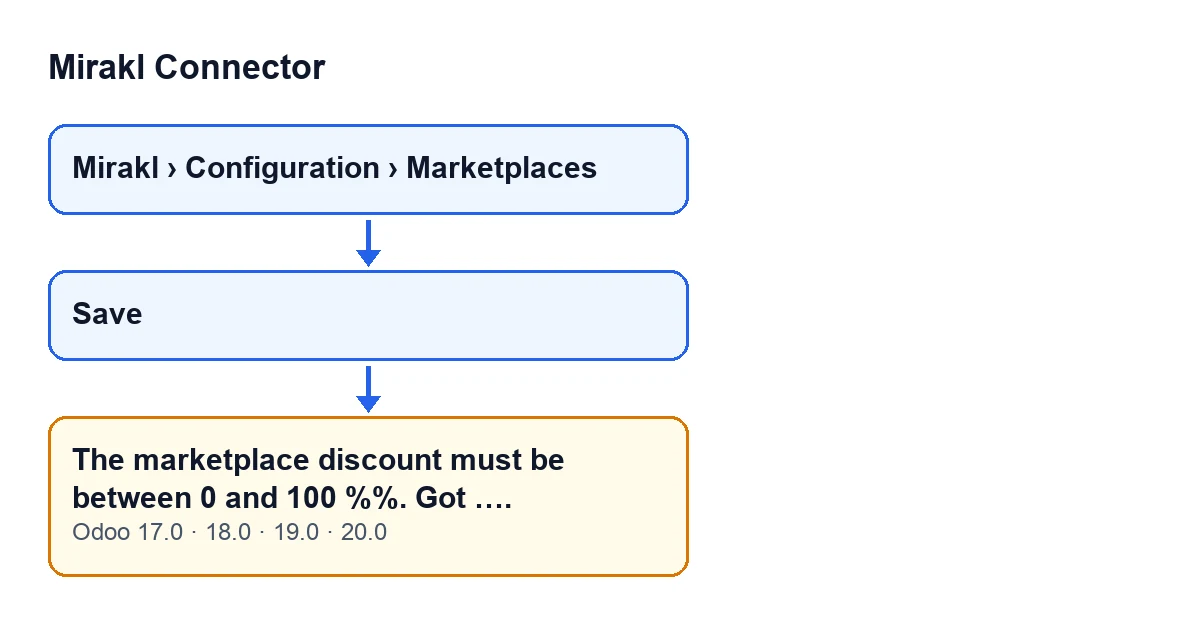
Marketplace records in Mirakl Connector open from the menu Mirakl › Configuration › Marketplaces. The message does not appear when you open them or move around the menu: it appears on saving, because that is when the check runs. If it fails, the record is not saved.
The condition is the one in the Odoo 20.0 code: the module takes the marketplace discount percentage from the record and compares it with two limits. If the value is below 0 or above 100, it stops the action and shows The marketplace discount must be between 0 and 100 %%. Got …., with the value it checked at the end of the text. Because the action is stopped, nothing you were about to change on that record is saved.
Two things follow from the condition in the code:
- A value of exactly 0 or exactly 100 does not trigger the message. Only a value below 0 or above 100 does.
- A negative value triggers it just as a value over one hundred does. The text of the message is the same in both cases.
The text of this message is in the published code of all four branches: Odoo 17, 18, 19 and 20.

An illustrative case: setting up a marketplace with the discount mistyped
Example Illustrative case: the company and its figures are made up to explain the flow.
Hogar Mediterráneo, a company invented for this example, is implementing Odoo and sets up its first marketplace in Mirakl Connector. The person doing it works in the administration team. They open Mirakl › Configuration › Marketplaces, go into the marketplace record and fill in its details. In the marketplace discount percentage they mistakenly type a value above one hundred.
When they save the record, Odoo does not save it and shows The marketplace discount must be between 0 and 100 %%. Got ….. After Got comes the number the module checked, and that is the clue: one look shows it is outside the range. There is nothing else to investigate.
The person corrects the percentage to a value between 0 and 100 and saves again. With the value inside the range, the condition in the code no longer holds and the module does not raise the message.
What to do when you see it, step by step
- Read the number shown after
Got. It is the percentage the module rejected. - Check that it is indeed below 0 or above 100. If it is negative or over one hundred, that is why the message appeared.
- Correct the record's marketplace discount percentage so that it falls between 0 and 100. Both ends, 0 and 100, are valid.
- Save the record again. Because the check runs on saving, that is where you confirm the value is now correct.
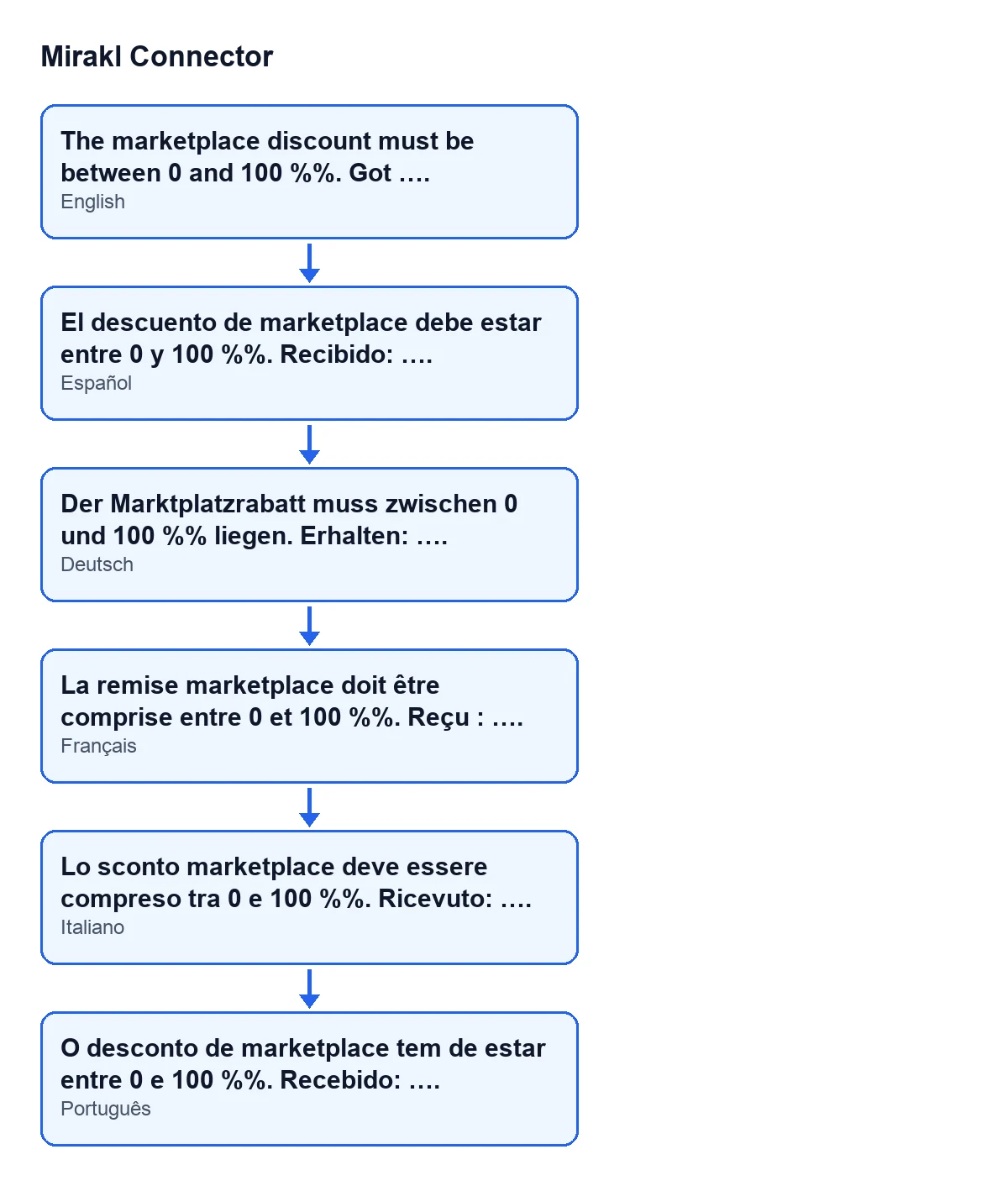
The message reads like this depending on the language of your Odoo:
| Odoo language | How the message reads |
|---|---|
| English | The marketplace discount must be between 0 and 100 %%. Got …. |
| Spanish | The marketplace discount must be between 0 and 100 %%. Got …. |
| German | Der Marktplatzrabatt muss zwischen 0 und 100 %% liegen. Erhalten: …. |
| French | La remise marketplace doit être comprise entre 0 et 100 %%. Reçu : …. |
| Italian | Lo sconto marketplace deve essere compreso tra 0 e 100 %%. Ricevuto: …. |
| Portuguese | O desconto de marketplace tem de estar entre 0 e 100 %%. Recebido: …. |
If you see the same message again
Look once more at the number after Got. As long as it is below 0 or above 100, the module will keep stopping the save, because that is the condition the code applies in this check. If the number shown is not the one you thought you had typed, review the record's marketplace discount percentage before saving again.
Other messages from the module have their own article, such as the one on posting the invoice before sending it to Mirakl.
What to take from the case
- The message is a validation on saving: it prevents the record from being saved with that value and stops the action, so nothing you were about to change on it is saved.
- The number after
Gottells you which value the module checked, so there is no need to guess. - The valid range includes 0 and 100, and the same message covers both negative values and values above one hundred.
- The condition is the one in the Odoo 20.0 code; the text of the message is the same in the published code of Odoo 17, 18 and 19.
Where FlexigoTech fits in
Mirakl Connector is published on Odoo Apps for Odoo 17, 18, 19 and 20 (Odoo Apps listing), and there is more detail on the module page. FlexigoTech implements Odoo 17, 18, 19 and 20 and builds connectors and custom integrations. If you are setting up marketplaces as part of an implementation and want someone to review the configuration with you, that is part of our work.
Keep reading
Checked in the connector's source code (version 20.0) and the linked sources
Sources
- Module source code: flexigobe_mirakl_connector 20.0 (aa05e537): models/mirakl_instance.py
- Module source code: flexigobe_mirakl_connector 20.0 (aa05e537): models/mirakl_ai.py
- apps.odoo.com/apps/modules/20.0/flexigobe_mirakl_connector
- flexigotech.com/en/services.html