

 Español
 Català
 Deutsch
 Français
 Português
 Italiano
 Nederlands
 Polski
What the module does, briefly
According to its README, the module records every covered import with its embedded emissions, calculates total embedded emissions per item and per declaration period, tracks the net certificates required with their estimated cost based on the ETS reference price, and exports declarations as CSV. If nobody in your business imports products from those sectors, this module gives you nothing. If they do, what follows helps you separate what the module covers from what you might assume.
If you want to see the menus and how a record moves through them, we explain it in how it works under the bonnet. Here we focus on whether it suits you.
Misconceptions about what it covers
«It works for any import with a carbon footprint»
No. Each product is classified with the CN Code field according to Annex I (the documentation gives 7208.10.00 for iron and steel as an example) and with the Sector field, which accepts cement, iron_and_steel, aluminium, fertilizers, electricity and hydrogen. Anything outside those categories is outside what the module handles.
The module also automatically detects the 50-tonne de minimis threshold, which its README attributes to Article 2a of Regulation 2023/956. Electricity and hydrogen imports are flagged with the Excluded from Threshold checkbox.
«Without verified data from my supplier I cannot calculate anything»
You can. In the default values configuration, the combination of CN Code and country gives specific emissions (tCO2eq per tonne or per MWh), and according to the README they apply automatically when no actual verified data is available. Among its references, the documentation cites Implementing Regulation (EU) 2025/2621 for default values of embedded emissions.
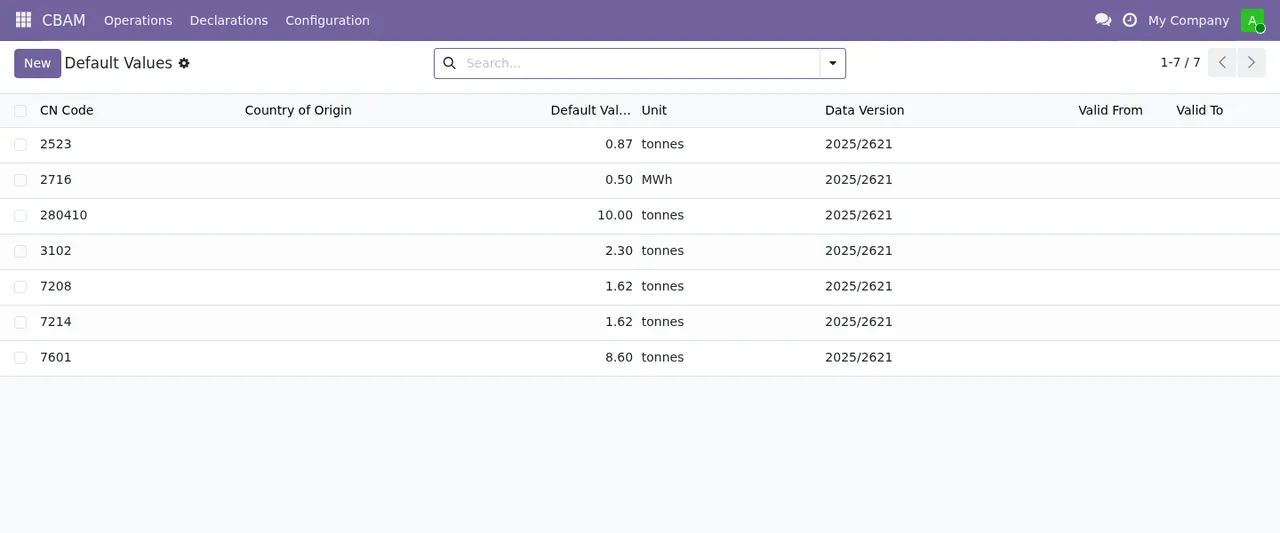
«The certificates I need equal the tonnes emitted»
That is not how the module calculates them. According to its README, certificates are embedded emissions minus the carbon price deduction and minus the product of CBAM factor, CSCF, CBAM benchmark and mass (citing Regulation 2023/956, Articles 6(2)(c) and 31, and Implementing Regulation 2025/2620). The CBAM factor it applies runs from 97.5% in 2026 down to 14% in 2033, and for the cross-sectoral correction factor it cites Implementing Decision (EU) 2026/1862, at 100% for 2026-2030.
The carbon price deduction has a condition: the module applies it to the carbon price effectively paid in the country of origin and only with actual emissions (Article 9(1)). The documentation gives Turkey as an example of a country with domestic carbon pricing and states that the figure is an estimate until the Article 9(5) implementing acts set the conversion.
Misconceptions about how it is used
«You just install it and start entering imports»
The README's installation has three steps: install the module via Odoo Apps or the command line, configure the company's CBAM settings and load the initial data. In the authorised declarant setup you set CBAM Authorized Declarant to Yes, enter the EORI Number and choose your member state under National Competent Authority (NCA).
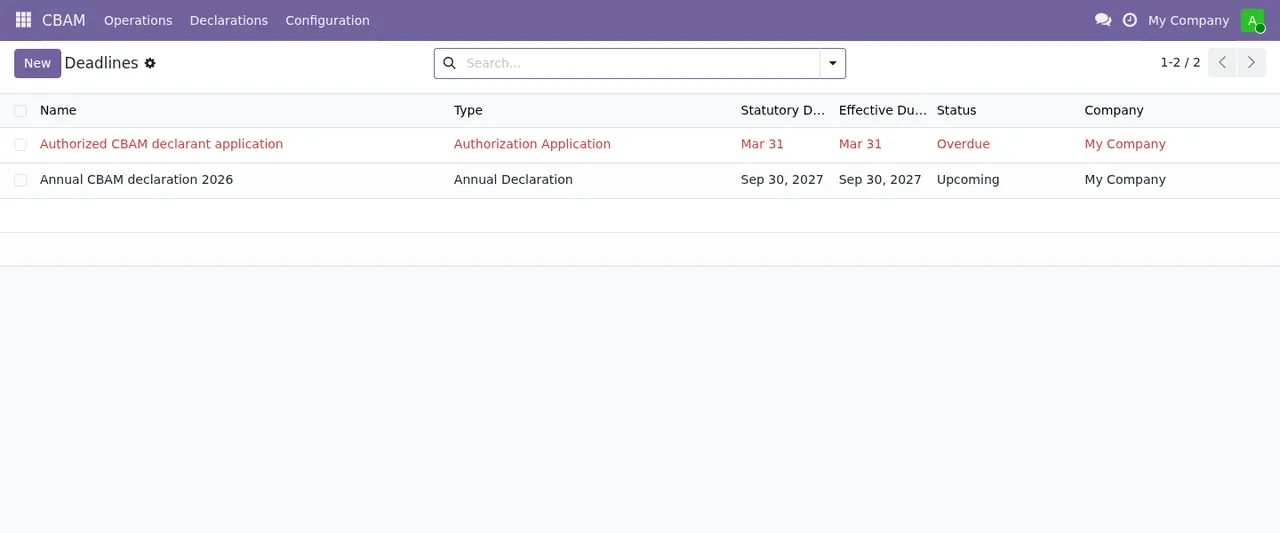
«It is only for the annual declaration»
It also covers the quarterly certificate holding: according to the README, 50% of the embedded emissions after the free allocation adjustment (citing Article 22(2) of Regulation 2023/956, as amended by Regulation 2025/2083). It also tracks the net certificates required with their estimated cost based on the ETS reference price, and logs every declaration action through mail tracking and activity logging.
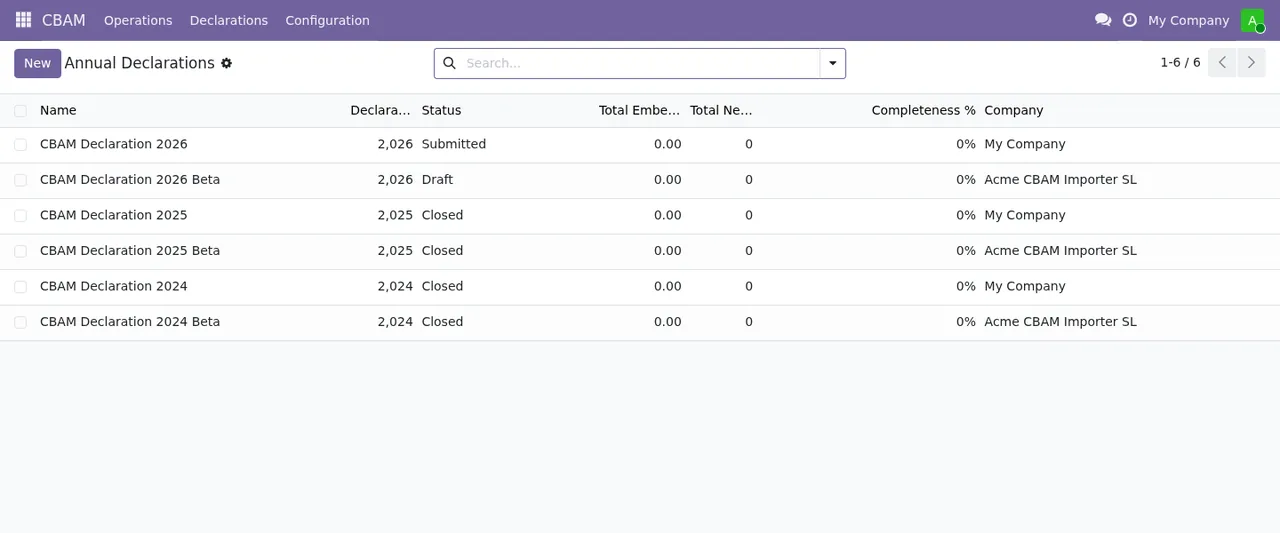
Submitted, Draft and Closed status for the companies My Company and Acme CBAM Importer SL, with total emissions and completion at zero.«With several companies my data will get mixed up»
The README states full company isolation and multi-currency support. If you run several importing companies in the same Odoo, each keeps its records separate.
Scope and limits
- The carbon price deduction is an estimate until the Article 9(5) implementing acts are published, as the README itself says.
- The output it describes is exporting declarations as CSV.
- The module applies the regulatory references listed in its README. Which obligations apply to your business is something to confirm with your adviser or the competent authority.
If a warning appears while you configure it, you will find the texts and what to do in the module's error messages.
What to have ready before installing
- Odoo version 17, 18, 19 or 20.
- Your
EORI Numberand knowing which is yourNational Competent Authority (NCA). - The CN code and sector of every product you import.
- If your supplier is in a country with carbon pricing, actual emissions data: without it the module does not apply the deduction.
- If any import is electricity or hydrogen, have it identified so you can tick
Excluded from Threshold.
Odoo versions and price
It is published on Odoo Apps for 17.0, 18.0, 19.0 and 20.0, at €9 per Odoo version, a one-off payment excluding VAT in each case. The FlexigoTech Cloud local service costs €29/month or €290/year excluding VAT (Pro: €58/month or €580/year); without a subscription, or with the service suspended, whatever the subscription provides stops and your data stays in your Odoo.
With the subscription, the module for new Odoo versions is included if you bought it on flexigotech.com; on the Odoo App Store, each version is bought there. You can see it on the Odoo Apps listing or on the module page.
How FlexigoTech can help
We implement Odoo 17, 18, 19 and 20 and build bespoke connectors and integrations. If you need the module to work alongside your current purchasing and import processes, or to adapt how your suppliers' data is loaded, we can help you get it configured.
Keep reading
Checked in the module's source code (version 20.0) and the linked sources
Sources
- Module source code: flexigo_cbam_compliance 20.0 (e3003203): README.md
- apps.odoo.com/apps/modules/20.0/flexigo_cbam_compliance
- apps.odoo.com/apps/modules/17.0/flexigo_cbam_compliance
- apps.odoo.com/apps/modules/18.0/flexigo_cbam_compliance
- apps.odoo.com/apps/modules/19.0/flexigo_cbam_compliance
- flexigotech.com/en/services.html
- flexigotech.com/precios.html