

 Español
 Català
 Deutsch
 Français
 Português
 Italiano
 Nederlands
 Polski
What nobody tells you
That the stock reservation depends on you
ChannelEngine's help centre explains that its stock reservation is designed to eliminate the risk of overselling. It also explains its conditions: the reservation lasts until the order moves to "In progress" and is released, on average, within 1.5 hours, depending on how quickly you acknowledge orders and send stock updates. With a spreadsheet uploaded once a day, that pace is not met.
That every channel cancels its own way
Some channels only cancel complete lines. Others, only the whole order. And sometimes it is the buyer who asks to cancel something you were already preparing. If you handle this from the panel and a separate sheet, it is easy to ship what was already cancelled.
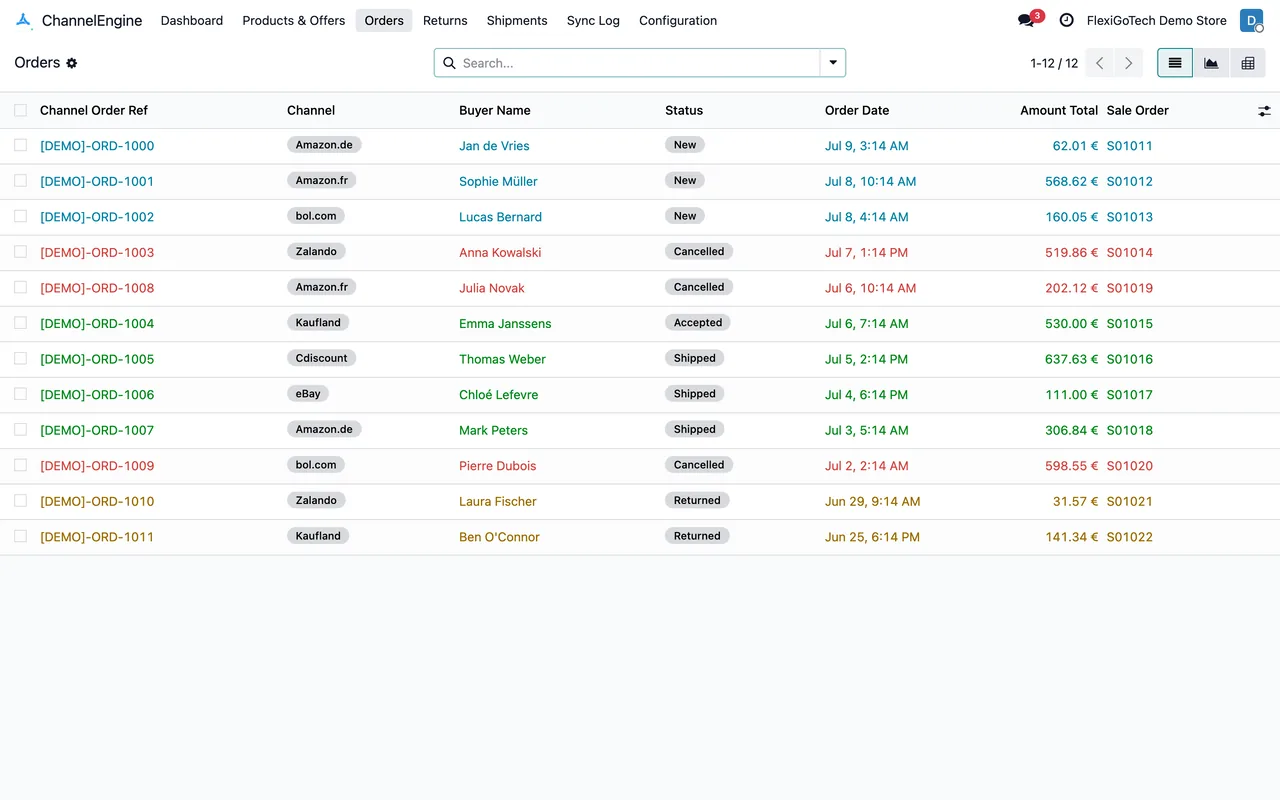
That order documents count too
Invoices and documents for each order travel between your system and the channels. Without a system that creates and stores them, they end up in folders and emails.
That tracking does not copy itself
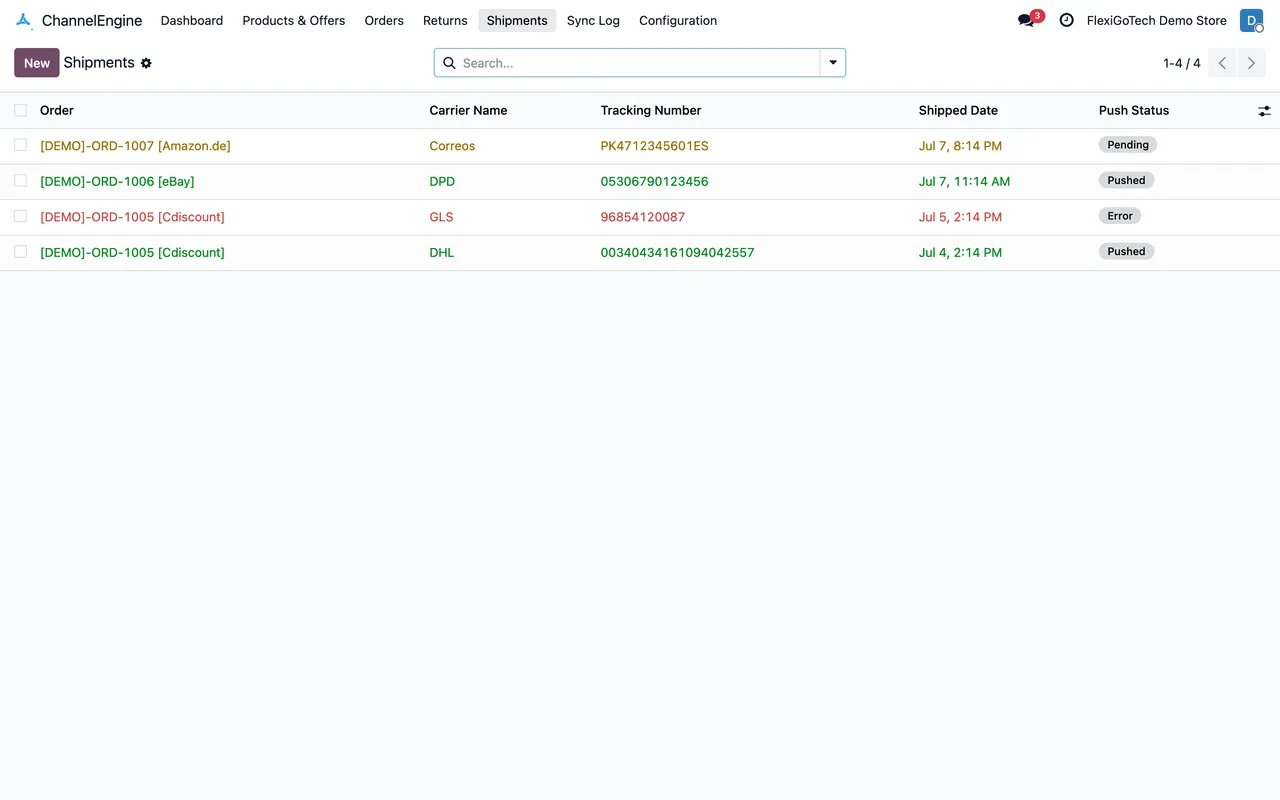
Every shipment needs its carrier and tracking number on the channel. Copying them by hand is what eats the most time as volume grows.

What changes with Odoo and the connector
Odoo runs the warehouse, sales and invoicing. The ChannelEngine connector, published for Odoo 17, 18, 19 and 20, connects that Odoo to your account:
| What you do by hand today | With Odoo and the connector |
|---|---|
| Upload stock from a sheet | Price and stock are sent every 30 minutes from the real inventory |
| Check new orders in the panel | They come in every 15 minutes as sales orders |
| Copy tracking | Shipments and tracking travel every 15 minutes |
| Hear about a cancellation late | Cancellations created in ChannelEngine come in every 30 minutes, and Odoo warns you if the buyer asks to cancel something you are preparing |
| Search documents in folders | Order documents are imported every hour and stay in their menu |
What does not change
ChannelEngine is still your gateway to the marketplaces: you do not replace it, you feed it better. Each channel's rules are still its own. What disappears is the spreadsheet as the source of truth.
Where you start
First the ChannelEngine account is registered under Configuration › Accounts. Then the channels are synced, a task that repeats every day, and the pricing rules under Configuration › Pricing Rules are reviewed, in case a channel needs a different price. With that, the first stock push already comes from Odoo's inventory.
And if a channel needs a different price, there is no need for another sheet: the account's pricing rules handle it from Odoo.
How we set it up
At FlexigoTech we implement Odoo with your warehouse and connect ChannelEngine. The module costs €9 per Odoo version and the Connector plan starts at €49 a month, VAT excluded. If you need rules of your own, such as different prices per channel or an external warehouse, we build them to measure inside Odoo.
Keep reading
Checked in the connector's source code (version 20.0) and the linked sources
Sources
- support.channelengine.com/hc/en-us/articles/34273588476317-ChannelEngine-stock-reservation
- Module source code: flexigobe_channelengine_connector 20.0 (6032191c): data/channelengine_cron.xml
- Module source code: flexigobe_channelengine_connector 20.0 (6032191c): models/channelengine_order_cancel.py
- Module source code: flexigobe_channelengine_connector 20.0 (6032191c): models/stock_picking.py
- Module source code: flexigobe_channelengine_connector 20.0 (6032191c): views/channelengine_cancellation_views.xml
- Module source code: flexigobe_channelengine_connector 20.0 (6032191c): views/channelengine_order_document_views.xml
- apps.odoo.com/apps/modules/20.0/flexigobe_channelengine_connector
- flexigotech.com/en/services.html
- flexigotech.com/precios.html
- Module source code: flexigobe_channelengine_connector 20.0 (6032191c): views/menu.xml