

 Español
 Català
 Deutsch
 Français
 Português
 Italiano
 Nederlands
 Polski
Which Odoo versions it is published for
Spain CAE Certificates is listed on Odoo Apps for 17.0, 18.0, 19.0 and 20.0. In the check carried out in November 2026, the listing for each of those four versions was available. If your database runs any of them, there is a published version of the module for your Odoo; if you are on an earlier version, there is no listing for it.
On Odoo Apps it costs €9 per Odoo version, as a one-off payment excluding VAT, for 17, 18, 19 and 20.
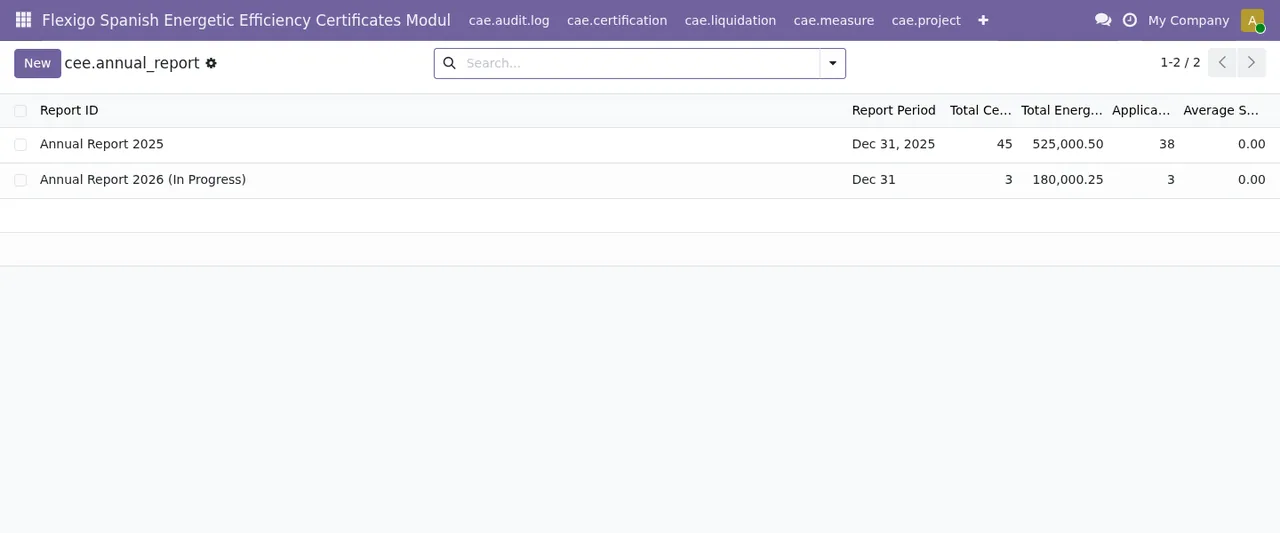
cee.annual_report), with columns for period, total certificates, total energy, applications and average, plus the New button.What happens to the module when you upgrade Odoo
This is the practical difference between buying in one place or the other, and it is worth being clear on it before your first purchase:
- If you bought the module on flexigotech.com and have the subscription, the module for new Odoo versions is included.
- If you bought it on the Odoo App Store, each Odoo version is bought there.
- Migrating your database to a new Odoo version is not something FlexigoTech does: the listing says so under migrations.
Among the items the listing places alongside FlexigoTech Cloud are module updates. If you have an Odoo upgrade planned in the coming months, choose where to buy with that moment in mind, not just today.
What the listing says about the FlexigoTech Cloud service
The module works with a local FlexigoTech Cloud service. Alerts when CAE rules change require that subscription. The listing also describes the service as including:
- Monitoring of the module's official sources, with their alerts and the calendar of their deadlines.
- Monitoring of the module's health in your database, with alerts.
- Support with response times: the first response within 1 working day.
- A check of the service every 6 hours, and health reports.
The listing also mentions a first response within 4 working hours and a video call if needed.
The local service costs €29/month or €290/year excluding VAT (Pro: €58/month or €580/year excluding VAT).
Without a subscription, or with the service suspended, whatever the subscription provides stops; your data stays in your Odoo. In other words, stopping the service does not leave you without your records.
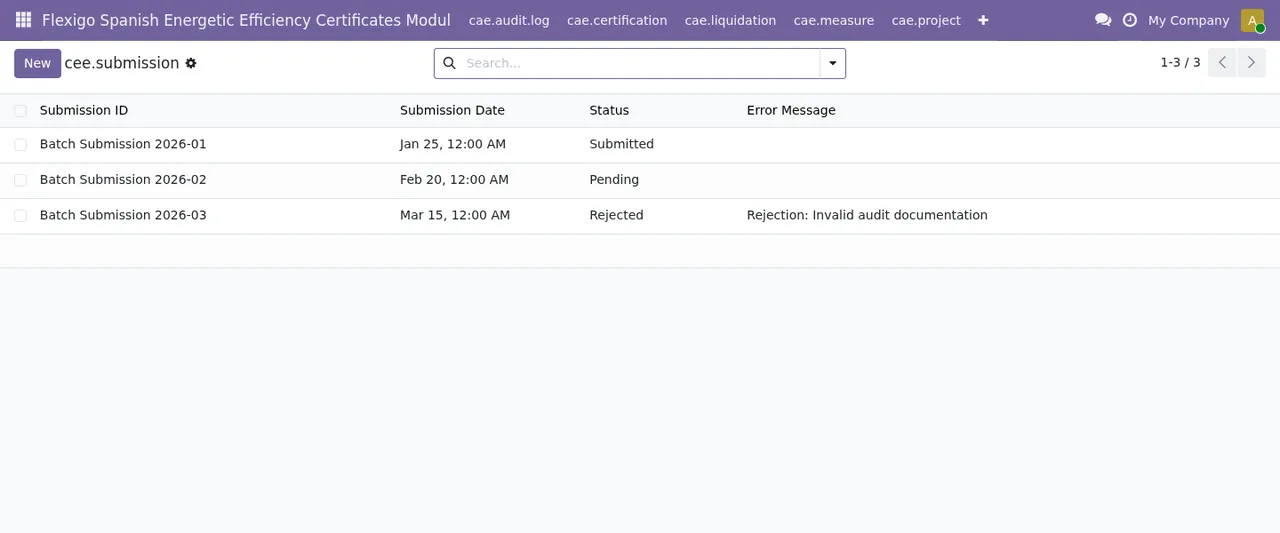
cee.submission) in the Submitted, Pending and Rejected states; the rejected one points to invalid audit documentation.What the listing leaves out
Two things are clear in the listing and affect your budget:
- Migrations: FlexigoTech does not take care of migrating your database to a new Odoo version.
- Third-party costs: you contract and pay for your account on each platform, Odoo and your hosting yourself.
If you need either of these, plan it separately from the module.
What data leaves your database for the service
If you are going to use the subscription, whoever looks after your systems or data protection will want to know what is sent. According to the listing:
- The database identifier (uuid), its address (URL) and the Odoo version.
- The FlexigoTech modules installed, with their version, and whether the database is a neutralised copy (staging or test).
- The company name and the email of the person who accepts, with the date and version of the text accepted.
- A public code to check that requests come from that database, and a proof that it is that database, computed on your server without sending its secret.
- A request for its service permit every 6 hours, and the module's health: counters and errors (type and code), without the content of your records.
- Its requests for the module's alerts and calendar, with the date of the last alert received: the database identifies itself and sends nothing else.
- A notice when you uninstall the module.
All connections to FlexigoTech's servers are encrypted (HTTPS) and the servers are in Germany. What is erased may remain in backups until they expire, at most after 90 days. For anything about your data: comercial@flexigobe.com or +34 616 809 504.
Criteria for deciding before you install
| If this is your situation | You are better off |
|---|---|
| Your Odoo runs 17, 18, 19 or 20 | Installing the module version published for your version |
| You want alerts when CAE rules change | Having the FlexigoTech Cloud subscription |
| You will upgrade Odoo and do not want to buy the module again | Buying it on flexigotech.com with the subscription |
| You only want the module, without the service | Buying it on Odoo Apps, knowing each Odoo version is bought there |
| You need your database migrated | Planning it as a separate project, as it is not part of the service |
Before switching the service on, decide who accepts the text on behalf of the company: their email, the date and the version of the text accepted are recorded. Payment for the service is made from Odoo.
How to try it before deciding
Install it first on a copy of your database and go through the lists with your own data. The information sent to the service includes whether the database is a neutralised copy (staging or test). This is the sequence of screens you will see:
cee.business list with six businesses, their NIF/CIF and street, and the City, Postcode and Province columns empty.How FlexigoTech can help
FlexigoTech implements Odoo 17, 18, 19 and 20 and builds custom connectors and integrations. If the module fits but your Odoo needs work around it, that can be scoped as a project. You will find the purchase and service details on the module page and the Odoo Apps listing.
Keep reading
Checked in the module's source code (version 20.0) and the linked sources
Sources
- apps.odoo.com/apps/modules/20.0/flexigo_spanish_energetic_efficiency_certificates_modul
- apps.odoo.com/apps/modules/17.0/flexigo_spanish_energetic_efficiency_certificates_modul
- apps.odoo.com/apps/modules/18.0/flexigo_spanish_energetic_efficiency_certificates_modul
- apps.odoo.com/apps/modules/19.0/flexigo_spanish_energetic_efficiency_certificates_modul
- flexigotech.com/precios.html
- flexigotech.com/en/services.html
- Module source code: flexigo_spanish_energetic_efficiency_certificates_modul 20.0 (6b7c43b4): static/description/index.html