

 Español
 Català
 Deutsch
 Français
 Português
 Italiano
 Nederlands
 Polski
This action keeps the Shopify sync history in Odoo under control. The module's code states its purpose: keep only the last 90 days of logs so the database does not bloat.
The action and its schedule
Shopify Cleanup Old Sync Logs- The module's scheduled action that deletes old Shopify sync logs. Each time it runs, it carries out the cleanup described in the next section.
- Every 7 days
- The frequency of the action: one pass every 7 days.
- Active on install
- The action is active as soon as the module is installed. If you suspect it is doing nothing, checking that it is still active comes first.
- Endless repetition
- In Odoo 17.0 the action is defined to repeat endlessly. The action exists in every published branch: 17.0, 18.0, 19.0 and 20.0.
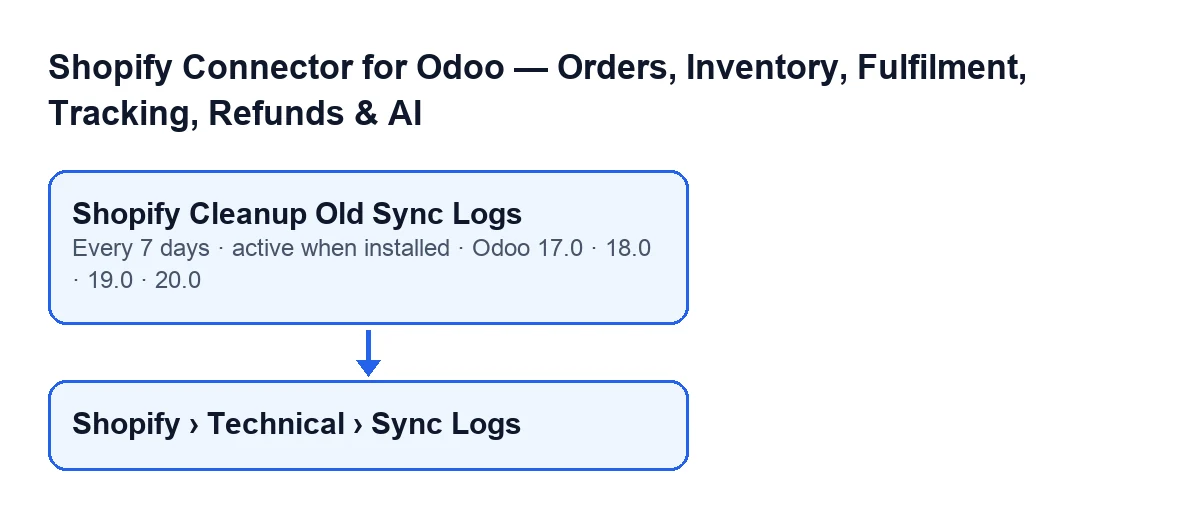
The action's label depends on the language of your Odoo, as the diagram shows. With Odoo in English it is Shopify Cleanup Old Sync Logs.
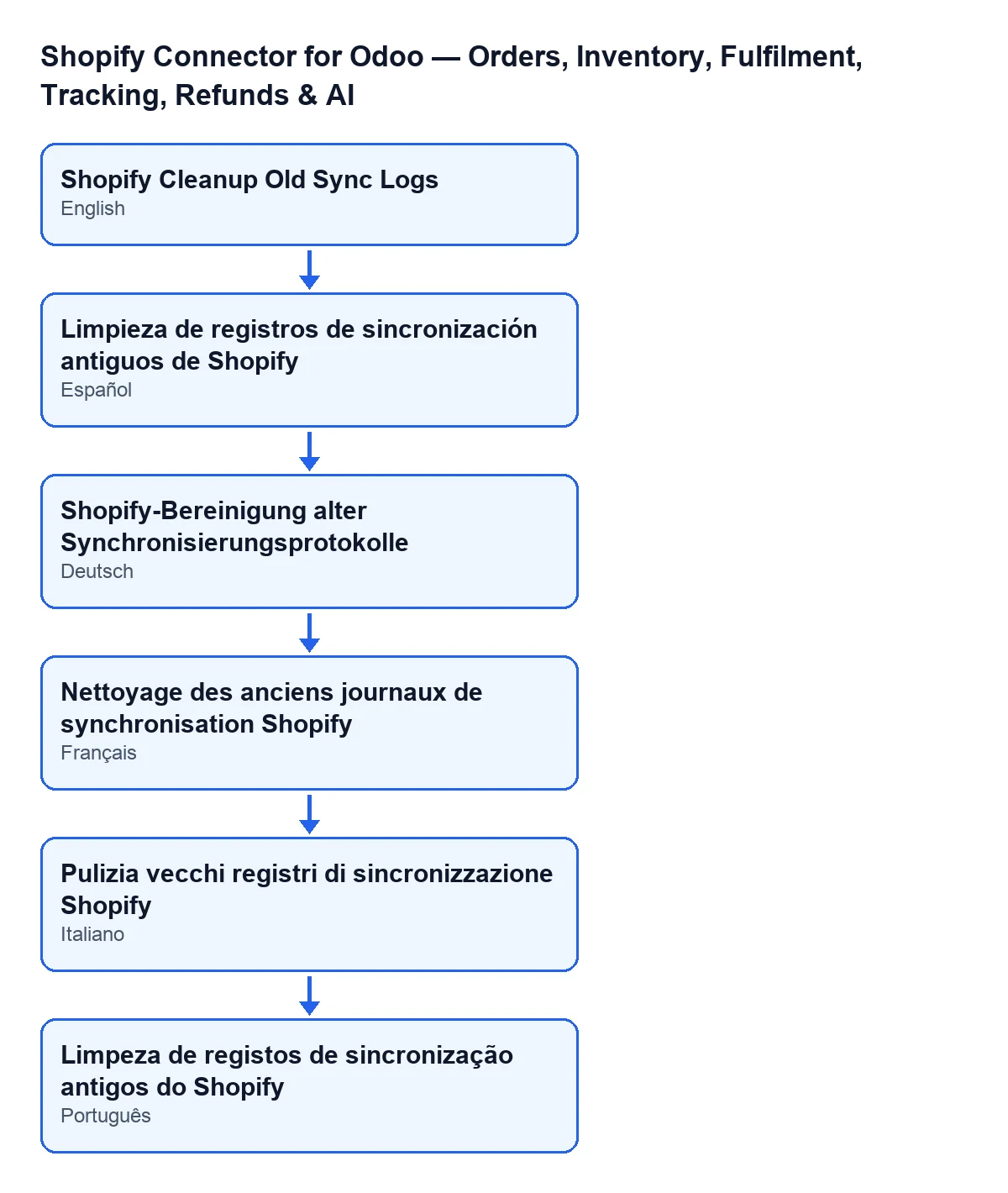
Limpieza de registros de sincronización antiguos de Shopify; in German, Shopify-Bereinigung alter Synchronisierungsprotokolle; in French, Nettoyage des anciens journaux de synchronisation Shopify; in Italian, Pulizia vecchi registri di sincronizzazione Shopify; in Portuguese, Limpeza de registos de sincronização antigos do Shopify.
What it deletes on each pass
- 90-day cut-off
- The limit date the action works out every time it runs: the current moment minus 90 days. Logs older than that cut-off are candidates for deletion.
- Start of the sync
- The date the action compares with the cut-off is the log's start date, that is, the moment that sync began.
- States that get cleaned
- Only logs whose state is success or partial are picked up. A log in any other state is left out, even if it is older than the cut-off.
- Deletion
- Logs that meet both conditions (they started before the cut-off and are in one of those two states) are deleted, all in the same pass.
- Information line in the log
- If the pass has deleted anything, it writes an information line to the Odoo log saying how many entries it cleaned, with the text
Shopify: cleaned up … old sync log entries.(the ellipsis is the number). If there was nothing to delete, that line is not written.
Who can run it and where to see the logs
- Administrators only
- The action first checks that whoever runs it is an administrator. If not, it stops with the message
Only an administrator can run this scheduled action.and nothing is deleted.
Shopify › Technical › Sync Logs- The menu from which the sync log records are opened, which are exactly what this action cleans.
Viewer- The permission required by the
Shopifypart of the menu. Without it you do not see that part.
Manager- The permission required by the
Technicalpart. Without it you do not see that part, and so you do not seeSync Logseither.
Versions and subscription
- Published branches
- The module is published on Odoo Apps for 17.0, 18.0, 19.0 and 20.0, and the cleanup action is in all four.
- FlexigoTech Cloud subscription (Connector plan)
- The module is a one-off payment per version and needs the subscription. The Connector plan costs €49/month or €490/year excluding VAT. The connection goes through FlexigoTech Cloud, which stores the credentials encrypted, monitors the sync and emails you if it fails.
One pass, from start to finish
When the action starts, the first thing it checks is that whoever runs it is an administrator; if not, it stops there with the message and nothing is deleted. If they are, it works out the 90-day cut-off, looks for logs that started before the cut-off and are in the success or partial state, counts them and deletes them. Only at the end, and only if there were any, does it leave the information line in the log.
What to check if it does nothing
A pass that deletes nothing may be exactly what you should expect. These are the checks, in the order that makes sense:
- The action is still active: it is active on install, so if someone switched it off, it no longer runs.
- The cadence: it runs every 7 days, and that is the wait between one pass and the next.
- Whether there is anything to delete: you need a log that started more than 90 days ago and whose state is success or partial. If everything is more recent or in another state, the pass deletes nothing and does not write the log line.
- Who runs it: if they are not an administrator, it stops with
Only an administrator can run this scheduled action.. - The logs themselves: if you have the
Managerpermission, openShopify › Technical › Sync Logsand look at the start dates and states of the oldest ones.
How FlexigoTech can help
FlexigoTech implements Odoo 17, 18, 19 and 20 and develops custom connectors and integrations. You can see the module and buy it on its page or read the Odoo Apps listing. If another part of the module interests you, there is what the stock-fetching button does, step by step.
Keep reading
Checked in the connector's source code (version 17.0 and 20.0) and the linked sources
Sources
- Module source code: flexigobe_shopify_seller_connector 20.0 (d7e627b4): data/ir_cron_data.xml
- Module source code: flexigobe_shopify_seller_connector 17.0 (437257e3): data/ir_cron_data.xml
- Module source code: flexigobe_shopify_seller_connector 20.0 (d7e627b4): models/shopify_sync_log.py
- apps.odoo.com/apps/modules/20.0/flexigobe_shopify_seller_connector
- flexigotech.com/precios.html
- flexigotech.com/en/services.html