

 Español
 Català
 Deutsch
 Français
 Português
 Italiano
 Nederlands
 Polski
The case: Casa Boreal presses Push Stock
Example Illustrative case: the company and its figures are made up to explain the flow.
Casa Boreal is a made-up shop. Marta looks after its catalogue and has just connected the Shopify store to Odoo. She opens Shopify › Configuration › Stores, goes into the store's form and presses Push Stock. The action stops and Odoo shows No Shopify locations were found for …, with the store's domain after the word «for».
Marta does not know whether the problem lies in Odoo, in the connection or in Shopify. This is what the module's code does before it raises that message, so she knows where to look.
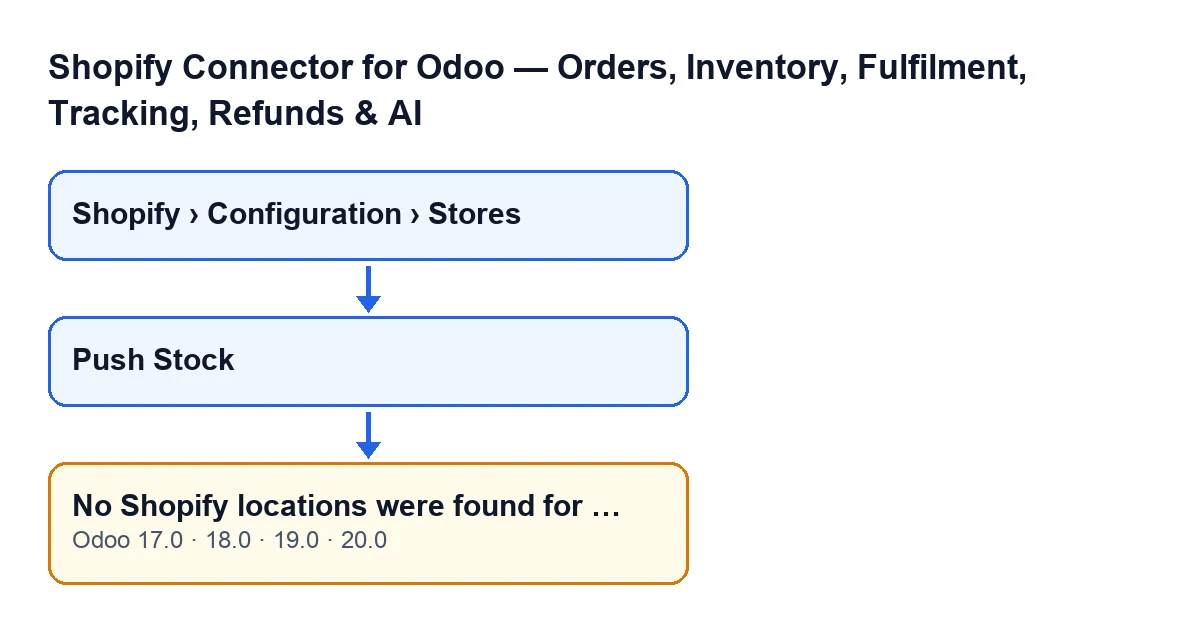
To reach that form you need to see the menu: the Configuration section asks for the Operator permission and the Shopify section asks for Viewer. If you lack either permission, you do not see that section of the menu.
The wording of the message changes with the language of your Odoo. With Odoo in English it is the one Marta sees; in other languages it reads like this:
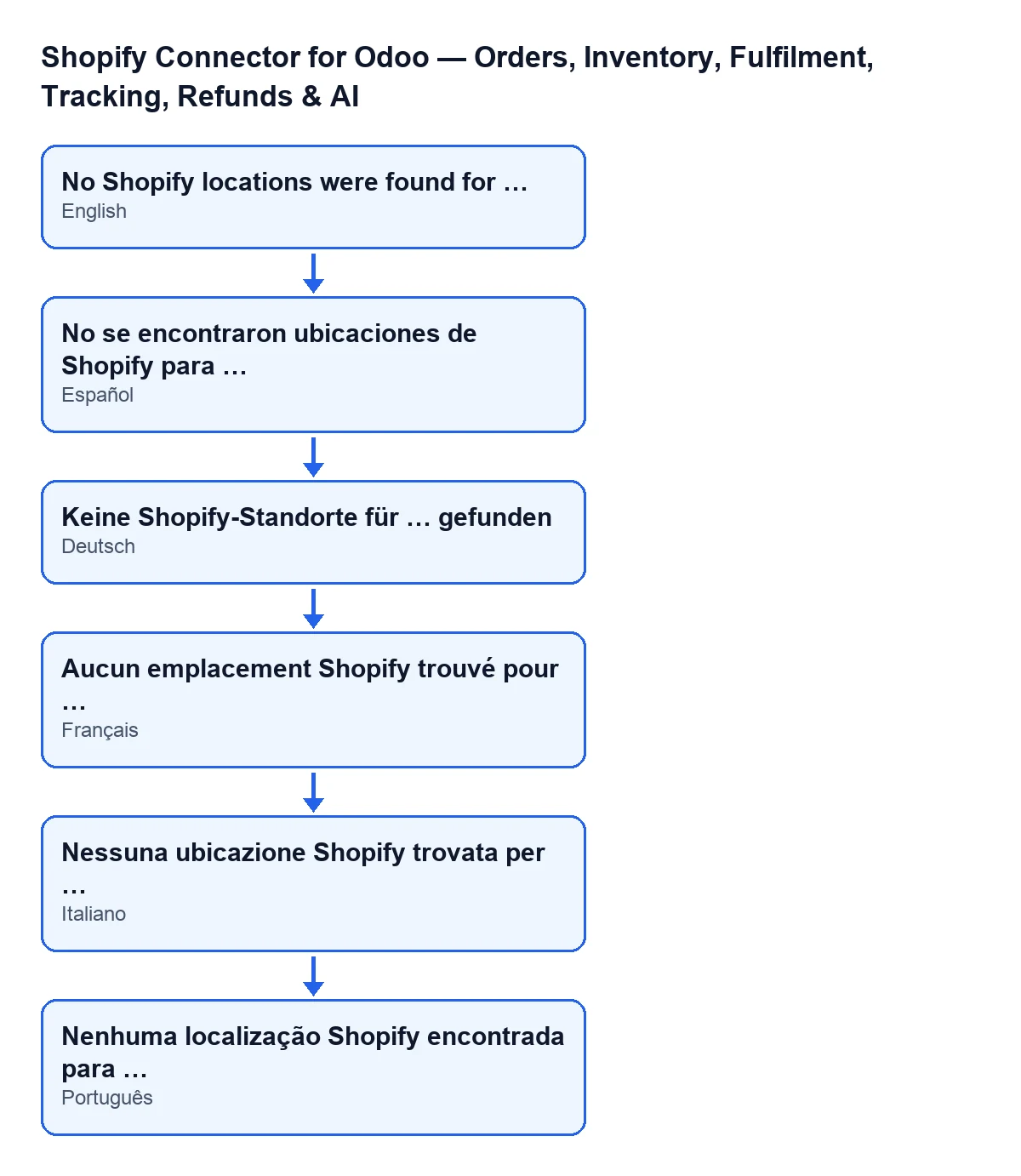
No se encontraron ubicaciones de Shopify para …; in German, Keine Shopify-Standorte für … gefunden; in French, Aucun emplacement Shopify trouvé pour …; in Italian, Nessuna ubicazione Shopify trovata per …; in Portuguese, Nenhuma localização Shopify encontrada para ….| Odoo language | Message text |
|---|---|
| English | No Shopify locations were found for … |
| Spanish | No Shopify locations were found for … |
| German | Keine Shopify-Standorte für … gefunden |
| French | Aucun emplacement Shopify trouvé pour … |
| Italian | Nessuna ubicazione Shopify trovata per … |
| Portuguese | Nenhuma localização Shopify encontrada para … |

When exactly it appears
The Push Stock button is always visible on the store's view in Odoo 17, 18, 19 and 20: no view condition hides it. Its action reaches a step of the module that looks for the store's default location, and that step is the one that raises the message. According to the code published for Odoo 20.0, the order is this:
- If the store already has a default location saved, the module uses it and does not ask Shopify. With a location already saved, the message cannot appear on this path.
- If it has none, the module asks Shopify for the store's locations, but only the first one it returns.
- It looks at the answer. If it contains no location (the list is missing or empty), it raises
No Shopify locations were found for …. The dots stand for the store's domain. - If there is a location and it comes with its identifier, the module saves that identifier and its name on the store as the default location.
The condition in the code that leads to the message is that the answer contains no location, and it is only checked when the store does not yet have a default location saved. The message is present in the published code of Odoo branches 17, 18, 19 and 20.
What it means in practice
The message describes what the module received: Shopify's answer came back with no locations. The notice does not say why the list came back empty, only that it did.
It also tells you what has not happened. When the message is raised, the action stops and what that step was going to change is not saved: Casa Boreal's store still has no default location saved. If the action reaches that step again and the store still has no saved location, the module asks Shopify again from the start.
How Marta fixes it
- She reads the domain at the end of the message and checks that it is the store she meant to use. The module puts there the domain of the store the action was launched on.
- She opens that store's admin in Shopify and checks that it has at least one location. That is what the module needs to find in the answer.
- She goes back to
Shopify › Configuration › Stores, opens the store's form and pressesPush Stockagain. - If the message comes back with the right domain, Shopify is still answering that query with no locations, and the next thing to review is that store in Shopify. If Odoo shows a different notice, that is a separate case and is read on its own.
What to take from the case
- The message can only appear while the store has no default location saved. Once one is saved, the module uses it and does not ask Shopify.
- The module reads a single location, the first one Shopify returns. The notice not appearing says nothing about how many locations the store has.
- The
Push Stockbutton has no view condition: you see it whether or not a location is saved. - The domain at the end of the message is the quickest clue to which store caused it when you have more than one.
- The condition is that the answer carries no location, and it is only checked when the store does not yet have a default location saved.
How FlexigoTech can help
FlexigoTech implements Odoo 17, 18, 19 and 20 and builds connectors and custom integrations. If you are connecting a Shopify store and want to review the set-up with someone who knows the module, you can see the module page or the listing on Odoo Apps, published for Odoo 17, 18, 19 and 20, and get in touch from there.
Keep reading
Checked in the connector's source code (version 20.0) and the linked sources
Sources
- Module source code: flexigobe_shopify_seller_connector 20.0 (d7e627b4): models/shopify_instance.py
- Module source code: flexigobe_shopify_seller_connector 20.0 (d7e627b4): views/shopify_instance_views.xml
- Module source code: flexigobe_shopify_seller_connector 20.0 (d7e627b4): models/fgt_cloud.py
- apps.odoo.com/apps/modules/20.0/flexigobe_shopify_seller_connector
- flexigotech.com/en/services.html