

 Español
 Català
 Deutsch
 Français
 Português
 Italiano
 Nederlands
 Polski
Where it is and who sees it
The Pull Invoice Imports button is on the Octopia Accounts screen. It is always visible: no condition in the view hides it, and it is present in the 17.0, 18.0, 19.0 and 20.0 branches of Octopia Connector.
To reach that screen, the menu is Octopia › Configuration › Accounts. Each part of the menu asks for a permission, and if you do not have one, you do not see that part:
Octopiaasks forOctopia User.Configurationasks forOctopia Manager.Accountsasks forOctopia Admin.
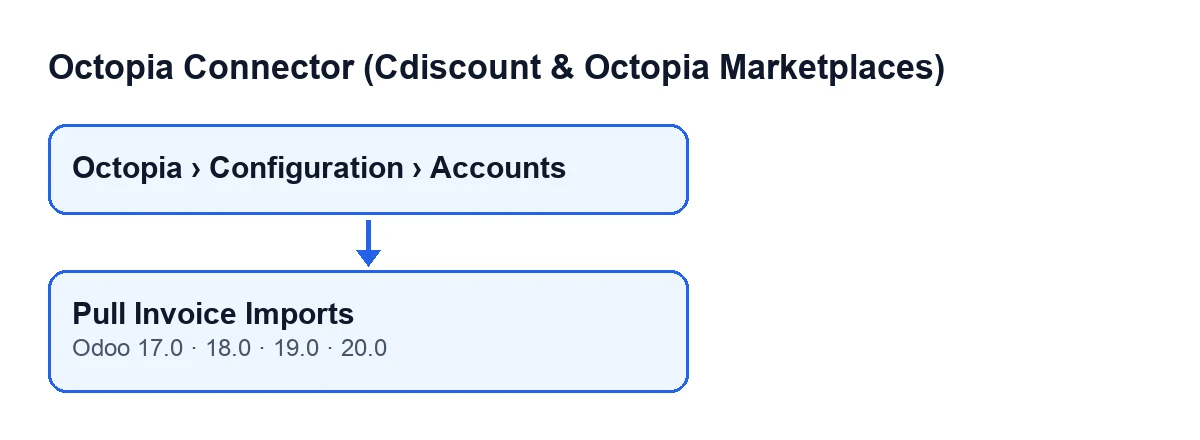
With Odoo in English, the button is called Pull Invoice Imports. The second diagram shows its text in other languages.
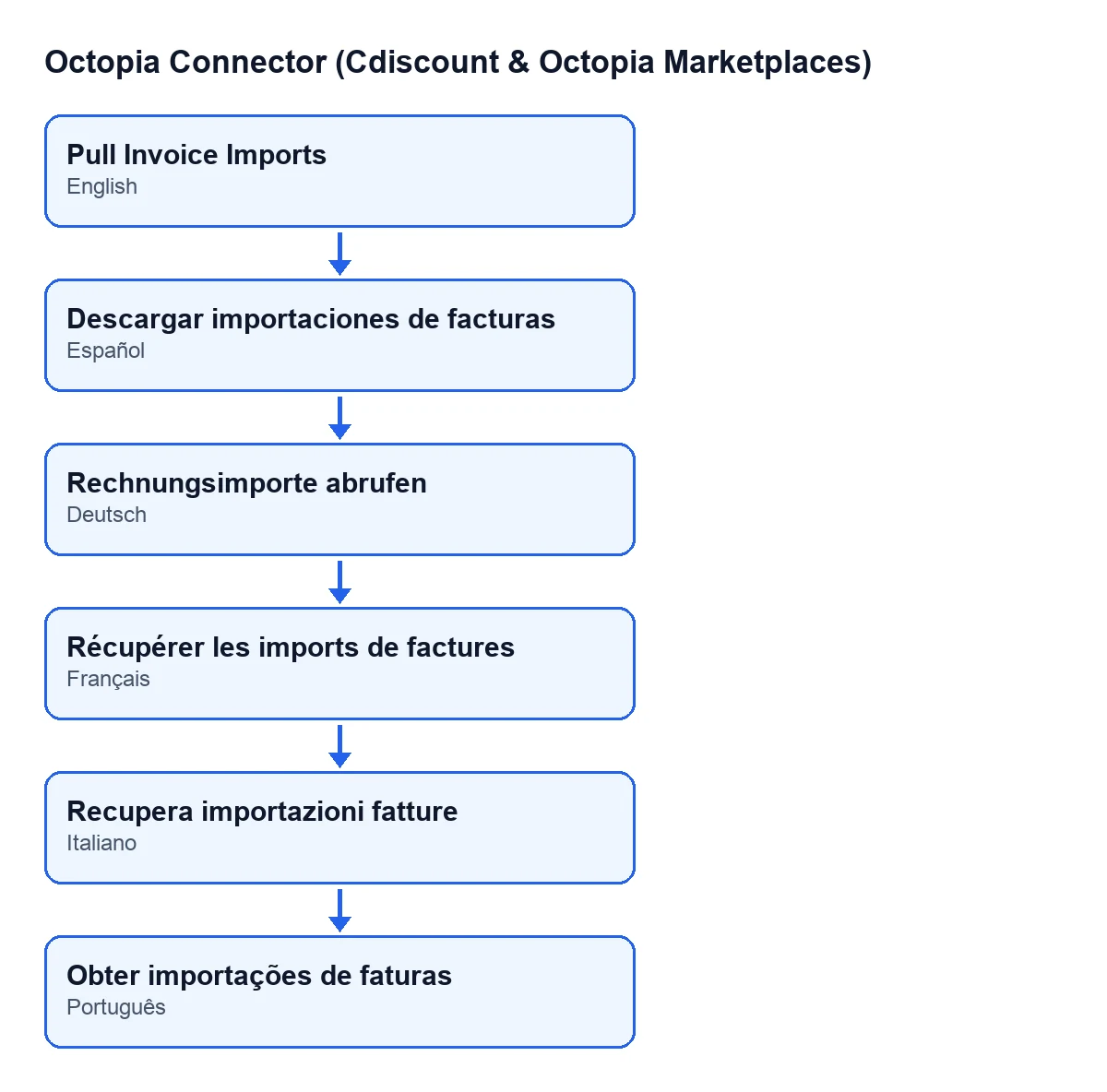
Descargar importaciones de facturas; German, Rechnungsimporte abrufen; French, Récupérer les imports de factures; Italian, Recupera importazioni fatture; Portuguese, Obter importações de faturas.
Step by step: what happens when you press it
What follows comes from the code published for Odoo 20.0. According to the code itself, the button's purpose is to make imports submitted by other tools visible and to store them by their import identifier.
- Go to
Octopia › Configuration › Accountsand open the account you want to query. - Press
Pull Invoice Imports. The code loops over the accounts the action is run on and repeats what follows for each one. - The module opens that account's connection and asks Octopia for the list of invoice imports.
- If the reply is a list, it goes through it; if it comes with an items section, it goes through that section. If nothing comes back, there is nothing to go through.
- Any element that is not a data record is skipped. From the others it takes the import identifier; if that is missing, it uses the other identifier the element carries; if that is missing too, the element is skipped.
- With that identifier it looks, within the same account, for an import already recorded. If one exists, it updates it; if not, it creates a new one.
- In each one it writes two things: the status reported by Octopia and the date and time of this query.
What changes in your Odoo
The action works by account and import identifier, so pressing it again does not create a second copy of the same import: it updates the one already there. The only things it writes on each import are the status and the date and time of the query; the code saves no other data from the element it received.
New imports are created with their account, their identifier, the status and that date. Existing ones keep their identifier and receive the new status and date.
When the data does not fit
The button's code has clear rules for anything odd that arrives:
- Unknown status: the status is only saved if it is one the module recognises. If another arrives, the status is left empty. This also happens on an import that already existed: its status becomes empty in that query.
- Element without an identifier: it is discarded, and nothing is recorded for it.
- Element that is not a data record: it is discarded in the same way.
So the module can record an import with no status when Octopia reports one it does not recognise.
If you cannot see the button
If you cannot see the menu or the accounts screen, you are missing one of the permissions above: ask whoever administers your Odoo.
What it costs
Octopia Connector is a one-off purchase per Odoo version (published for 17, 18, 19 and 20) and needs the FlexigoTech Cloud subscription, Connector plan: €49/month or €490/year excluding VAT, with up to 3 marketplace accounts. The connection goes through FlexigoTech Cloud, which stores the credentials encrypted and emails you if synchronisation fails. Listing on Odoo Apps.
How FlexigoTech can help
If you are implementing Odoo and want to connect Cdiscount or Octopia to your operations, FlexigoTech implements Odoo 17, 18, 19 and 20 and builds custom connectors and integrations. Tell us what you need and we will look at it with you.
Keep reading
Checked in the connector's source code (version 20.0) and the linked sources
Sources
- Module source code: flexigobe_octopia_connector 20.0 (059287e4): views/octopia_completeness2_views.xml
- Module source code: flexigobe_octopia_connector 20.0 (059287e4): models/octopia_seller_extras.py
- Module source code: flexigobe_octopia_connector 20.0 (059287e4): models/octopia_account.py
- apps.odoo.com/apps/modules/20.0/flexigobe_octopia_connector
- flexigotech.com/precios.html
- flexigotech.com/en/services.html