

 Español
 Català
 Deutsch
 Français
 Português
 Italiano
 Nederlands
 Polski
What it adds to the product variant form
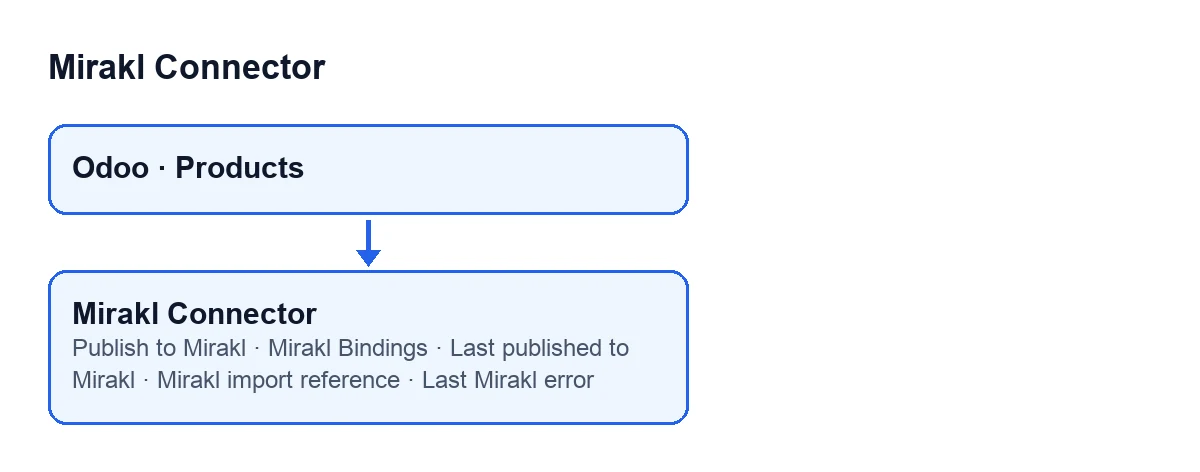
What does Mirakl Connector add to Products?
The module extends Odoo's standard Products model. On the product variant form you get a counter field, Mirakl Bindings, and a button, Publish to Mirakl. There is also a group, Mirakl Marketplace, with three fields: Last published to Mirakl, Mirakl import reference and Last Mirakl error.
What does Mirakl Bindings count?
It is a whole number that Odoo computes by counting the Mirakl product bindings that point to that variant; if there are none, the value is zero. Each binding brings together one marketplace and one product variant, and it is the piece the button creates and looks up for each marketplace, as you will see below.
Can I edit the three fields in the Mirakl Marketplace group?
No, all three are read-only. Last published to Mirakl is a date and time, Mirakl import reference is a short text and Last Mirakl error is a long text. They are on the product variant form to be read, not to be typed into.

The Publish to Mirakl button
When is the button visible?
It is always visible on the product variant form, with no condition, in Odoo 17, 18, 19 and 20.
What does it do when you press it, in order?
According to the Odoo 20 code, it works on a single variant. First it looks at which Mirakl marketplaces have been created. If there are none, it stops with a message and creates nothing. If there are some, it goes through each marketplace: it looks for the binding between that variant and that marketplace and, if it does not exist, creates it. Then it tries to auto-fill the catalogue data of that binding. Once it has gone through every marketplace, it opens the offer, or the list of bindings if there are several.
Which message appears if there is no marketplace yet?
When you press Publish to Mirakl with no marketplaces created, the module stops with this message: Create a Mirakl marketplace first (Mirakl ▸ Configuration ▸ Marketplaces), then publish products to it. A Mirakl marketplace has to be created first; the fields on that form are explained in our article on the Mirakl instance.
What happens if I press the button twice on the same variant?
For each marketplace, the button first looks for the binding of that variant and only creates one if it does not exist. Pressing it again reuses the bindings already there and creates only the missing ones, for instance if you have added another marketplace between presses. The auto-fill attempt is repeated on every press.
Auto-fill and several marketplaces
What does the button auto-fill, and what if it fails?
The auto-fill attempt looks at three things on each binding: the brand, the media URLs and the catalogue attributes. The brand and the media URLs are only filled in if they were empty and the module finds a value to suggest. The catalogue attributes are written when the module obtains attributes to store. If the auto-fill errors, the button does not stop: the attempt is protected, so the process carries on and the offer is opened anyway, with whatever there is.
What does the button open if I have more than one marketplace?
The button creates, where missing, one binding per marketplace. With a single binding, it opens its form directly. With more than one, it opens the list of bindings for that variant, with list and form views, titled Publish to Mirakl. The button does not publish anything by itself: it leaves the bindings prepared and opens the offer, or the list, so the seller can review it without having to build a list row by hand.
What you need to use it
Mirakl Connector is published on Odoo Apps for Odoo 17, 18, 19 and 20. It is a one-off purchase per version and needs a FlexigoTech Cloud subscription, Connector plan: €49 a month or €490 a year, excluding VAT. With that subscription the connection goes through FlexigoTech Cloud, which stores the credentials encrypted, watches the synchronisation and emails you if it fails. Without a subscription, or with the service suspended, whatever the subscription provides stops; your data stays in your Odoo. You can see it on the Odoo Apps page or on the module page.
FlexigoTech implements Odoo 17, 18, 19 and 20 and builds custom connectors and integrations, in case you need to adapt the publishing flow to your catalogue.
Keep reading
Checked in the connector's source code (version 20.0) and the linked sources
Sources
- Module source code: flexigobe_mirakl_connector 20.0 (aa05e537): models/product_product.py
- Module source code: flexigobe_mirakl_connector 20.0 (aa05e537): views/product_product_views.xml
- apps.odoo.com/apps/modules/20.0/flexigobe_mirakl_connector
- flexigotech.com/precios.html
- flexigotech.com/en/services.html