

 Español
 Català
 Deutsch
 Français
 Português
 Italiano
 Nederlands
 Polski
What the module is, according to its listing
On Odoo Apps, the Legal Tech AI Copilot listing opens with the heading Contract review with AI and human sign-off. It has a How it works section, another with the notice Before you buy: this app uses a paid external service and a Privacy policy section.
It is a module with a local FlexigoTech Cloud service. In other words, the part you install in Odoo works alongside an external service that is paid for separately from the module.
The menus it adds to your Odoo
With the module installed you get a main entry, Legal AI Copilot, with these options:
Legal AI Copilot › DocumentsLegal AI Copilot › AnalysesLegal AI Copilot › ClausesLegal AI Copilot › Risk FlagsLegal AI Copilot › DSARLegal AI Copilot › Audit LogsLegal AI Copilot › Sanctions MatchesLegal AI Copilot › Configuration
Under Configuration there are four more entries:
Legal AI Copilot › Configuration › Clause TypesLegal AI Copilot › Configuration › Analysis QueueLegal AI Copilot › Configuration › Sanctions ListsLegal AI Copilot › Configuration › Sanctions Entries
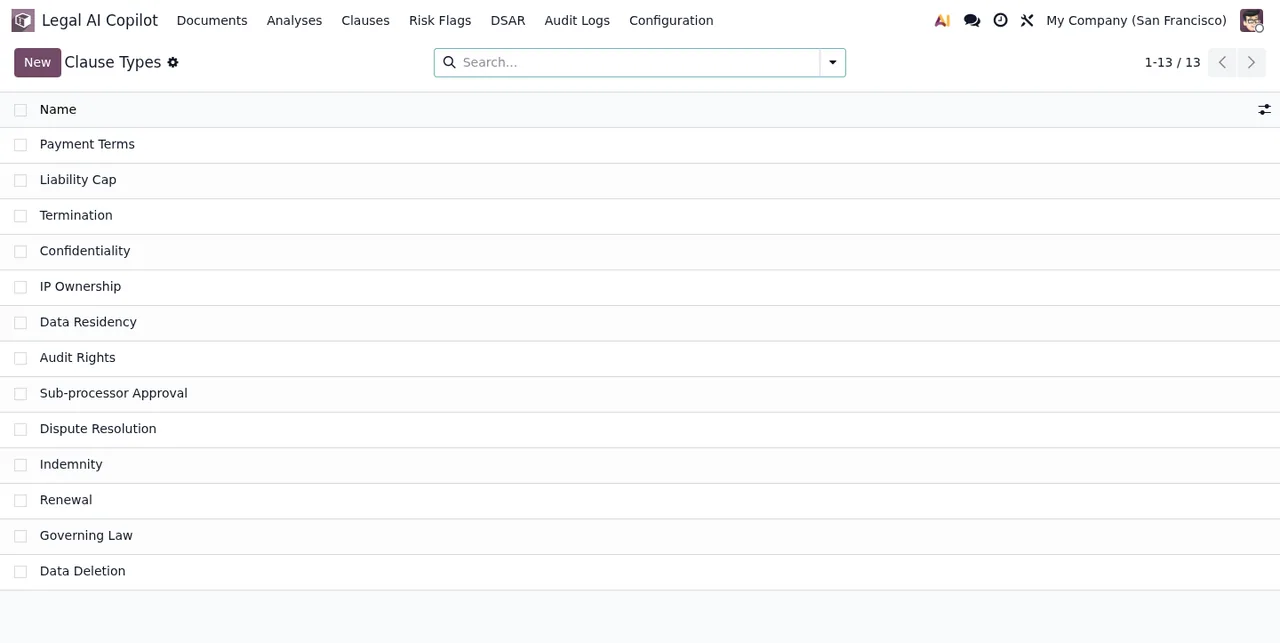
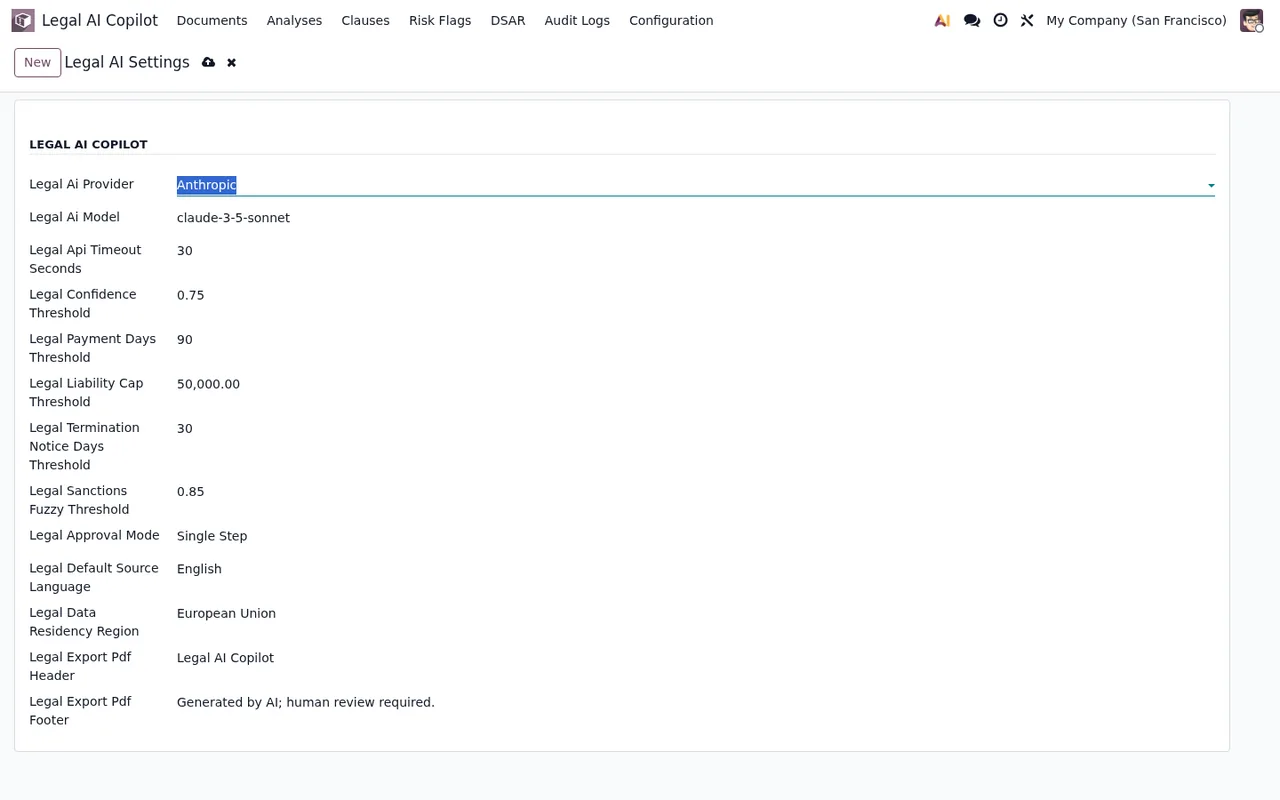
Payment Terms, Liability Cap and Termination.The settings have their own menu, Legal AI Copilot › Configuration › Settings. That is where you find the form shown in the next screenshot.
The data models it installs
If you are going to build reports, access rights or a bespoke integration, these are the technical names you will work with:
legal.contract.document(Legal Contract Document) andlegal.contract.document.type(Legal Contract Document Type)legal.contract.analysis(Legal Contract Analysis) andlegal.contract.analysis.queue(Legal Contract Analysis Queue)legal.contract.clause(Legal Contract Clause) andlegal.contract.clause.type(Legal Contract Clause Type)legal.contract.risk.flag(Legal Contract Risk Flag)legal.contract.prompt.template(Legal Contract Prompt Template)legal.contract.glossary.term(Legal Contract Glossary Term)legal.contract.export(Legal Contract Export)legal.contract.dsar.request(Legal Contract DSAR Request)legal.contract.sanctions.list(Legal Contract Sanctions List) andlegal.contract.sanctions.entry(Legal Contract Sanctions Entry)legal.contract.audit.log(Legal Contract Audit Log) andlegal.contract.audit.mixin(Legal Contract Audit Helper)
Some models have no menu of their own in the list above, such as prompt templates, the glossary or exports. Not appearing as a menu does not mean they are missing from the database.
Timeline: what runs in your Odoo and when
The clearest way to understand the module from the inside is to put in time order what happens from the moment you decide to buy it until you move to a new Odoo version.
- Before you buy The listing warns
Before you buy: this app uses a paid external service. The local service costs €29 a month or €290 a year excluding VAT, and the Pro tier €58 a month or €580 a year excluding VAT.
- With the module installed You have the
Legal AI Copilotmenu, itsConfigurationand the settings underLegal AI Copilot › Configuration › Settings.
- Every 2 minutes The scheduled action
Legal AI: collect FlexigoTech Cloud AI analysesruns, active from the start.
- Every 5 minutes
Legal AI Contract Analysis Queueruns, also active. The menu has an entry with the same queue name:Legal AI Copilot › Configuration › Analysis Queue.
- Every day
Legal AI Sanctions Refreshruns, active. Sanctions lists and entries sit underConfiguration › Sanctions ListsandConfiguration › Sanctions Entries, and matches underLegal AI Copilot › Sanctions Matches.
- If the subscription stops Without a subscription, or with the service suspended, whatever the subscription provides stops; your data stays in your Odoo.
- When you change Odoo version With the subscription, the module for new Odoo versions is included if you bought it on flexigotech.com; on the Odoo App Store, each Odoo version is bought there.
All three scheduled actions come active. To see when each one last ran, look them up by their exact name in Odoo's scheduled actions.
What you see on the first screens
Straight after installation, several lists are empty until you start working. The audit logs are one of them:
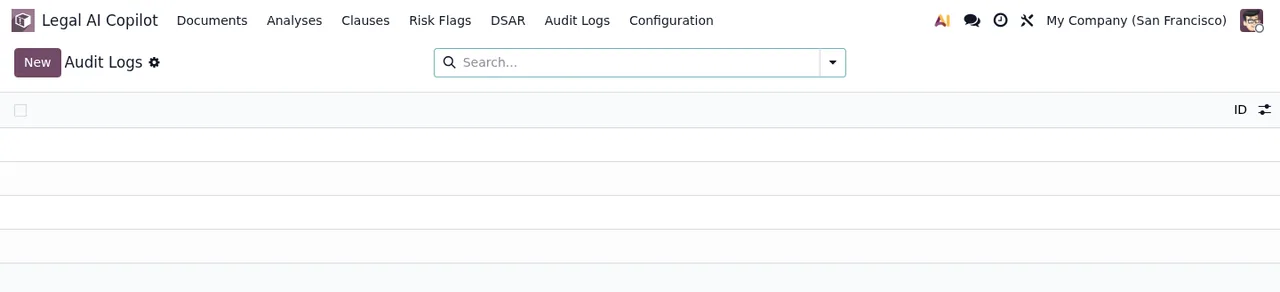
Audit Logs, with no records yet.The walk through the main screens, from clause types to the documents list, looks like this:
Which fields to fill in on the settings and what to check in the first days is covered in setting up Legal Tech AI Copilot.
Odoo versions and module price
The module is published on Odoo Apps for Odoo 17, 18, 19 and 20. It costs €9 per Odoo version, a one-off payment excluding VAT, in all four versions, separate from the FlexigoTech Cloud service.
How FlexigoTech can help
FlexigoTech implements Odoo 17, 18, 19 and 20 and builds bespoke connectors and integrations, so we can install the module with you or connect it to other parts of your Odoo using the models above. You will find the details and the purchase option on the module page. If a scheduled action or a screen returns a warning, check the module's error messages.
Keep reading
Checked in the module's source code (version 20.0) and the linked sources
Sources
- Module source code: flexigo_legal_tech_ai_copilot 20.0 (f1a9082f): views/legal_contract_settings_views.xml
- Module source code: flexigo_legal_tech_ai_copilot 20.0 (f1a9082f): views/legal_contract_views.xml
- Module source code: flexigo_legal_tech_ai_copilot 20.0 (f1a9082f): data/legal_contract_cron.xml
- Module source code: flexigo_legal_tech_ai_copilot 20.0 (f1a9082f): static/description/index.html
- Module source code: flexigo_legal_tech_ai_copilot 20.0 (f1a9082f): models/legal_contract.py
- apps.odoo.com/apps/modules/20.0/flexigo_legal_tech_ai_copilot
- apps.odoo.com/apps/modules/17.0/flexigo_legal_tech_ai_copilot
- apps.odoo.com/apps/modules/18.0/flexigo_legal_tech_ai_copilot
- apps.odoo.com/apps/modules/19.0/flexigo_legal_tech_ai_copilot
- flexigotech.com/en/services.html
- flexigotech.com/precios.html