

 Español
 Català
 Deutsch
 Français
 Português
 Italiano
 Nederlands
 Polski
A case to see it on screen
Example Illustrative case: the company and its figures are made up to explain the flow.
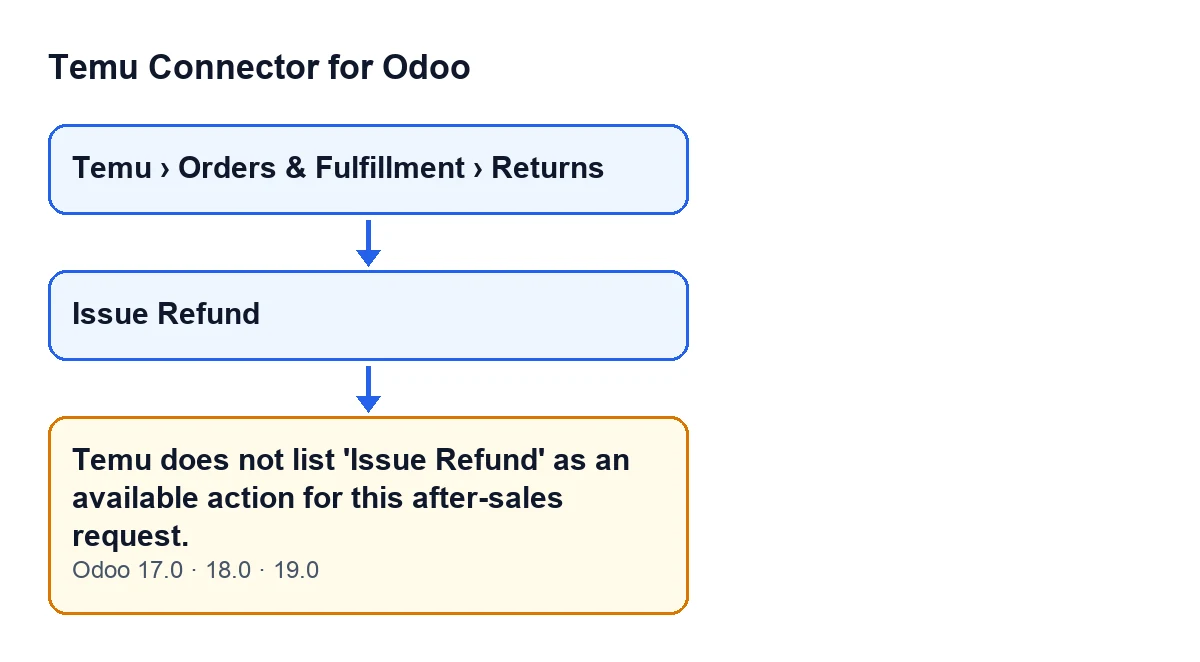
Picture a made-up shop, Casa Alba Hogar, that sells on Temu and reviews returns from Odoo. Marta, in the admin team, opens Temu › Orders & Fulfillment › Returns and goes into the form of an after-sales request. She sees the Issue Refund button, presses it and Odoo answers:
Temu does not list 'Issue Refund' as an available action for this after-sales request.
Marta wonders between two explanations: either something is wrong in her Odoo, or Temu does not accept that action for that request. The module's code points to the second: the message appears when the request carries a list of available actions and code 1 is not in it. The action stops.

Exactly when it appears
The message is raised by the check that the Issue Refund button reaches. This is what the code does, in order:
- If the request is already refunded, completed, cancelled or rejected, it stops with a different message, before looking at the list of actions.
- The module reads the list of available actions stored on that request.
- If what is stored is not a list, it treats it as empty. If it is a list, it builds from it a set of action codes.
- With that set, if it is not empty and does not contain code 1, it raises the message and stops.
Two practical consequences follow. First, the message needs at least one action code to have been obtained. If the set ends up empty, this check does not raise it. Second, a missing code 1 is enough to trigger it, even if the list holds other codes.
Because the check ends in an error, the action stops.
What it means and what to do
It means that, according to the list stored on that request, Temu does not offer the issue-refund action for it. The module respects that list and stops the action.
What you can do from Odoo:
- Do not keep pressing the same button. While that request's list still lacks code 1, this check will keep stopping the action.
- Check that you opened the right request in
Temu › Orders & Fulfillment › Returns, in case the refund you are after belongs to another one. - Read the message as information about the request: it tells you that, according to that return's list,
Issue Refundis not among its available actions. - Notice which message you get. If the request is already refunded, completed, cancelled or rejected, the message will be a different one, because that check runs before the one on the list.
Where the button is and when you see it
Return forms open from Temu › Orders & Fulfillment › Returns. The Issue Refund button sits on them, and in Odoo 17, 18 and 19 it is hidden when the Can Issue Refund field of the request is not set. That field does not appear in any view, so there is no checkbox on screen to change it.
If the button is there and you press it, it goes through the check described above, and if its condition is met, the message appears.
Issue RefundThe questions you will ask yourself
Is this a permissions or credentials problem?
The message is about the list of available actions on the request, and the code's condition only looks at that list and whether it includes code 1.
Does it appear if the request has no actions in its list?
Not through this condition: it requires the set of codes obtained to be non-empty and to lack code 1.
What happens to what the button was going to do?
The check ends in an error, so the action stops.
Does it appear in my version of Odoo?
The message is in the published code of branches 17.0, 18.0 and 19.0.
Why can I not see the button on another return?
Because in Odoo 17, 18 and 19 it is hidden when the Can Issue Refund field is not set.
What the Casa Alba Hogar case teaches
- The message is not about permissions or credentials: it is about the list of available actions of one specific request and about code 1.
- The condition has two parts: a non-empty set of codes, and no code 1 in it. An empty set does not trigger this message.
- Before looking at the list, the code checks the state of the request and can stop with a different message.
- When it appears, the action stops.
- The message is in the published code of branches 17.0, 18.0 and 19.0.
Versions and subscription
Temu Connector for Odoo is published on Odoo Apps for Odoo 17, 18, 19 and 20, and you can find it on the Odoo Apps listing or on the module page at flexigotech.com. The module is a one-off purchase per Odoo version and needs a FlexigoTech Cloud subscription on the Connector plan: €49 a month or €490 a year, excluding VAT, for up to three accounts on the platform. That connection stores the credentials encrypted, watches the synchronisation and emails you if it fails.
How FlexigoTech can help
If you are implementing Odoo and want Temu returns to fit the way you work, FlexigoTech implements Odoo 17, 18, 19 and 20 and builds custom connectors and integrations. Write to us with the specific case that is blocking you and we will look at it with you.
Keep reading
Checked in the connector's source code (version 19.0) and the linked sources
Sources
- Module source code: flexigobe_temu_connector 19.0 (455b3f0f): models/temu_return.py
- Module source code: flexigobe_temu_connector 19.0 (455b3f0f): views/temu_return_views.xml
- apps.odoo.com/apps/modules/19.0/flexigobe_temu_connector
- flexigotech.com/en/services.html
- flexigotech.com/precios.html