

 Español
 Català
 Deutsch
 Français
 Português
 Italiano
 Nederlands
 Polski
How to read the module's messages
The module's messages are quoted here unchanged so you can search for them as they are. Some messages contain placeholders such as %(number)s, %(reason)s or %s. On your screen those placeholders are filled in with the specific value from your case, and that value is the first thing to read.
If you would rather get your bearings first in the menus and records the module adds, there is a full walkthrough in how the Canadian GST/HST Compliance Module works inside.
Details you will not see on the listing
The GST/HST number accepts only one format
When the number does not fit, the module shows GST/HST number %(number)s is not valid: %(reason)s. It must be the 9-digit business number, optionally followed by RT and 4 digits. The message itself gives you the rejected number, the reason and the rule: the 9-digit business number, optionally followed by the letters RT and 4 digits. Correct the number to that format and save again. There is a second warning tied to this field: Enter the GST/HST number first. It asks you to enter the GST/HST number before carrying on. Fill it in and repeat what you were doing.
The CRA registry lookup needs a name and a date
The warning The CRA GST/HST Registry needs the business name and the transaction date. means that checking the CRA GST/HST Registry requires two pieces of data: the business name and the transaction date. Complete both and run the lookup again. The other message for this registry is CRA GST/HST Registry: %s. What matters here is whatever follows the colon: the %s placeholder carries the specific text of the problem, and that is what tells you what to check.
ITCs follow an order the module enforces
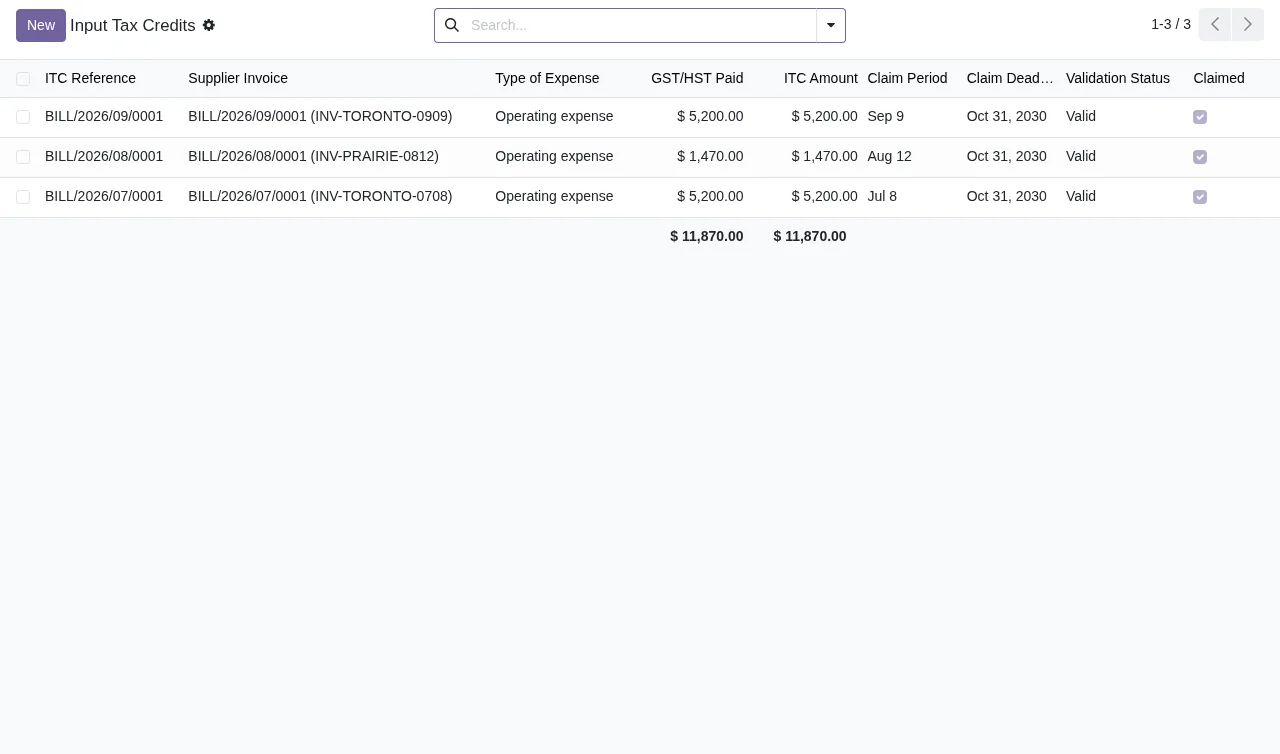
Three messages mark the path of an input tax credit (ITC):
Only posted vendor bills give input tax credits.Only posted vendor bills give credits. If the bill is not posted, post it first.Validate the ITC before claiming it.You cannot claim an ITC without validating it first. Validate, then claim.The use in commercial activities must be between 0% and 100%.The percentage of use in commercial activities has to sit between 0% and 100%. Check that value.
Read together, the order is: posted vendor bill, validated ITC and, finally, claimed ITC.
A filed return can no longer be recomputed
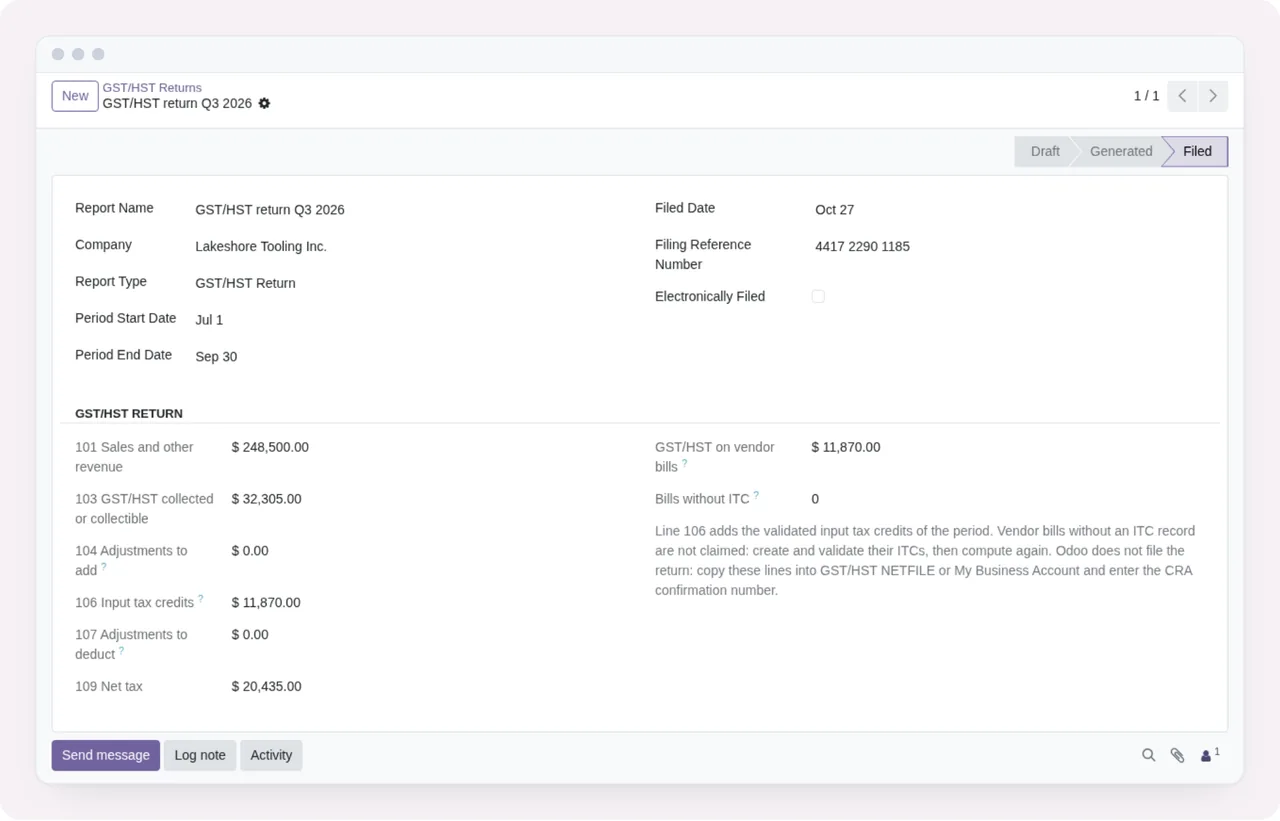
GST/HST returns have three warnings of their own:
Generate the return before marking it as filed.You cannot mark a return as filed if you have not generated it. Generate it first.Enter the confirmation number given by the CRA.The module asks for the confirmation number the CRA gave you. Enter it exactly as you received it.A filed return cannot be recomputed.Once a return is filed, it cannot be calculated again.
That last one is the detail most worth keeping in mind: review the return before marking it as filed, because afterwards the module will not recompute it.
Dates must be in order, and the rules are not all the same
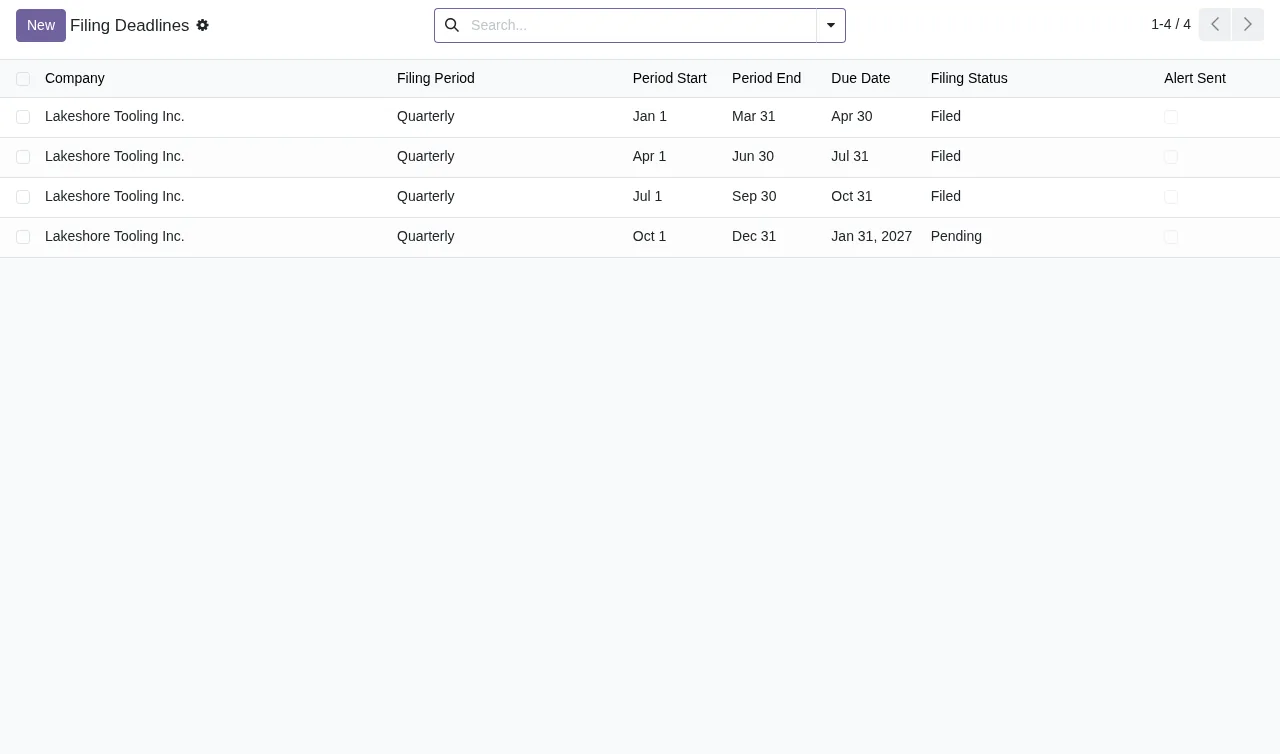
Several messages check that the start comes before the end:
Period start must be before endQuarter start date must be before end dateStart date must be before end dateStart date must be before or equal to end date
Note the difference between the last two: one requires the start to be earlier than the end, while the other accepts the same day for both. If the first one fires with two identical dates, move the dates apart. Two more warnings look forward. Due date must be after period end requires a due date later than the end of the period, and Effective date cannot be in the past will not accept an effective date that has already gone by.
Amounts and rates: nothing negative and nothing out of range
The module rejects negative values with three different messages: Taxable amount cannot be negative for the taxable amount, Amount cannot be negative for the amount and Revenue cannot be negative for revenue. In all three cases, correct the sign of the value. Tax rates work in a similar way. Tax rate must be specified asks you to state the rate, and Tax rate must be between 0% and 100% requires it to sit between 0% and 100%. If you also see Tax calculation is required, the tax calculation is missing from the record you are saving.
Required data, exemptions and place of supply
The last group covers data the module treats as mandatory:
Invoice is requiredandCustomer is required: the invoice or the customer is missing. Fill in the relevant field.Place of supply must be specified: the place of supply is missing.No place of supply rule found for this transaction type and locations: the module has found no place of supply rule for that transaction type and those locations. Check both.No valid exemption certificate found: there is no valid exemption certificate. Check the certificate before carrying on.Invalid filing status: the filing status is not valid.
If a message is not on this list, note the exact text and which screen you were on: that makes it much easier to track down.
How FlexigoTech can help
If you are rolling out the module or want to connect it to other systems, at FlexigoTech we implement Odoo 17, 18, 19 and 20 and build bespoke connectors and integrations. The module costs €9 per Odoo version, a one-off payment, for 17, 18, 19 and 20, excluding VAT; the FlexigoTech Cloud local service costs €29/month or €290/year excluding VAT (Pro: €58/month or €580/year). Without a subscription, or with the service suspended, whatever the subscription provides stops and your data stays in your Odoo. With the subscription, the module for new Odoo versions is included if you bought it on flexigotech.com; on the Odoo App Store, each version is bought there. You will find the details on the module page and on its Odoo Apps listing.
Keep reading
Checked in the module's source code (version 20.0) and the linked sources
Sources
- Module source code: flexigo_canadian_gst_hst_compliance_module 20.0 (bc461f60): models/tax_calculation.py
- Module source code: flexigo_canadian_gst_hst_compliance_module 20.0 (bc461f60): models/tax_customer_status.py
- Module source code: flexigo_canadian_gst_hst_compliance_module 20.0 (bc461f60): models/tax_filing_deadline.py
- Module source code: flexigo_canadian_gst_hst_compliance_module 20.0 (bc461f60): models/tax_input_tax_credit.py
- Module source code: flexigo_canadian_gst_hst_compliance_module 20.0 (bc461f60): models/tax_place_supply_rule.py
- Module source code: flexigo_canadian_gst_hst_compliance_module 20.0 (bc461f60): models/tax_rate.py
- Module source code: flexigo_canadian_gst_hst_compliance_module 20.0 (bc461f60): models/tax_registration_threshold.py
- Module source code: flexigo_canadian_gst_hst_compliance_module 20.0 (bc461f60): models/tax_report.py
- apps.odoo.com/apps/modules/20.0/flexigo_canadian_gst_hst_compliance_module
- apps.odoo.com/apps/modules/17.0/flexigo_canadian_gst_hst_compliance_module
- apps.odoo.com/apps/modules/18.0/flexigo_canadian_gst_hst_compliance_module
- apps.odoo.com/apps/modules/19.0/flexigo_canadian_gst_hst_compliance_module
- flexigotech.com/en/services.html
- flexigotech.com/precios.html