

 Español
 Català
 Deutsch
 Français
 Português
 Italiano
 Nederlands
 Polski
Where the button is and who can press it
Where does the Auto-Link Odoo button appear?
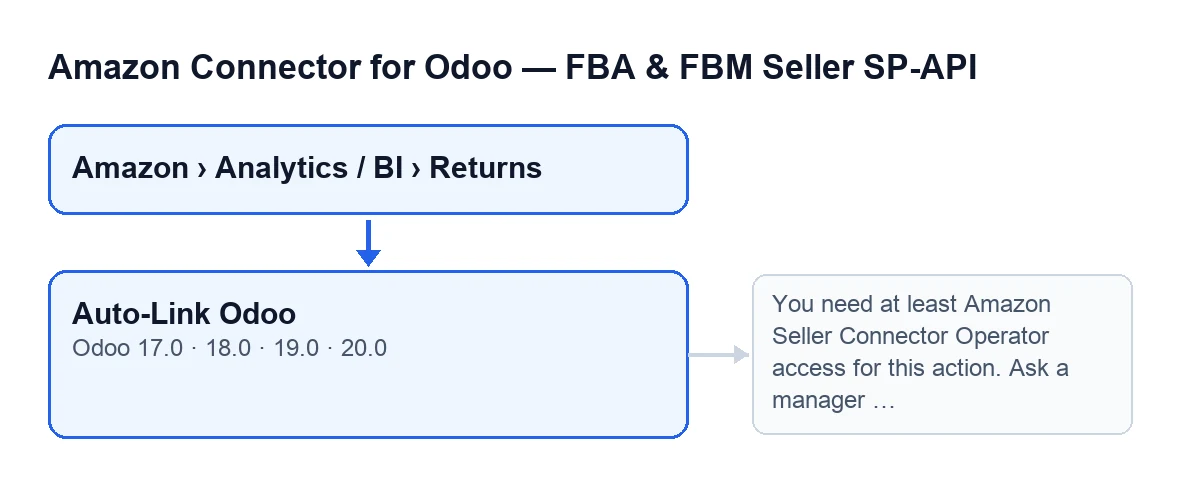
It is on the Returns (BI) screen, reached through the menu Amazon › Analytics / BI › Returns. Each part of the menu asks for the Viewer permission: if you do not have it, you do not see that part. The button shows with no condition at all and exists in Odoo versions 17, 18, 19 and 20.
What access do I need for it to work?
Seeing it is not the same as being able to use it. When you press it, the first thing the button does is check your access. If you do not have at least Operator access to the connector, it stops with this message: You need at least Amazon Seller Connector Operator access for this action. Ask a manager to grant Operator or Manager access. When it stops like that, nothing is linked. The fix is to ask a manager to give you Operator or Manager access. Besides belonging to the group, the code checks that you can write to those returns.

What it does when you press it, in order
Do I have to press it, or does Odoo link on its own?
You do not need to press it for the usual case. According to the Odoo 20.0 code, the same linking runs on its own when a return is created, when a return is saved after you change certain fields, and from the scheduled tasks Amazon SP-API - Auto receive returns to stock (every 15 minutes) and Amazon SP-API - Sync returns (every 3 hours), both active on install. On create and on save, the linking only fills in what is empty; the tasks reach it by two routes, one in that same mode and one in forced mode, the one the button uses.
What changes when I press it myself?
The button runs the linking in forced mode: it looks again and replaces what was already there for the sale order, the stock reference, the sale line, the delivery and the source invoice, but only when it finds a candidate; if it finds none, it leaves what was there. It is the way to repeat the linking by hand. It works on the returns you launch it with, after checking your access.
How does it find the Odoo sale order?
It skips returns that have no Amazon account assigned. For the others it first looks for the sale order from the return's Amazon order and, if it finds nothing, it keeps the sale order the return already had. If there is an order, it records it on the return. On FBA returns it also changes the stock linking mode, and the final notice counts that change as a prefilled stock reference. If there is no sale order at all, it saves whatever it had changed up to that point and moves on to the next return, without looking for stock or invoice.
How does it fill in the stock references?
With the order found, it records that order as the stock source. Then it gets the candidate lines of the sale order, taking into account the account's strict SKU setting, and only links the sale line when exactly one comes out. After that it looks at the order's deliveries: with a single line, it links the delivery related to that line, but only if there is just one; without a single line, it links the delivery only if the order has just one. If there are several candidates, the button does not fill in that reference.
When does it link the source invoice?
Only when the sale passes the module's accounted-sale check. If it does, the button picks a source invoice from the order and, if it finds one, links it in place of any existing one. If the sale is not accounted yet, it links no invoice: that is the situation some of the notices in the next section describe.
Which notice you will see at the end
Which notice appears when the stock has been prefilled?
The button shows a notification titled Amazon Returns, which does not stay fixed on screen. If any return received stock references, it is a success notice, in two variants. The first: Odoo stock references were prefilled. Sale orders found: …. Returns with prefilled stock references: …. No source invoice was linked for sales that are not accounted yet., which appears when no invoice was linked and not every sale found is accounted. The second: Odoo references refreshed. Sale orders found: …. Returns with prefilled stock references: …. Returns with linked source invoice: …. The numbers count returns.
And the warning notices, what do they mean?
They are warning-type notices, in this order of checking. No returns selected for Odoo auto-link.: there were no returns to process. No linked Odoo sale order was found for this return.: no order was located for any of them. Odoo sale order was found…, but the sale is not accounted yet. No stock references or source invoice could be prefilled automatically.: there is an order but neither stock nor invoice; the «…» is empty or reads and linked internally. Odoo sale was found and a source invoice was linked, but no stock references could be prefilled automatically.: invoice yes, stock no. Odoo sale was found, but no stock or accounting references could be prefilled automatically.: there is a sale, but no reference could be prefilled. If you get either of the last two, check by hand the references missing on the return.
What you need and how FlexigoTech helps
The module is a one-off payment per Odoo version (17, 18, 19 and 20; the price for each is on its listing) and needs the FlexigoTech Cloud subscription, Connector plan: €49 a month or €490 a year, excluding VAT. You will find more on the module page.
FlexigoTech implements Odoo 17, 18, 19 and 20 and builds custom connectors and integrations. If you want to review how your Amazon returns end up linked to the orders, stock and invoices in your Odoo, we can go through it with you.
Keep reading
Checked in the connector's source code (version 20.0) and the linked sources
Sources
- Module source code: flexigobe_amazon_seller_connector 20.0 (8576afa5): views/amazon_spapi_return_line_views.xml
- Module source code: flexigobe_amazon_seller_connector 20.0 (8576afa5): models/amazon_spapi_return_line.py
- apps.odoo.com/apps/modules/20.0/flexigobe_amazon_seller_connector
- flexigotech.com/en/services.html
- flexigotech.com/precios.html