

 Español
 Català
 Deutsch
 Français
 Português
 Italiano
 Nederlands
 Polski
When the message appears and what it means
When exactly does Authorize … in Shopify first (Connect with Shopify). appear?
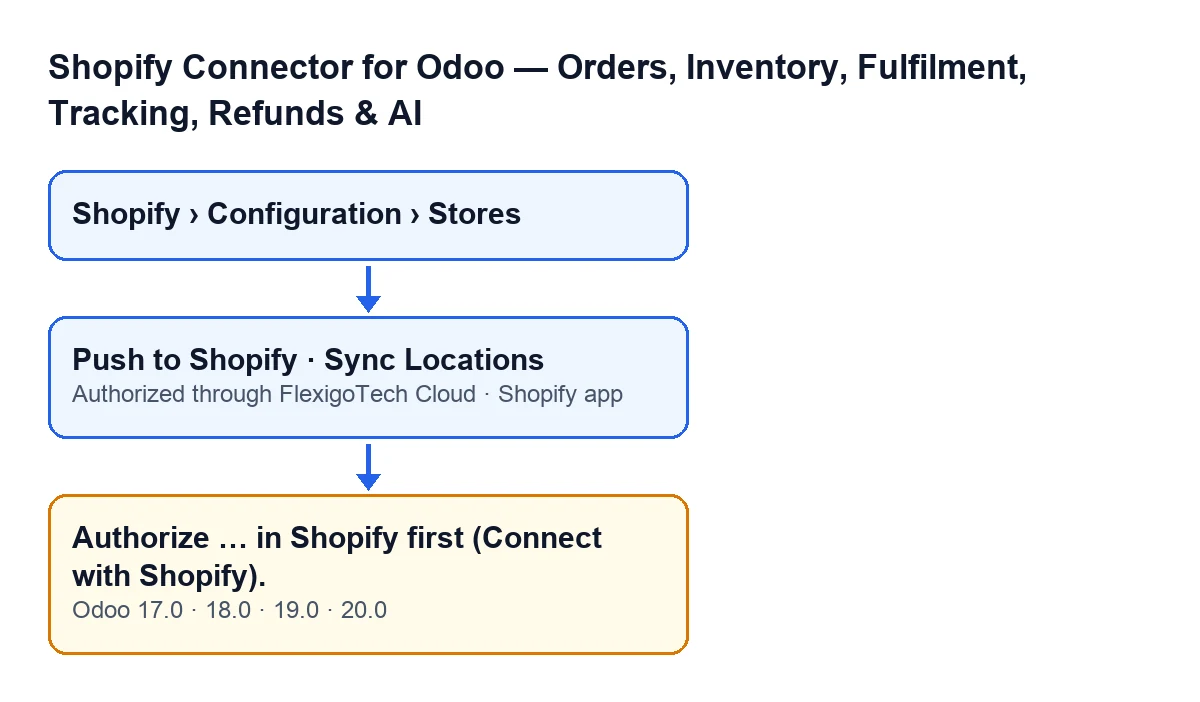
The Odoo 20.0 code makes two checks on the store, one after the other. The first checks that the app is saved in FlexigoTech Cloud; if that one fails, the action stops earlier and this message never appears. The second is the one behind this message: it appears when the Shopify app field has the option An app distributed to this store (authorization code) selected and the Authorized through FlexigoTech Cloud field is empty. When that is the case, the action you were performing stops. In place of the ellipsis, the message carries the name Odoo displays for your store.
What does it mean in practice?
The store is set up as an app distributed to that store, and the module has no record that the app has been authorised in Shopify. The help text of the Shopify app field distinguishes your own app from an app distributed to the store: Your own app: FlexigoTech Cloud gets the token with the client credentials grant, nothing to authorize. An app distributed to this store (Custom distribution): authorize it in Shopify once after saving. The message points you to Connect with Shopify, which is the name the error text itself gives to that step.
Why doesn't it appear if I use my own app?
Because the condition requires the distributed-app option. With My own app (made in the Dev Dashboard of this store's organization), the default value in the code, that condition is not met and, according to the field help, there is nothing to authorise.
Which buttons can trigger it?
The message can appear when you press Push to Shopify on the view that carries that button, and when you press Sync Locations on the store form. Both buttons reach the same check, which raises the message if the condition above is met. In Odoo 17, 18, 19 and 20 both buttons are always visible.
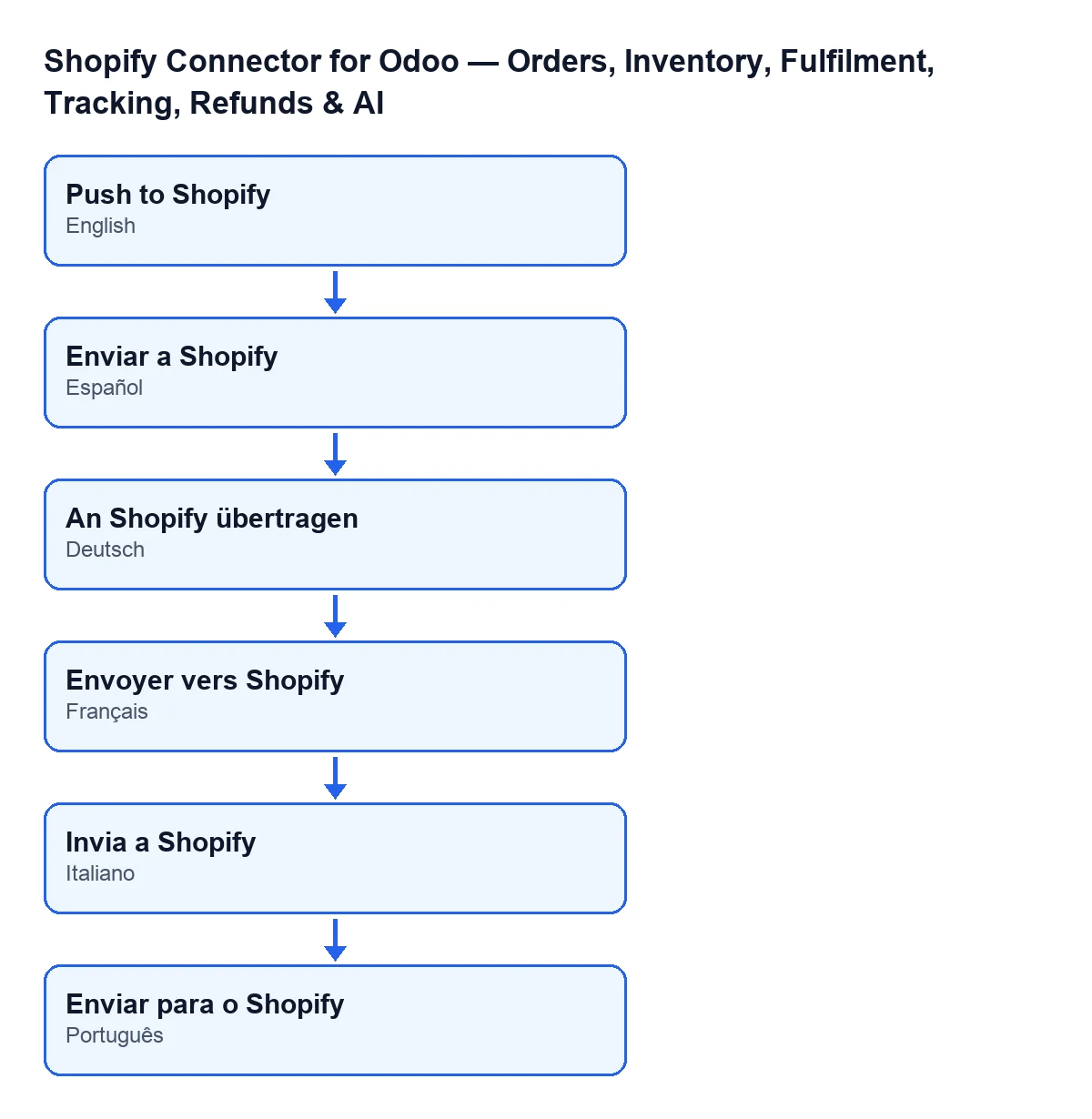
The label of the Push to Shopify button depends on the language of your Odoo, as this diagram shows:

How to check it and fix it
Where do I look at how my store is configured?
Open the menu Shopify › Configuration › Stores and go into the store form, the one for Shopify Instances. There, in the Connection tab, FlexigoTech Cloud group, are the Shopify app and Authorized through FlexigoTech Cloud fields. You need permissions to see that menu: the Configuration section asks for Operator and the Shopify section asks for Viewer. If you lack one, you do not see that section. In addition, only Odoo administrators can see those fields.
How do I know whether the authorisation is recorded?
Look at the FlexigoTech Cloud group. The Authorized through FlexigoTech Cloud field is read-only, it is written by the module's code and is not filled in by hand. It is hidden while it is empty, so with the default values you do not see it. So if you can see the Shopify app field with the distributed-app option and Authorized through FlexigoTech Cloud does not appear, the authorisation is not recorded and the message is what you should expect.
How do I fix it?
First confirm which app you really use. If it is an app distributed to the store, save the form and authorise the app in Shopify, once, as the field help says. When the authorisation is recorded, the Authorized through FlexigoTech Cloud field is filled in and starts to show in the group. Then repeat the action that stopped.
Can I change the Shopify app option to make the message go away?
Choose the option that describes the app you actually use: the field help treats your own app and an app distributed to the store as different cases. Changing it only to silence the error is not a fix, because the option has to match your app.
I cannot see those fields, can I still get the message?
Yes. The check reads, with elevated permissions, whether the app is saved in FlexigoTech Cloud and whether it is authorised, so that state does not depend on which user presses the button. If you cannot see the group, ask an Odoo administrator to review the form.
Versions, cost and help
Which Odoo versions have this message?
It is in the published code of branches 17, 18, 19 and 20, and the module is published on Odoo Apps for those versions. The condition behind the message and the Shopify app and Authorized through FlexigoTech Cloud fields are those of the Odoo 20.0 code.
What do I need for the connection to work?
The connection goes through FlexigoTech Cloud: it stores the credentials encrypted, monitors the synchronisation and emails you if it fails. On top of the module's one-off payment, you need the subscription on the Connector plan: €49 a month or €490 a year, excluding VAT. Without a subscription, or with the service suspended, what the subscription provides stops, and your data stays in your Odoo. Details are on the Odoo Apps listing and the module page.
Can you help me with my store's connection?
FlexigoTech implements Odoo 17, 18, 19 and 20 and builds custom connectors and integrations. If setting up the app in Shopify or authorising it gets stuck, tell us how your store is set up and we will go through it with you.
Keep reading
Checked in the connector's source code (version 20.0) and the linked sources
Sources
- Module source code: flexigobe_shopify_seller_connector 20.0 (d7e627b4): models/fgt_cloud.py
- Module source code: flexigobe_shopify_seller_connector 20.0 (d7e627b4): views/shopify_product_binding_views.xml
- Module source code: flexigobe_shopify_seller_connector 20.0 (d7e627b4): views/shopify_instance_views.xml
- apps.odoo.com/apps/modules/20.0/flexigobe_shopify_seller_connector
- flexigotech.com/en/services.html
- flexigotech.com/precios.html