

 Español
 Català
 Deutsch
 Français
 Português
 Italiano
 Nederlands
 Polski
Where they are and how to get there
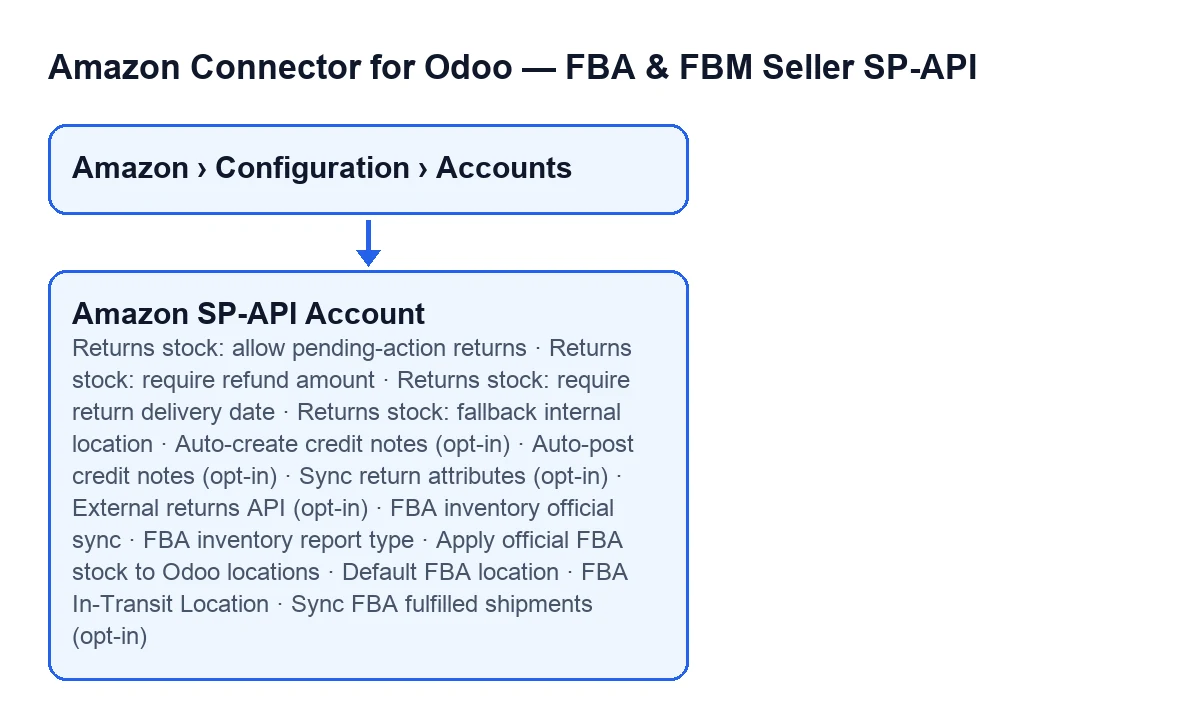
The fields in this glossary are on the account form, which opens from the menu Amazon › Configuration › Accounts. Each part of the menu asks for a permission: Amazon asks for Viewer, and Configuration and Accounts ask for Manager. If you lack one, you do not see that part.
The form spreads the fields over tabs: Returns & Reviews, FBA & Stock and Orders & Fulfillment. Note that the returns fields are not all on the same tab: the fallback location for returns is on FBA & Stock.

Returns: when they enter stock
The first fields are in the Return Stock Automation (ON by default) group of the Returns & Reviews tab. They set conditions for receiving a return into stock.
Returns stock: allow pending-action returns- Unticked by default. Its help says:
If disabled, returns marked as pending action are not received into stock.With the default value, those returns do not enter stock. Tick it only if you want them to.
Returns stock: require refund amount- Ticked by default. Its help:
Only receive the return into stock when Amazon reports refunded amount > 0.Leave it ticked if you want that condition.
Returns stock: require return delivery date- Unticked by default. Its help:
If enabled, return_delivery_date must be present before receiving stock.Tick it if you want a return to be received only when the return delivery date is present.
Returns stock: fallback internal location- It is on the
FBA & Stocktab, in theLocationsgroup. Its help:Optional internal location used when Amazon confirms a return but Odoo cannot build a standard return picking from delivered moves. If empty, the delivered picking source location is used when possible.Fill it in if you would rather use a different location in that case.
Returns: credit notes and Amazon data
The first three are on the Returns & Reviews tab; the last one is on Orders & Fulfillment.
Auto-create credit notes (opt-in)- Unticked by default. Its help:
Automatically creates a draft customer credit note when the return refund amount is reported and the sale is accounted in Odoo.What gets created is a draft, and the help sets two conditions: the refund amount is reported and the sale is accounted in Odoo.
Auto-post credit notes (opt-in)- Unticked by default. Its help:
If enabled, internal credit notes generated from returns are posted immediately.If you prefer to review them before posting, leave it unticked.
Sync return attributes (opt-in)- Unticked by default. Its help:
Reads Amazon return attributes by SKU for prepaid-label and returnless-refund policies.It makes sense if you work with those policies.
External returns API (opt-in)- It is on
Orders & Fulfillment, in theExternal Shipment Sync (ON by default)group. Although the group title says ON by default, this field is unticked by default. Its help:Enriches return lines from Amazon External Fulfillment Returns API when an External Return ID is available.
FBA inventory: what it reads and where it puts it
All of these fields are on the FBA & Stock tab.
FBA inventory official sync- Group
FBA Inventory Sync (ON by default) · Fulfilled Shipments (opt-in). Ticked by default. According to its help, when enabled it reads current FBA stock from Amazon through the Reports API, with a live getInventorySummaries fallback.
FBA inventory report type- Same group. Its help:
GET_LEDGER_SUMMARY_VIEW_DATA is the recommended source for physical stock synchronization. GET_AFN_* reflects Amazon commercial availability.Its values includeGET_AFN_INVENTORY_DATA_BY_COUNTRYandGET_AFN_INVENTORY_DATA. Check which one is selected and choose according to whether you want physical stock or commercial availability.
Apply official FBA stock to Odoo locationsLocationsgroup. Unticked by default. According to its help, when active it sets the configured Odoo locations to the Amazon quantity. Decide which locations you configure first, then tick it.
Default FBA locationLocationsgroup. Its help:Default location only for the account primary marketplace country or for country-less reports. Cross-country flows require an explicit FBA route.Think of it in those terms: it serves the primary marketplace country or reports without a country.
FBA In-Transit LocationLocationsgroup. Its help:Internal location holding goods shipped to Amazon but not yet received.Pick an internal location that represents those goods.
Sync FBA fulfilled shipments (opt-in)- It sits in the same group as the inventory sync. Unticked by default, even though the group title says ON by default. Its help:
Reads actually dispatched FBA shipments from Amazon using Reports API.
How FlexigoTech can help
The module is published on Odoo Apps for 17, 18, 19 and 20, is a one-off purchase per version and needs a FlexigoTech Cloud subscription (Connector plan: €49/month or €490/year, excluding VAT). The connection goes through FlexigoTech Cloud, which stores the credentials encrypted, monitors the synchronisation and emails you if it fails. You can see the Odoo Apps listing and the module page.
If you are implementing Odoo and want help deciding these values with your accounting and warehouses in mind, FlexigoTech implements Odoo 17, 18, 19 and 20 and builds custom connectors and integrations.
Keep reading
Checked in the connector's source code (version 20.0) and the linked sources
Sources
- Module source code: flexigobe_amazon_seller_connector 20.0 (8576afa5): models/amazon_spapi_account.py
- apps.odoo.com/apps/modules/20.0/flexigobe_amazon_seller_connector
- flexigotech.com/precios.html
- flexigotech.com/en/services.html