

 Español
 Català
 Deutsch
 Français
 Português
 Italiano
 Nederlands
 Polski
Where the fields are and who can see them
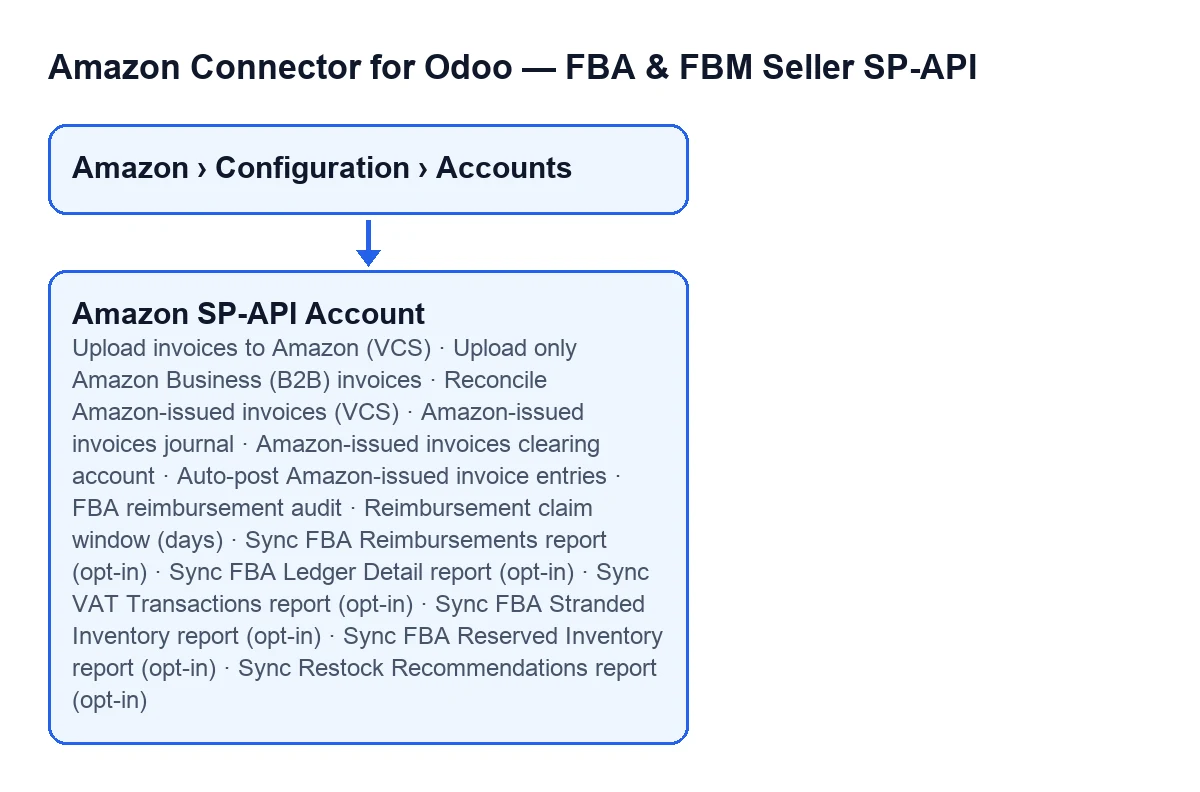
Account records open from Amazon › Configuration › Accounts. The Amazon step asks for the Viewer permission; the Configuration and Accounts steps ask for Manager, so without that permission you do not see the step. According to the Odoo 20.0 code, the fields compared here are spread across three tabs of the record: Payments & Accounting, FBA Reports (opt-in) and Compliance & Sales Reports (opt-in).
One practical point before you go looking: several fields depend on another one. With the default values they are not visible, and they appear when you switch on the field they depend on.

Invoices: uploading yours to Amazon or reconciling the ones Amazon issues
The Payments & Accounting tab holds two different ideas. One is uploading to Amazon the customer invoices that Odoo generates. The other is bringing into Odoo, as entries, the invoice numbers that Amazon has issued.
| Field | What its help says | When it is visible |
|---|---|---|
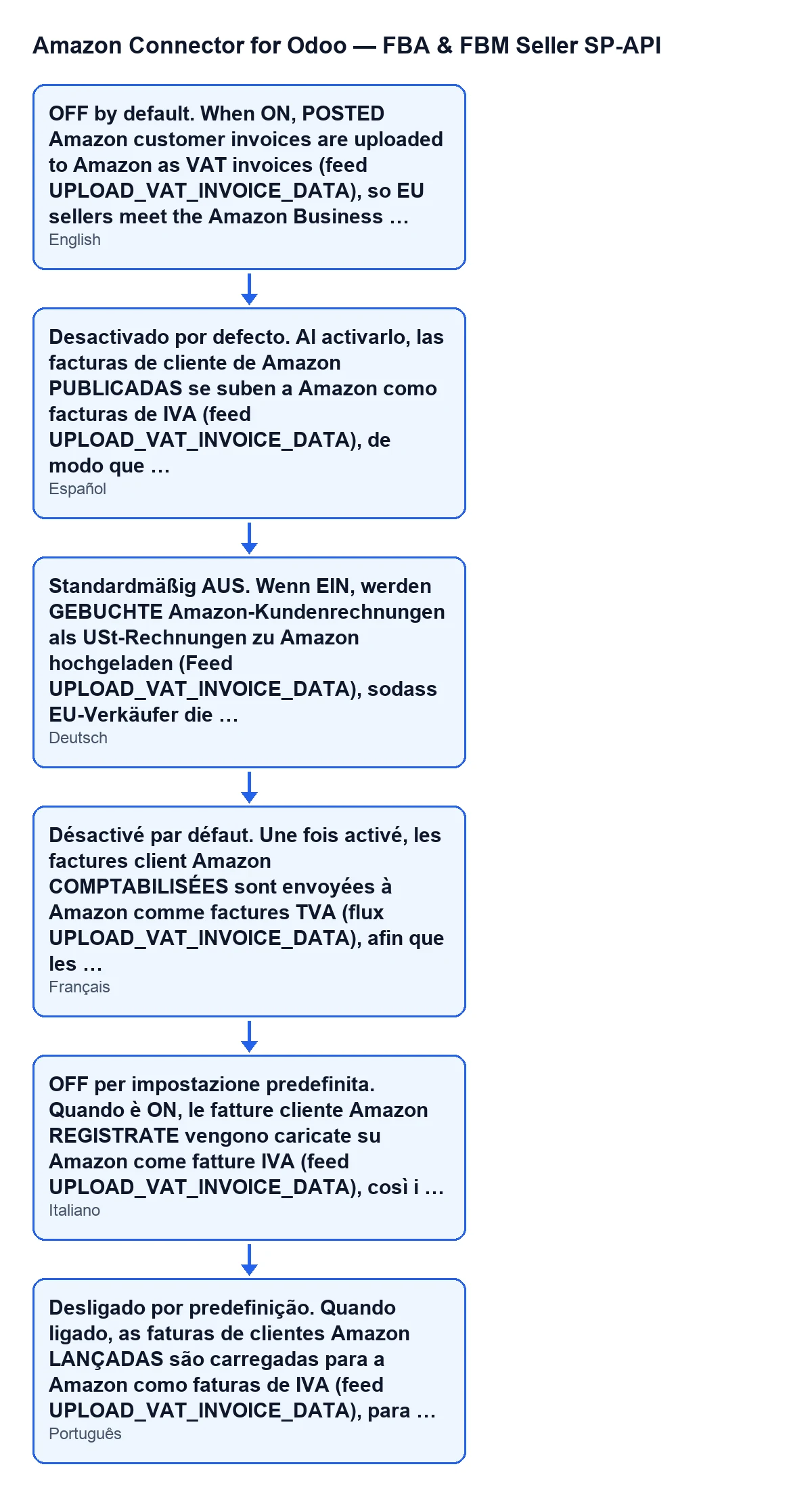
Upload invoices to Amazon (VCS) | OFF by default. When ON, POSTED Amazon customer invoices are uploaded to Amazon as VAT invoices (feed UPLOAD_VAT_INVOICE_DATA), so EU sellers meet the Amazon Business invoicing policy without uploading PDFs by hand. Requires the invoice chain to be enabled. | Not visible with the default values: it depends on another invoice setting on the account, which is off by default. |
Upload only Amazon Business (B2B) invoices | ON by default: only orders flagged IsBusinessOrder upload their invoice (the ones Amazon requires). Turn it OFF to upload an invoice for every order. | Only when Upload invoices to Amazon (VCS) is on. |
Reconcile Amazon-issued invoices (VCS) | OFF by default. Every VAT-ledger invoice number without a matching Odoo-issued invoice is booked as a plain journal entry (never a new customer invoice, because Amazon is the legal issuer, not Odoo) so it reaches the standard VAT reports. Requires Sync VAT Transactions report (opt-in) to be enabled too, as its data is the source. | Visible in the Payments & Accounting tab. |
Amazon-issued invoices journal | Optional sales journal for the reconciliation entries. Empty = the company's default sales journal. | Only when Reconcile Amazon-issued invoices (VCS) is on. |
Amazon-issued invoices clearing account | Optional receivable or clearing account for the entry's counterpart line. Empty = it reuses the invoice clearing account, then the settlement clearing account. | Only when Reconcile Amazon-issued invoices (VCS) is on. |
Auto-post Amazon-issued invoice entries | OFF by default: entries are left in draft for an accountant to review and post. When ON, they post automatically. | Only when Reconcile Amazon-issued invoices (VCS) is on. |
The help of Upload invoices to Amazon (VCS) is the text you see translated according to the language of your Odoo:
FBA reports: reimbursement audit and inventory
The FBA Reports (opt-in) tab groups the reimbursement audit and several FBA reports. The audit and the reports in the table are off by default, and the help of each report points to a report of the Amazon Reports API.
| Field | What its help says | When it is visible |
|---|---|---|
FBA reimbursement audit | When ON, the inventory-ledger sync also accumulates lost, damaged and found events, and the audit cross-checks them against settlement reimbursements, surfacing the units Amazon still owes (with estimated value and claim deadline). Read-only analysis. | Group Reimbursement Claim Audit (find money Amazon owes you). |
Reimbursement claim window (days) | Days after the loss or damage event during which Amazon accepts a claim; used to compute each claim deadline. Default value: 60. | Same group; not visible with the default values, it appears once the audit is on. |
Sync FBA Reimbursements report (opt-in) | Fetches GET_FBA_REIMBURSEMENTS_DATA: real per-claim reimbursement rows (case id, reason, amounts) that the reimbursement audit prefers over its settlement-line keyword guess for the same SKU. | Group Reimbursements Report (what Amazon actually paid). |
Sync FBA Ledger Detail report (opt-in) | Fetches GET_LEDGER_DETAIL_VIEW_DATA: per-EVENT lost, damaged and found rows (not the daily aggregate the stock sync already reads), giving the audit a full per-event trail. Independent of and never touches FBA stock quantities. | Group FBA Ledger Detail (per-event audit trail). |
Sync FBA Stranded Inventory report (opt-in) | Fetches GET_STRANDED_INVENTORY_UI_DATA: ASINs with real FBA stock but NO active or buyable offer, so you can see (and fix) storage fees charged on units nobody can currently purchase. | Group Stranded Inventory (stock with no active offer). |
Sync FBA Reserved Inventory report (opt-in) | Fetches GET_RESERVED_INVENTORY_DATA: units reserved (in transit between FCs, FC processing, pending customer orders) that are invisible in the AFN inventory reports, helping avoid overselling. | Group Reserved Inventory (units not yet sellable). |
Sync Restock Recommendations report (opt-in) | Fetches GET_RESTOCK_INVENTORY_RECOMMENDATIONS_REPORT: Amazon's own reorder-point and days-of-supply recommendation per SKU, a cross-check against the module's own AI replenishment engine. | Visible in the FBA Reports (opt-in) tab. |
The VAT report that reconciliation depends on
Sync VAT Transactions report (opt-in) is in the Compliance & Sales Reports (opt-in) tab. Its help says it is off by default and that, when on, it fetches GET_VAT_TRANSACTION_DATA: the full per-transaction VAT ledger across every EU marketplace in ONE call (Amazon ignores the marketplace filter for this report). It also requires the Tax Invoicing restricted role in Seller Central; without it the sync fails gracefully and logs the error.
What to set
- Upload invoices to Amazon: leave it off while you have no need to upload invoices. If you switch it on, check that the invoice chain is enabled, because its help requires it.
- Only Amazon Business (B2B): it comes on and limits the upload to orders flagged IsBusinessOrder. Turn it off only if you want an invoice uploaded for every order.
- Reconciling Amazon-issued invoices: switch on the VAT Transactions report first, since it is the data source, and check that your Seller Central account has the
Tax Invoicingrole. Journal and clearing account are optional; when empty, the values each help describes apply. - Posting those entries automatically: if you want an accountant to review them, keep the default (draft).
- Reimbursement audit: it is a read-only analysis. The reimbursements report supplies real rows that the audit prefers over its own guess, and the ledger detail gives it the per-event trail. The claim window comes at 60 days; change it only if the period in which Amazon accepts claims changes.
- Stranded, reserved and restock reports: each is an independent opt-in. Switch on the one that answers a specific question: storage fees, overselling or replenishment.
Cost and help getting started
The module is a one-off payment per Odoo version (published on Odoo Apps for 17, 18, 19 and 20; the price for each version is on its listing) and needs the FlexigoTech Cloud subscription, Connector plan: €49/month or €490/year excluding VAT, up to 3 accounts on the platform. The connection goes through FlexigoTech Cloud, which stores the credentials encrypted, watches the synchronisation and emails you if it fails. Without a subscription, or with the service suspended, what the subscription provides stops; your data stays in your Odoo. You can see the module page on flexigotech.com.
FlexigoTech implements Odoo 17, 18, 19 and 20 and builds custom connectors and integrations; if you would like us to go through which fields to switch on for your account, get in touch.
Keep reading
Checked in the connector's source code (version 20.0) and the linked sources
Sources
- Module source code: flexigobe_amazon_seller_connector 20.0 (8576afa5): models/amazon_spapi_account.py
- apps.odoo.com/apps/modules/20.0/flexigobe_amazon_seller_connector
- flexigotech.com/en/services.html
- flexigotech.com/precios.html