

 Español
 Català
 Deutsch
 Français
 Português
 Italiano
 Nederlands
 Polski
When the message appears and what it means
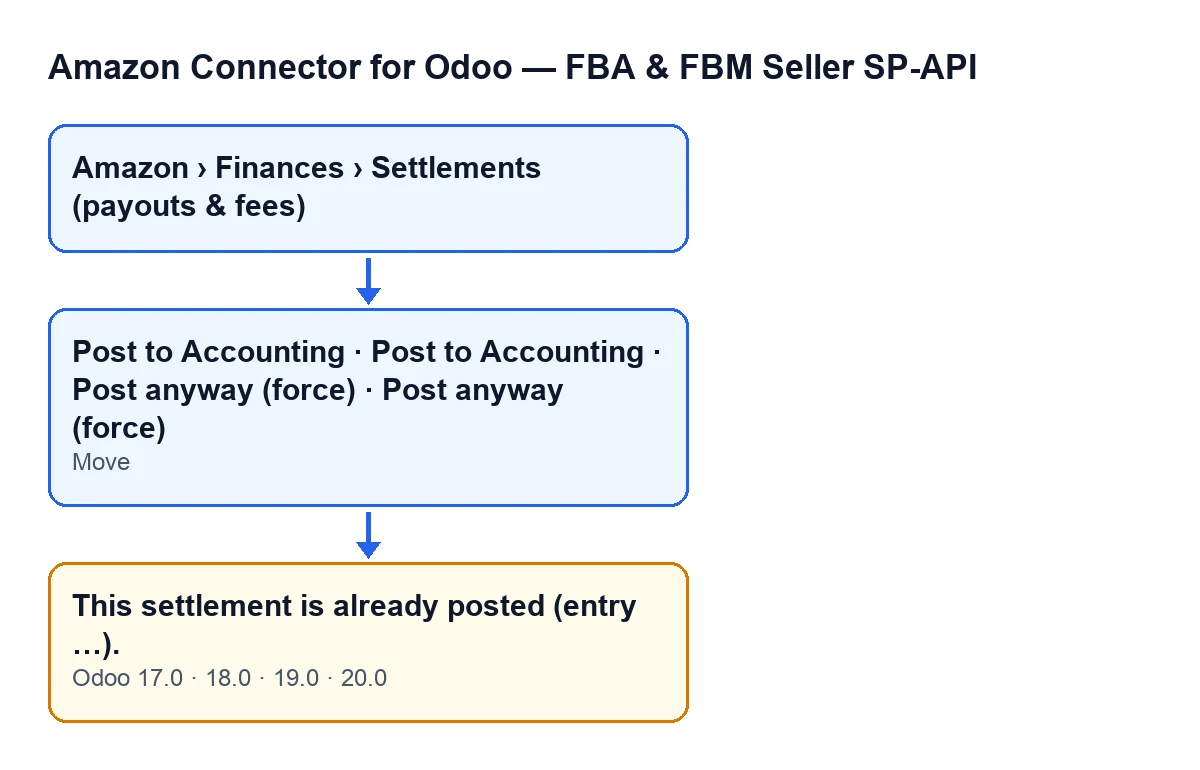
The warning This settlement is already posted (entry …). appears when you post an Amazon settlement that already has an entry. Where the message shows «…», Odoo writes the name of that entry. It is in the published code of Odoo 17, 18, 19 and 20.
You get to it by pressing Post to Accounting or Post anyway (force).
Settlements open from Amazon › Finances › Settlements (payouts & fees). Each part of the menu asks for the Viewer permission: if you lack one, you do not see that part.

How the check works under the hood
What follows about the order of the checks describes the published code of Odoo 20.0.
The condition looks at the entry, not the state
For this warning the code checks one thing: that the settlement has an entry in the Move field and that this entry exists. If the field is empty, this check does not trigger.
The Post to Accounting button follows something else: it is hidden when State is posted, and with the default values it is visible (the state is imported). One condition decides whether you see the button; the other decides whether the module carries on once you press it.
The force button does not skip this warning
Post anyway (force) leads to the same method as Post to Accounting, so it can also give you this message. When you press it, Odoo asks for confirmation: «This settlement does not balance. Post anyway and absorb the difference into the clearing account?». The button is hidden if State is posted or if Reconciled is true.
In the Odoo 20.0 code, forcing only matters when it checks that the settlement balances, and that check comes later. The «already has an entry» check comes first, so forcing does not get around it.
It comes after other checks and before anything is built
Before getting here, the method has already checked that Accounting is installed, that your user has Accounting access (automated superuser contexts pass) and that posting is enabled on the Amazon account.
After the warning would come the review of journal and accounts and the building of the entry lines. Because the message stops the action, nothing the action was going to change is saved: no new entry and no change of state.
The entry name travels inside the message
The text in brackets is the name of the entry already linked to the settlement. It is your clue for going straight to it in Accounting.
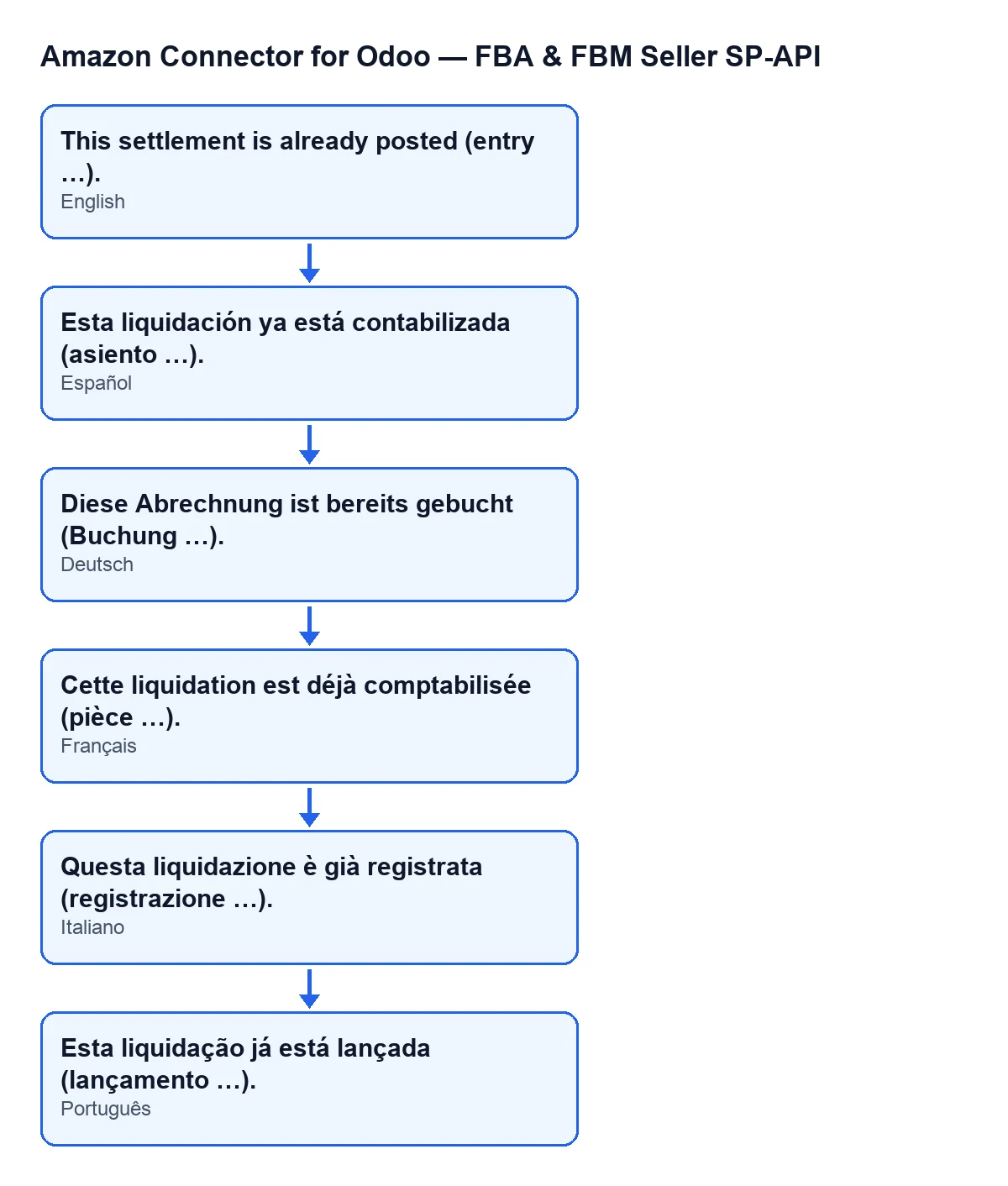
This settlement is already posted (entry …).; in German, Diese Abrechnung ist bereits gebucht (Buchung …).; in French, Cette liquidation est déjà comptabilisée (pièce …).; in Italian, Questa liquidazione è già registrata (registrazione …).; in Portuguese, Esta liquidação já está lançada (lançamento …).The Move field is read-only and you do not write it
It shows on the Settlements form, inside the Reconciliation group. Its help text reads: «Journal entry created when posted to accounting.».
The module fills it when posting, from Post to Accounting or from Post anyway (force); the Reverse button empties it. While that field holds an entry that exists, the warning is the expected result.
The same message and the same buttons in every published branch
The message is in the code of branches 17, 18, 19 and 20, and the view condition of both buttons is the same in all four. The order of checks and the role of forcing described above are those of the Odoo 20.0 code. The module is published on Odoo Apps for all four versions.
What to do when you see it
- Note the entry name that appears where the message shows «…».
- Open the settlement and look at the
Movefield, in theReconciliationgroup of the form. - Open that entry in Accounting and check it belongs to that settlement.
- If you think the settlement should be posted again, talk to your accountant before touching the linked entry.
The confirmation for Post to Accounting asks: «Post this settlement as one journal entry (clearing + fees + net deposit)?». That is the operation the module stops when the entry already exists.
How FlexigoTech helps
The module is a one-off payment per version and needs a FlexigoTech Cloud subscription (Connector plan, €49 a month or €490 a year, excluding VAT). You can see it on the Odoo Apps listing or on the module page. If you are implementing Odoo and want to fine-tune the settlements flow with your accountant, FlexigoTech implements Odoo 17, 18, 19 and 20 and builds custom connectors and integrations.
Keep reading
Checked in the connector's source code (version 20.0) and the linked sources
Sources
- Module source code: flexigobe_amazon_seller_connector 20.0 (8576afa5): models/amazon_spapi_settlement.py
- Module source code: flexigobe_amazon_seller_connector 20.0 (8576afa5): views/amazon_spapi_settlement_views.xml
- apps.odoo.com/apps/modules/20.0/flexigobe_amazon_seller_connector
- flexigotech.com/en/services.html
- flexigotech.com/precios.html