

 Español
 Català
 Deutsch
 Français
 Português
 Italiano
 Nederlands
 Polski
Where the button is
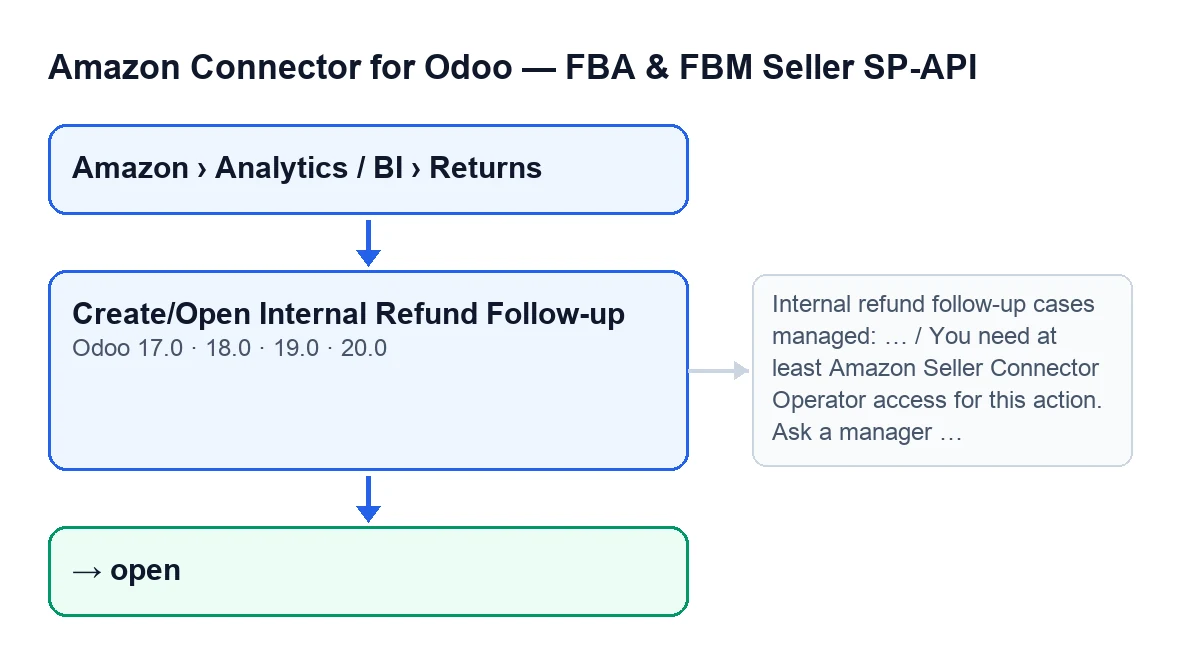
The Create/Open Internal Refund Follow-up button is on the Returns (BI) screen, reached through Amazon › Analytics / BI › Returns. Every step of that menu asks for the Viewer permission. The button exists in Odoo 17, 18, 19 and 20; what follows describes the code of version 20.

Wrong ideas about the button, one by one
«If I don't press it, there is no internal follow-up»
Pressing it is the manual route, not the only one. The scheduled task Amazon SP-API - Post-sales pipeline, active on install and running every hour, reaches the same functions the button uses to find the refund case of a return and the Amazon sale order.
Two checkboxes on the account decide that route, and both are on by default: Post-sales: auto case from refund and Post-sales: auto case from return pending action. You will see them on the Accounts form, in the Orders & Fulfillment tab, in the Post-Sales Cases (ON by default) group. The button is left for creating or opening the case by hand.
«The button is on every return»
It is hidden in two situations, and the condition is the same in Odoo 17, 18, 19 and 20: when Primary Postsale Case already has a value, or when Refund Amount is zero or less. If you cannot see it, check the amount on the Returns (BI) form, in the Overview tab, in the Return Status group, or in the list.
«Anyone who can see Returns can press it»
Seeing the menu is not enough. The first thing the button does is check your permissions: without at least Operator level, it stops with this message and nothing is saved:
You need at least Amazon Seller Connector Operator access for this action. Ask a manager to grant Operator or Manager access.
Beyond belonging to the group, the module checks that you have write permission on the return. If you get that message, ask a manager for Operator or Manager access, as the text itself says.
«Pressing it twice creates two cases»
For each return, the button first looks for an existing refund case on the same account that originates from that same return. If it finds one, it does not create another: it recalculates the case shown in Primary Postsale Case, updates the refund's last external status on the case and opens it. When it handles exactly one case, the form of the follow-up case opens, whether it is the one just created or the one that already existed.
To choose the primary case among those related to the return, the module prefers open or in-progress cases; among those, the ones in progress, and if still tied, the most recent. So the primary case is not always the most recently created one.
When the button does not handle exactly one case, instead of opening the form it shows Internal refund follow-up cases managed: ….
«It only creates an empty record»
If there is no case, the button creates one from the return's data:
- The account, the return itself and the
Amazon Order ID. - The Odoo sale order, if it finds one. It only looks when the return has an order ID and an account: it tries several fields on sale orders and on delivery orders, within the account's company, with an exact match; if several orders match in one field, that field does not decide. With no order, the case is still created, without it.
- Partial refund type, the
openstate and the titleAmazon partial refund …, followed by the order ID, or theAmazon RMA IDif that is missing, or the return's internal identifier. - The description
Case created from an Amazon return. SKU: … Amazon RMA: … Return status: …, with a dash where a value is missing. - The currency of the account's company, the refund amount and the return reason.
- A deadline: the current time plus the account's SLA hours, or twenty-four hours if that value is empty, with a minimum of one hour.
It then recalculates the Primary Postsale Case of the return with the same preference rule described above and records on the case the last external action (Amazon refund feed by default), its status and the refund's last error. For that status, the module looks at the Amazon refund processing status of the return. If it is empty, it records READY when the Amazon refund total of the return is above zero and DRAFT otherwise. That total is not the Refund Amount that decides whether the button shows.
How the label looks in each Odoo language
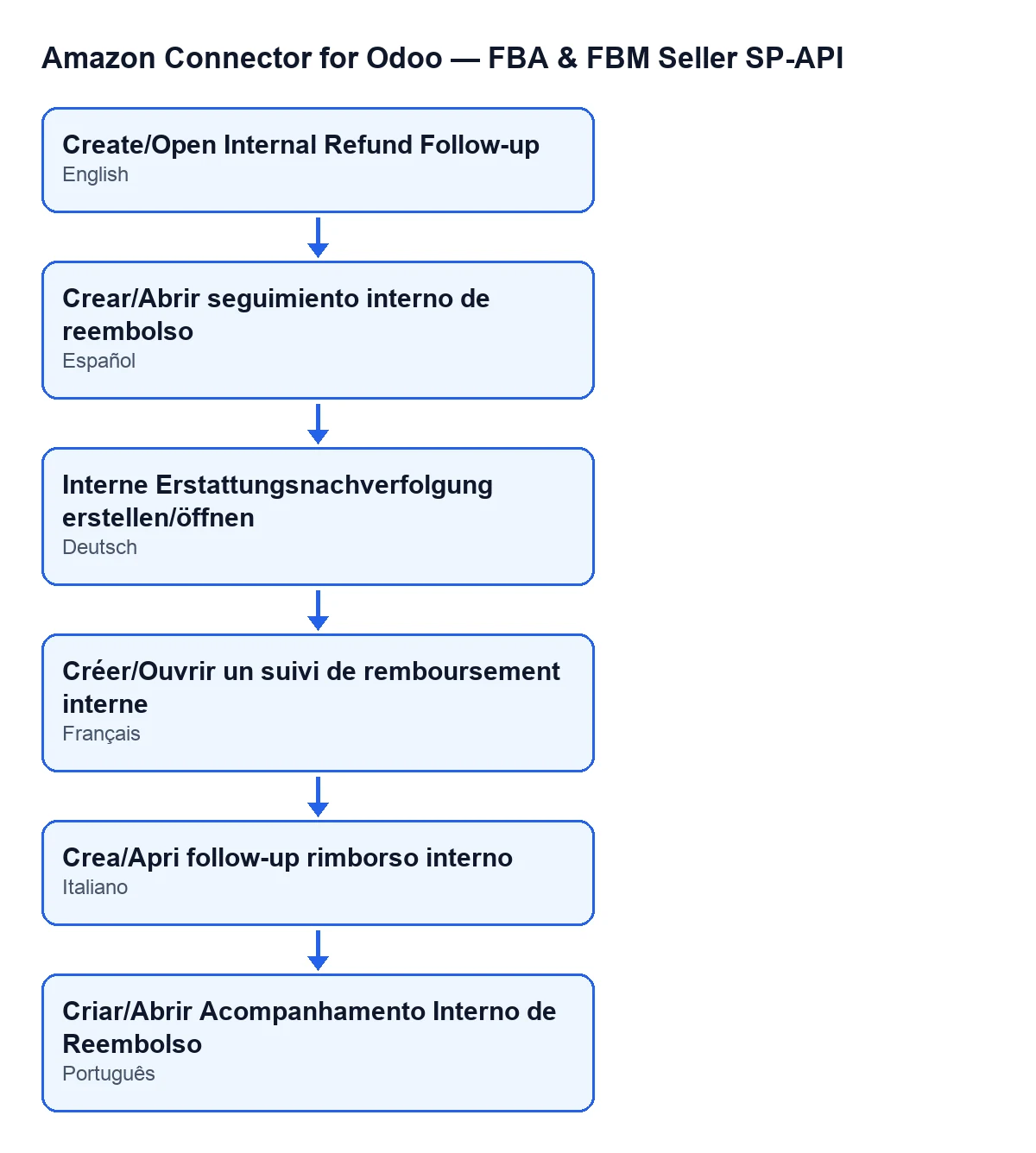
The button label changes with your Odoo language:
| Language | Button label |
|---|---|
| English | Create/Open Internal Refund Follow-up |
| Spanish | Crear/Abrir seguimiento interno de reembolso |
| German | Interne Erstattungsnachverfolgung erstellen/öffnen |
| French | Créer/Ouvrir un suivi de remboursement interne |
| Italian | Crea/Apri follow-up rimborso interno |
| Portuguese | Criar/Abrir Acompanhamento Interno de Reembolso |
How FlexigoTech can help
FlexigoTech implements Odoo 17, 18, 19 and 20 and builds connectors and custom integrations, in case you need to adapt the returns and refunds flow to your business. The module is published for those four versions on Odoo Apps and on flexigotech.com. It is a one-off purchase per version and needs the FlexigoTech Cloud subscription: the Connector plan costs €49 per month or €490 per year excluding VAT, and the price of the module for each version is on its listing.
For the rest of the flow, start with the account form: the SP-API account fields explain each checkbox.
Keep reading
Checked in the connector's source code (version 20.0) and the linked sources
Sources
- Module source code: flexigobe_amazon_seller_connector 20.0 (8576afa5): views/amazon_spapi_return_line_views.xml
- Module source code: flexigobe_amazon_seller_connector 20.0 (8576afa5): models/amazon_spapi_return_line.py
- Module source code: flexigobe_amazon_seller_connector 20.0 (8576afa5): models/amazon_spapi_account.py
- apps.odoo.com/apps/modules/20.0/flexigobe_amazon_seller_connector
- flexigotech.com/en/services.html
- flexigotech.com/precios.html