

 Español
 Català
 Deutsch
 Français
 Português
 Italiano
 Nederlands
 Polski
What the message says and which buttons trigger it
When Odoo cannot offer Amazon the photos of a product, the action stops with this error: Amazon downloads the photos from Odoo and cannot reach it: …. Make Odoo reachable from the Internet (web.base.url or the website domain) before creating the product. The dots are replaced by the reason the module works out to explain why the address is no use.
It can appear when you press Create on Amazon or Create family on Amazon. The forms that carry those buttons open from the menu Amazon › Catalog › Listings, and each part of that menu asks for the Viewer permission. The buttons and this message are in the published code for Odoo 17, 18, 19 and 20.
Before you reach the error, it helps to know when each button is visible:
Create on Amazonis hidden when the form already hasAsin, and also whenAllow New Product Creationis not switched on orAmazon Product Typeis empty. When you press it, Odoo asks for confirmation:This creates the product on Amazon for real. Continue?.Create family on Amazonis hidden whenProduct Variant Countis below two, and also in the same two cases ofAllow New Product CreationandAmazon Product Type. Its confirmation reads:This creates the parent and every variant on Amazon for real. Continue?.
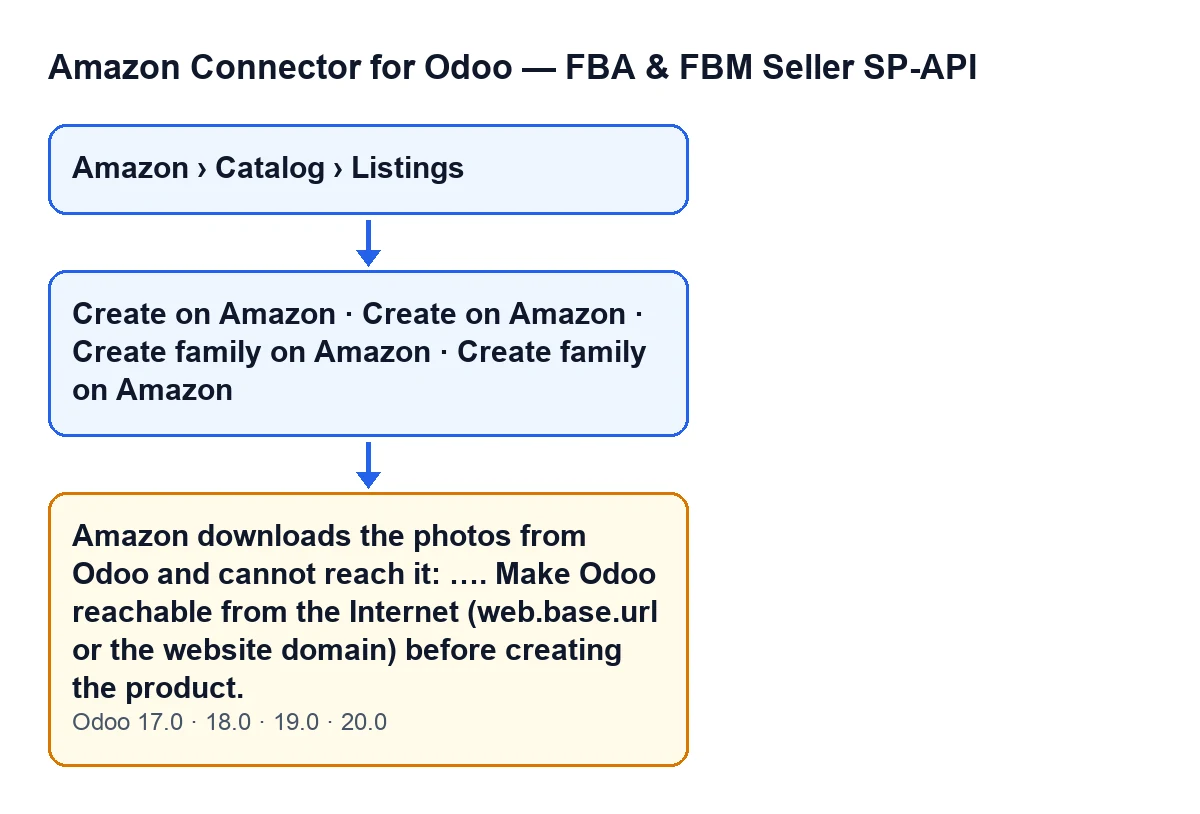

The condition, in the order the module evaluates it
The Create family on Amazon button can also give this message: its own method raises it. The order below is described for Create on Amazon, whose code gives the condition. This is what the module does when you press it, in order:
- It checks your operator permission, that the listing is ready, that it is not already on Amazon and that the account allows new products. If any of those checks fails, you get a different message, not this one.
- It takes the base address Amazon would download the photos from: the product template's own, which is the website domain when the eCommerce has one and
web.base.urlotherwise. - It checks whether the host name of that address resolves only to Internet addresses. If not, the address counts as not reachable and the module keeps the reason.
- It looks at whether the product has photos: the main one and up to 8 more (the extra eCommerce images, when that app is installed).
- If there is at least one photo and the address is not reachable, it raises the error and the action stops: nothing is sent to Amazon.
If the address is reachable, the module builds the product attributes from the Odoo data and whatever you have typed (what you type takes precedence) and sends them with Publish Catalog.
One detail that comes straight from the code: the condition needs both things at once, photos and an unreachable address. If the product has no photos at all, this check does not raise the error even when the address is not reachable.
The text in your Odoo's language
The module ships the message translated. With Odoo in English you see it as in the first section; in other languages, like this:
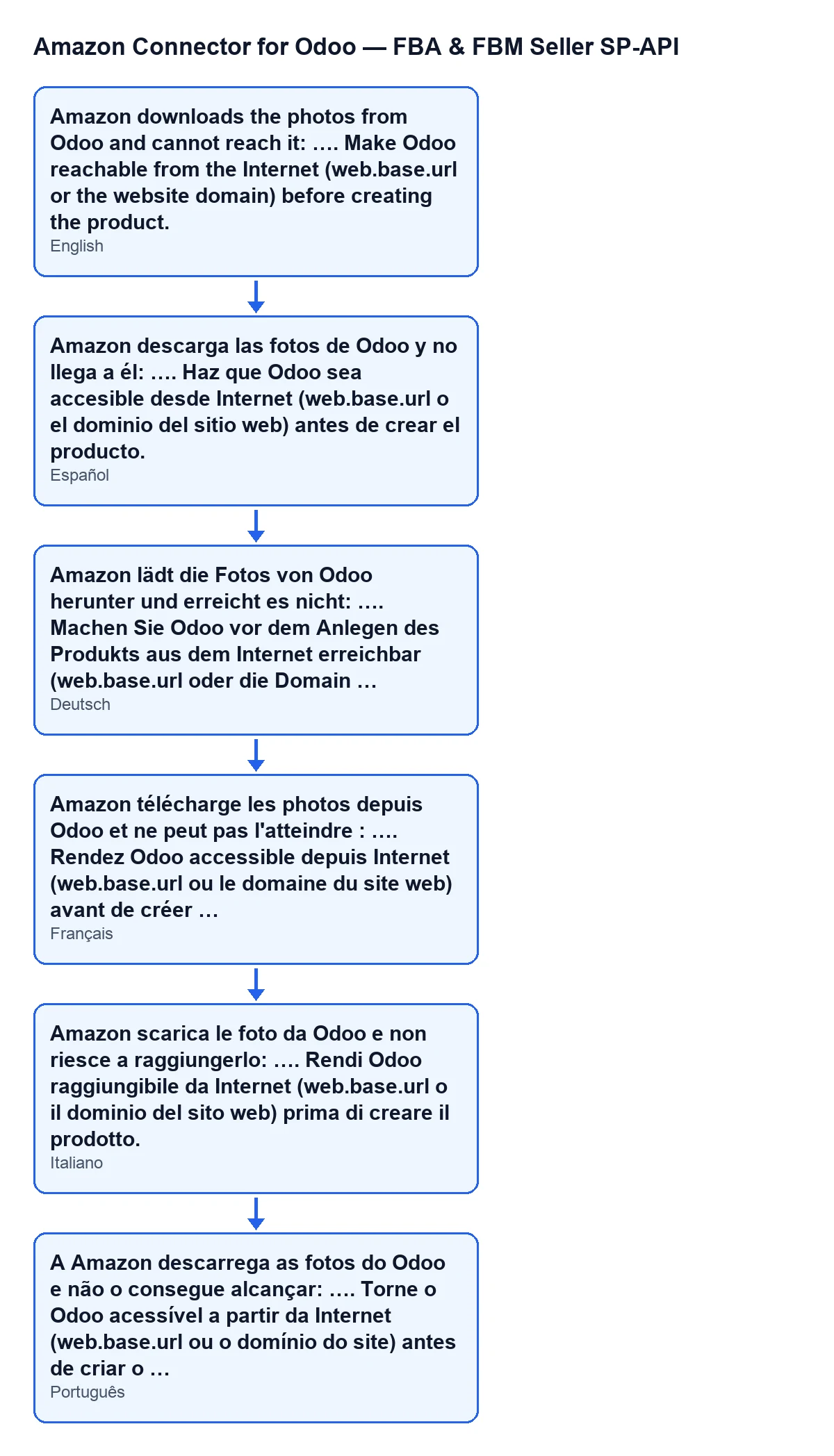
A worked case: the shop with Odoo reachable only from the office
Example Illustrative case: the company and its figures are made up to explain the flow.
Herbolario Ribera, an invented shop, runs Odoo on a server that can only be reached from the office network. Odoo's base address points to an internal name. Marta, who looks after the catalogue, opens Amazon › Catalog › Listings and goes into the form for an herbal tea that is not on Amazon yet. The product has a main photo and the form has Amazon Product Type, so the Create on Amazon button is visible. Her account allows new products.
Marta presses the button and confirms the warning that the product is being created on Amazon for real. Odoo sends nothing and shows the photo error. Where the dots are, the reason the module has worked out appears.
Marta reads the message from the inside out. It asks for Odoo to be made reachable from the Internet and names two places: web.base.url and the website domain. The shop has no eCommerce with its own domain, so the address being checked is web.base.url. It points to an internal name, which does not resolve only to Internet addresses, so the module rejects it. She asks whoever manages the server to publish Odoo under a name that does resolve to the Internet and to set web.base.url to that name. She then presses Create on Amazon again and the action goes ahead.
How to fix it
- Work out which address is being checked: the website domain if the eCommerce has one, and
web.base.urlotherwise. Changingweb.base.urlmakes no difference if the eCommerce has its own domain, because in that case the address checked is that domain. - Read the reason shown where the message has its dots: it is what the module worked out about that address.
- Make the host name of that address resolve only to Internet addresses. That is a job for whoever manages the server or the domain.
- Reopen the form from
Amazon › Catalog › Listingsand pressCreate on Amazon(orCreate family on Amazon) again.
What the case teaches
- The error is not about the photos themselves but about the address Amazon downloads them from. Replacing the images does not clear it while the address still does not resolve to the Internet.
- The message names the two places to look, and which one counts depends on whether the eCommerce has its own domain.
- With
Create on Amazon, the error appears before anything is sent to Amazon, so you can correct the address and repeat. - What comes earlier in the order (permission, listing ready, product not already on Amazon, account allowed to create) gives other messages. If you see this one when pressing
Create on Amazon, those checks have already passed.
The module's Odoo Apps page lists the published versions: Odoo 17, 18, 19 and 20.
How FlexigoTech can help
FlexigoTech implements Odoo 17, 18, 19 and 20 and builds custom connectors and integrations. If your Odoo is not yet reachable from the Internet, or you are not sure which domain your eCommerce uses, we can go through it with you. The module is on the FlexigoTech page.
Keep reading
Checked in the connector's source code (version 20.0) and the linked sources
Sources
- Module source code: flexigobe_amazon_seller_connector 20.0 (8576afa5): models/amazon_spapi_new_product.py
- Module source code: flexigobe_amazon_seller_connector 20.0 (8576afa5): models/amazon_spapi_variation.py
- Module source code: flexigobe_amazon_seller_connector 20.0 (8576afa5): views/amazon_spapi_new_product_views.xml
- Module source code: flexigobe_amazon_seller_connector 20.0 (8576afa5): views/amazon_spapi_variation_views.xml
- apps.odoo.com/apps/modules/20.0/flexigobe_amazon_seller_connector
- flexigotech.com/en/services.html