

 Español
 Català
 Deutsch
 Français
 Português
 Italiano
 Nederlands
 Polski
Module for Odoo 17 · 18 · 19 · 20
B2Brouter Connector for Odoo: send and receive e-invoices through B2Brouter from Odoo
Peppol, VeriFactu, SII, TicketBAI and more, straight from the invoices you already post in Odoo. B2Brouter delivers them over the Peppol network, to public administrations and to tax authorities; each status comes back to the invoice, and your suppliers' invoices arrive as drafts. Odoo 17, 18, 19 and 20. New connections with B2Brouter run on a FlexigoTech Cloud subscription.
- Odoo versions: Odoo 20.0Odoo 19.0Odoo 18.0Odoo 17.0
- Price: €9 · per Odoo version, on the Odoo App Store, plus the FlexigoTech Cloud subscription from €49/month. VAT not included.
- Licence: OPL-1, source code included
- Works with:

You need your own B2Brouter account and its API key. A sandbox test account is enough to try the connector; sending real invoices needs a production account, on the B2Brouter plan that applies: B2Brouter sets its own fees.
For Odoo.sh or your own server. It does not work on Odoo Online.
What it does
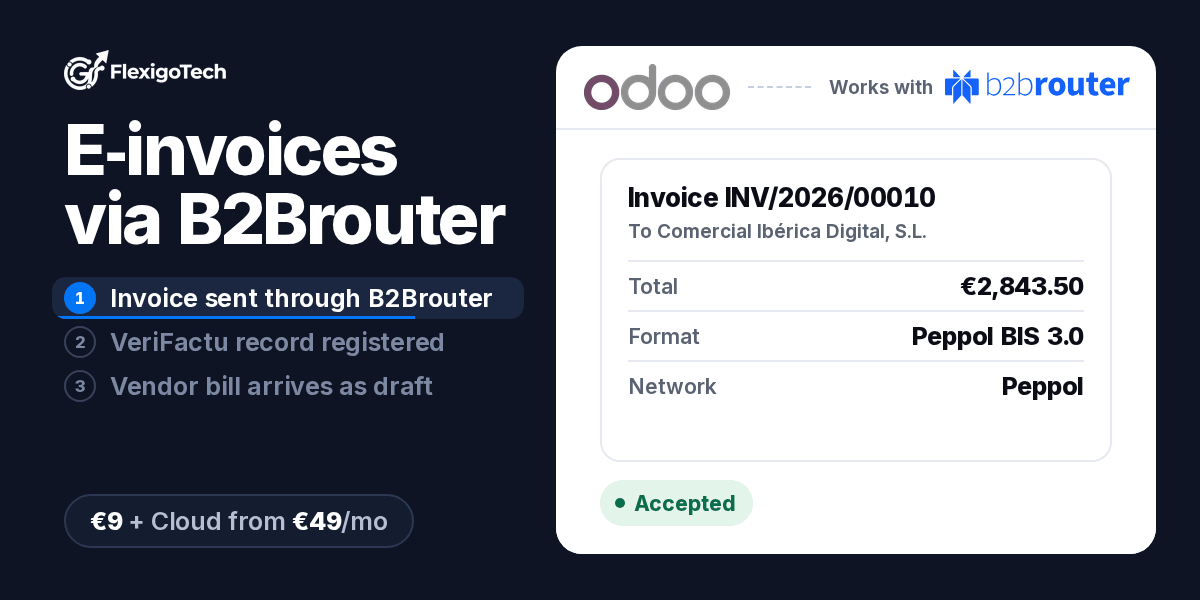
- Sending invoices and credit notesSend a posted invoice or credit note to B2Brouter from Odoo. B2Brouter delivers it over the Peppol network, with your customers' Peppol IDs, to public administrations and to the tax authority where your country requires it.
- Each invoice's status, in OdooThe connector keeps the stage B2Brouter reports on the invoice: Queued → Processing → Delivered → Accepted. A rejected or failed invoice shows Rejected or Error. You see where it is without opening another tool.
- VeriFactu, SII and TicketBAIChoose VeriFactu or SII for each company (the law allows only one), or TicketBAI in the Basque Country. Every record B2Brouter files with the tax authority appears in Odoo, in Tax Reports, with its stage.
- Vendor bills as draftsInvoices your suppliers send you through B2Brouter come into Odoo as draft vendor bills or refunds. Nothing is posted on its own: someone in your team checks each one and posts it.
- Other countriesFACe for the Spanish public sector; in France, DGFiP e-invoicing and Chorus Pro; in Italy, SDI (FatturaPA); in Poland, KSeF, with your own certificate; in Saudi Arabia and Malaysia, ZATCA and LHDN MyInvois. What you can use depends on your B2Brouter account and on your company's country.
- Guided connection and an overview of each accountA guided assistant asks for your B2Brouter account and connects the company in about two minutes; with a sandbox test account you can try it before you send a real invoice. The overview card shows the connection, the webhooks, the send queue, your plan usage and the Spanish compliance mode, with a checklist of what is left to do.
How the module works
Screenshots of the module in Odoo, with its demo data.
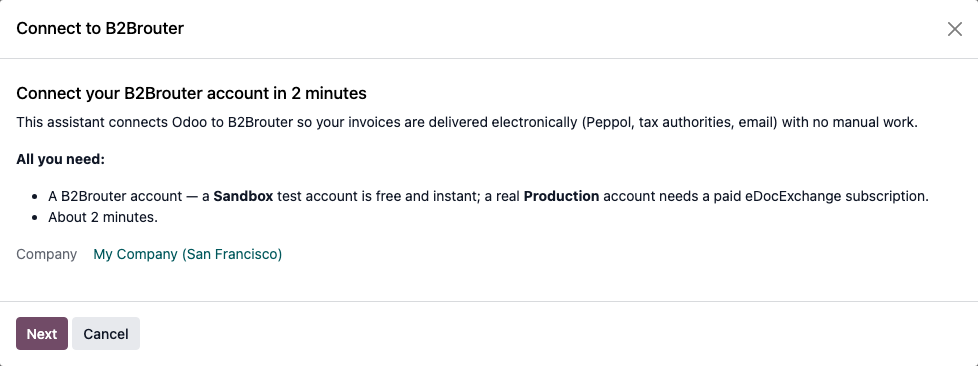
Connect your account in two minutes
A guided assistant asks for your B2Brouter account and connects the company. A sandbox test account lets you try it before you send a real invoice.
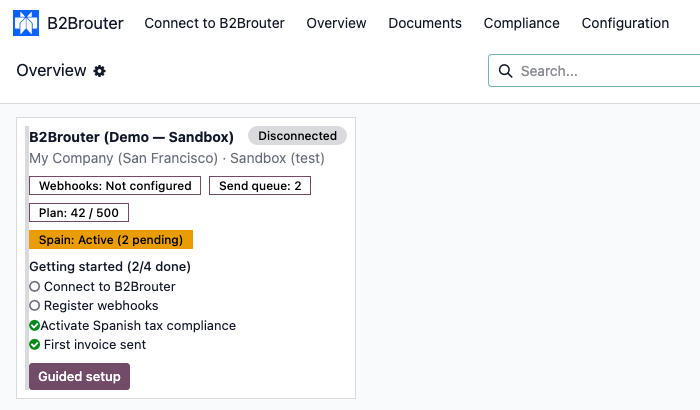
Each account at a glance
The overview card shows the connection, the webhooks, the send queue, your plan usage and the Spanish compliance mode. The getting-started checklist tells you what is left, and Guided setup takes you there.

VeriFactu, SII and TicketBAI records
Every record B2Brouter files with the tax authority appears in Tax Reports with its stage: here, the VeriFactu record of invoice INV/2026/00010, registered.
Price
You buy the module on the Odoo App Store, with a one-off payment per Odoo version. Sending and receiving with B2Brouter also needs a FlexigoTech Cloud subscription, per production database (its staging and test copies are included), with a 14-day trial and no card. Prices exclude VAT. Your B2Brouter plan is paid to B2Brouter.
- Module: €9One-off payment for each Odoo version (17, 18, 19 or 20), on the Odoo App Store.
- Standard: €49/month or €490/yearSending and receiving with B2Brouter, module updates and up to 3 accounts. First support response within 1 working day.
- Pro: €98/month or €980/yearEverything in Standard, up to 10 accounts, first response within 4 working hours and a video call if needed.
The subscription covers our service: the connection and support. You sign up for your B2Brouter account with B2Brouter. If you cancel the subscription, everything already in Odoo stays readable and exportable.
Related
- Full module catalogue
- Family: E-Invoicing & Tax
- B2Brouter and Odoo: Facturae, VeriFactu and whose job it is to be the legal issuer
- How FlexigoTech Cloud works
- Technology partners
B2Brouter is a trademark of B2Brouter Global, S.L., used with the permission of B2Brouter under its partner agreement with FlexigoTech.
Frequently asked questions
An e-invoicing platform. It delivers your invoices over the Peppol network, to public administrations and to tax authorities, and tells you what happened to each one. This connector links it to the invoices you already post in Odoo.
Odoo 17, 18, 19 or 20 on Odoo.sh or on your own server (not Odoo Online), a B2Brouter account with its API key, and an administrator who accepts the FlexigoTech Cloud data list before anything is sent. You start the 14-day trial in Settings, FlexigoTech Cloud.
Odoo keeps your invoices: you create, post and approve them as usual, and customers, taxes and vendor bills stay in Odoo. In new connections, FlexigoTech Cloud keeps the link running: it keeps your B2Brouter API key encrypted, relays each request and gives you support; that is the subscription. B2Brouter does the delivery: it delivers each invoice, files it with the tax authority where your country requires it, and receives the invoices your suppliers send you.
In new connections, each request your Odoo makes to B2Brouter goes through FlexigoTech Cloud, on our servers in Germany, which passes it on with your API key, returns the answer and does not keep it. The API key of each new connection is kept encrypted in FlexigoTech Cloud, and your Odoo does not keep it; connections from an earlier version stay direct, with their key in Odoo. B2Brouter's notifications (webhooks) reach your Odoo directly, and the demo data never contacts B2Brouter.
Yes. A sandbox test account is enough to try it; real invoices need a production account. Your account, its plan and its fees are between you and B2Brouter, under B2Brouter's terms.
Yes. The 14-day trial needs no card, and you can connect a B2Brouter sandbox account. There is one trial per account and module.
Sending and receiving stop for the connections that go through FlexigoTech Cloud, and we delete their key within 30 days at most. Your data stays readable and exportable in Odoo: we never block Odoo and never delete anything in it.
Connections whose API key was saved before this version keep working as before, directly and with no subscription. New connections go through FlexigoTech Cloud.

Let's talk about your B2Brouter account
If you are not sure what you can send from your country or which Odoo version you need, write to us at comercial@flexigobe.com. Buyers of the module get help with the setup and bug fixes, with or without the subscription.