

 Español
 Català
 Deutsch
 Français
 Português
 Italiano
 Nederlands
 Polski
What Tickelia is
Tickelia is software for managing company expense claims and business trips. Its English home page sums it up: «Tickelia fully automates the entire process of business expense management, from payment to automatic accounting with ERP, including reporting, advance management, travel and liquidation.» On its company page, in Spanish, it says it works with more than 2,000 customers who manage expenses in more than 124 countries.
The employee takes a photo of the receipt in the app, the manager approves and the company settles. What is left is getting all of that into the accounting, and that is where the ERP comes in.
Tickelia's vocabulary, in Odoo
- Settlement
- What the employee closes with their expenses. In Odoo you see it in
Tickelia › Expenses › Settlements, first as a draft, and when you post it, it becomes Odoo expenses. - Report
- The set of expenses sent for approval.
Reports to Approvebrings in the ones waiting for your decision, with their expenses, photos and Tickelia's alerts: you approve them, approve them for less or deny them with a reason the employee sees. - Expense line
- Each expense, with one line per VAT rate, the receipt photo and Tickelia's PDF, in
Expense Lines. - Advance
- Money paid to the employee up front. In
Advancesthey are approved, delivered or created from Odoo, and paying one in Odoo marks it in Tickelia. - Trip
- In
Trips, also created from Odoo with their travellers. - Card
- The corporate card movements, in
Card Reconciliation, each with the expense that justifies it. - Exchange invoice
- The full invoice Tickelia obtains from a receipt to recover the VAT. It lands in
VAT Recoveryand is recorded as a vendor bill, with its PDF and the merchant's tax ID. - Cost center and project
- Tickelia's analytic dimensions; in Odoo, each one with its analytic account, in
Cost Centers & Projects. - Colaborador and BDD
- The API user and the database Tickelia gives you to connect.
For VAT recovery, Tickelia explains in Spanish that it turns simplified invoices into full ones by contacting the supplier. In Odoo, the expense type carries the Eligible for VAT recovery checkbox when Tickelia can obtain that exchange invoice.
Two more screens: Budgets Over gathers the Tickelia budgets that have gone over their amount, and Fund Charges the petty cash funds to replenish.
What you need to use it with Odoo
Tickelia does not name Odoo on its integration page, so the connector comes from FlexigoTech. You need your Tickelia account with API access and Odoo 17, 18, 19 or 20 with Expenses and Accounting. The module needs FlexigoTech Cloud, which you activate from the Odoo settings.
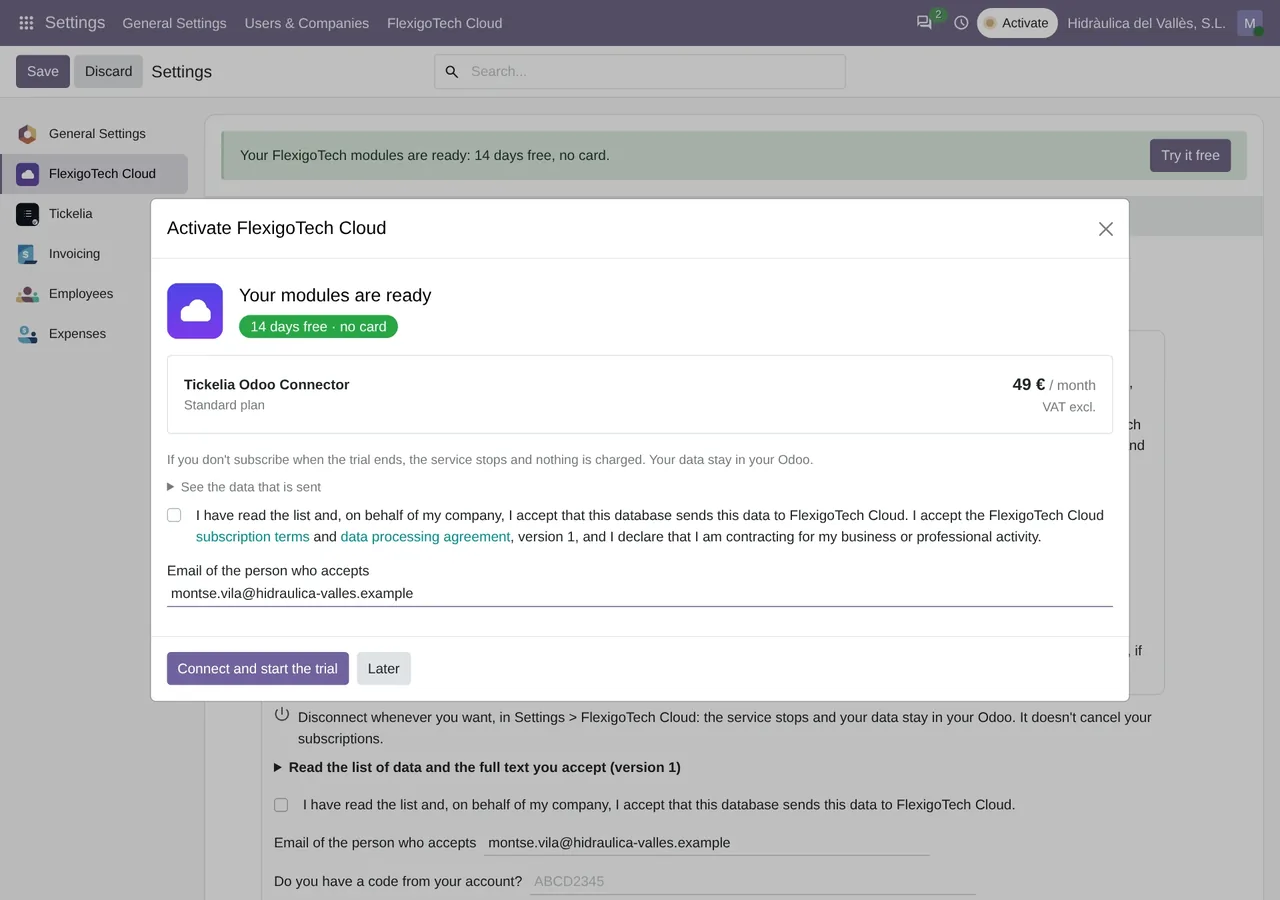
FlexigoTech Cloud section of the Odoo settings: the Tickelia expenses connector at €49 a month on the Standard plan, VAT excluded, with 14 days free and no card.The connection runs both ways. Besides bringing the expenses in, the connector sends Tickelia the cost centers and projects, with a preview before it creates or changes anything.
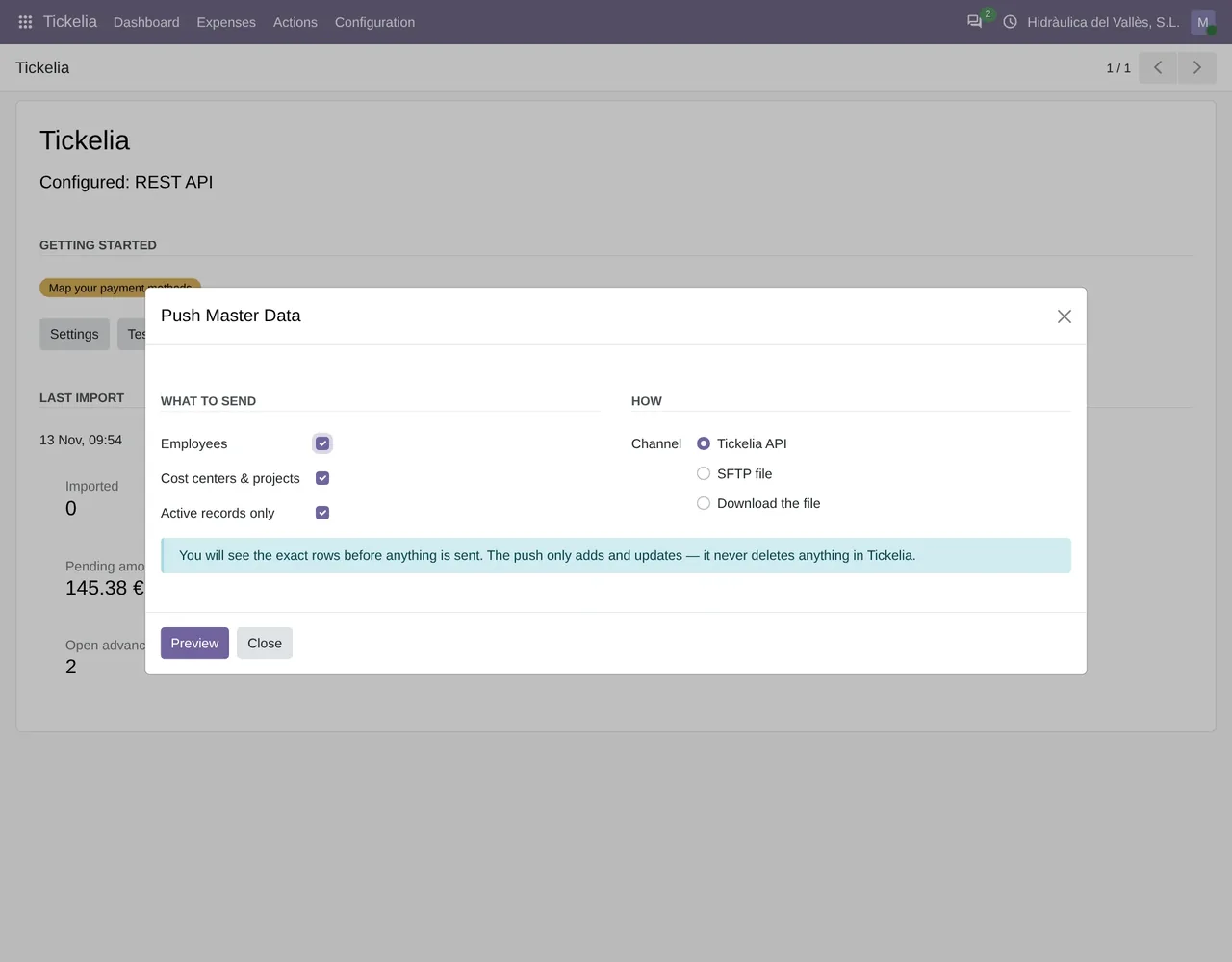
Tickelia › Actions › Push Master Data: what to send (employees, cost centers and projects) and through which channel.We tested it on 19-11-2026 against a real Tickelia account: a test settlement came into Odoo, was posted, and the connector confirmed it back to Tickelia. How it connects is in the Tickelia API and Odoo; the whole journey is in Tickelia expense reports in Odoo.
Questions about Tickelia and Odoo
Does Tickelia have its own connector for Odoo?
On its integration page, Tickelia talks about connectors with the main ERP vendors, its API and files, and it does not name Odoo. The FlexigoTech connector uses its API.
How much does it cost?
The module costs €9 per Odoo version on Odoo Apps. It runs with FlexigoTech Cloud, from €49/month: Connector plan Standard at €49/month or €490/year, or Pro at €98/month or €980/year, VAT excluded. The trial is 14 days, free and without a card. It includes 2 months of support to get it running and, while you stay subscribed, updates and support, as the terms of sale 2.2 say. It is all on the Tickelia connector page.
Which Odoo versions does it work with?
Odoo 17, 18, 19 and 20 with Expenses and Accounting, on Odoo.sh or on your own server. It does not work on Odoo Online. Your Tickelia account with API access and its fees are separate.
Keep reading
Checked in the connector's source code (version 20.0) and the linked sources
Sources
- Module source code: flexigo_tickelia_connector 20.0 (840deb1b): models/tickelia_expense_type.py:62
- Module source code: flexigo_tickelia_connector 20.0 (840deb1b): models/res_company.py:193
- Module source code: flexigo_tickelia_connector 20.0 (840deb1b): models/tickelia_payment_method.py:31
- Module source code: flexigo_tickelia_connector 20.0 (840deb1b): models/tickelia_card_movement.py:56
- Module source code: flexigo_tickelia_connector 20.0 (840deb1b): models/tickelia_settlement_line.py:211
- Module source code: flexigo_tickelia_connector 20.0 (840deb1b): models/res_company.py:99
- Module source code: flexigo_tickelia_connector 20.0 (840deb1b): static/description/index.html
- Module source code: flexigo_tickelia_connector 20.0 (840deb1b): views/menu.xml
- tickelia.com/integracion/
- tickelia.com/recuperacion-de-iva/
- tickelia.com/anticipos/
- tickelia.com/tarjetas/
- tickelia.com/digitalizacion-del-gasto/
- tickelia.com/sobre-nosotros/
- FlexigoTech real test against a Tickelia account (19-11-2026)
- flexigotech.com/en/tickelia-connector-odoo.html
- flexigotech.com/en/condiciones-contratacion.html
- tickelia.com/
- tickelia.com/en/
- tickelia.com/ca/
- tickelia.com/de/
- tickelia.com/fr/
- tickelia.com/pt/
- tickelia.com/pl/