

 Español
 Català
 Deutsch
 Français
 Português
 Italiano
 Nederlands
 Polski
What Tickelia says about its API
On its integration page, Tickelia describes the second way as an API with optimised two-way connections between its solution and the management software. The third way is files: CSV, TXT, Excel and similar, with the data users processed in Tickelia.
The connector carries both channels. The API works today; SFTP does not yet, as we explain below.
What you need to connect
Ask Tickelia for an API user (Colaborador), your database (BDD) and its password, together with your service address. Then, in Tickelia › Configuration › Settings, fill in Service URL, API User, the database and API Password, and press Test Connection. That test opens a real Tickelia session and reads your Tickelia companies: it only succeeds when Tickelia answers with data.
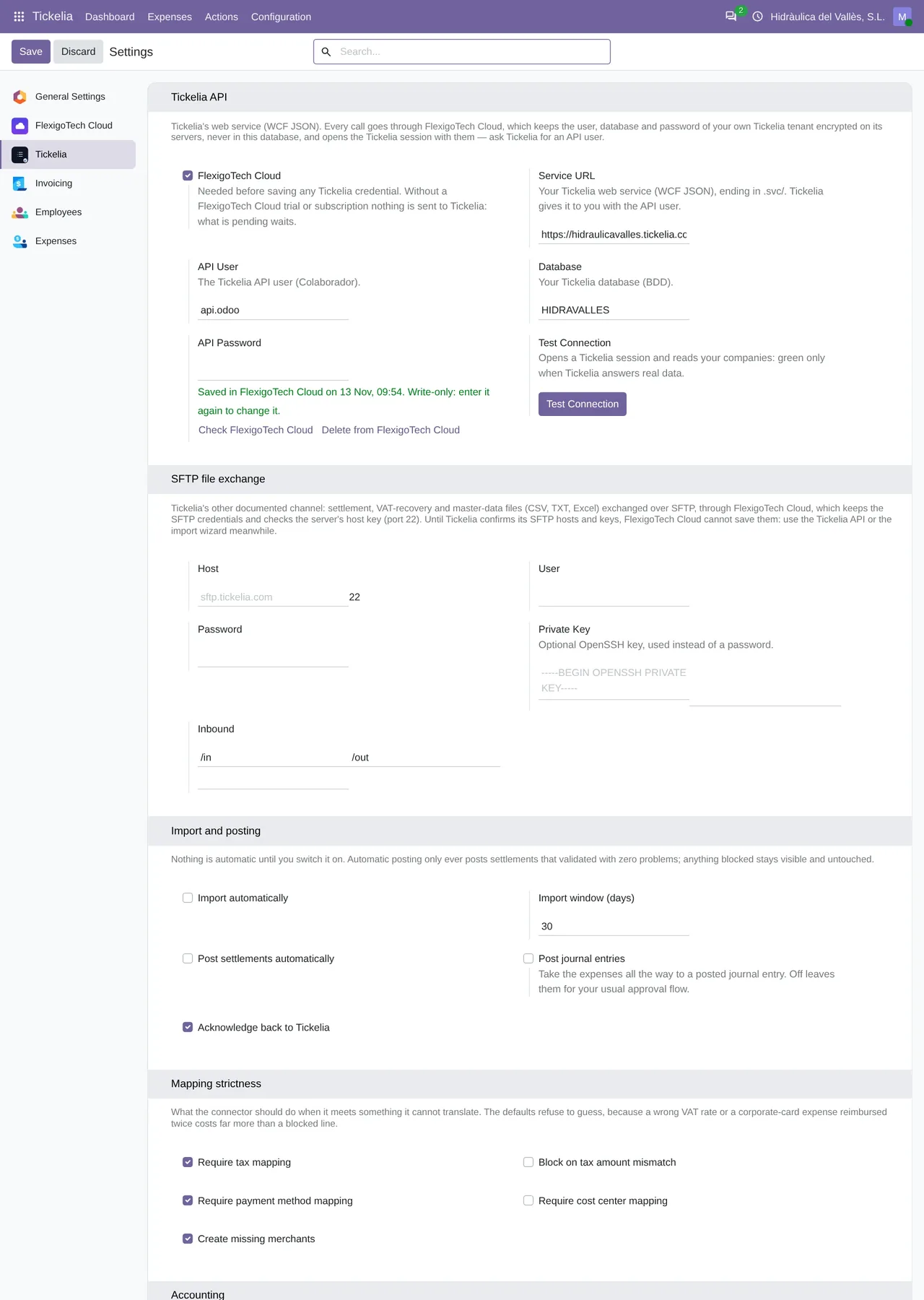
Tickelia › Configuration › Settings: the service URL, the API user, the database and the password, which is kept in FlexigoTech Cloud, with the button to test the connection.Where the password is kept
Not in your Odoo. The password is write-only: it travels encrypted to FlexigoTech Cloud, which keeps it in its vault and opens the Tickelia session with it on every call, and it never stays in your database. To change it, you type it again. The service URL, the user and the database do stay in Odoo, in fields only an administrator sees.
That is why the only way out of Odoo to Tickelia is FlexigoTech Cloud, through each company's entry. Without an active cloud service, the connector stops before anything goes out. The connection goes through our servers in Germany, and your settlements stay in your Odoo.
How each call is handled
- Wait
- 45 seconds per call.
- Retries
- Only a 429, 500, 502, 503 or 504, up to 3 attempts, with the wait Retry-After asks for or 2, 4 and 6 seconds.
- Pace
- At most one call every 0.6 seconds per Tickelia service and Odoo process.
- Cloud pause
- Never retried: it stops and you see it.
On top of that, the connector does not take a call as good just because it came back without an error. Before each run it checks the session by reading your Tickelia companies, and it checks again after each acknowledgement.
Every call leaves a line in Tickelia › Configuration › Sync Log, with the method and the status, and never a credential.
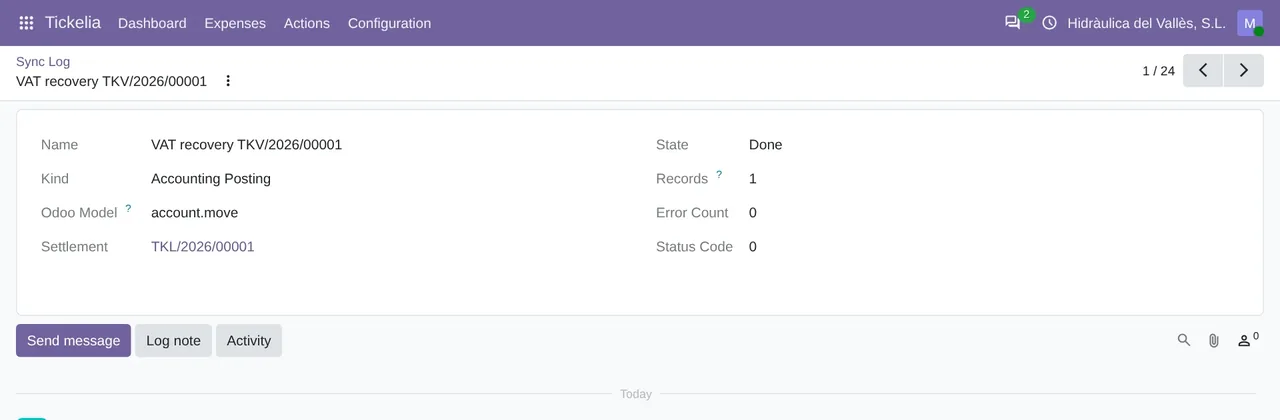
Tickelia › Configuration › Sync Log: a posting of a VAT recovery, done, with one record, its Odoo model and zero errors.Read without marking, acknowledge and read back
Importing marks nothing in Tickelia: the connector reads what is pending and leaves it as it was. Only once Odoo has posted a settlement, or paid an advance, does it ask Tickelia to mark it as accounted. Then it reads the pending list again and only records the mark if the document is gone.
We tested it on 19-11-2026 against a real Tickelia account: the journal entry number was written on the expense and the settlement left the pending list. The only thing Tickelia did not confirm was the email to the employee.
The API also works the other way. From Tickelia › Actions › Push Master Data you send Tickelia cost centers, projects and the details of employees who already have a Tickelia user.
What it does not do
It is not real time: the scheduled import runs every 4 hours for the companies that switch it on, or when you start it from Tickelia › Actions › Import from Tickelia. Tickelia does not send notifications; the webhook in Odoo imports one settlement by its number when your own automation calls it.
It does not create users in Tickelia or load tax rates or payment methods into it either. It only connects to a service under tickelia.com, over HTTPS on the standard port.
Questions about the Tickelia API and Odoo
Does SFTP work?
Not yet. FlexigoTech Cloud only connects to the Tickelia SFTP servers on its list, and that list stays empty until Tickelia confirms their addresses and key fingerprints to us. The API does work.
How much does it cost?
The module costs €9 per Odoo version on Odoo Apps. It runs with FlexigoTech Cloud, from €49/month: Connector plan Standard at €49/month or €490/year, or Pro at €98/month or €980/year, VAT excluded. The trial is 14 days, free and without a card. It includes 2 months of support to get it running and, while you stay subscribed, updates and support, as the terms of sale 2.2 say. It is all on the Tickelia connector page.
Which Odoo versions does it work with?
Odoo 17, 18, 19 and 20 with Expenses and Accounting, on Odoo.sh or on your own server. It does not work on Odoo Online. Your Tickelia account with API access and its fees are separate.
Keep reading
Checked in the connector's source code (version 20.0) and the linked sources
Sources
- Module source code: flexigo_tickelia_connector 20.0 (840deb1b): models/tickelia_api_client.py:185
- Module source code: flexigo_tickelia_connector 20.0 (840deb1b): models/res_company.py:99
- Module source code: flexigo_tickelia_connector 20.0 (840deb1b): models/tickelia_api_client.py:62
- Module source code: flexigo_tickelia_connector 20.0 (840deb1b): models/tickelia_api_client.py:68
- Module source code: flexigo_tickelia_connector 20.0 (840deb1b): models/tickelia_api_client.py:238
- Module source code: flexigo_tickelia_connector 20.0 (840deb1b): models/tickelia_api_client.py:15
- Module source code: flexigo_tickelia_connector 20.0 (840deb1b): models/tickelia_api_client.py:20
- Module source code: flexigo_tickelia_connector 20.0 (840deb1b): models/tickelia_api_client.py:151
- Module source code: flexigo_tickelia_connector 20.0 (840deb1b): views/res_config_settings_views.xml:86
- Module source code: flexigo_tickelia_connector 20.0 (840deb1b): models/res_company.py:202
- Module source code: flexigo_tickelia_connector 20.0 (840deb1b): static/description/index.html
- Module source code: flexigo_tickelia_connector 20.0 (840deb1b): views/menu.xml
- Module source code: flexigo_tickelia_connector 20.0 (840deb1b): data/tickelia_cron_data.xml
- tickelia.com/integracion/
- flexigotech.com/en/tickelia-connector-odoo.html
- FlexigoTech real test against a Tickelia account (19-11-2026)
- flexigotech.com/en/condiciones-contratacion.html
- tickelia.com/
- tickelia.com/en/
- tickelia.com/ca/
- tickelia.com/de/
- tickelia.com/fr/
- tickelia.com/pt/
- tickelia.com/pl/