

 Español
 Català
 Deutsch
 Français
 Português
 Italiano
 Nederlands
 Polski
What it adds to the delivery order and when you see it
The Temu group only appears on Temu order deliveries
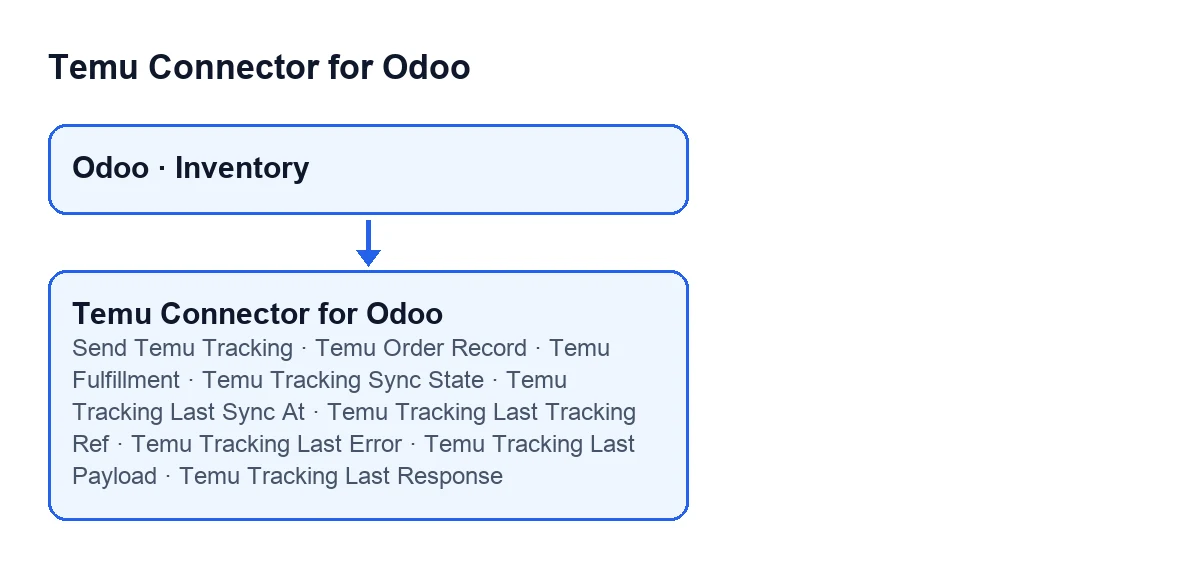
The module extends the standard delivery order (the transfer) of Inventory. On the delivery order form it adds a Temu group with these fields: Temu Order Record, Temu Fulfillment, Temu Tracking Sync State, Temu Tracking Last Sync At, Temu Tracking Last Tracking Ref, Temu Tracking Last Error, Temu Tracking Last Payload and Temu Tracking Last Response.
All of them are read-only and hidden when the delivery order does not belong to a Temu order, so on a delivery that does not come from Temu the group does not appear. The tracking fields, from Temu Fulfillment to Temu Tracking Last Response, are written by the module's code: there is nothing to fill in by hand.
The button only shows when the delivery is Done
The Send Temu Tracking button is hidden when the delivery order is not for a Temu order, or when its state is not Done. That condition is the same in Odoo 17, 18 and 19.
Send Temu Tracking; with Odoo in Spanish, Send Temu Tracking.Pressing it is not the same as the automatic path. The button requests the submission while skipping the check for ‘already synced with this same tracking number’, so it can send again a delivery that was already Synced. Also, if the delivery does not meet the conditions for the submission or the tracking number is missing, the button stops instead of leaving the delivery waiting. If something fails, the failure is shown to the user and can arrive as Error sending Temu tracking: ….
The state values and what gets written in each case
The Temu Tracking Sync State field takes the values Pending, Synced and Error, and each leaves different fields behind:
Pending: the module writes the reason for the wait intoTemu Tracking Last Error. This is what happens in the automatic flow when the tracking number is missing.Synced:Temu Fulfillment,Temu Tracking Last Sync At,Temu Tracking Last Tracking Ref,Temu Tracking Last PayloadandTemu Tracking Last Responseare filled in, andTemu Tracking Last Erroris cleared.Error:Temu Tracking Last Erroris written and, if the Temu submission already exists, so areTemu Fulfillment,Temu Tracking Last PayloadandTemu Tracking Last Response.
The Error state does not come only from the tracking submission: the code also reaches it from the Create Sales Order and Sync to Sales Order buttons.

When it acts without you pressing anything
What follows describes the published code for Odoo 19.
On validation and on save, the module tries first
The normal path is not the button. The module extends the standard validation of the delivery order and also reacts when its form is saved; in both cases it tries to confirm the shipment to Temu through the automatic check. For it to try, the delivery order has to meet several conditions, among them:
- its operation type must be outgoing;
- the delivery must have a Temu order linked to it;
- that order must not be cancelled;
- if the order states a fulfilment type, that text must contain the word
seller.
If they are not met, the module does nothing and the delivery order carries on as usual.
The order in which the automatic submission decides
When the conditions are met, the code follows this order:
- It takes the tracking numbers on the delivery order. If there are none, it leaves the delivery as
Pendingand stops. - If the delivery is already
Syncedand the tracking number matches the one inTemu Tracking Last Tracking Ref, it does not send anything again. - If it cannot prepare the shipment data, it treats that the same as a missing number:
Pending. - It creates the Temu submission and runs it. If that works, it marks
Syncedand leaves a note in the delivery's chatter with the number used.
So for a delivery already recorded as Synced with that number, the automatic flow does not repeat the submission; the button can.
The first tracking number is used as the reference
If the delivery order has several tracking numbers, the code takes the first one as the reference. In that case the chatter note says which primary number was used and warns that the other numbers on the delivery were not sent in the automatic flow. The note is posted whenever the submission succeeds, whether the automatic flow or the button launched it.
What happens when the submission fails
If running the Temu submission fails, the code first goes through an extra check; if that check gives a positive result, it returns the submission without marking Error. Otherwise it marks Error (with the text in Temu Tracking Last Error), stores Temu Fulfillment, Temu Tracking Last Payload and Temu Tracking Last Response from the submission it created, and raises the failure again.
In the automatic flow that failure is not left loose: the module catches it, writes it to the server log, marks the delivery as Error and leaves a chatter note with the reason. With the button, the failure is shown to the user and can arrive as Error sending Temu tracking: …. In the automatic flow, those fields are what you look at to see what was sent and what Temu answered.
When Odoo starts, the module repairs columns and tidies warnings
One behaviour does not show on any screen. If the code is deployed before the module is upgraded, at start-up the module checks whether the tracking fields' columns (from Temu Fulfillment to Temu Tracking Last Response) exist in the delivery orders table and adds the missing ones. If the database cannot do it because of a lock (lock timeout), it postpones the change in that process, logs a warning and waits for a restart or the upgrade; any other error is raised.
If it was not postponed, the module also deletes the stale delivery-address warning activities on the deliveries of the sales orders linked to Temu orders, and logs how many it removed.
Cost and how we can help
The module is a one-off payment per version and needs a FlexigoTech Cloud subscription, Connector plan: €49/month or €490/year excluding VAT, up to 3 accounts on the platform. It is published for Odoo 17, 18, 19 and 20; details are on the Odoo Apps page and the module page. To see how the same thing looks on products, read what the module adds to the product form.
If you are implementing Odoo and want to review your outgoing deliveries before connecting Temu, FlexigoTech implements Odoo 17, 18, 19 and 20 and builds custom connectors and integrations.
Keep reading
Checked in the connector's source code (version 19.0) and the linked sources
Sources
- Module source code: flexigobe_temu_connector 19.0 (455b3f0f): models/stock_picking.py
- Module source code: flexigobe_temu_connector 19.0 (455b3f0f): views/stock_picking_views.xml
- apps.odoo.com/apps/modules/19.0/flexigobe_temu_connector
- flexigotech.com/en/services.html
- flexigotech.com/precios.html