

 Español
 Català
 Deutsch
 Français
 Português
 Italiano
 Nederlands
 Polski
Before you start: Odoo version and connection
Singapore InvoiceNow is published on Odoo Apps for Odoo 17.0, 18.0, 19.0 and 20.0. The module costs €9 per Odoo version, a one-off payment excluding VAT, the same in all four versions according to their listings.
It is a connector: the connection goes through FlexigoTech Cloud, which stores credentials encrypted, monitors synchronisation and emails you if it fails. If the platform changes its API, both the module and the service are adapted. So, alongside the module, you need the Connector plan (€49/month or €490/year excluding VAT, with up to 3 platform accounts; the Pro plan, €98/month or €980/year excluding VAT, allows up to 10).
If you buy from flexigotech.com, the subscription includes the module for new Odoo versions. If you buy from the Odoo Apps listing, each Odoo version is bought there. Without a subscription, or with the service suspended, whatever the subscription provides stops, but your data stays in your Odoo.
Setting it up step by step
- Check which Odoo version you run (17, 18, 19 or 20) and install the matching module version.
- Activate the Connector plan so the connection can go through FlexigoTech Cloud.
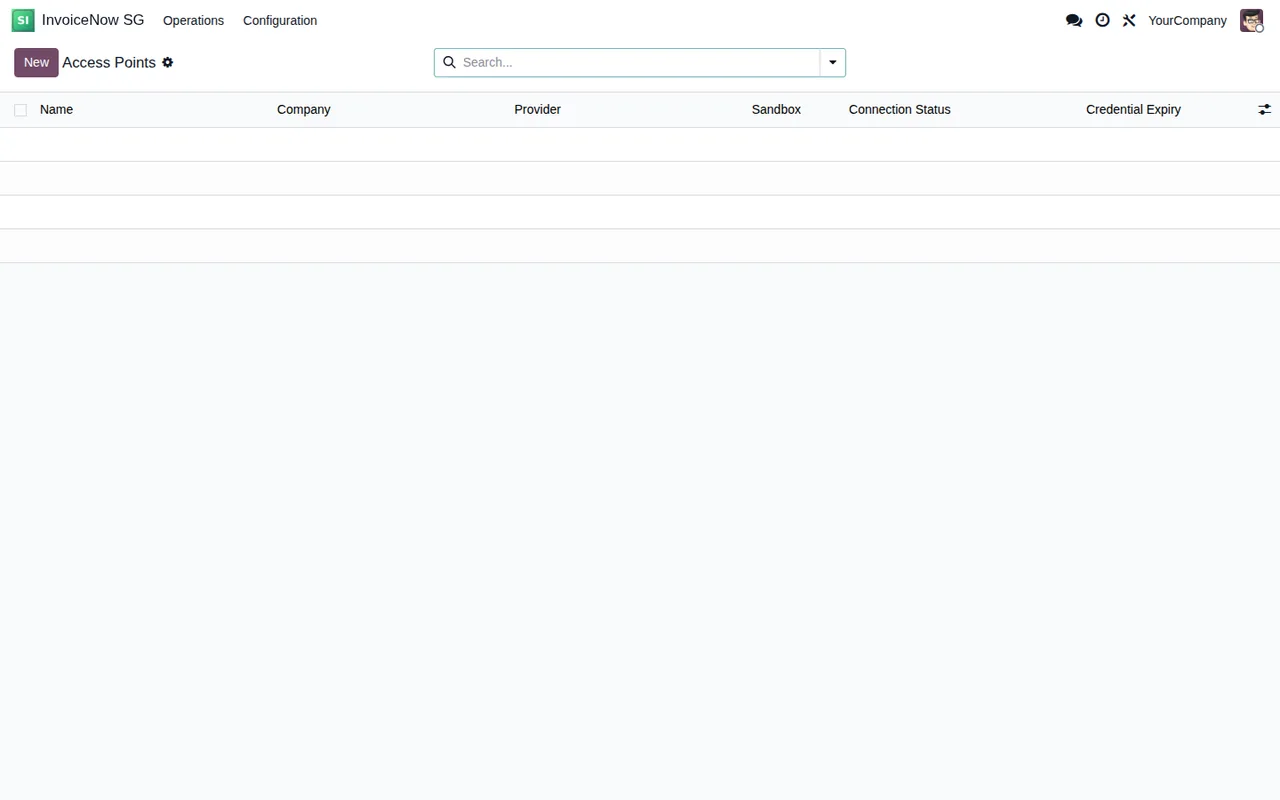
- Open the module's Access Points list. On a freshly installed database it is empty: you will see the columns
Name,Company,Provider,Sandbox,Connection StatusandCredential Expiry, the search bar and theNewbutton. - Click
Newand fill in the configuration data: the company (company_id, linked tores.company) and the credential in theCredentialfield (credential_input). - Review the capability tick boxes:
Supports B2B Sandbox,Supports B2B ProductionandSupports IRAS GST Submission. Check which ones are ticked before saving. - Go back to the list and look at the
Connection StatusandCredential Expirycolumns for each Access Point. - Review the module's PINT-SG profiles. The
peppol_profile_idfield links topeppol.profileand thepeppol_ap_config_idfield links topeppol.ap.config. - Open the
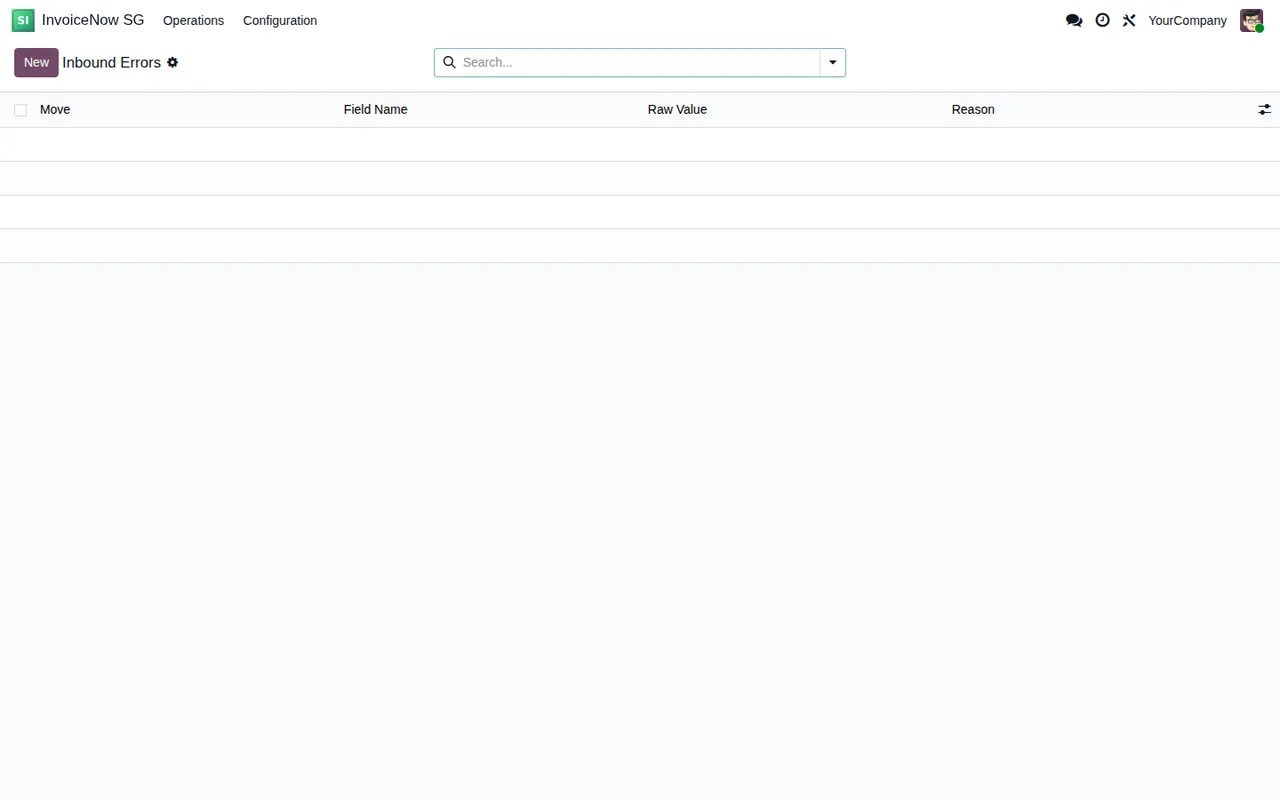
Inbound Errorslist so you know where to look when something goes wrong.
The fields you need to understand
The on-screen labels and the technical names help you find each setting, including when you filter or export.
Credential(credential_input): where you enter the credential.Credential to enter again(credential_reentry_required): a tick box whose help text explains that this configuration shared its credential key with other ones. If you see it ticked, the field's own name tells you the credential has to be entered again.Supports B2B Sandbox(cap_b2b_sandbox),Supports B2B Production(cap_b2b_production) andSupports IRAS GST Submission(cap_iras_submission): the three capability tick boxes.company_id: the Odoo company (res.company) the record belongs to.peppol_ap_config_idandpeppol_profile_id: the links to the Access Point configuration and to the Peppol profile.
The statuses you will see on each record
The module defines several status fields. Here are their values exactly as they appear; to see what the module does with each one internally, read how Singapore InvoiceNow works in Odoo.
Peppol document status
The peppol_partner_status field can be Draft, Queued, Sent, Delivered, Failed, Rejected, Retry Pending, Quarantine or Sandbox.
IRAS submission status
The iras_submission_status field has Not Required, Queued, Submitted, Failed and Retry Pending.
Connection status
The connection_status field has Draft, Valid, Unauthorized, Expired and Invalid. It is worth reading alongside the Connection Status column in the Access Points list.
Transmission status
The status field covers Pending, Retry Pending, Sent, Delivered, Failed, Rejected and Quarantine.
ACRA check
The peppol_acra_status field can be Not Checked, Verified, Warning or Validation Deferred.
What to check in the first week
Once configuration is done, set aside a few minutes each day for these checks:
Connection Statusfor each Access Point: if it is notValid, review the credential.Credential Expiry: note the date so it does not catch you out.- The
Credential to enter againtick box: if it is ticked, enter the credential again. - Documents whose
peppol_partner_statusorstatusisFailed,Rejected,Retry PendingorQuarantine. - IRAS submissions whose
iras_submission_statusisFailedorRetry Pending. - The
Inbound Errorslist, with the columnsMove,Field Name,Raw ValueandReason. - Your inbox: FlexigoTech Cloud emails you if synchronisation fails.
If a message appears that you do not understand, the literal texts and what to do about each one are in the Singapore InvoiceNow error messages and warnings.
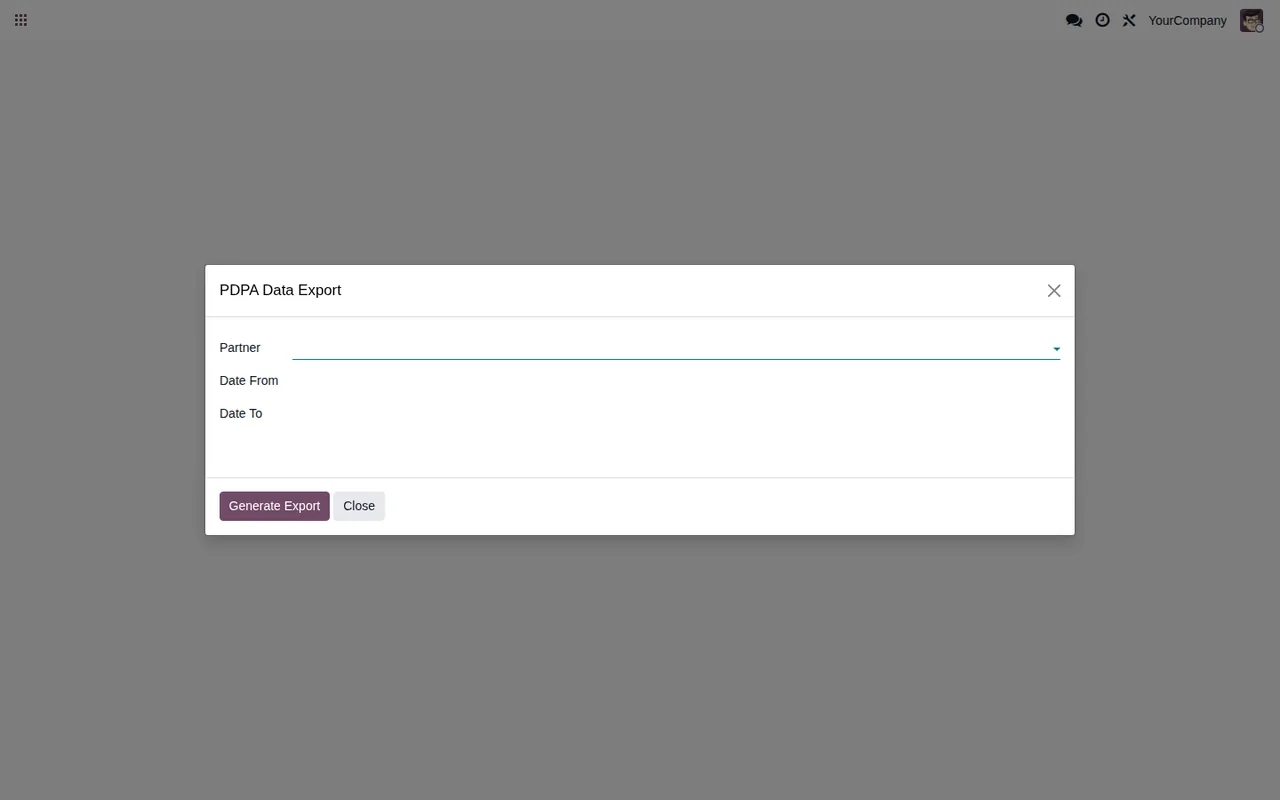
The module also includes a PDPA Data Export wizard, with the Partner, Date From and Date To fields and the Generate Export and Close buttons. It helps to know where it is before you need it.
How FlexigoTech can help
FlexigoTech implements Odoo 17, 18, 19 and 20 and builds bespoke connectors and integrations. If you would like support setting up Singapore InvoiceNow, or need something adapted to the way you work, you will find the connector details on the module page.
Keep reading
Checked in the connector's source code (version 20.0) and the linked sources
Sources
- Module source code: flexigo_singapore_invoicenow_peppol_pint_sg_connector_f 20.0 (18f2019d): models/peppol_ap_config.py
- Module source code: flexigo_singapore_invoicenow_peppol_pint_sg_connector_f 20.0 (18f2019d): models/res_company.py
- Module source code: flexigo_singapore_invoicenow_peppol_pint_sg_connector_f 20.0 (18f2019d): models/account_move.py
- Module source code: flexigo_singapore_invoicenow_peppol_pint_sg_connector_f 20.0 (18f2019d): models/peppol_transaction_log.py
- Module source code: flexigo_singapore_invoicenow_peppol_pint_sg_connector_f 20.0 (18f2019d): models/res_partner.py
- apps.odoo.com/apps/modules/20.0/flexigo_singapore_invoicenow_peppol_pint_sg_connector_f
- apps.odoo.com/apps/modules/17.0/flexigo_singapore_invoicenow_peppol_pint_sg_connector_f
- apps.odoo.com/apps/modules/18.0/flexigo_singapore_invoicenow_peppol_pint_sg_connector_f
- apps.odoo.com/apps/modules/19.0/flexigo_singapore_invoicenow_peppol_pint_sg_connector_f
- flexigotech.com/en/services.html
- flexigotech.com/precios.html