

 Español
 Català
 Deutsch
 Français
 Português
 Italiano
 Nederlands
 Polski
How to read a SEPA VoP Payment Gate message
What you see here as %(ref)s, %(row)s or %(state)s is the slot where the actual value appears: the payment reference, the file row or the import state. When a message ends in %(error)s, whatever follows the colon is the detail of the failure.
If you would rather see first which menus the module adds and what a result goes through, start with how SEPA VoP Payment Gate works under the bonnet.
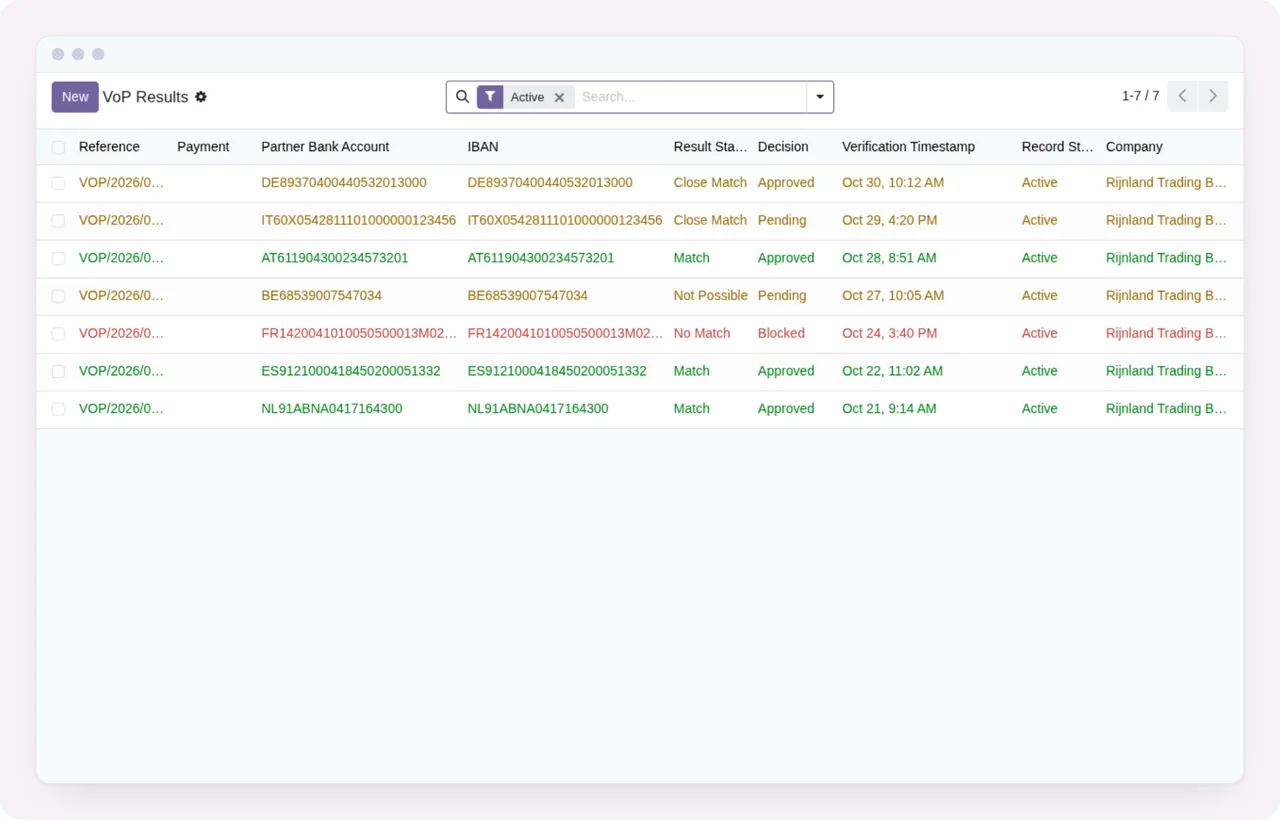
When loading the bank's result file
These messages appear when you import the file with the VoP results. According to its own message, the module has no reading of pain.002 results configured and asks for the file as CSV, JSON or XML.
| Message | When it appears | What to do |
|---|---|---|
The import has no file. or Please upload a VoP result file. | The import has no file attached. | Upload the VoP result file and try again. |
The file is not UTF-8 text: %(error)s | The file is not UTF-8 text. | Get the file as UTF-8 text. |
No bank specification for Verification of Payee results in pain.002 is configured in this module. Ask the bank for its VoP result file as CSV, JSON or XML. | You load VoP results in pain.002. | Ask the bank for the file as CSV, JSON or XML. |
The CSV file is malformed: %(error)s, The JSON file is malformed: %(error)s or The XML file is malformed: %(error)s | The file cannot be read in its format. | Fix what the detail after the colon points to. |
The JSON file must be a list of results or {"results": [...]}. | The JSON has neither of those shapes. | Make it a list of results or an object with the results key. |
Row %(row)s is not a record. | A row is not a record. | Fix the row the message names. |
Row %(row)s: unknown result "%(result)s" (expected %(valid)s). | A row carries a result the module does not recognise. | Use one of the values listed after expected. |
The file has no result rows. | The file has no result rows. | Ask the bank for the file with its results. |
The file has %(rows)s result rows but %(expected)s were expected. | There are more or fewer rows than expected. | Compare the two figures in the message and check the file. |
The manual connector does not support file import. Use an import_file source instead. | You import from a source with the manual connector. | Use an import_file source. |
During the import steps
Going by its messages, an import starts as a draft (draft), is validated and then applied, and its state never goes back.
| Message | When it appears | What to do |
|---|---|---|
Only draft imports can be validated. Current state: %(state)s. | You validate an import that is no longer a draft. | Check the current state shown in the message. |
Only validated imports can be applied. Current state: %(state)s. or Please validate the file before applying. | You apply without validating. | Validate first, then apply. |
Import state cannot go backwards. Current: %(current)s → Requested: %(new)s. | You request an earlier state than the current one. | Carry on from the current state. |
When confirming a payment
This is where the module acts as a gate: it holds the payment until the VoP check and the policy allow it.
| Message | When it appears | What to do |
|---|---|---|
No payment selected. | You run the action with no payment selected. | Select the payment. |
Payment "%(ref)s" has no partner bank account. | The payment has no partner bank account. | Set the partner bank account on that payment. |
Payment "%(ref)s" requires SEPA Verification of Payee. Please run VoP before confirming this payment. | You confirm a payment that needs VoP without having run it. | Run the VoP check, then confirm. |
Payment "%(ref)s" is blocked by VoP policy. Result: %(status)s. Contact your VoP manager to override. | The VoP policy blocks the payment because of the result shown. | Review the result and, to override it, speak to your VoP manager. |
Payment "%(ref)s": VoP opt-out is not allowed by policy. | You try to exempt the payment from VoP and the policy does not allow it. | The payment has to go through VoP. |
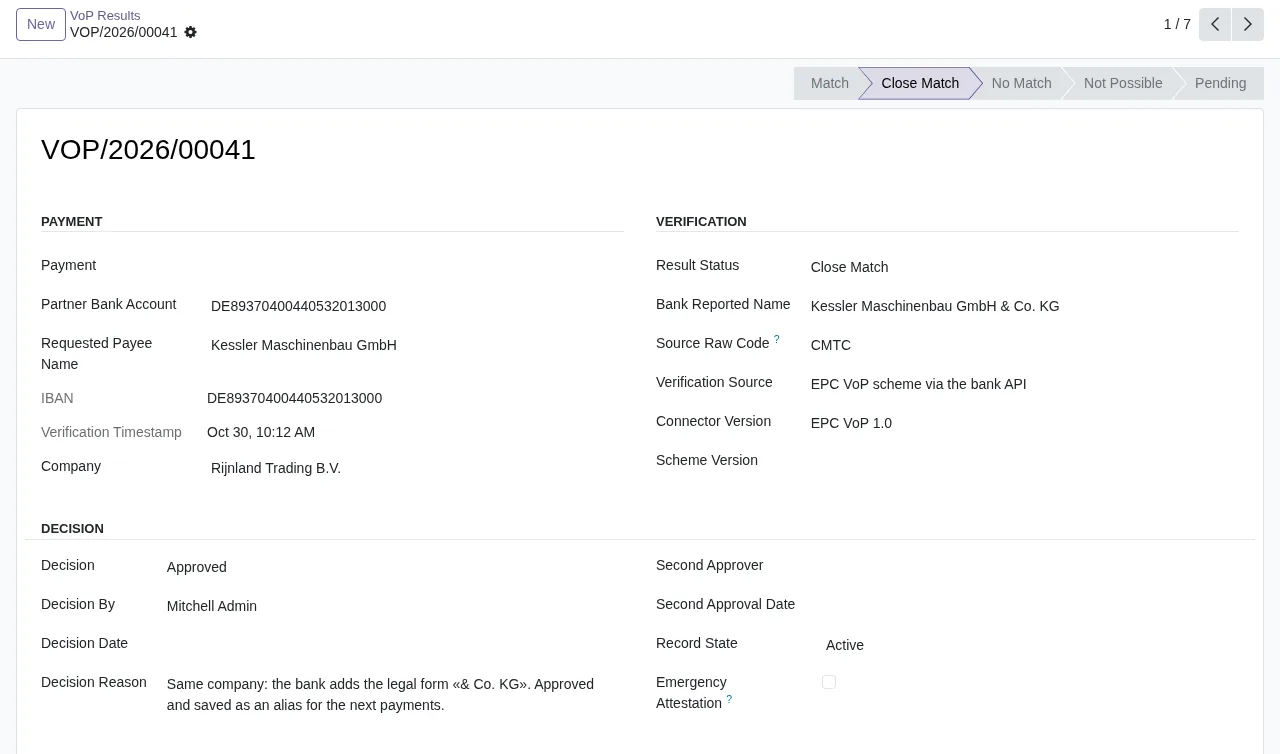
Close Match, with payment data, the SEPA verification and the decision approved by Mitchell Admin with its reason.Records the module will not let you change or delete
These messages are not data faults: they are the module protecting its records. It treats verification results and audit events as an evidence trail, and its message cites EU Regulation 2024/886.
| Message | When it appears | What to do |
|---|---|---|
The following fields are write-protected on VoP result records: %(fields)s. Create a new verification instead. (in Odoo 18, 19 and 20 also Write-protected VoP fields cannot be modified: %(fields)s.) | You edit protected fields on a VoP result. | Create a new verification. |
VoP verification results cannot be deleted. They form the legal evidence trail required by EU Reg 2024/886. | You delete a verification result. | The module does not allow it. |
VoP audit events cannot be modified. They form the legal evidence trail. or VoP audit events cannot be deleted. They form the legal evidence trail required by EU Reg 2024/886. | You edit or delete an audit event. | The module does not allow it. |
VoP health log entries cannot be modified after creation. or VoP health log entries cannot be deleted. | You edit or delete a health log entry. | The module does not allow it. |
Only VoP managers can group or export VoP results by bank account: its name is the full IBAN. | You group or export results by bank account without being a VoP manager. | Ask a VoP manager to do it. |
If a result is wrong, the route the module sets out is to create a new verification, not to edit the existing one.
When setting up the policy and sources
| Message | When it appears | What to do |
|---|---|---|
Result freshness must be at least 1 day. | You set a lower freshness in the policy. | Enter 1 day or more. |
Evidence retention must be at least 5 years (1825 days) to comply with EU Reg 2024/886. | You set a shorter evidence retention. | The module requires at least 1825 days. |
Evidence reference can only be entered when "Attestation-Only Mode" is enabled in the VoP policy. Contact your VoP administrator. | You fill in the evidence reference without that mode enabled. | Speak to your VoP administrator. |
VoP source "%(name)s" is inactive. | You use an inactive VoP source. | Activate it or use an active source. |
Unknown connector class "%(cls)s" on source "%(src)s". Valid classes: %(valid)s. | The source has a connector class the module does not know. | Pick one of the classes the message lists. |
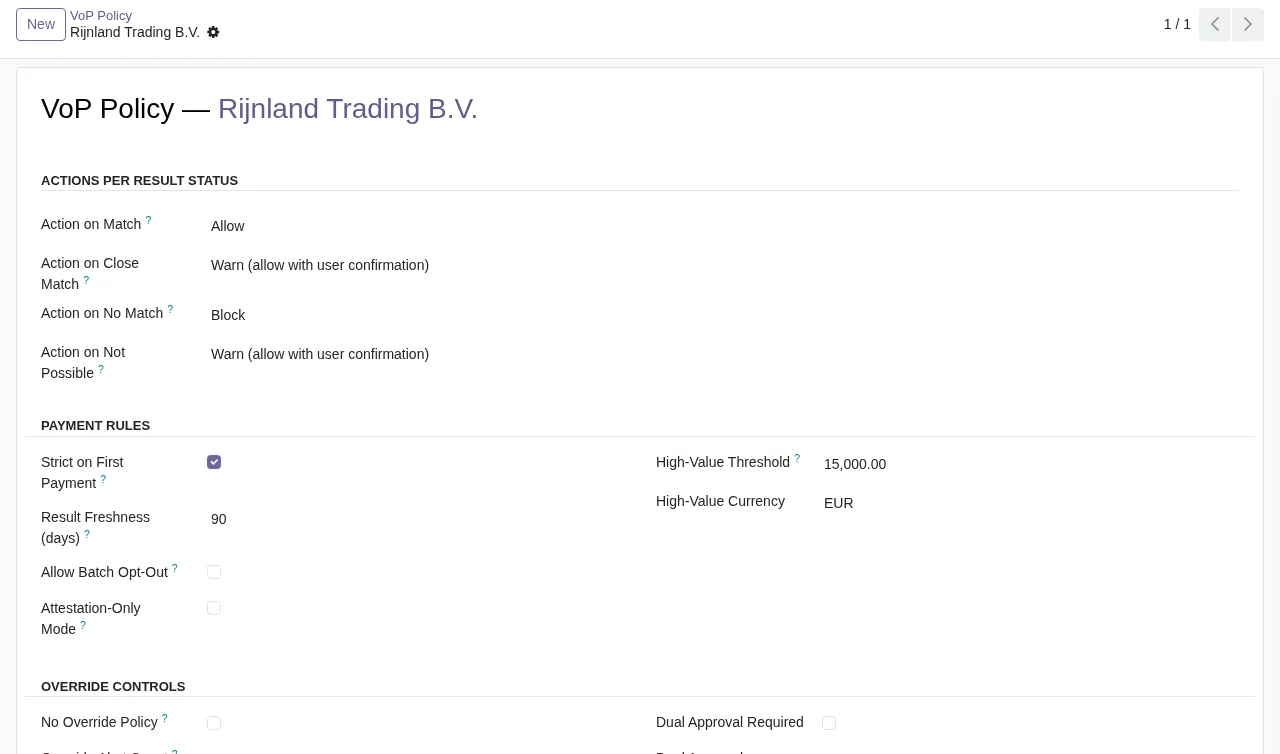
How FlexigoTech can help
SEPA VoP Payment Gate is published on Odoo Apps for Odoo 17, 18, 19 and 20, at €9 excluding VAT per Odoo version, as a one-off payment. You will find it on the Odoo Apps listing and on its page at flexigotech.com; if you are still unsure whether it fits, read what it covers and what you need before installing it.
FlexigoTech implements Odoo 17, 18, 19 and 20 and builds bespoke connectors and integrations. If your bank delivers results in a format the module does not read, you can raise it as a bespoke integration.
Keep reading
Checked in the module's source code (version 20.0) and the linked sources
Sources
- Module source code: flexigo_sepa_verification_of_payee_module_for_odoo_19 20.0 (92ece3b6): connectors/import_file.py
- Module source code: flexigo_sepa_verification_of_payee_module_for_odoo_19 20.0 (92ece3b6): connectors/manual.py
- Module source code: flexigo_sepa_verification_of_payee_module_for_odoo_19 20.0 (92ece3b6): models/account_payment.py
- Module source code: flexigo_sepa_verification_of_payee_module_for_odoo_19 20.0 (92ece3b6): models/sepa_vop_audit_event.py
- Module source code: flexigo_sepa_verification_of_payee_module_for_odoo_19 20.0 (92ece3b6): models/sepa_vop_health_log.py
- Module source code: flexigo_sepa_verification_of_payee_module_for_odoo_19 20.0 (92ece3b6): models/sepa_vop_import.py
- Module source code: flexigo_sepa_verification_of_payee_module_for_odoo_19 20.0 (92ece3b6): models/sepa_vop_policy.py
- Module source code: flexigo_sepa_verification_of_payee_module_for_odoo_19 20.0 (92ece3b6): models/sepa_vop_result.py
- Module source code: flexigo_sepa_verification_of_payee_module_for_odoo_19 20.0 (92ece3b6): models/sepa_vop_source.py
- Module source code: flexigo_sepa_verification_of_payee_module_for_odoo_19 20.0 (92ece3b6): wizards/sepa_vop_import_wizard.py
- Module source code: flexigo_sepa_verification_of_payee_module_for_odoo_19 20.0 (92ece3b6): wizards/sepa_vop_manual_capture_wizard.py
- apps.odoo.com/apps/modules/20.0/flexigo_sepa_verification_of_payee_module_for_odoo_19
- apps.odoo.com/apps/modules/17.0/flexigo_sepa_verification_of_payee_module_for_odoo_19
- apps.odoo.com/apps/modules/18.0/flexigo_sepa_verification_of_payee_module_for_odoo_19
- apps.odoo.com/apps/modules/19.0/flexigo_sepa_verification_of_payee_module_for_odoo_19
- flexigotech.com/en/services.html