

 Español
 Català
 Deutsch
 Français
 Português
 Italiano
 Nederlands
 Polski
When it appears and who can reach it
The Run Query button is on the Research Queries screen. The view condition does not hide it: in Odoo 17, 18 and 19 it is always visible. What does limit things is the way to the screen: the forms open from the menu Temu › Market Intelligence › Market Research, and both the Market Intelligence and Market Research levels ask for the Temu Research & DSA permission. Without it you do not see that part of the menu.
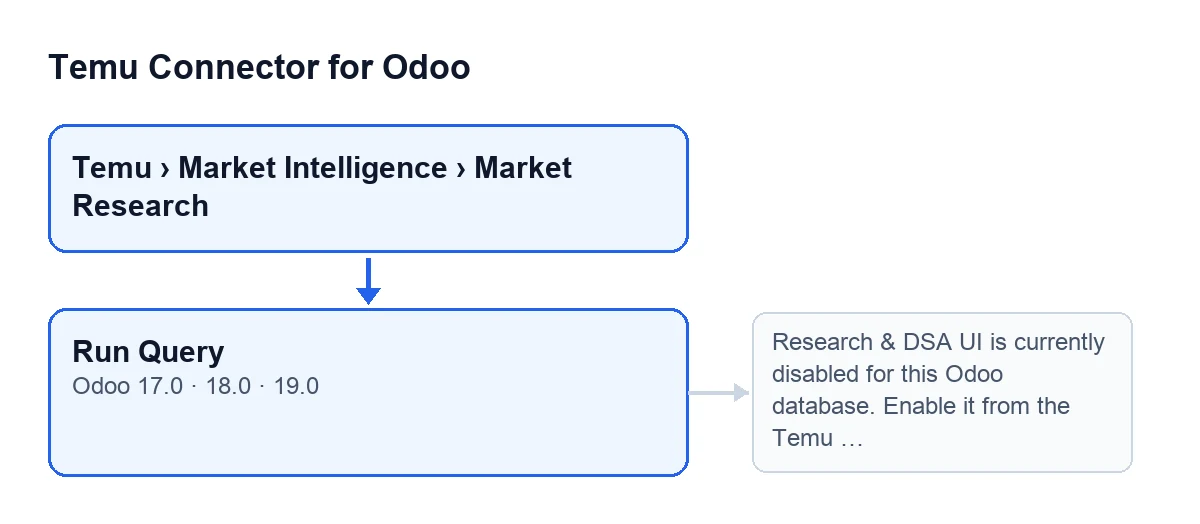
The button label changes with the language of your Odoo; in English it is Run Query.

A case to see it at work
Example Illustrative case: the company and its figures are made up to explain the flow.
Casa Alba Textil is an invented shop that sells on Temu and wants to look at the ads library. Marta, who runs e-commerce and has the Temu Research & DSA permission, goes to Temu › Market Intelligence › Market Research and opens a query in Research Queries. In the Ads Library Params group she leaves Ads Query Type on Product Name and presses Run Query.
First attempt: Odoo shows Research & DSA UI is currently disabled for this Odoo database. Enable it from the Temu instance before using this option. This is the first thing the button checks, before it touches the query, so the run stops and nothing is saved.
Second attempt: with the feature now enabled from the instance, Marta presses the button again. This time it carries on, requests the data from Temu and, when it finishes, the query is left marked as done.
What the button does, in order
- It checks that the research feature is enabled on the query's Temu instance. If it is not, it stops with the message from the case.
- It checks the query's access mode: this operation uses the Temu API and only supports Article 40(12) public research access.
- Depending on the query type, it requires certain data: for SOR, the start and end application dates; for mall info and mall goods, the mall name and the country code; for goods reviews, those two plus the goods identifier. The ads library query asks for none of these.
- It requests the data from Temu and extracts the rows from the response.
- If everything went well, it marks the query as done and stores the result (next section).
What changes when it finishes
When the query ends well, the button leaves it marked as done and stores the method used with the parameters sent, Temu's response, the number of results and the date and time of the last run. It also clears the previous error text. The number of results is the number of rows in the response; for the types other than the ads library, if there is no list of rows but the response has content, it counts one.
If something fails inside the query, the button puts it in the error state, stores the error text and the date of the last run, and raises the error again so that you see it.
Ads library: several pages from one click
This query type has its own route. Among its parameters, on the Research Queries form in the Ads Library Params group, are these:
Ads Query Type, with the valuesProduct Name,AdvertiserandAd Payer; the code defaults toProduct Name.Category.Ad Publish Start Ts, whose help says: «Milliseconds timestamp for ads library start filter.».Ad Publish End Ts, whose help says: «Milliseconds timestamp for ads library end filter.».
When it runs, if the query has no list and search identifiers, the button generates some and saves them on it. If the language is empty it uses English; the lowest page number is one; the page size is twenty if none is given and never goes above fifty.
If the query is set to fetch all pages, the button repeats the request page by page; if not, it stays on the first page. It stops when it reaches the instance's maximum number of pages (twenty if it has no value), when a page comes back empty, when it reaches the total reported by Temu, when the response says there are no more pages or, if the response says nothing, when a page arrives with fewer rows than the page size. At the end it stores a summary with the pages requested, the reason for stopping, the total rows gathered and the methods used.
What to take from the case
- The message about research being disabled says nothing about your query: it comes before anything on it is checked and changes nothing.
- The button is never hidden (in Odoo 17, 18 and 19); what decides whether you reach it is the
Temu Research & DSApermission. - Before pressing it on an ads library query, review the fields in the
Ads Library Paramsgroup, includingAds Query Type,Categoryand the two timestamp fields, because they narrow what is requested. - To run the query again, just press the button again; each successful run overwrites the stored result and clears the earlier error.
How FlexigoTech can help
FlexigoTech implements Odoo 17, 18, 19 and 20 and builds connectors and bespoke integrations. If you want to see the module, it is on its page at flexigotech.com.
Keep reading
Checked in the connector's source code (version 19.0) and the linked sources
Sources
- Module source code: flexigobe_temu_connector 19.0 (455b3f0f): views/temu_ads_views.xml
- Module source code: flexigobe_temu_connector 19.0 (455b3f0f): models/temu_ads.py
- flexigotech.com/en/services.html