

 Español
 Català
 Deutsch
 Français
 Português
 Italiano
 Nederlands
 Polski
A case to walk through the messages
Example Illustrative case: the company and its figures are made up to explain the flow.
Rialto Hardware (a made-up company) runs Odoo and wants to send a copy of its data to Snowflake with the module. Its administrator, Marta, creates the first export and runs into the messages one by one. The exact order does not matter: what matters is what each message says and what she does to carry on. If you would rather see how the module is built first, read how it works under the bonnet.
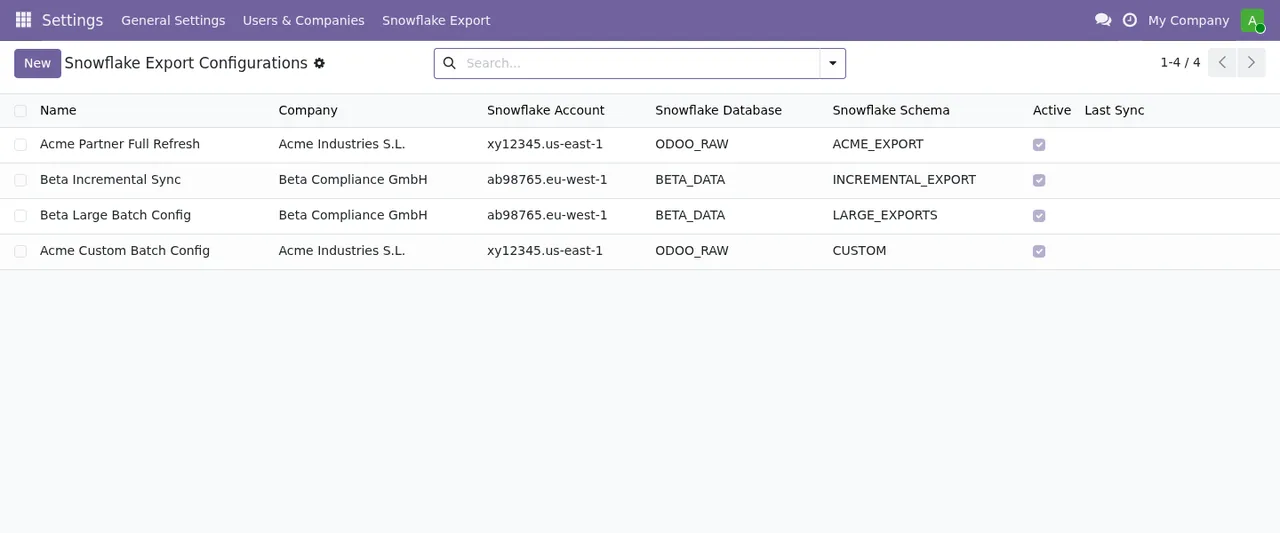
Settings › Snowflake Export › Snowflake Export Configurations, with the Last Sync column still empty.The Snowflake key in FlexigoTech Cloud
Marta chooses to send the export through FlexigoTech Cloud and pastes the key. The first message is this one:
Before saving the key, an administrator has to accept that the Snowflake key and the exported data go through FlexigoTech Cloud. Nothing was sent.
It means that, before the key is saved, an administrator has to accept that the Snowflake key and the exported data go through FlexigoTech Cloud. The message makes clear that nothing was sent. What Marta does: an administrator accepts, and she saves again.
On the second attempt she pastes the key as she had it, protected with a passphrase:
Paste the unencrypted private key (PEM, without a passphrase): FlexigoTech Cloud keeps it encrypted. Nothing was sent.
The module asks for the unencrypted private key, in PEM format and without a passphrase; according to the message itself, FlexigoTech Cloud is what keeps it encrypted. Marta pastes the version without a passphrase.
A colleague had already created a test export through the cloud in the same database, and this appears:
Another Snowflake export of this database already goes through FlexigoTech Cloud, which holds one Snowflake key per database. Nothing was sent.
FlexigoTech Cloud holds a single Snowflake key per database, and another export already goes through the cloud. Again, nothing was sent.
And if she tries to carry on before the key is saved, the module stops her with Save the Snowflake key in FlexigoTech Cloud first.: the key has to be saved in FlexigoTech Cloud first.
Interval and batch size
To test quickly, Marta sets a very short interval and a small batch. She gets two validation messages:
Cron interval must be at least 15 minutes.: the interval has to be 15 minutes or more.Batch size must be between 100 and 50000.: the batch size has to be between 100 and 50000.
Marta brings the values within those limits and saves.
Models and fields that cannot be exported
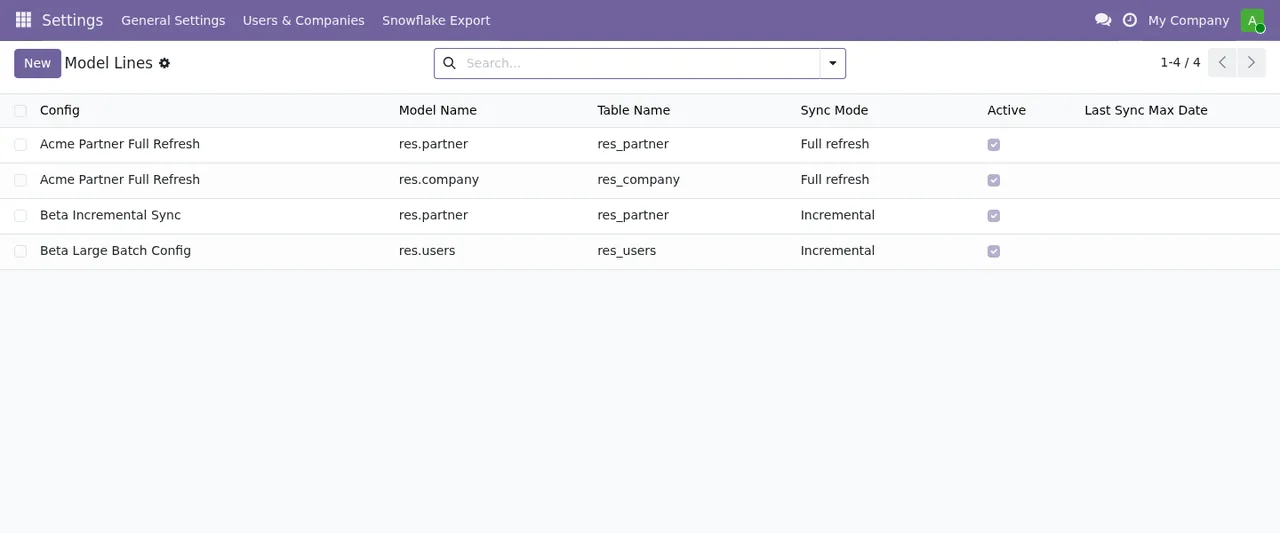
Settings › Snowflake Export › Model Lines, each with its mode, Full refresh or Incremental.When she adds models, these messages appear:
This model is protected and cannot be exported.: the model is protected and the module will not export it.Only concrete database-backed models can be exported.: only concrete models backed by the database can be exported.This model does not have write_date; incremental mode is not supported.: the model has nowrite_date, so it does not support incremental mode.The model of an export line is chosen with its Model field.: the model of an export line is chosen with itsModelfield.
Fields behave in a similar way:
This field is excluded by default for security.: the field is excluded by default for security.The field of an export line is chosen with its Field field.: the field of an export line is chosen with itsFieldfield.
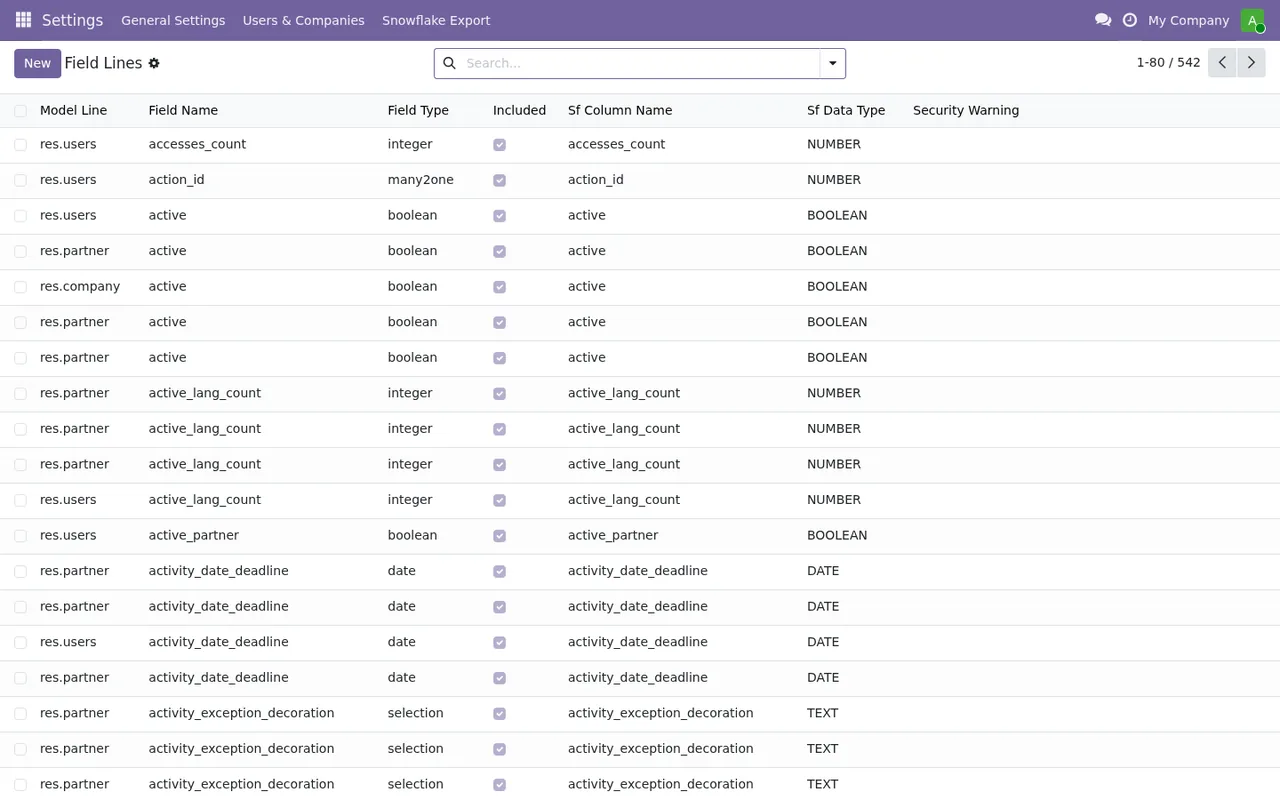
res.users, res.partner and res.company and their security warning column.The first sync
Marta starts the sync and, without waiting, starts it again:
Sync already in progress for this configuration.
A sync is already running for that configuration, so she waits for the running one to finish.
Then she duplicates the export for another company in the group, with the same account, database, schema and model:
Another export, archived ones too, sends to this Snowflake table (same account, database, schema and model): a full refresh would delete its rows. Give each export a schema of its own.
Another export, and archived ones count here too, sends to that same table; a full refresh would delete its rows. The way out is the one the message gives: a schema of its own for each export.
Later on, a sync returns:
Schema mismatch for field %s: expected %s. Run a full refresh or update Snowflake manually. %s
The message names the field that does not match and what was expected. The two ways out are the ones in the text: run a full refresh or update Snowflake manually.
Who last changed the export and which user reads the records
Months later, the person who last changed the export moves to another company in the group, and this message appears:
%(user)s, who last changed this export, does not belong to %(company)s.
Whoever last changed the export does not belong to the company named in the message. The real text carries the person's name and the company's, so you know who and what to look at.
On another occasion, Marta comes across a different message, one that says nothing about companies:
This export has no active user to read the records with: an administrator has to save it again.
All it says is that the export has no active user to read the records with. The way out is the one in the text: an administrator has to save it again.
Direct connection or through the cloud
Marta tries to change the connection type of an export, and the module refuses either way:
A Snowflake export through FlexigoTech Cloud does not go back to a direct connection.: an export that goes through FlexigoTech Cloud does not go back to a direct connection.A Snowflake export with a direct connection keeps it: it does not move to FlexigoTech Cloud.: an export with a direct connection keeps it and does not move to FlexigoTech Cloud.
Two more messages concern the Python connector and key-pair authentication:
Snowflake Python connector not found. Install via: pip install snowflake-connector-python: the Snowflake Python connector cannot be found; the message gives the command to install it,pip install snowflake-connector-python.Private key path or pasted key content is required for key-pair auth.: key-pair authentication needs either the private key path or the pasted key content.
What to take from the case
- Read the whole message: in a good number of them, the second sentence is already what you have to do.
- When the text ends in
Nothing was sent., the module itself is telling you that nothing was sent. - Give each export its own schema if they share account, database and model, and bear archived exports in mind too.
- A model without
write_datedoes not support incremental mode. - An export's connection type, direct or through FlexigoTech Cloud, cannot be changed afterwards in either direction.
How FlexigoTech can help
FlexigoTech implements Odoo 17, 18, 19 and 20 and builds bespoke connectors and integrations. With the connection through FlexigoTech Cloud, the service keeps credentials encrypted, monitors the sync and sends an email if it fails. The module costs €9 per Odoo version on Odoo Apps (one-off payment, excluding VAT), for 17, 18, 19 and 20, and the Connector plan is €49/month or €490/year excluding VAT. You will find the details on the module page and on its Odoo Apps listing.
Keep reading
Checked in the connector's source code (version 20.0) and the linked sources
Sources
- Module source code: flexigo_odoo_to_snowflake_snapshot_exporter 20.0 (289554a6): models/config.py
- Module source code: flexigo_odoo_to_snowflake_snapshot_exporter 20.0 (289554a6): models/field_line.py
- Module source code: flexigo_odoo_to_snowflake_snapshot_exporter 20.0 (289554a6): models/model_line.py
- apps.odoo.com/apps/modules/20.0/flexigo_odoo_to_snowflake_snapshot_exporter
- apps.odoo.com/apps/modules/17.0/flexigo_odoo_to_snowflake_snapshot_exporter
- apps.odoo.com/apps/modules/18.0/flexigo_odoo_to_snowflake_snapshot_exporter
- apps.odoo.com/apps/modules/19.0/flexigo_odoo_to_snowflake_snapshot_exporter
- flexigotech.com/en/services.html
- flexigotech.com/precios.html