

 Español
Module for Odoo 17 · 18 · 19
Export Odoo snapshots to Snowflake without pipelines: chosen models and fields, manual or scheduled
Dumps the Odoo models you need into Snowflake tables with field-level control, manual or cron runs, full or incremental mode, protected exclusions so sensitive fields never leave, and logs of every sync.

What it does
- Model and field selectionEach configuration lists the exact models and fields that get exported.
- Manual or scheduledRun on demand or on a cron matched to your analytics pipeline, in full-refresh or incremental mode.
- Protected exclusionsRules that stop credentials and sensitive fields from reaching Snowflake.
- Sync logsMetrics and errors of every run inside Odoo.
How the module works
Real screenshots of every screen, with what each one does.
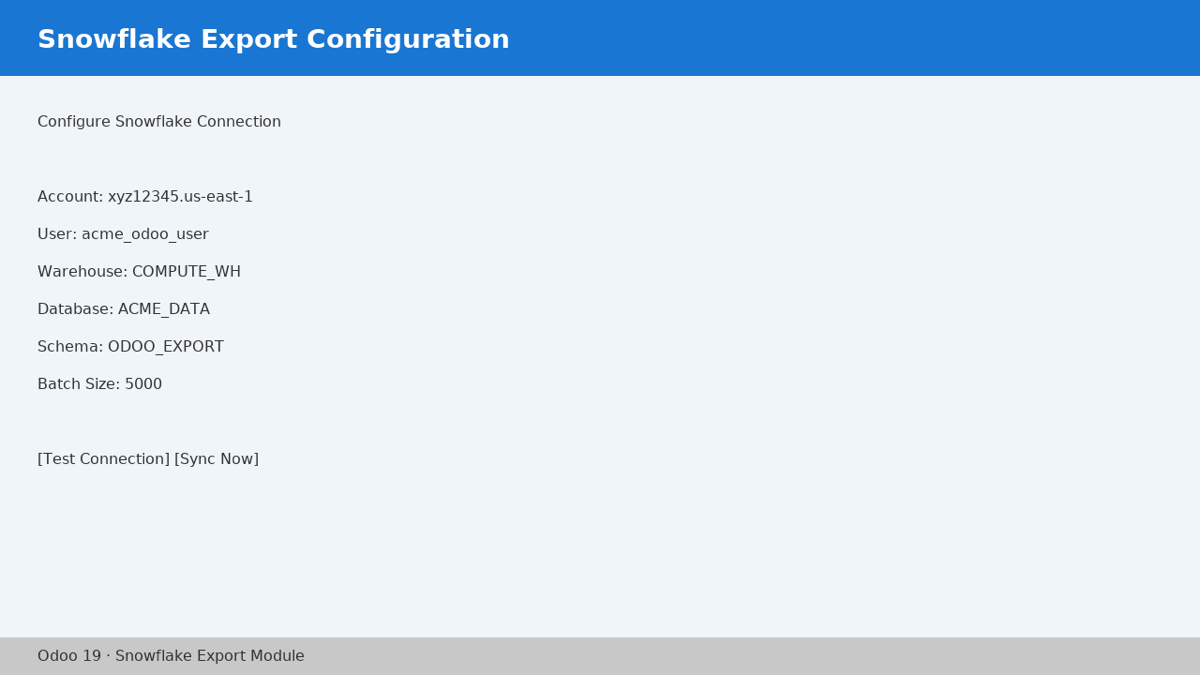
Snowflake Connection
Store account, user, warehouse, database and schema, and test the connection before exporting.
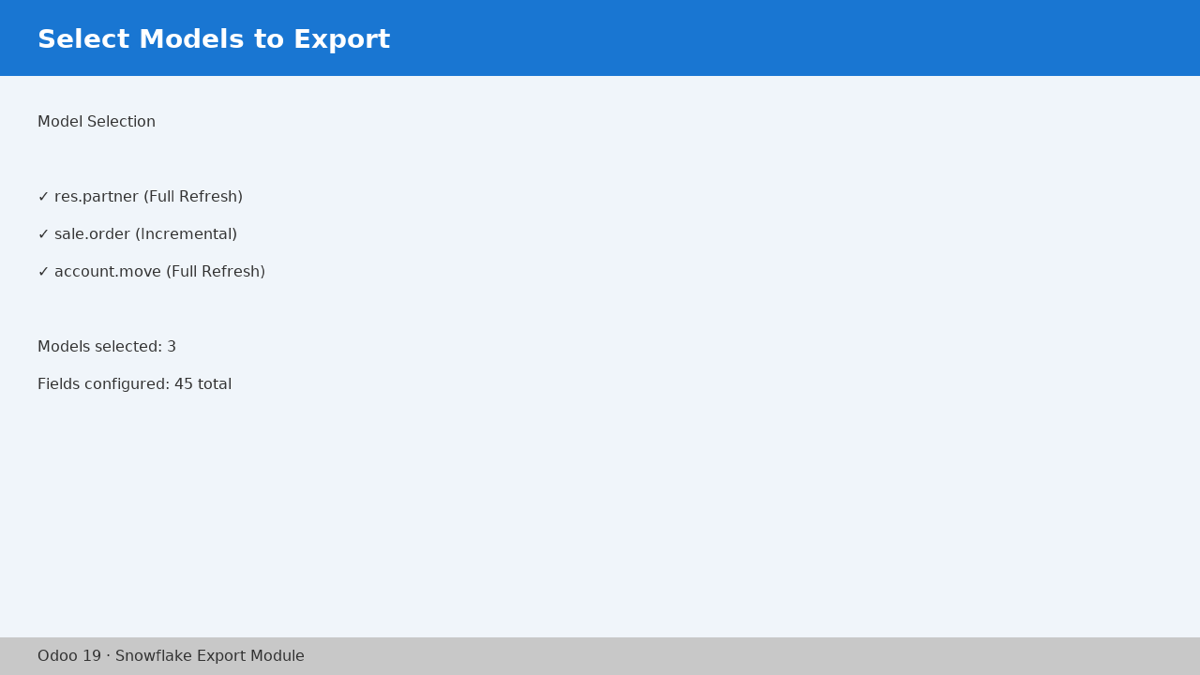
Models to Export
Pick which Odoo models to send and whether each runs as full refresh or incremental sync.
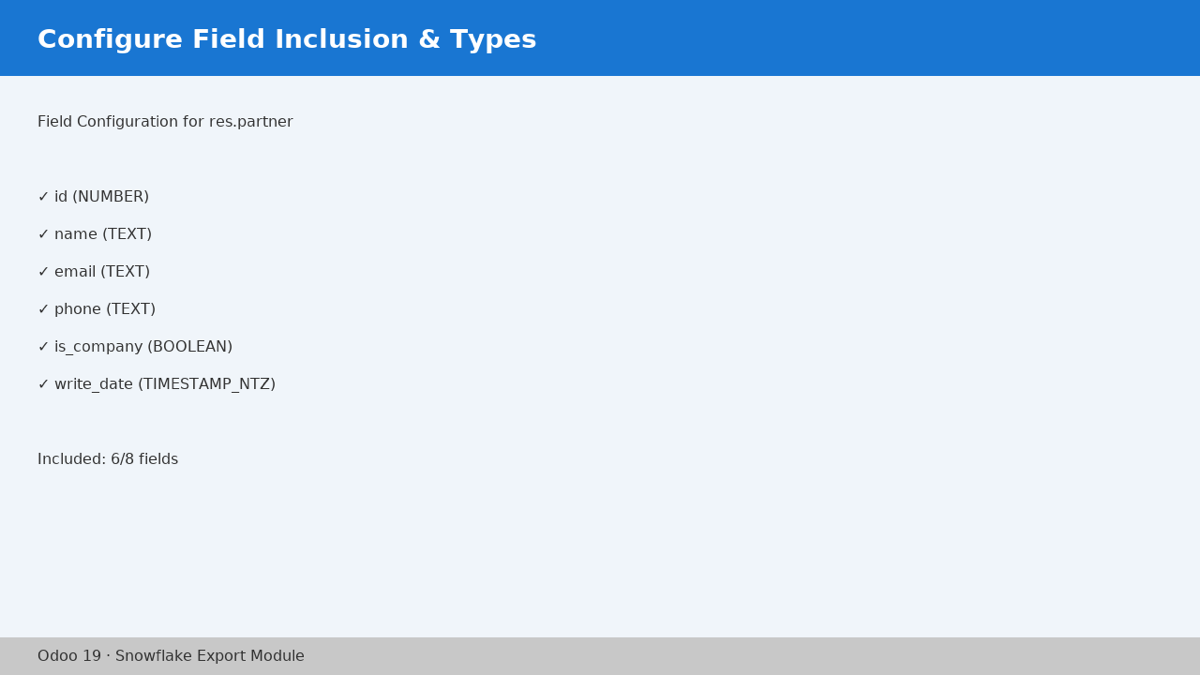
Field-Level Control
Choose fields one by one with their Snowflake type and keep sensitive data like passwords out.
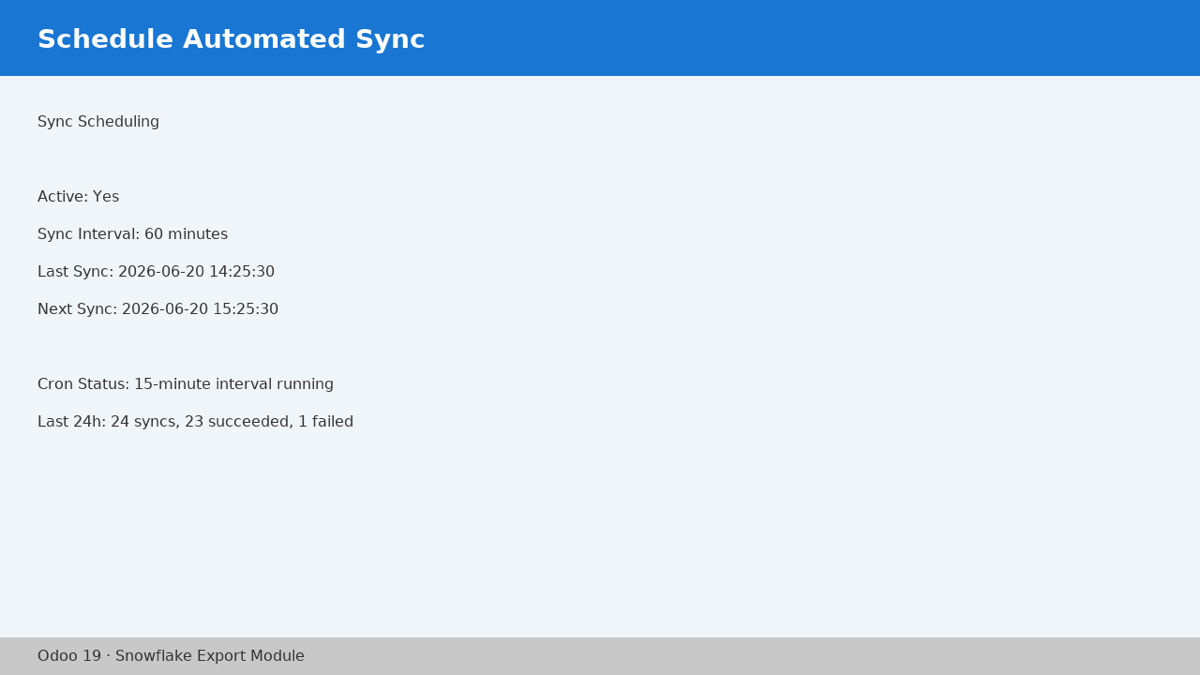
Scheduled Sync
Set the cron interval and see last and next run alongside the 24-hour success summary.
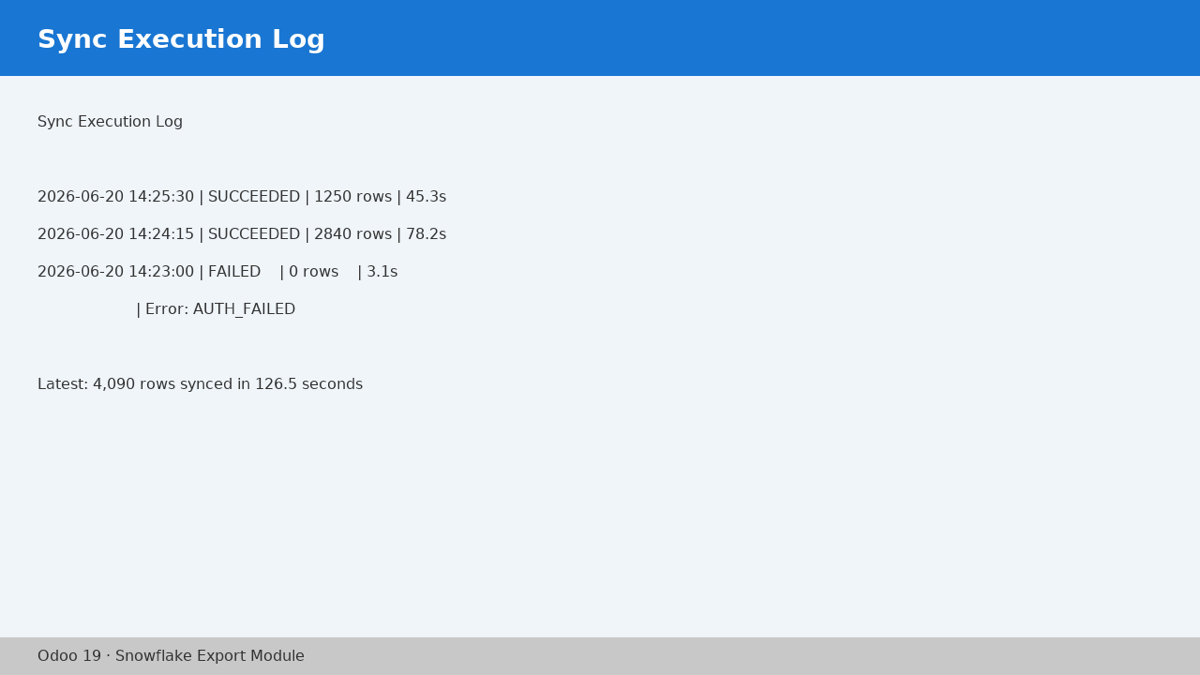
Sync Execution Log
Every sync is logged with rows, duration and status, showing the exact error when it fails.
EUR 29, one-time
Source code included (OPL-1), no subscription.
Odoo 17, 18 and 19
Works on Community and Enterprise.
No middleman SaaS
Odoo writes to Snowflake directly, with no middleware and no third-party subscriptions.
The problem
Your operations run in Odoo and your analytics live in Snowflake. Bridging the two by hand - CSV exports, one-off scripts, brittle ETL - burns hours, breaks quietly, and leaves the ERP and the warehouse telling two different stories.
The solution
This module runs the export from inside Odoo itself: you configure which models and fields go across, choose full-refresh or incremental, schedule it with cron, and review each run in the sync logs. Built for BI, finance and operations teams - and for integrators who assemble data pipelines.
Real features, no fluff
Export any Odoo model
Choose the models you want in your warehouse - partners, sales orders, invoices or anything else - and add them to the export configuration as model lines.
Flexible scheduling
Trigger exports manually on demand, or automate them with cron schedules at whatever cadence fits your analytics pipeline.
Full-refresh or incremental
Pick per configuration between rewriting the full snapshot or syncing only the changes, based on each table's volume and how it is used.
Field-level control
Decide exactly which fields go to Snowflake and which stay in Odoo, field by field, from each model's field lines.
Sensitive-data protection
Built-in rules keep credential-like fields (passwords, API keys) from ever leaving Odoo, and you can define your own exclusions per model on top.
Real-time sync logs
Every run is recorded: success, partial sync or failure, each with the detailed error message so you can diagnose without leaving Odoo.
How it works
Install and connect
Install the module like any other and enter your Snowflake credentials (user/password or key-pair authentication) under Settings → Technical → Snowflake Export.
Choose what to export
Create an export configuration, add your models and set the field lines: what goes to Snowflake and what stays behind.
Schedule the sync
Run the export on demand or hand it to the cron. Choose full-refresh or incremental per configuration.
Watch every run
Check the Sync Logs: successes, partial syncs and failures with their error. Fix the cause and run it again.
Full source code included under OPL-1. No subscription, no recurring fees, no usage limits. One purchase per Odoo series (17, 18 or 19), with updates for that series and email support.
Requirements (the real ones)
- An active Snowflake account with valid credentials: user/password or key-pair authentication. The module stores them and uses them to write to your tables.
- Odoo 17.0, 18.0 or 19.0, Community or Enterprise edition. No additional licenses.
- Nothing else: no external SaaS, no middleware and no third-party connectors.
Frequently asked questions
Does the Odoo to Snowflake export work on Odoo Community?
Yes. It works on both editions and is fully compatible with Odoo 17, 18 and 19 on Community and Enterprise, with no external SaaS and no extra licenses.
Do I need a Snowflake account?
Yes. You need a Snowflake account with valid credentials (user/password or key-pair). The module stores those credentials securely and uses them to write the data into your Snowflake tables.
Can I stop sensitive fields from being exported?
Yes. The module ships protection rules that block credential-like fields (passwords, API keys) by default so they never reach Snowflake, and you can customise field exclusions per model.
What happens if a sync fails?
Every attempt is written to the Sync Logs with a detailed error message. You open the log, fix the cause and run the export again. Partial syncs are recorded too, so you can catch issues without losing the whole load.
What does the EUR 29 purchase include?
The one-time EUR 29 payment includes the full source code under the OPL-1 license, updates for the Odoo series you buy (17, 18 or 19) and email support. No subscriptions and no recurring costs.
Does it handle large tables?
Yes. For high-volume tables set incremental mode so each run syncs only the changes; full-refresh is ideal for small tables or the initial load. You choose the mode per export configuration and match the cron cadence to your data volume.
How do I install it?
Like any Odoo module: download it from the Odoo App Store, install it from Apps, and set your Snowflake credentials under Settings → Technical → Snowflake Export. You are exporting within minutes.
Ready to get your Odoo data into Snowflake?
Try it in the live demo or buy it once on the Odoo App Store - source code included, no subscription.