

 Español
 Català
 Deutsch
 Français
 Português
 Italiano
 Nederlands
 Polski
What changes for your Mirakl marketplaces with Odoo as your ERP
According to Mirakl's documentation, every marketplace has its own address (“URL to be replaced by your Mirakl instance URL”) and the seller API is authenticated with the shop key, sent in the Authorization header. So each operator you sell on has its own address and its own key.
With Mirakl Connector, each operator becomes a Mirakl instance inside Odoo, created with the operator's real base URL, the API Base URL and the API key. According to its listing, the module connects Odoo to any Mirakl marketplace: it publishes products, prices and stock, and brings in orders, returns, settlements and messages. Everything hangs off a single Mirakl menu, with Dashboard, Operations, Catalog, Finances and Configuration.
Each shop key stays with its operator: the module only sends it to the API Base URL of its instance. If it is asked to contact another address, it stops with this message: Refusing to contact …: the Mirakl API key of … only goes to its API Base URL (…). Write the endpoint as a path, such as /orders.
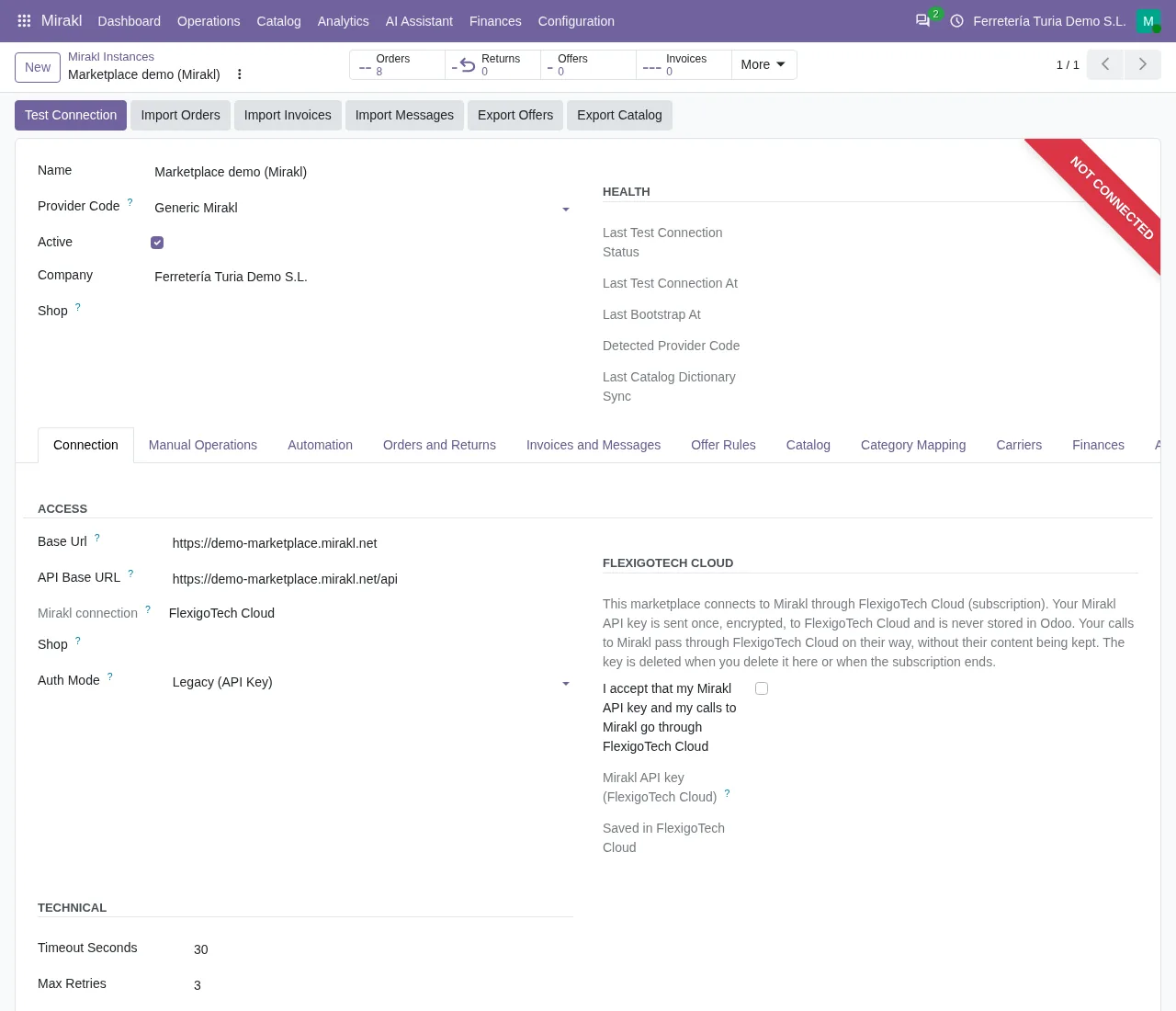

Operator by operator today versus Mirakl inside Odoo
This is the task-by-task comparison of what you do with each marketplace and where it ends up in Odoo with the connector.
| Task | Today, operator by operator | In Odoo with Mirakl Connector |
|---|---|---|
| Connect each marketplace | Each marketplace has its own address and you get in with the shop key | One instance per operator, with the operator's base URL, the API Base URL and the API key |
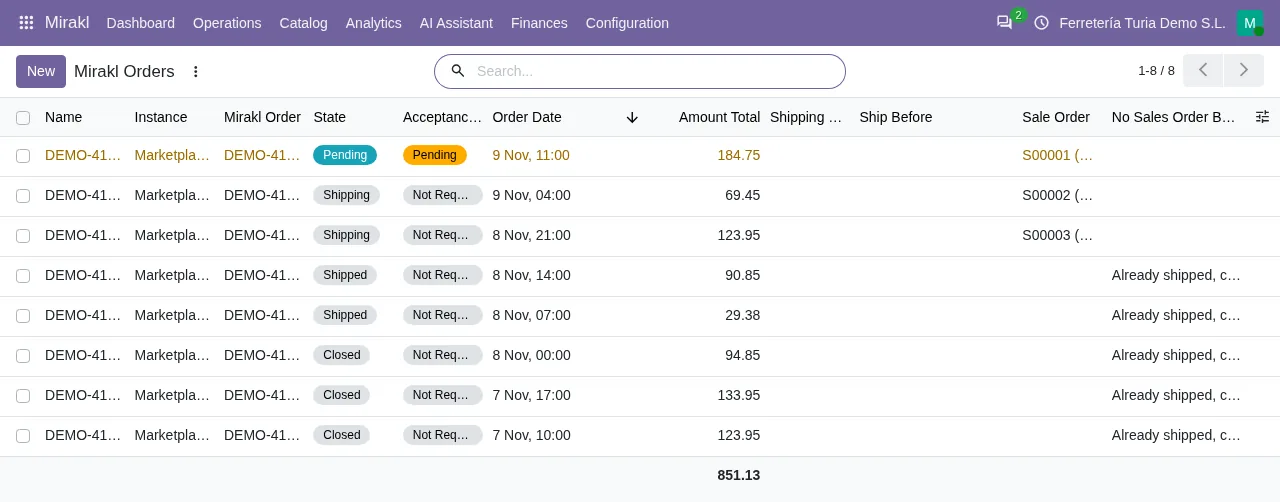
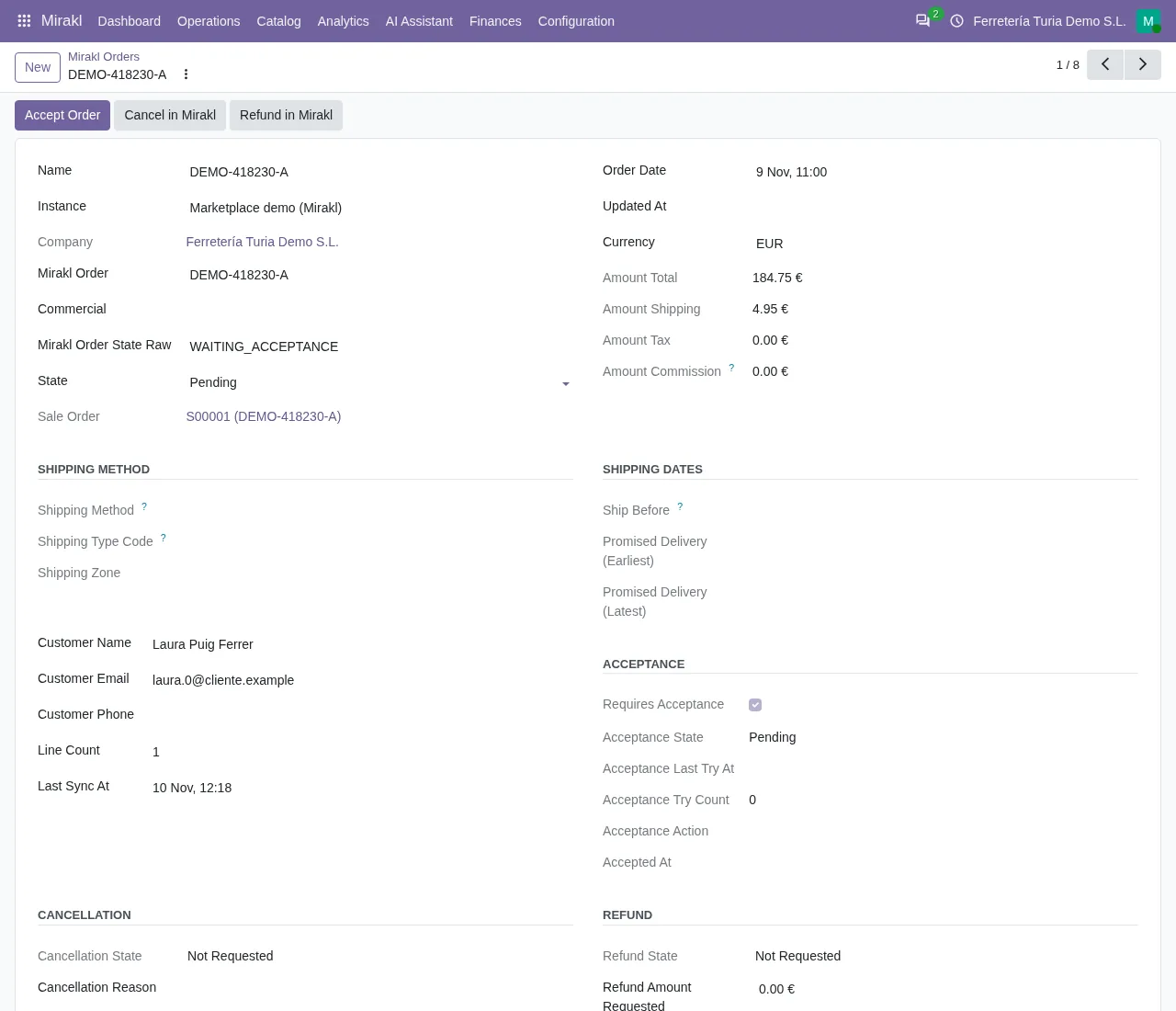
| Read new orders | Mirakl recommends checking the order list (OR11) every 5 minutes and at most once per minute | Scheduled action Mirakl - Sync Orders, every 10 minutes; list under Mirakl › Operations › Orders |
| Accept orders | Lines in WAITING_ACCEPTANCE are accepted or refused with OR21 | Scheduled action Mirakl - Accept Orders, every 10 minutes |
| Offers and stock | On each marketplace, at its own address | Mirakl › Operations › Offers; scheduled actions Mirakl - Export Offers (every 5 minutes), Mirakl - Export Prices (PRI01) (every 15 minutes) and Mirakl - Export Stock (STO01) (every 10 minutes) |
| Returns | On each marketplace, at its own address | Mirakl › Operations › Returns; scheduled action Mirakl - Sync Returns, every 30 minutes |
| Operator settlements | On each marketplace, at its own address | Mirakl › Finances › Settlements & Invoices and, in the same menu, Financial Analysis (P&L) |
Every scheduled action in the table is active as soon as the module is installed. But each one only works on instances with its own box ticked, and those boxes are unticked by default. Today, each row is done on each marketplace, at its own address; in Odoo, each row is a menu or a scheduled action of the module. What the module adds to the Odoo sales order, field by field, is covered in what Mirakl Connector adds to Sales.
Catalogue and messages sit outside the table. Under Mirakl › Catalog you have Categories, Attributes, Value Lists, Category Mapping and Carrier Mapping, with the scheduled actions Mirakl - Export Catalog (every 30 minutes) and Mirakl - Sync Catalog Dictionary (every 60 minutes). Messages have their own menu under Mirakl › Operations › Messages.
Mirakl Connect pricing and what the connector needs
Mirakl publishes pricing for its seller tool, Mirakl Connect, which it describes like this: “Mirakl Connect helps tens of thousands of sellers reach the world's leading marketplaces”. The prices shown on its website are in dollars and tiered by monthly sales volume (GMV):
- Growth: “$ 699 / month”, with “Up to $50,000 GMV / month”.
- Pro: “$ 2,299 / month”, with “Up to $200,000 GMV / month”.
- Enterprise: tailored, for anyone above that volume (“Processing more than $200k GMV a month?”).
To bring your Mirakl marketplaces into Odoo with Mirakl Connector, you need the following:
- Odoo running on version 17, 18, 19 or 20.
- Mirakl Connector installed on that version.
- A FlexigoTech Cloud subscription on the Connector plan, which the module needs according to its listing.
- For each operator, its real base URL, its API base URL and your shop key.
With those details, each operator sits in its own instance inside Odoo and each shop key only goes to its operator's API address.
From Odoo implementation to your first Mirakl settlement, in order
If you are not on Odoo yet, the order matters: Odoo first, then the connector, then each operator.
- Implement Odoo. FlexigoTech implements Odoo 17, 18, 19 and 20; you can start with an Odoo implementation before connecting any marketplace.
- Install Mirakl Connector on your version and link it to your FlexigoTech Cloud subscription on the Connector plan.
- Create one Mirakl instance per operator with the operator's real base URL, the
API Base URLand your shop's API key. UnderMirakl › Configurationyou haveMarketplacesandLogs. What each instance field means is covered in the Mirakl instance fields. - Wait for the first order. The scheduled action
Mirakl - Sync Ordersruns every 10 minutes and orders appear underMirakl › Operations › Orders. The action only imports orders from instances withSync Orders Enabledticked, which is unticked by default. In Mirakl, the new lines that are accepted or refused with OR21 are the ones inWAITING_ACCEPTANCE. - Check your orders under
Mirakl › Operations › Orders: the list shows their status and their acceptance. The scheduled actionMirakl - Accept Ordersruns every 10 minutes and is active on installation. It only accepts orders on instances withAuto Accept Ordersticked, which is unticked by default. - Go through your offers under
Mirakl › Operations › Offers. The scheduled actions that export offers, prices and stock are also active on installation. But they only export from instances with the matching box ticked: offers withSync Offers Enabled, prices withAuto Export Prices Enabledand stock withAuto Export Stock Enabled. All three are unticked by default. - Open the first settlement under
Mirakl › Finances › Settlements & Invoices, and look atFinancial Analysis (P&L)in the same menu.
If you want to see the connector before deciding, its page is on flexigotech.com. As well as implementing Odoo, FlexigoTech builds bespoke connectors and integrations, in case the way you work with a given operator needs something more.
What it costs to run Mirakl in Odoo: module and Connector plan
Mirakl Connector costs €9 per Odoo version, excluding VAT, for 17, 18, 19 and 20. Its listing says it needs the FlexigoTech Cloud subscription: the Connector plan costs €49/month or €490/year excluding VAT, with up to 3 platform accounts, and Pro costs €98/month or €980/year excluding VAT, with up to 10. The subscription comes with a free trial, no card required.
On top of that comes the Odoo implementation, which is separate work. The module and the subscription are on the Mirakl connector for Odoo page.
Mirakl with Odoo as your ERP: frequently asked questions
Can I bring several Mirakl operators into the same Odoo?
Each operator goes in its own Mirakl instance, with its base URL, its API base URL and its key. The Connector plan includes up to 3 platform accounts and Pro up to 10.
How often do orders reach Odoo?
The scheduled action Mirakl - Sync Orders runs every 10 minutes and is active on installation. It only imports orders from instances with Sync Orders Enabled ticked, which is unticked by default. Mirakl, for its part, recommends reading the order list every 5 minutes and at most once per minute.
Could a shop key end up at another operator?
The module only sends each instance's key to its API Base URL. If it is asked to contact another address, it stops with the message Refusing to contact …: the Mirakl API key of … only goes to its API Base URL (…). Write the endpoint as a path, such as /orders.
Which Odoo versions does it work on?
Mirakl Connector is published on Odoo Apps for Odoo 17, 18, 19 and 20.
Keep reading
Checked in the connector's source code (version 20.0) and the linked sources
Sources
- developer.mirakl.com/content/product/mmp/rest/seller/openapi3.md
- developer.mirakl.com/content/product/mmp/rest/seller/openapi3/orders/or11.md
- developer.mirakl.com/content/product/mmp/rest/seller/openapi3/orders/or21.md
- www.mirakl.com/products/connect/pricing/
- www.mirakl.com/
- apps.odoo.com/apps/modules/17.0/flexigobe_mirakl_connector
- apps.odoo.com/apps/modules/18.0/flexigobe_mirakl_connector
- apps.odoo.com/apps/modules/19.0/flexigobe_mirakl_connector
- apps.odoo.com/apps/modules/20.0/flexigobe_mirakl_connector
- Module source code: flexigobe_mirakl_connector 20.0 (2766034c): __manifest__.py
- Module source code: flexigobe_mirakl_connector 20.0 (2766034c): views/menu_views.xml
- Module source code: flexigobe_mirakl_connector 20.0 (2766034c): data/ir_cron_data.xml
- flexigotech.com/en/services.html
- flexigotech.com/en/precios.html
- Module source code: flexigobe_mirakl_connector 20.0 (2766034c): models/mirakl_api_mixin.py
- Module source code: flexigobe_mirakl_connector 20.0 (2766034c): README.md