

 Español
 Català
 Deutsch
 Français
 Português
 Italiano
 Nederlands
 Polski
What the module touches in Sales
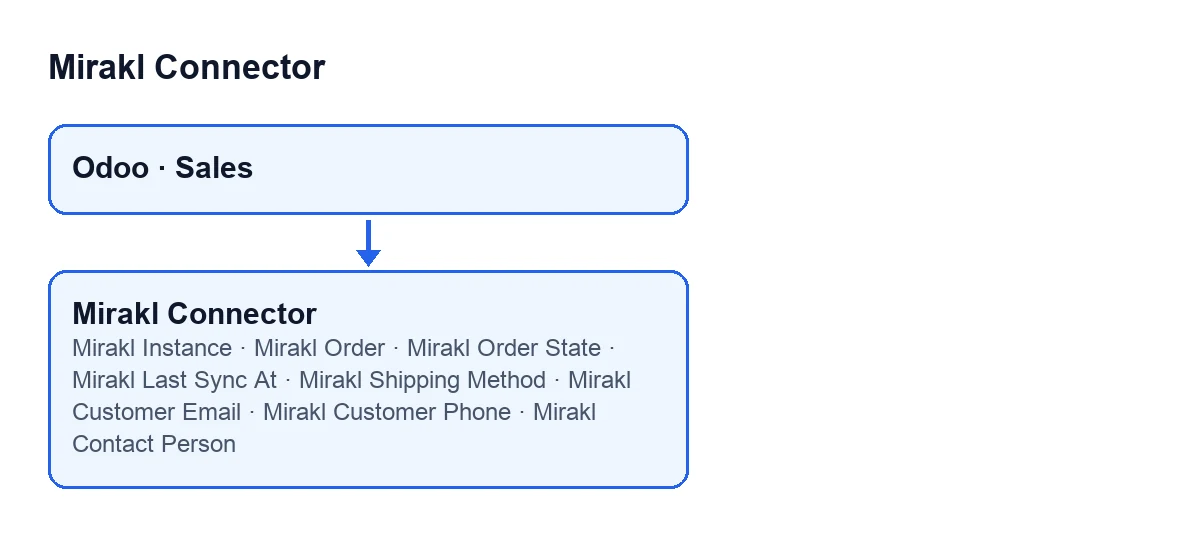
The module extends the standard sales order of the Sales app in Odoo. It adds fields to the form, one of them also to the list of orders, and adjustments to how the order behaves in code. This is worth knowing before you open the first order that arrives from a marketplace.

Details you will not see on the form
The fields stay hidden until the order has a Mirakl Order
The module's fields sit on the sales order form, in the Mirakl tab, split into two groups: Marketplace and Shipping & Contact. All of them are hidden while Mirakl Order is empty, so on an order without that value you will see none of this.
The Marketplace group holds Mirakl Instance, Mirakl Order, Mirakl Order State and Mirakl Last Sync At. All four are read-only: you can look at them but not edit them.
The customer email can be an anonymised relay
Mirakl Customer Email is in the Shipping & Contact group and is read-only. According to its help text, it does not always hold the buyer's real address: when Mirakl provides one, it holds the anonymised relay Mirakl creates for each order, and anything sent there reaches the shopper. If there is no relay, it holds the customer email that comes with the order.
Phone and contact person follow their own rules
Mirakl Customer Phone holds the phone number the shopper gave on the marketplace, so it is at hand from the order itself. Its help text adds that it is also stored on the delivery contact. It is read-only.
Mirakl Contact Person has one more condition. It only shows when the order has a Mirakl Order and the field itself has a value. Its help text says it holds the person who placed the order when the marketplace also sent a company name, in which case the company is used as the delivery contact's name. If you cannot see it, the field is empty on that order.
The shipping method also appears in the order list
Mirakl Shipping Method is in Shipping & Contact and, unlike the others, it also appears in the list of sales orders. Its help text says it is the shipping method the buyer chose on the marketplace (for example Standard or Next day) and that it is empty when the operator does not send it.
An empty value here is therefore not a fault: it is what happens when the operator does not send that detail.
Deleting a Mirakl order leaves it deleted
The module changes what happens when you delete a sales order. According to the Odoo 20 code, before deleting it looks for the Mirakl orders linked to it. If the sales order has a Mirakl Order, it also looks for the Mirakl order with that identifier in the same instance, which covers a quotation that was never linked. After the deletion, it marks those Mirakl orders as deleted.
The reason is in a comment in the code itself: a deleted sales order must stay deleted, because the Mirakl order remembers it and a new sync does not create it, or auto-confirm it, again.
Changing the customer or addresses on a Mirakl order
In Odoo 20, when you save changes to the customer, the delivery address or the invoice address of an order with a Mirakl Order, the module carries out that save differently from the standard one. On orders without a Mirakl Order, the save is the standard one.
The invoice can come out simplified or full depending on the instance
When preparing the invoice from the order, the module reads the Spanish invoice type setting of the order's Mirakl instance (Odoo 20 code). That setting lives on the instance, not on the order; it is covered in The Mirakl Instance fields in Mirakl Connector.
- If the order has no instance, or the setting is automatic, the invoice is prepared as in standard Odoo.
- If the Spanish localisation of Odoo is not installed (invoices do not have the simplified-invoice field), nothing is touched either.
- If the setting is simplified, the invoice is marked as simplified. If it is full, it is marked as not simplified.
How it fits with the rest, and what it costs
The module is a one-off payment per version and needs the FlexigoTech Cloud subscription: Connector plan, €49/month or €490/year excluding VAT. The connection goes through FlexigoTech Cloud, which stores the credentials encrypted, watches the sync and emails you if it fails. It is published for Odoo 17, 18, 19 and 20; on the Odoo App Store each version is bought there. More detail on the Odoo Apps listing and the module page.
If you want us to review how the order flow looks in your Odoo, FlexigoTech implements Odoo 17, 18, 19 and 20 and builds custom connectors and integrations.
Keep reading
Checked in the connector's source code (version 20.0) and the linked sources
Sources
- Module source code: flexigobe_mirakl_connector 20.0 (aa05e537): models/sale_order.py
- apps.odoo.com/apps/modules/20.0/flexigobe_mirakl_connector
- flexigotech.com/en/services.html
- flexigotech.com/precios.html