

 Español
 Català
 Deutsch
 Français
 Português
 Italiano
 Nederlands
 Polski
What the action does on each run
What is this action and how often does it run?
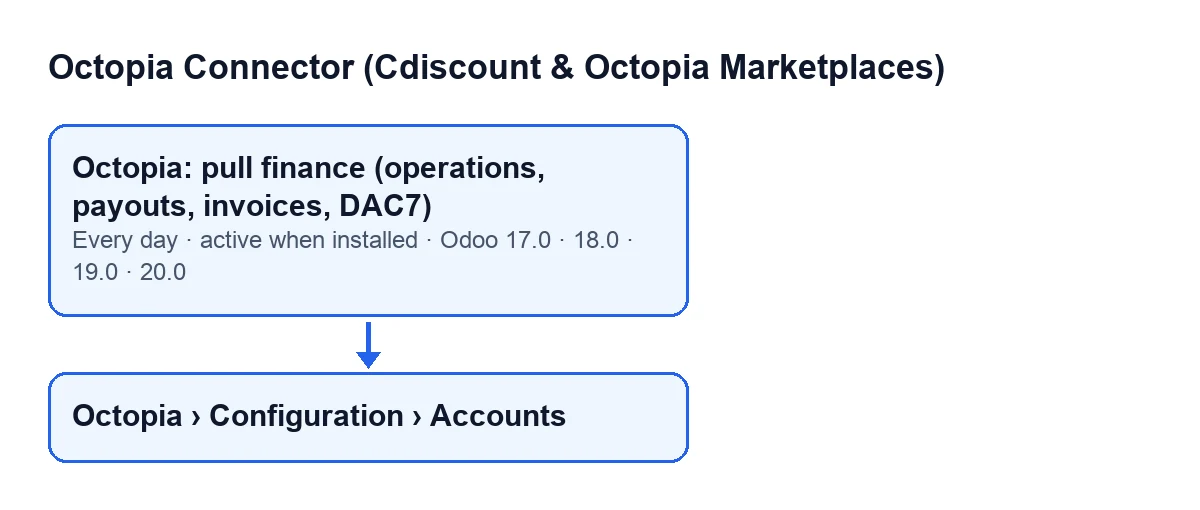
It is the scheduled action Octopia: pull finance (operations, payouts, invoices, DAC7). It runs once a day and is active on install. It exists in Odoo 17, 18, 19 and 20; in Odoo 17 it carries the value that makes it repeat without end. In Odoo 20, the action follows the steps and the order described below.
Which accounts does it work on, and where do I see them?
Only the connected Octopia accounts. The account records open from Octopia › Configuration › Accounts. Which parts of the menu you see depends on your permissions: Accounts needs Octopia Admin, Configuration needs Octopia Manager and Octopia needs Octopia User; if you lack one, you do not see that part.
In what order does it pull things?
Account by account: operations first, then payouts, then new invoices and, last, the DAC7 reports. If a step fails outright for an account, the remaining steps for that account are not run on that pass. For DAC7, the action asks for the account's list of reports and, for each one that has an identifier, creates or updates it with the sales channel, the channel name, the report reference, the country code and the validity year.
What period does it request, and how does it avoid duplicates?
Operations: it requests them by change date, from the last saved date minus 30 minutes (a small overlap) up to the moment of the run; with no saved date, it goes back 90 days. The new checkpoint is the most recent change date it has seen, not the time of the run. If an operation already exists (same reference, same event types and same creation date), it is updated rather than duplicated. Payouts: requested by payment date, from the last saved one minus 2 days, or 365 days back if there is no checkpoint; because they carry no identifier, the action treats as the same payout the one that matches on payment date, sales channel and total amount. Anything that cannot be saved is skipped and noted in the server log.
What check does it make once operations are done?
If Octopia gives the total for the window, something was imported and that total differs by more than one cent from the sum of what was imported, the action marks the result as an error, with a warning of possible pagination drift that advises pulling again.

Commission invoices and vendor bills
What does it do with commission invoices?
After operations and payouts, the action looks at the invoice references carried by the account's operations. For each reference that does not yet have an invoice record in Odoo, it creates one. For each new invoice it pulls the detail lines (if it already had lines, it deletes them and recreates them) and the PDF, which it stores as an attachment on the invoice when Octopia returns content. Invoices that already existed are not part of this stage of the run.
When does it create the vendor bill, and what does it look like?
Only if the box Auto-create Commission Vendor Bills is ticked, on the Octopia Accounts record, tab Automation, group Accounting. Its help text says: Create a draft vendor bill for each Octopia commission invoice imported by the finance sync. The action applies it to the new invoices of that run, right after pulling their detail and PDF. If the invoice already had a vendor bill attached, it does not create another; if it had no lines, it pulls them first. Signs are kept: return or credit lines arrive negative and reduce the bill, and if the net total is negative a vendor refund is created instead of a bill. The reference is Octopia commission invoice … followed by the Octopia invoice reference.
When it seems to do nothing
Why might it do nothing for an account?
The action does nothing for an account in these cases: the account is not connected, so it never enters the action; or the account goes through FlexigoTech Cloud and either has no credentials saved there or has no service according to the stored permit. In that case the action does not call Octopia for that account and moves on to the next. That check involves no network call and does not affect accounts with a direct connection. If the service is paused part-way through a run, the action marks nothing, only the pause code reaches FlexigoTech Cloud, and the next run carries on. Without a subscription, or with the service suspended, what the subscription provides stops; your data stays in your Odoo.
What happens if an account fails, and what should I check?
The error is written to the Odoo server log with the account identifier and the action continues with the next account. For the account that failed, the steps after the failure are not run on that pass; the action runs again on its next daily run. What to check: that the account is connected, that it has credentials and service if it goes through FlexigoTech Cloud, that the vendor bill box is ticked if you expected drafts, that your permissions let you see the accounts menu and, for a pull failure, the server log.
Which versions, what does it cost and who can help?
The module is a one-off payment per Odoo version and needs the FlexigoTech Cloud subscription (Connector plan). It is published on Odoo Apps for 17, 18, 19 and 20 (see the Odoo Apps listing). On the Odoo App Store, each Odoo version is bought there. The Connector plan costs €49 per month or €490 per year excluding VAT, with up to 3 accounts of the platform. The connection goes through FlexigoTech Cloud, which stores the credentials encrypted, watches the synchronisation and emails you if it fails. If you need an Odoo implementation or a custom integration, FlexigoTech implements Odoo 17, 18, 19 and 20 and builds custom connectors and integrations.
Keep reading
Checked in the connector's source code (version 17.0 and 20.0) and the linked sources
Sources
- Module source code: flexigobe_octopia_connector 20.0 (4848da6a): data/octopia_cron_data.xml
- Module source code: flexigobe_octopia_connector 17.0 (c53d3736): data/octopia_cron_data.xml
- Module source code: flexigobe_octopia_connector 20.0 (4848da6a): models/octopia_finance.py
- Module source code: flexigobe_octopia_connector 20.0 (4848da6a): models/octopia_account.py
- apps.odoo.com/apps/modules/20.0/flexigobe_octopia_connector
- flexigotech.com/precios.html
- flexigotech.com/en/services.html