

 Español
 Català
 Deutsch
 Français
 Português
 Italiano
 Nederlands
 Polski
Before the table, one fact that saves hours: the ManoMano sandbox is not always on. It only answers on Mondays from 00:00 to 20:00 and from Tuesday to Friday from 07:00 to 20:00, Paris time. If you test on a Saturday and the API returns 404, it is not your setup.
Connection and account
| Message | Likely cause | Fix |
|---|---|---|
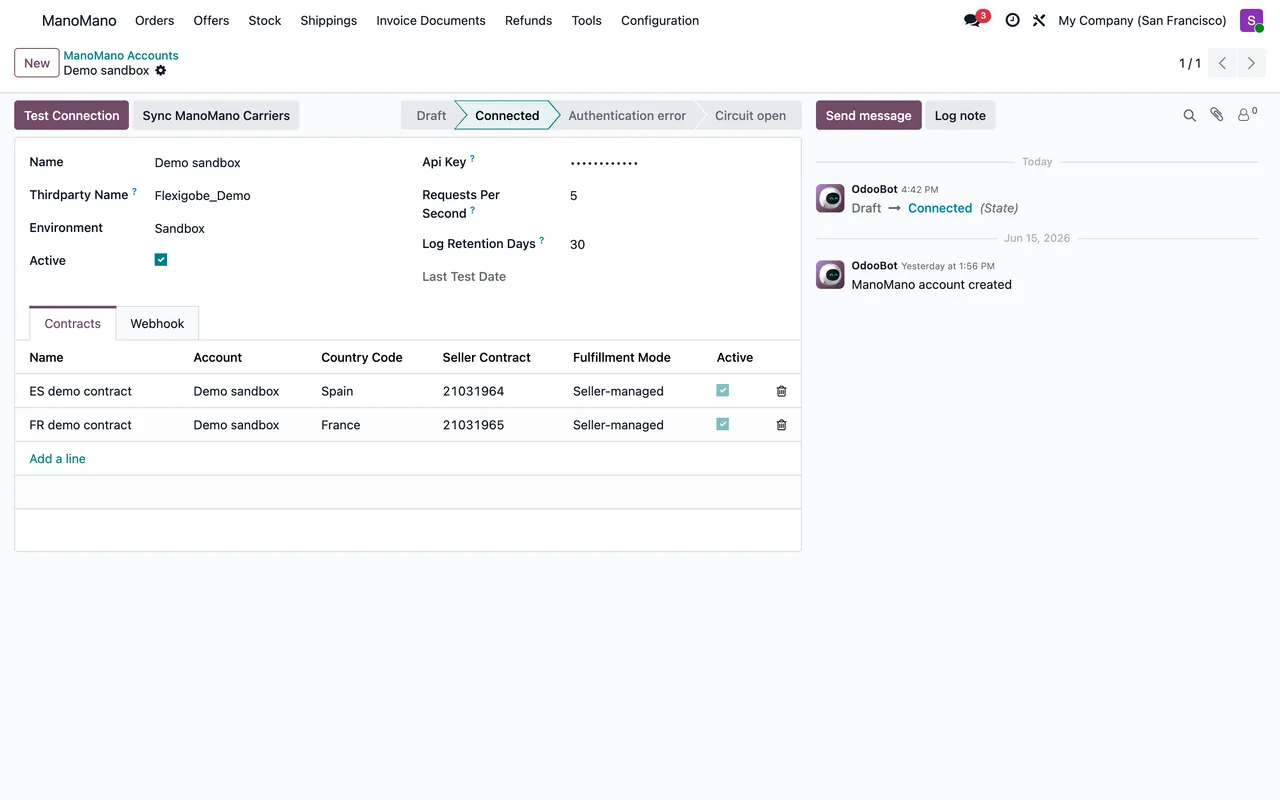
ManoMano API returned 404. Check that: … | Inactive key, wrong environment (Sandbox or Production) or sandbox outside its hours. | Check the key and the environment on the account and, if it is the sandbox, the hours. |
ManoMano authentication failed (…). Please verify the API key on account '…'. | ManoMano rejects the key. | Generate a new one in ManoMano and paste it into the Odoo account. |
x-thirdparty-name must follow 'Vendor_Version' format (e.g. Flexigobe_1.0). | The integration identifier does not follow the format ManoMano asks for. | Write it as Vendor_Version. |
ManoMano calls of account '…' are paused until … (UTC) after … failed calls in a row. | Many calls in a row failed and the connector pauses so it does not hammer the account. | Wait: they resume on their own. Or press Test Connection to try right away. |
The Seller Contract ID of ManoMano contract '…' is '…': ManoMano's contract IDs are numbers. | You pasted text in the contract instead of the number. | Copy the numeric contract identifier. |
The account shows its state: draft, connected, authentication error or circuit open. The last one is the automatic pause in the fourth row.
Publishing offers
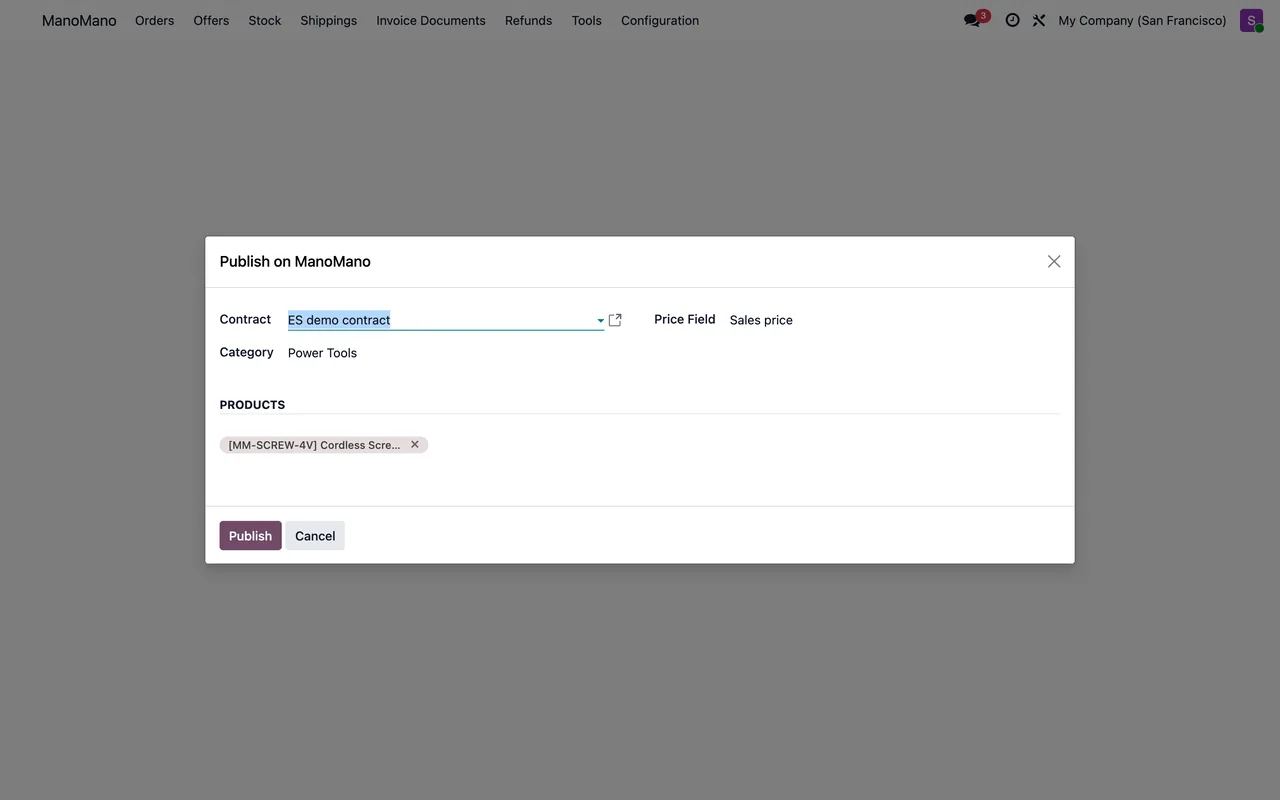
Select at least one product to publish.The wizard opened with no products selected.The following products have no Internal Reference (SKU) and cannot…ManoMano identifies each offer by its SKU. Fill in the internal reference in Odoo.Manual price must be greater than zero.andProduct '…' has a price of 0. ManoMano requires a positive price.An empty or zero price is not published. Check the pricelist or the wizard's manual price.
Shipping and refunds
Here the error is almost always one of order. ManoMano only accepts shipments for accepted orders, in preparation or already shipped. If you see ManoMano only allows creating shippings for accepted orders…, accept the order first. And Tracking number cannot be empty. asks for the tracking number before anything is sent.
Refunds work the same way: ManoMano only refunds orders it has accepted: in preparation, shipped or refunded in part. If you try to refund more units than were ordered, the message tells you how many the order has. And if you pick neither products nor shipping fees, it asks you to choose.
When an error goes away on its own
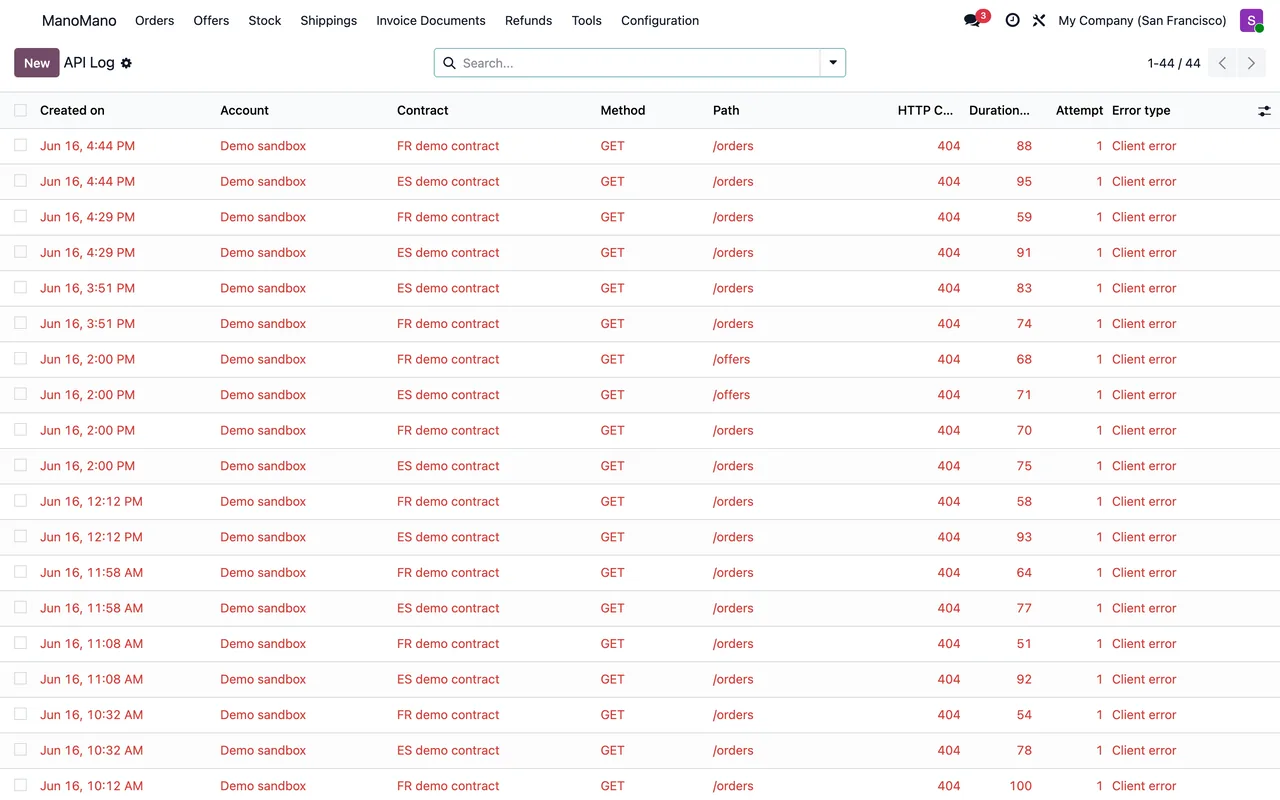
Failed operations are retried every 30 minutes. If an error disappears without you doing anything, it was temporary. If it comes back on every attempt, open Tools › API Log: the full request and ManoMano's answer are there.
If two ManoMano records point to different contracts or companies, Odoo blocks it with The order, picking or invoice of a ManoMano record must be of its own contract and company. Check that each contract belongs to the right company.
Keep reading
Checked in the connector's source code (version 20.0) and the linked sources
Sources
- Module source code: flexigobe_manomano_connector (093b2e34): models/manomano_account.py
- Module source code: flexigobe_manomano_connector 20.0 (093b2e34): models/manomano_account.py
- Module source code: flexigobe_manomano_connector 20.0 (093b2e34): models/manomano_api_client.py
- Module source code: flexigobe_manomano_connector 20.0 (093b2e34): models/manomano_contract.py
- Module source code: flexigobe_manomano_connector 20.0 (093b2e34): models/manomano_fgt_cloud.py
- Module source code: flexigobe_manomano_connector 20.0 (093b2e34): wizard/offer_publish_wizard.py
- Module source code: flexigobe_manomano_connector 20.0 (093b2e34): wizard/refund_create_wizard.py
- Module source code: flexigobe_manomano_connector 20.0 (093b2e34): wizard/shipping_create_wizard.py
- Module source code: flexigobe_manomano_connector 20.0 (093b2e34): models/manomano_binding_mixin.py
- Module source code: flexigobe_manomano_connector 20.0 (093b2e34): data/manomano_cron.xml
- Module source code: flexigobe_manomano_connector 20.0 (093b2e34): views/menu.xml
- apps.odoo.com/apps/modules/20.0/flexigobe_manomano_connector