

 Español
 Català
 Deutsch
 Français
 Português
 Italiano
 Nederlands
 Polski
The menu entries the module adds
Once the module is installed, a root menu called Italian VAT Compliance appears. It holds three blocks, each with its own submenus:
FatturaPA Documents, withTracked VAT InvoicesandVAT Invoice Lines.VAT Settlements, withLiquidazione IVA,LIPE Quarterly FilingandDichiarazione IVA Reconciliation.SdI Audit Trail, withImmutable Compliance Log.
On top of that, the module hangs three entries under the Invoicing › Reporting menu: Audit Log, Quarterly LIPE and Monthly VAT Settlements. There is also a VAT Invoices › VAT Invoices entry. The Odoo Apps listing presents the whole thing under the heading Italian e-invoices and VAT settlements in Odoo.
If you already use Odoo, the practical point is that you have two doors in: the module's own menu and the entries under Invoicing › Reporting. The table below puts them side by side.
Comparison: where to find each type of record
| Topic | Under Italian VAT Compliance | Under Invoicing › Reporting | Model with that name |
|---|---|---|---|
| VAT invoices | FatturaPA Documents › Tracked VAT Invoices | - | vat.invoice (VAT Invoice) |
| Invoice lines | FatturaPA Documents › VAT Invoice Lines | - | vat.invoice.item (VAT Invoice Item) |
| VAT settlement | VAT Settlements › Liquidazione IVA | Monthly VAT Settlements | italian.vat.liquidazione (VAT Settlement) |
| Quarterly LIPE | VAT Settlements › LIPE Quarterly Filing | Quarterly LIPE | italian.vat.lipe (Quarterly VAT Settlement) |
| Annual reconciliation | VAT Settlements › Dichiarazione IVA Reconciliation | - | italian.vat.annual_reconciliation (Annual VAT Reconciliation) |
| Audit | SdI Audit Trail › Immutable Compliance Log | Audit Log | italian.vat.audit_log (Italian VAT Audit Log) |
How to read the table
The table groups things by the name of each menu and each model. Three topics (settlement, LIPE and audit) have a name in both places, whereas invoices, lines and annual reconciliation appear in the module's own menu. The VAT Invoices › VAT Invoices entry stands apart, under its own name.
Which records the module keeps
The technical names help you find the data in views, filters or exports. The module works with these models:
vat.invoice, described asVAT Invoice.vat.invoice.item, described asVAT Invoice Item.italian.vat.liquidazione, described asVAT Settlement.italian.vat.lipe, described asQuarterly VAT Settlement.italian.vat.annual_reconciliation, described asAnnual VAT Reconciliation.italian.vat.audit_log, described asItalian VAT Audit Log.
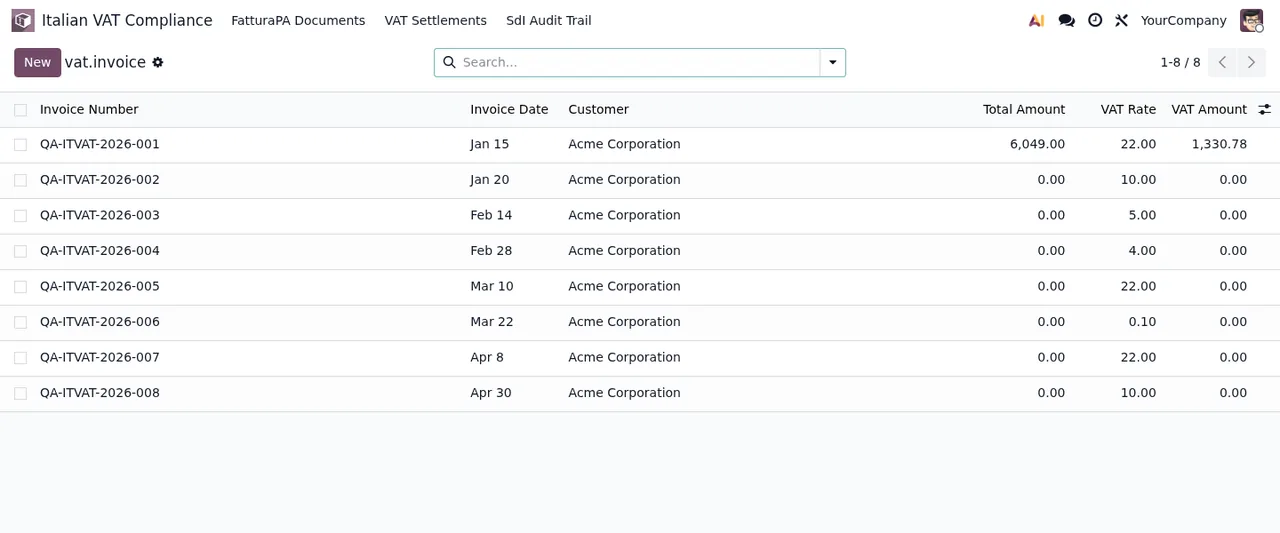
This is the VAT invoice list in a demo database:
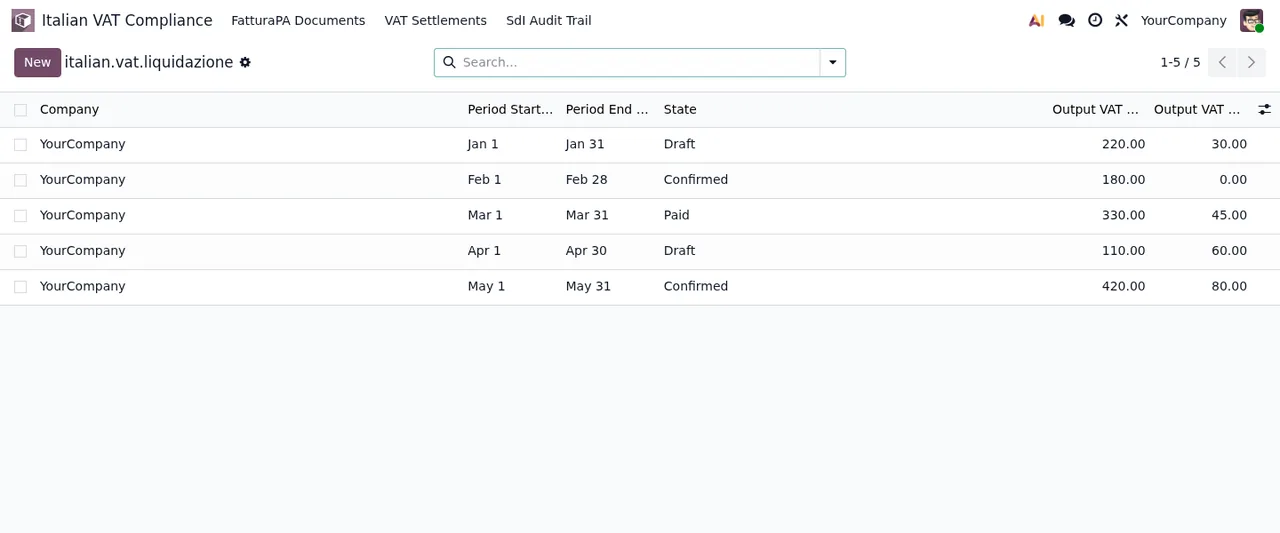
And this is the VAT settlement list, also with test data:
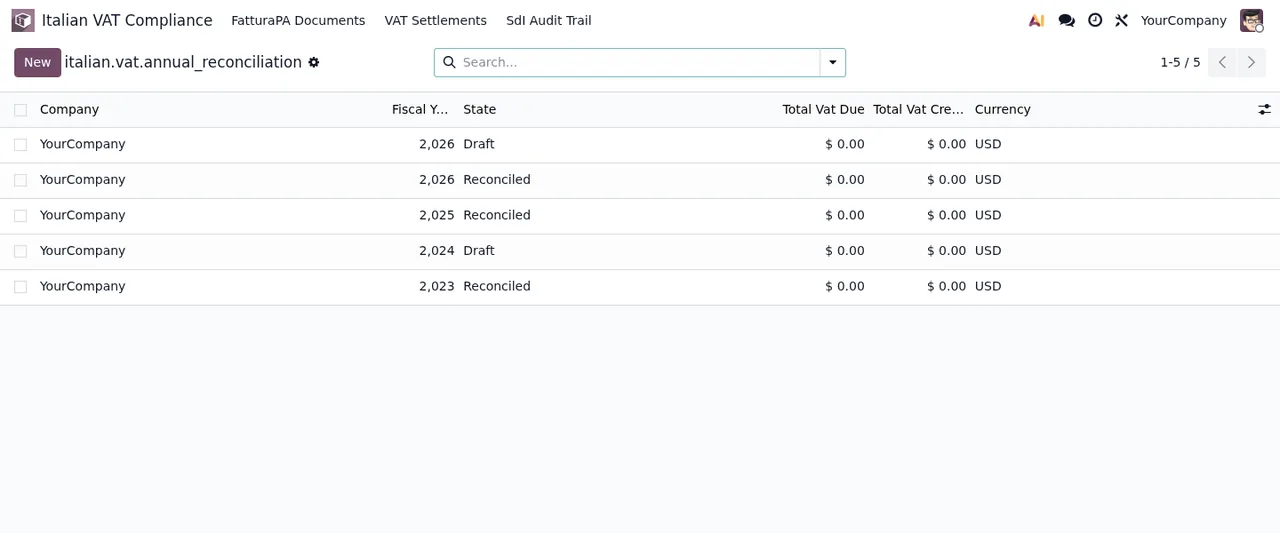
The annual reconciliation has its own list:
The scheduled action that runs every day
The module ships a single scheduled action: Italian VAT SDI Auto-Accept (15-day deadline). It runs every day and comes active.
If you want to see its effect, let it run in a copy of your database and then check the FatturaPA Documents lists and the Immutable Compliance Log. If a warning pops up along the way, the literal texts and what to do are in the module's error messages.
A walk through the lists with demo data
To get a feel for the order of the screens, this sequence goes through four of the module's lists in a demo database:
The last screen, the LIPE one, shows the Lipe Xml and Attachment columns empty in the demo. It is the list you reach from VAT Settlements › LIPE Quarterly Filing.
Versions, price and local service
The module is published on Odoo Apps for 17.0, 18.0, 19.0 and 20.0, at €9 per Odoo version as a one-off payment, excluding VAT, in all four. It works with a local FlexigoTech Cloud service, which costs €29/month or €290/year excluding VAT (Pro: €58/month or €580/year).
Without a subscription, or with the service suspended, whatever the subscription provides stops, and your data stays in your Odoo. If you buy the module on flexigotech.com, the subscription includes the module for new Odoo versions; on the Odoo App Store, each version is bought there. You can check the details on the Odoo Apps listing or on the module page.
How FlexigoTech can help
If you are implementing Odoo for a business that invoices in Italy, at FlexigoTech we implement Odoo 17, 18, 19 and 20 and build bespoke connectors and integrations. We can set the module up in a test database for you, go through which menus each person will use and adjust whatever your process needs beyond what the module provides.
Keep reading
Checked in the module's source code (version 20.0) and the linked sources
Sources
- Module source code: flexigo_italian_digital_vat_compliance 20.0 (348b3182): views/italian_vat_audit_log_views.xml
- Module source code: flexigo_italian_digital_vat_compliance 20.0 (348b3182): views/italian_vat_lipe_views.xml
- Module source code: flexigo_italian_digital_vat_compliance 20.0 (348b3182): views/italian_vat_liquidazione_views.xml
- Module source code: flexigo_italian_digital_vat_compliance 20.0 (348b3182): views/menus_gen.xml
- Module source code: flexigo_italian_digital_vat_compliance 20.0 (348b3182): views/vat_invoice_views.xml
- Module source code: flexigo_italian_digital_vat_compliance 20.0 (348b3182): data/cron_jobs.xml
- Module source code: flexigo_italian_digital_vat_compliance 20.0 (348b3182): static/description/index.html
- Module source code: flexigo_italian_digital_vat_compliance 20.0 (348b3182): models/italian_vat_annual_reconciliation.py
- Module source code: flexigo_italian_digital_vat_compliance 20.0 (348b3182): models/italian_vat_audit_log.py
- Module source code: flexigo_italian_digital_vat_compliance 20.0 (348b3182): models/italian_vat_lipe.py
- Module source code: flexigo_italian_digital_vat_compliance 20.0 (348b3182): models/italian_vat_liquidazione.py
- Module source code: flexigo_italian_digital_vat_compliance 20.0 (348b3182): models/vat_invoice.py
- apps.odoo.com/apps/modules/20.0/flexigo_italian_digital_vat_compliance
- apps.odoo.com/apps/modules/17.0/flexigo_italian_digital_vat_compliance
- apps.odoo.com/apps/modules/18.0/flexigo_italian_digital_vat_compliance
- apps.odoo.com/apps/modules/19.0/flexigo_italian_digital_vat_compliance
- flexigotech.com/en/services.html
- flexigotech.com/precios.html