

 Español
 Català
 Deutsch
 Français
 Português
 Italiano
 Nederlands
 Polski
What the listing says before you open the menus
The Shopify Connector listing on Odoo Apps (titled Shopify Connector for Odoo 20 for Odoo 20) has a What This Module Helps You Do section with these blocks:
Connect and authorise your Shopify store: connect and authorise your Shopify shop.Import Shopify orders into Odoo sales: bring Shopify orders into Odoo sales.Sync products and variants in both directions: sync products and variants both ways.Push and pull stock between Odoo and Shopify: send and fetch stock between Odoo and Shopify.Create fulfillments and push tracking: create fulfilments and send tracking.
The listing also carries this notice: Before you buy: this app uses a paid external service. The module needs a FlexigoTech Cloud subscription, and you will find what it costs at the end.
The menu tree under Sales › Shopify
The module adds the Sales › Shopify menu inside Sales, with three submenus: Sales › Shopify › Control Center, Sales › Shopify › Operations and Sales › Shopify › Technical.
Control Center: instances and carriers
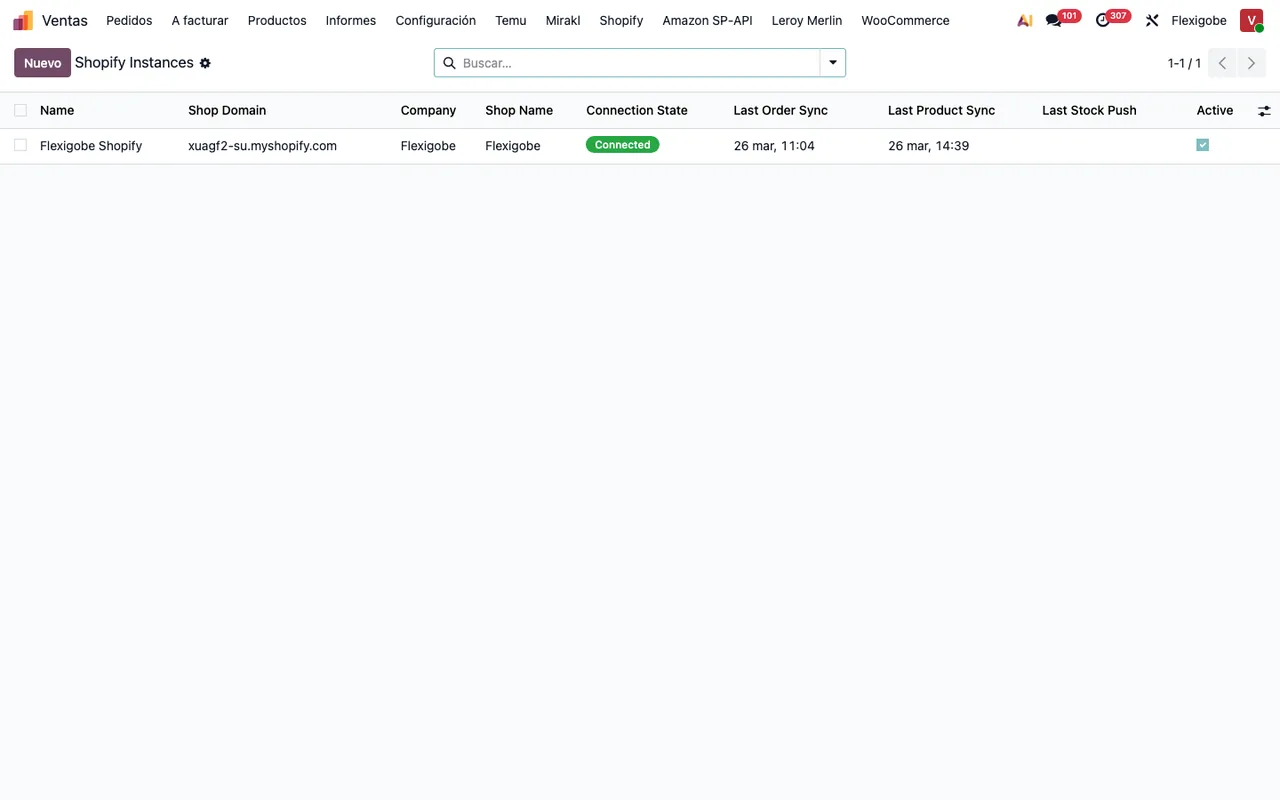
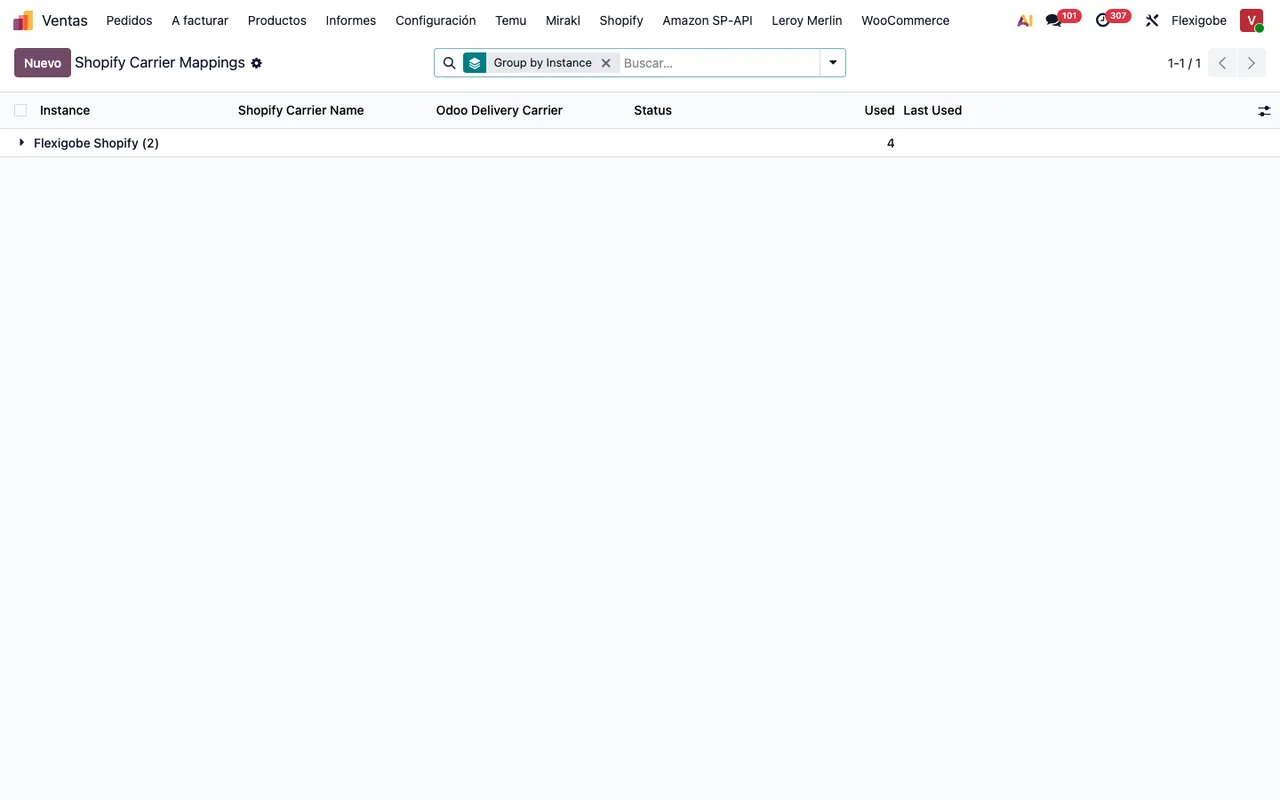
This is where you find Sales › Shopify › Control Center › Instances and Sales › Shopify › Control Center › Carrier Mappings.
Operations: orders, refunds and product bindings
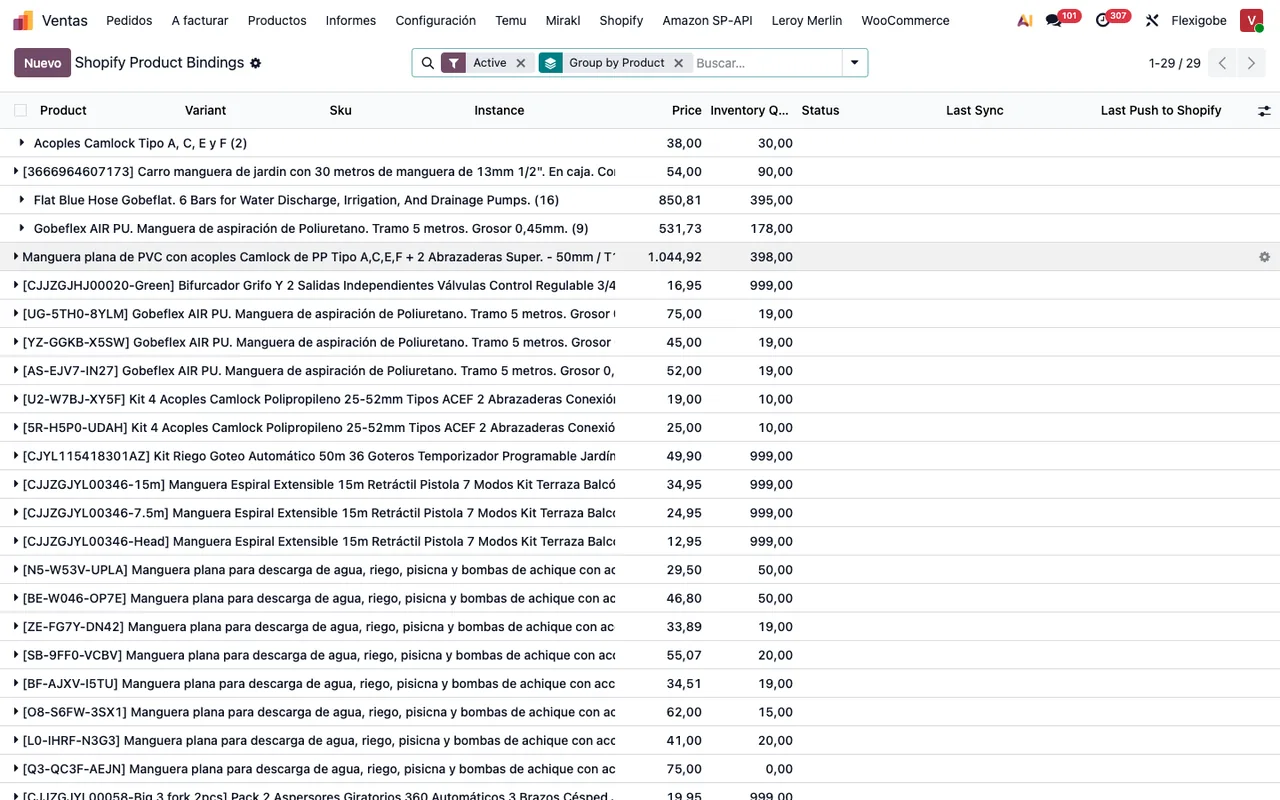
Under Sales › Shopify › Operations there are three entries: Sales › Shopify › Operations › Orders, Sales › Shopify › Operations › Refunds and Sales › Shopify › Operations › Product Bindings.
The records the module stores
Beneath those menus, the module defines its own models. These are the technical names with the description each one carries in the code:
shopify.instance:Shopify Connector Instance.shopify.order:Shopify Order.shopify.refund:Shopify Refund.shopify.product.binding:Shopify Product Binding.shopify.carrier.mapping:Shopify Carrier Mapping.shopify.location:Shopify Location.shopify.sync.log:Shopify Sync Log.shopify.instance.link:Standard record linked to a Shopify instance (who may link it, and only in its company).
Timeline of the scheduled actions
The module defines nine scheduled actions, each with its frequency and its status, active or inactive. From most to least frequent, with their names as written:
- Every minute
Shopify Process Webhooks, active.
- Every 5 minutes
Shopify Sync Orders, inactive.
- Every 20 minutes
Shopify Push Stock, inactive.
- Every 30 minutes
Shopify Retry Failed Webhooks, active.
- Every hour
Shopify Sync ProductsandShopify Notify Sync Errors, both inactive.
- Every 6 hours
Shopify Pull Stock (Shopify → Odoo), inactive.
- Every day
Shopify Cleanup Old Webhook Events, active.
- Every 7 days
Shopify Cleanup Old Sync Logs, active.
What is marked active in the module is the three actions with «Webhook» in their name and the sync log clean-up. The order, product, stock and error-notification actions are marked inactive. If you expect any of them to run in your database, check their status in your Odoo scheduled actions.
Orders, products and stock: what the listing says and which action goes with each
Orders. The listing says the module imports Shopify orders into Odoo sales and creates fulfilments and sends tracking. Orders have their menu at Sales › Shopify › Operations › Orders and refunds at Sales › Shopify › Operations › Refunds. The Shopify Sync Orders action runs every 5 minutes and is marked inactive.
Products. The listing talks about syncing products and variants in both directions. The bindings sit at Sales › Shopify › Operations › Product Bindings. The Shopify Sync Products action runs every hour and is marked inactive.
Stock. The listing describes pushing and pulling stock between Odoo and Shopify. There are two actions on different schedules: Shopify Push Stock, every 20 minutes, and Shopify Pull Stock (Shopify → Odoo), every 6 hours. Both are marked inactive.
Logs and notifications. The shopify.sync.log model carries the description Shopify Sync Log. Shopify Notify Sync Errors runs every hour and is marked inactive; Shopify Cleanup Old Sync Logs runs every 7 days and is marked active.
Where to look when something does not add up
The Instances list shows each shop's status and its latest order and product syncs. Carrier Mappings has the Status, Used and Last Used columns, and Product Bindings shows the status of each binding. You also have the status of the scheduled actions in the timeline above. On top of that, the connection goes through FlexigoTech Cloud, which stores the credentials encrypted, monitors the sync and emails you if it fails. The wording of the warnings is collected in Shopify Connector error messages and warnings, and if you are in the middle of setting it up, the guide to settings, fields and the first week covers what needs filling in.
Versions and what it really costs
Shopify Connector is published on Odoo Apps for Odoo 17, 18, 19 and 20, at €9 per Odoo version, one-off payment excluding VAT, according to each version's listing; however, in all four the manifest reads Needs FlexigoTech Cloud subscription (from 49 EUR/month, VAT excl.), and that subscription is the Connector plan: €49/month or €490/year excluding VAT (Pro: €98/month or €980/year), with up to 3 platform accounts (Pro: 10). Without a subscription, or with the service suspended, whatever the subscription provides stops and your data stays in your Odoo.
On the Odoo App Store, each Odoo version is bought separately.
How FlexigoTech can help
At FlexigoTech we implement Odoo 17, 18, 19 and 20 and build bespoke connectors and integrations. If you would like us to check how the connector fits your database, which scheduled actions you should have running, or you need your own integration around your shop, tell us about your case.
Keep reading
Checked in the connector's source code (version 20.0) and the linked sources
Sources
- Module source code: flexigobe_shopify_connector 20.0 (04fa0489): views/menu_views.xml
- Module source code: flexigobe_shopify_connector 20.0 (04fa0489): data/ir_cron_data.xml
- Module source code: flexigobe_shopify_connector 20.0 (04fa0489): static/description/index.html
- Module source code: flexigobe_shopify_connector 20.0 (04fa0489): models/company_rules.py
- Module source code: flexigobe_shopify_connector 20.0 (04fa0489): models/shopify_carrier_mapping.py
- Module source code: flexigobe_shopify_connector 20.0 (04fa0489): models/shopify_instance.py
- Module source code: flexigobe_shopify_connector 20.0 (04fa0489): models/shopify_location.py
- Module source code: flexigobe_shopify_connector 20.0 (04fa0489): models/shopify_order.py
- Module source code: flexigobe_shopify_connector 20.0 (04fa0489): models/shopify_product_binding.py
- Module source code: flexigobe_shopify_connector 20.0 (04fa0489): models/shopify_refund.py
- Module source code: flexigobe_shopify_connector 20.0 (04fa0489): models/shopify_sync_log.py
- apps.odoo.com/apps/modules/20.0/flexigobe_shopify_connector
- apps.odoo.com/apps/modules/17.0/flexigobe_shopify_connector
- apps.odoo.com/apps/modules/18.0/flexigobe_shopify_connector
- apps.odoo.com/apps/modules/19.0/flexigobe_shopify_connector
- flexigotech.com/precios.html
- flexigotech.com/en/services.html