

 Español
 Català
 Deutsch
 Français
 Português
 Italiano
 Nederlands
 Polski
Where the module shows up in Odoo
Which menus does Manufacturing AI Work-Instruction Copilot add?
One top-level entry, AI Work Instructions, with four sections underneath: AI Work Instructions › My Work Instructions, AI Work Instructions › All Instructions, AI Work Instructions › Configuration and AI Work Instructions › Reporting. Instructions get two entries of their own, one with My and one with All in the name, while configuration and reports sit separately, each in its own section.
What is inside Configuration?
Five entries: AI Work Instructions › Configuration › AI Providers, AI Work Instructions › Configuration › Provider Setup, AI Work Instructions › Configuration › Prompt Templates, AI Work Instructions › Configuration › Response Cache and AI Work Instructions › Configuration › Settings. Going by their names, they cover AI providers (AI Providers and Provider Setup), prompt templates, the response cache and the module settings.
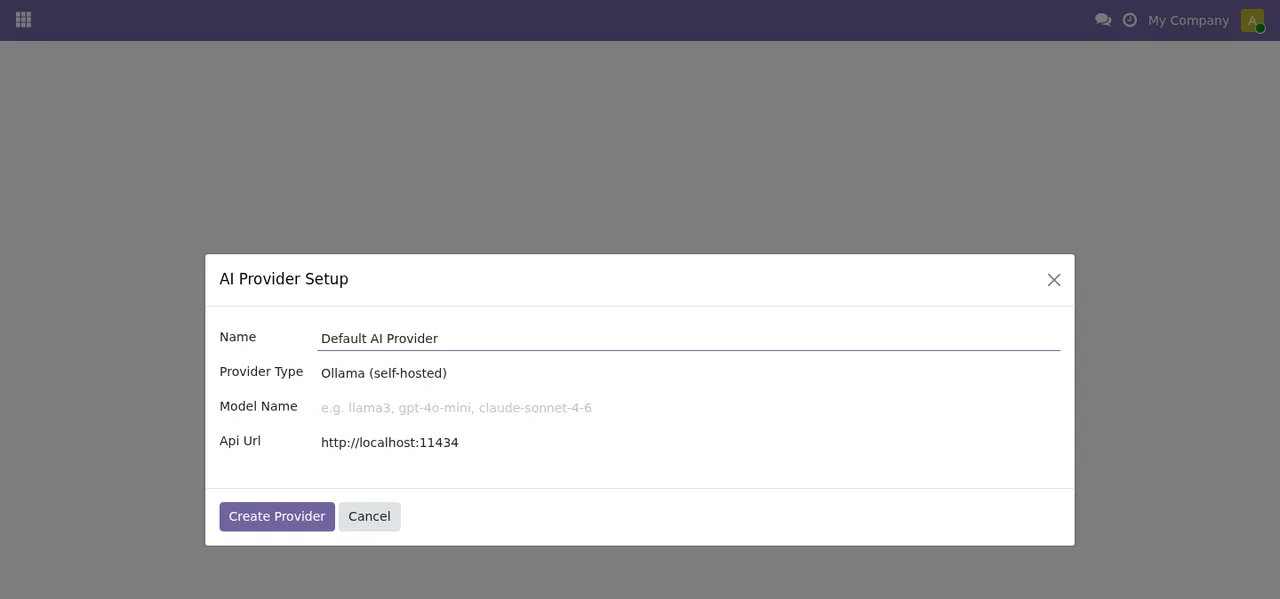
AI Provider Setup dialog: Provider Type set to Ollama (self-hosted), Model Name empty with sample text and Api Url pointing to localhost.The dialog in the screenshot asks for a name, the provider type, the model name and the API URL, and closes with Create Provider or Cancel.
The template list holds six templates by sector, each with its label, whether it is the default, its version and whether it is active.
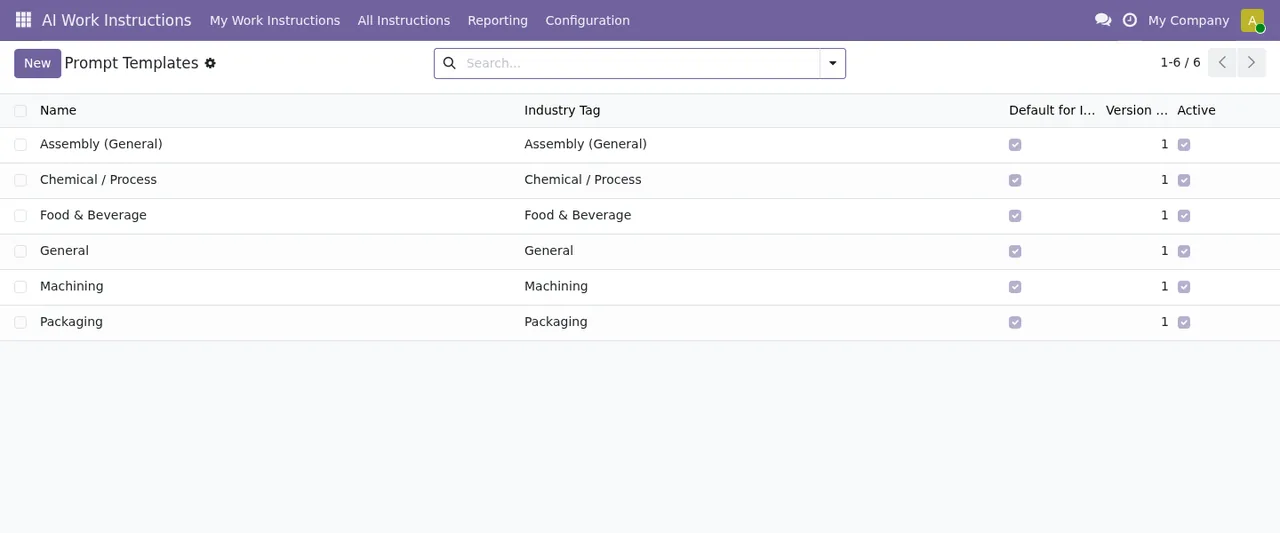
Prompt Templates with the Assembly, Chemical, Food & Beverage, General, Machining and Packaging templates.The module settings are split into two sections, Generation & Caching and Data & Privacy. The screenshot shows the cache TTL, batch size, content filter, retention and attachments.
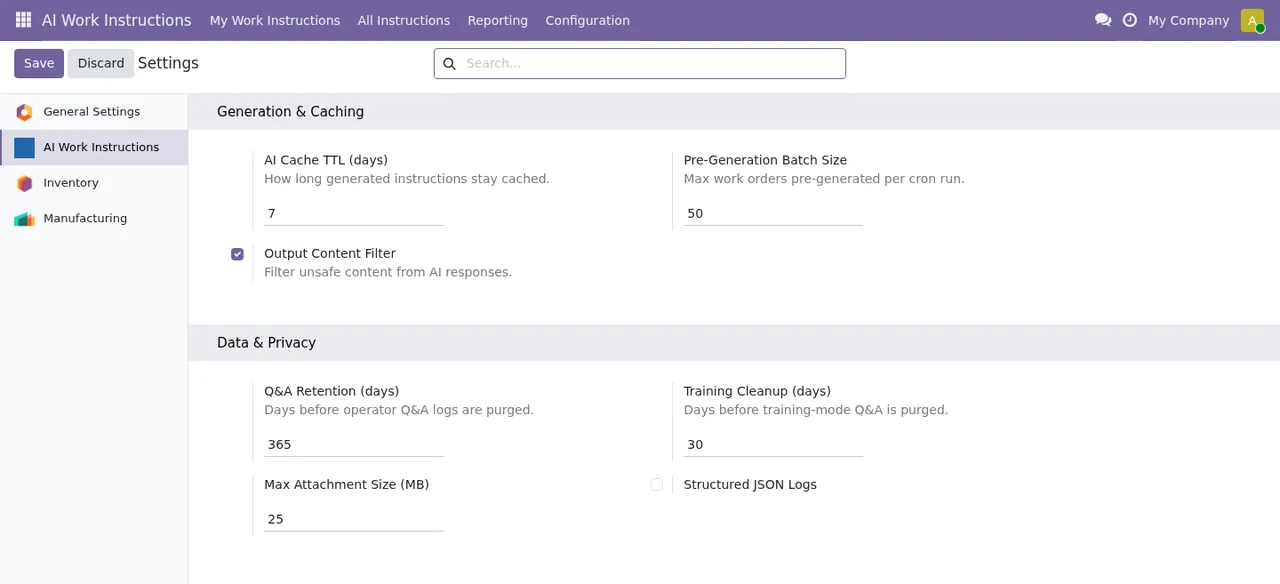
AI Work Instructions settings: cache TTL, batch size, content filter, retention and attachments.What will I find in Reporting?
Two entries: AI Work Instructions › Reporting › AI Cost (Estimated) and AI Work Instructions › Reporting › GDPR Tools. The first carries Estimated in the menu name itself; the second, GDPR Tools, sits in the same reporting section.
AI Provider Setup dialog to the settings, the Prompt Templates list and the AI Providers list with two records, OpenAI and Ollama Local, and monthly and total cost at zero.At the end of the animated walkthrough you see the AI Providers list with two providers set up, both with the Ollama (self-hosted) type, and the monthly cost and total cost columns still at zero.
What runs in the background
Which scheduled actions does the module install?
Four, and all four are listed as active:
AI: Evict expired cache, once a day.AI: Warm cache (high volume), every 7 days.AI: Reset monthly cost, once a day.AI: Detect work-order dependencies, every 30 minutes.
All four carry the AI: prefix in their name.
Which one runs most often?
AI: Detect work-order dependencies, every 30 minutes, compared with the daily or weekly frequency of the other three. Among the module's models there is also mrp.workorder.dependency, described as Work Order Dependency.
Which actions deal with the cache and with cost?
Two have the cache in their name: AI: Evict expired cache (daily) and AI: Warm cache (high volume) (every 7 days). In configuration you have the Response Cache menu and, among the models, mrp.ai.cache (Manufacturing AI Response Cache). The third, AI: Reset monthly cost, mentions monthly cost in its name, yet its frequency is daily: that is what the action shows. The AI Providers list in the animated walkthrough shows the monthly and total cost columns.
Which records the module keeps and what its listing announces
Which models does the module create?
These are the ones that matter for understanding how it works:
mrp.workorder.instruction:Work Order AI Instruction.mrp.workorder.checkpoint:Work Order Quality Checkpoint.mrp.workorder.dependency:Work Order Dependency.mrp.workcenter.safety:Work Center Safety Notice.mrp.workinstruction.template:Work Instruction Prompt Template.mrp.ai.provider:Manufacturing AI Provider.mrp.ai.cache:Manufacturing AI Response Cache.
For a step-by-step rollout, see the module's setup guide.
Which features does the Odoo Apps listing announce?
Under its Key features section, the listing presents three: Dynamic Instruction Generation, Interactive Q&A Copilot and Safety & Quality Checkpoints. It also includes sections such as The problem buyers face today, Who it is for, Compatibility and Frequently asked questions.
Which Odoo versions is it available for, and what does it cost?
It is published on Odoo Apps for 17.0, 18.0 and 19.0. According to each version's listing, it costs €49 excluding VAT, as a one-off payment per Odoo version, on 17, 18 and 19.
How FlexigoTech can help
At FlexigoTech we implement Odoo 17, 18, 19 and 20 and build bespoke connectors and integrations, so we can support you in bringing the module into your manufacturing rollout. Purchase and details are on the module page, and if a warning pops up while you test it, have a look at the module's error messages.
Keep reading
Checked in the module's source code (version 19.0) and the linked sources
Sources
- Module source code: flexigo_manufacturing_ai_work_instruction_copilot 19.0 (40c663bd): views/menus.xml
- Module source code: flexigo_manufacturing_ai_work_instruction_copilot 19.0 (40c663bd): data/ir_cron.xml
- Module source code: flexigo_manufacturing_ai_work_instruction_copilot 19.0 (40c663bd): static/description/index.html
- Module source code: flexigo_manufacturing_ai_work_instruction_copilot 19.0 (40c663bd): models/mrp_ai_cache.py
- Module source code: flexigo_manufacturing_ai_work_instruction_copilot 19.0 (40c663bd): models/mrp_ai_provider.py
- Module source code: flexigo_manufacturing_ai_work_instruction_copilot 19.0 (40c663bd): models/mrp_workcenter_safety.py
- Module source code: flexigo_manufacturing_ai_work_instruction_copilot 19.0 (40c663bd): models/mrp_workinstruction_template.py
- Module source code: flexigo_manufacturing_ai_work_instruction_copilot 19.0 (40c663bd): models/mrp_workorder_checkpoint.py
- Module source code: flexigo_manufacturing_ai_work_instruction_copilot 19.0 (40c663bd): models/mrp_workorder_dependency.py
- Module source code: flexigo_manufacturing_ai_work_instruction_copilot 19.0 (40c663bd): models/mrp_workorder_instruction.py
- apps.odoo.com/apps/modules/19.0/flexigo_manufacturing_ai_work_instruction_copilot
- apps.odoo.com/apps/modules/17.0/flexigo_manufacturing_ai_work_instruction_copilot
- apps.odoo.com/apps/modules/18.0/flexigo_manufacturing_ai_work_instruction_copilot
- flexigotech.com/en/services.html