

 Español
 Català
 Deutsch
 Français
 Português
 Italiano
 Nederlands
 Polski
Today's problem: a refund that depends on settlement
By default, GoCardless does not let you refund a Direct Debit collection until 7 days after its charge date, so that you do not pay back money that later fails; GoCardless removes that wait if you ask. The Odoo 20 connector stops a refund earlier: if the collection is less than 2 days old, the module stops the refund and shows a message with the days the collection has been charged and the days required. Between day 2 and day 7, the connector lets the request through, but GoCardless rejects it unless your account has that wait removed.
There are further limits. GoCardless does not collect amounts below a minimum, and the connector collects in euros by SEPA Direct Debit only: no other currency, no other scheme and no Pay by Bank.
If you do not use Odoo yet, the idea is this: the connector extends Odoo's standard payment transactions, so each GoCardless collection becomes one more payment transaction, and the refund and amount checks happen inside Odoo. The connector works with the FlexigoTech Cloud subscription.
Comparison: what the connector does in each case
| Case | What the connector does in Odoo 20 | What you see |
|---|---|---|
| Refund of a collection less than 2 days old | Stops the refund | GoCardless cannot refund a collection until it has settled. This one was charged … day(s) ago; refunds are possible after … days. |
| Refund of a collection 2 days old or more | This check does not stop it; until day 7, GoCardless rejects it unless your account has that wait removed | That message does not appear |
| Collection of an amount below the minimum | Stops the collection | GoCardless does not collect amounts below …. This one is …. |
| Collection in euros by SEPA Direct Debit | This is what the connector collects | The collection, as an Odoo payment transaction |
| Collection in another currency, under another scheme or with Pay by Bank | Outside what the connector collects, which is euros by SEPA Direct Debit only | That collection is not one for this connector |
The table boils down to this: two barriers with a message (a refund too early and an amount too low) and a fixed perimeter (euros and SEPA Direct Debit). Whatever falls outside the perimeter is not collected by this connector.
How each case works
A refund too early
The message appears when a refund is requested for a collection and fewer than 2 days have passed. The module counts those days from the last state change of the source transaction or, if there is none, from its creation date, not from the charge date that GoCardless counts from.
The full text is GoCardless cannot refund a collection until it has settled. This one was charged … day(s) ago; refunds are possible after … days. Where the dots are, Odoo puts two values: the days the collection has been charged and the days after which a refund is possible. The connector stops the refund and shows that message; there is nothing to interpret, because the text itself says how many days the collection has been charged and how many are required.
Once the collection reaches 2 days, this check no longer stops the refund, but that does not mean GoCardless accepts it: until 7 days after the charge date it rejects the refund, unless your account has that wait removed. And if it does, refunding before day 7 is risky: if the collection fails afterwards, you will have paid back money you never collected. That is why the module leaves a warning in the server log when it refunds a collection less than 7 days old. The safest option is to wait until day 7.
An amount that is too low
The second message appears when the amount of the transaction is below the minimum the connector sets. Its text is GoCardless does not collect amounts below …. This one is ….: first the minimum, then the amount of that collection. If the amount does not reach the minimum, the connector stops the collection.
Currency and scheme
The connector collects in euros by SEPA Direct Debit. Another currency, another scheme and Pay by Bank are outside it. If your business needs to collect another way, this connector does not cover that part, and it is a case for looking at bespoke development.
GoCardless collections inside Odoo
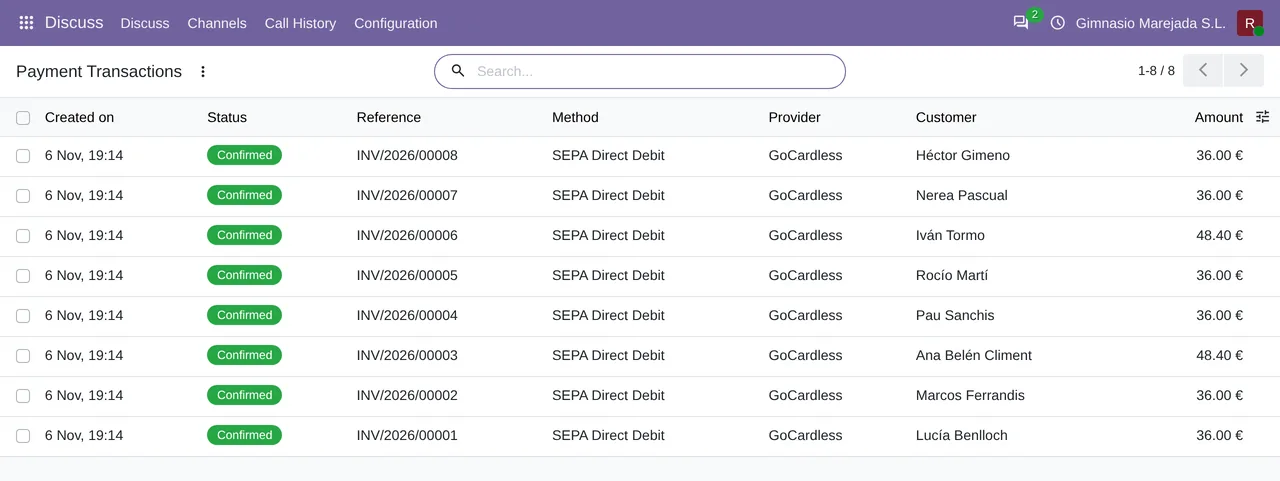
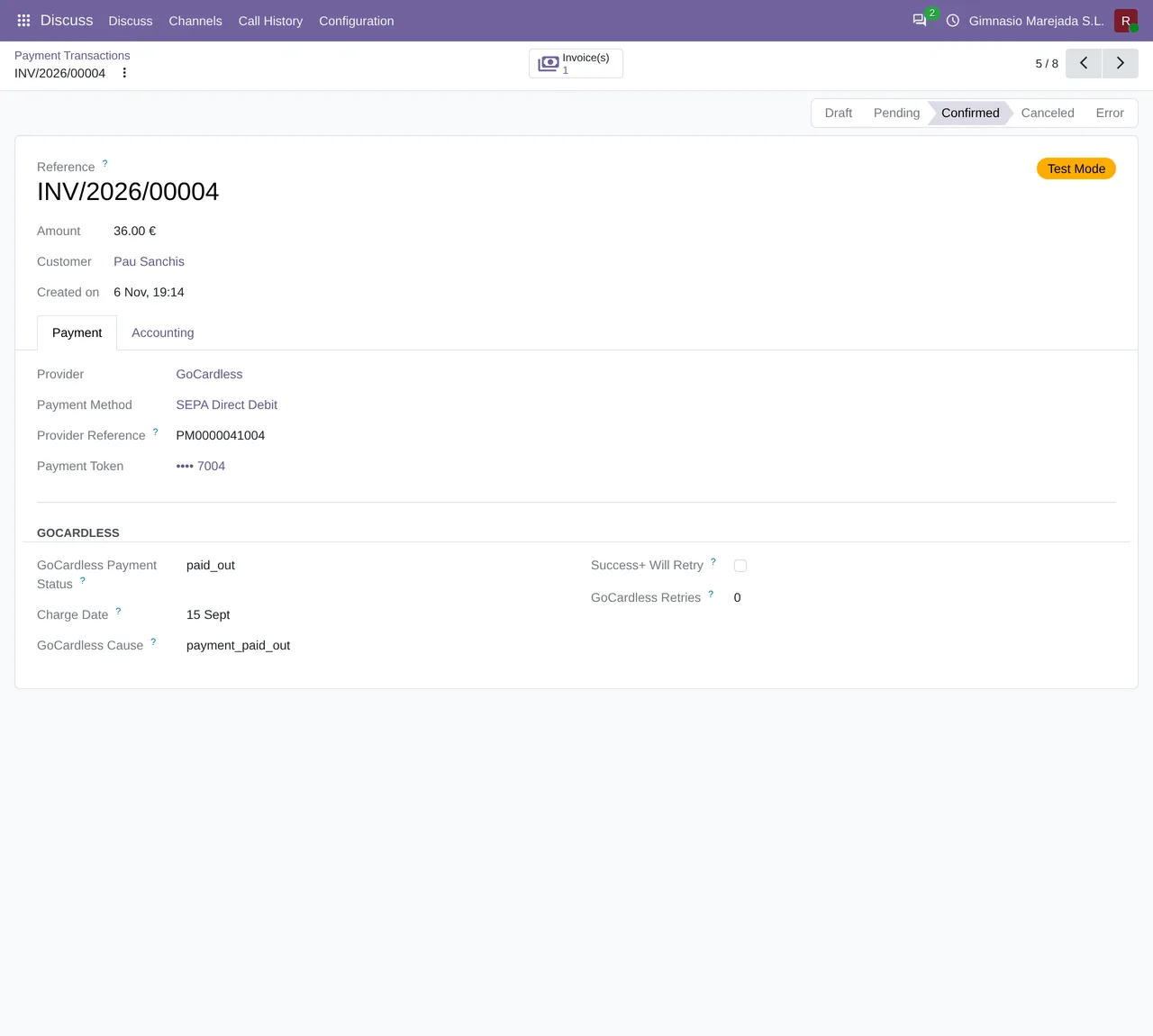
The connector's listing has a section titled Follow every collection. In Odoo, each GoCardless collection is a payment transaction, and you see them in a list and in a form of their own.
What to check before you start
- Do you collect in euros? The connector does not collect in another currency.
- Do you collect by SEPA Direct Debit? It is the only scheme the connector collects: Pay by Bank is outside it.
- Are there collections for small amounts? Below the minimum, the connector stops the collection and shows the message with the amount of that collection.
- Do you need to refund recent collections? Before day 2, the connector stops the refund and tells you how many days it has been; until day 7, GoCardless rejects it unless your account has that wait removed.
What you get with the connector
- A message with the days the collection has been charged and the days required before it can be refunded.
- A minimum amount checked on the collection, with the amount of that collection in the message itself.
- The currency and scheme limits set in advance: euros and SEPA Direct Debit.
- Each collection as an Odoo payment transaction, with its list and its form.
You can find the connector on its Odoo Apps listing and on the module page at flexigotech.com; it works with the FlexigoTech Cloud subscription.
How FlexigoTech helps
If you do not use Odoo yet and want your GoCardless collections there, FlexigoTech implements Odoo 17, 18, 19 and 20 and builds bespoke connectors and integrations. We can set up Odoo with you, get the GoCardless connector running and, if your case goes beyond euros and SEPA Direct Debit, look at which bespoke development covers it.
If you have a specific case, tell us what you collect and in what amounts, and we will see whether it fits the limits you have just read.
Keep reading
Checked in the connector's source code (version 17.0, 18.0, 19.0 and 20.0) and the linked sources
Sources
- Module source code: flexigo_payment_gocardless 20.0 (6fe1a716): models/payment_transaction.py
- Module source code: flexigo_payment_gocardless 20.0 (6fe1a716): static/description/index.html
- flexigotech.com/en/services.html
- docs.gocardless.com/docs/api-reference/refund
- Module source code: flexigo_payment_gocardless: const.py, line 106 in 17.0 (e0af273), 18.0 (9085180), 19.0 (4b06513) and 20.0 (94b33cf)
- Module source code: flexigo_payment_gocardless: models/payment_transaction.py, line 371 in 17.0 (e0af273), line 371 in 18.0 (9085180), line 370 in 19.0 (4b06513) and line 385 in 20.0 (94b33cf)