

 Español
 Català
 Deutsch
 Français
 Português
 Italiano
 Nederlands
 Polski
What GoCardless says
| Reason | Type | GoCardless text |
|---|---|---|
mandate_not_inactive | invalid_state | “Mandate could not be reinstated” and “it is already active or being submitted.” |
GoCardless separates the two parts of the text with a dash. The API reference details it: “This will fail with a mandate_not_inactive error if the mandate is already being submitted, or is active.”. It is an invalid_state error, and for those GoCardless asks you to inform the user and not retry (“invalid_state → inform the end user, do not allow retry.”).
Which mandates can be reinstated
Reinstatement has more conditions than the status:
- It is a restricted function: “Restricted this endpoint requires approved custom payment pages”.
- It only applies to a mandate cancelled from the Dashboard or the API: “A mandate can only be reinstated if it has been cancelled through the dashboard or the API.”. One cancelled by the bank cannot: “Any mandate that has been cancelled by the bank cannot be reinstated.”.
- It works for cancelled or expired mandates (“Reinstates a cancelled or expired mandate to the banks.”), and a mandate can be resubmitted up to 10 times (“Mandates can be resubmitted up to 10 times.”).
After requesting it, the process is that of a new setup: resubmission_requested arrives and then, as GoCardless puts it, “so you will receive a submitted webhook, followed by a reinstated or failed webhook up to two working days later.”.
What Odoo does with the connector
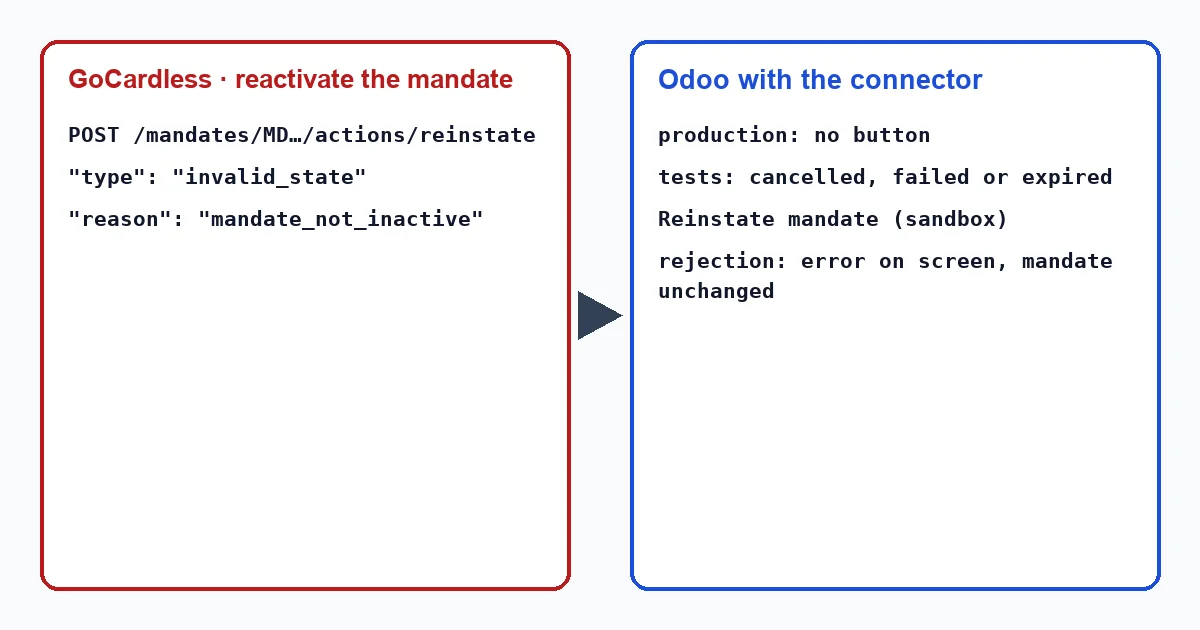
On the customer's payment method form, the connector shows the button “Reinstate mandate (sandbox)”. It only appears if the mandate is from GoCardless, the provider is not in production (in Odoo 17, 18 and 19, the provider state; in Odoo 20, the production checkbox) and “Mandate Status” is cancelled, failed or expired.
When you press it:
- The connector asks GoCardless to reinstate that mandate.
- If GoCardless accepts it, the state changes to
reinstate_requestedand the customer form shows “Reinstatement of the GoCardless mandate requested. It stays unusable until the bank confirms it.”. The payment method stays archived. - When
reinstatedarrives, the connector marks it as valid again: it reactivates it and writes “The GoCardless mandate is usable again (reinstated).”.
If GoCardless replies mandate_not_inactive, the connector does not catch it: Odoo shows “GoCardless rejected the request.” with the GoCardless message, the reason and the request_id, and the mandate stays as it was. This happens when Odoo thinks the mandate is dead but in GoCardless it is already active or being submitted, because its events have not yet reached Odoo. After an accepted request, the button no longer appears, because the state changes to reinstate_requested.
The note that the mandate is usable again is written by the connector when applying the event, with no one present. The connector writes these texts in English, so in an English-language Odoo they appear exactly as quoted here, whether a user or a scheduled action triggers them: “The GoCardless mandate is usable again (reinstated).”.
What to do
- If
mandate_not_inactiveappears, look up the mandate in the GoCardless Dashboard. If it is active or being submitted, there is nothing to reinstate: wait for its events to arrive. The scheduled task that recovers lost events every hour brings them in. - If the bank cancelled the mandate, do not try: GoCardless does not reinstate those. Ask the customer for a new mandate.
- In production, the connector does not offer reinstatement: the path is a new mandate signed by the customer.
- To test it, use the GoCardless sandbox with the provider in test mode.
Why does the button only appear outside production?
Because GoCardless restricts reinstatement to those with approved custom payment pages, and the connector only offers it outside production.
How long until the mandate is valid again?
As long as the banks take: according to GoCardless, after resubmission_requested comes submitted and, up to two working days later, reinstated or failed depending on the banks' response. Until then, the connector does not use it.
With our connector
In Odoo 17, 18, 19 and 20 the connector only offers to reinstate a cancelled, failed or expired mandate, and only outside production, and it does not use it again until GoCardless confirms the reinstatement with its event.
Keep reading
Checked in the connector's source code (version 17.0, 18.0, 19.0 and 20.0) and the linked sources
Sources
- docs.gocardless.com/docs/api-reference/responses-and-errors
- docs.gocardless.com/docs/api-reference/mandate
- docs.gocardless.com/docs/api-reference/events/mandate
- Module source code: flexigo_payment_gocardless: const.py, line 134 in 17.0 (d203ee6), 18.0 (e2ab18b), 19.0 (ce7f5a3) and 20.0 (688d86b)
- Module source code: flexigo_payment_gocardless: views/payment_token_views.xml, line 23 in 17.0 (d203ee6), 18.0 (e2ab18b), 19.0 (ce7f5a3) and 20.0 (688d86b)
- Module source code: flexigo_payment_gocardless: views/payment_token_views.xml, line 22 in 17.0 (d203ee6), 18.0 (e2ab18b), 19.0 (ce7f5a3) and 20.0 (688d86b)
- Module source code: flexigo_payment_gocardless: i18n/flexigo_payment_gocardless.pot, line 998 in 17.0 (d203ee6), line 998 in 18.0 (e2ab18b), line 998 in 19.0 (ce7f5a3) and line 1013 in 20.0 (688d86b)
- Module source code: flexigo_payment_gocardless: models/payment_token.py, line 176 in 17.0 (d203ee6), line 176 in 18.0 (e2ab18b), line 176 in 19.0 (ce7f5a3) and line 175 in 20.0 (688d86b)
- Module source code: flexigo_payment_gocardless: models/payment_token.py, line 173 in 17.0 (d203ee6), line 173 in 18.0 (e2ab18b), line 173 in 19.0 (ce7f5a3) and line 172 in 20.0 (688d86b)
- Module source code: flexigo_payment_gocardless: i18n/flexigo_payment_gocardless.pot, line 1004 in 17.0 (d203ee6), line 1004 in 18.0 (e2ab18b), line 1004 in 19.0 (ce7f5a3) and line 1019 in 20.0 (688d86b)
- Module source code: flexigo_payment_gocardless: models/payment_token.py, line 170 in 17.0 (d203ee6), line 170 in 18.0 (e2ab18b), line 170 in 19.0 (ce7f5a3) and line 169 in 20.0 (688d86b)
- Module source code: flexigo_payment_gocardless: models/payment_provider.py, line 397 in 17.0 (d203ee6), 18.0 (e2ab18b), 19.0 (ce7f5a3) and 20.0 (688d86b)
- Module source code: flexigo_payment_gocardless: models/payment_provider.py, line 462 in 17.0 (d203ee6), 18.0 (e2ab18b), 19.0 (ce7f5a3) and 20.0 (688d86b)
- Module source code: flexigo_payment_gocardless: i18n/flexigo_payment_gocardless.pot, line 521 in 17.0 (d203ee6), line 521 in 18.0 (e2ab18b), line 521 in 19.0 (ce7f5a3) and line 523 in 20.0 (688d86b)
- Module source code: flexigo_payment_gocardless: const.py, line 158 in 17.0 (d203ee6), 18.0 (e2ab18b), 19.0 (ce7f5a3) and 20.0 (688d86b)
- Module source code: flexigo_payment_gocardless: models/payment_token.py, line 77 in 17.0 (d203ee6), line 77 in 18.0 (e2ab18b), line 77 in 19.0 (ce7f5a3) and line 76 in 20.0 (688d86b)
- Module source code: flexigo_payment_gocardless: i18n/flexigo_payment_gocardless.pot, line 1157 in 17.0 (d203ee6), line 1157 in 18.0 (e2ab18b), line 1157 in 19.0 (ce7f5a3) and line 1164 in 20.0 (688d86b)
- Module source code: flexigo_payment_gocardless: views/payment_token_views.xml, line 15 in 17.0 (d203ee6), 18.0 (e2ab18b), 19.0 (ce7f5a3) and 20.0 (688d86b)
- Module source code: flexigo_payment_gocardless: i18n/flexigo_payment_gocardless.pot, line 785 in 17.0 (d203ee6), line 785 in 18.0 (e2ab18b), line 785 in 19.0 (ce7f5a3) and line 800 in 20.0 (688d86b)
- Module source code: flexigo_payment_gocardless: const.py, line 117 in 17.0 (d203ee6), 18.0 (e2ab18b), 19.0 (ce7f5a3) and 20.0 (688d86b)
- github.com/odoo/odoo/blob/20.0/addons/account_payment/views/account_move_views.xml
- github.com/odoo/odoo/blob/17.0/odoo/http.py
- Module source code: flexigo_payment_gocardless: __manifest__.py, line 31 in 17.0 (d203ee6), 18.0 (e2ab18b), 19.0 (ce7f5a3) and 20.0 (688d86b)