

 Español
 Català
 Deutsch
 Français
 Português
 Italiano
 Nederlands
 Polski
Three events and four rows, the same code
| Event | Cause | GoCardless text |
|---|---|---|
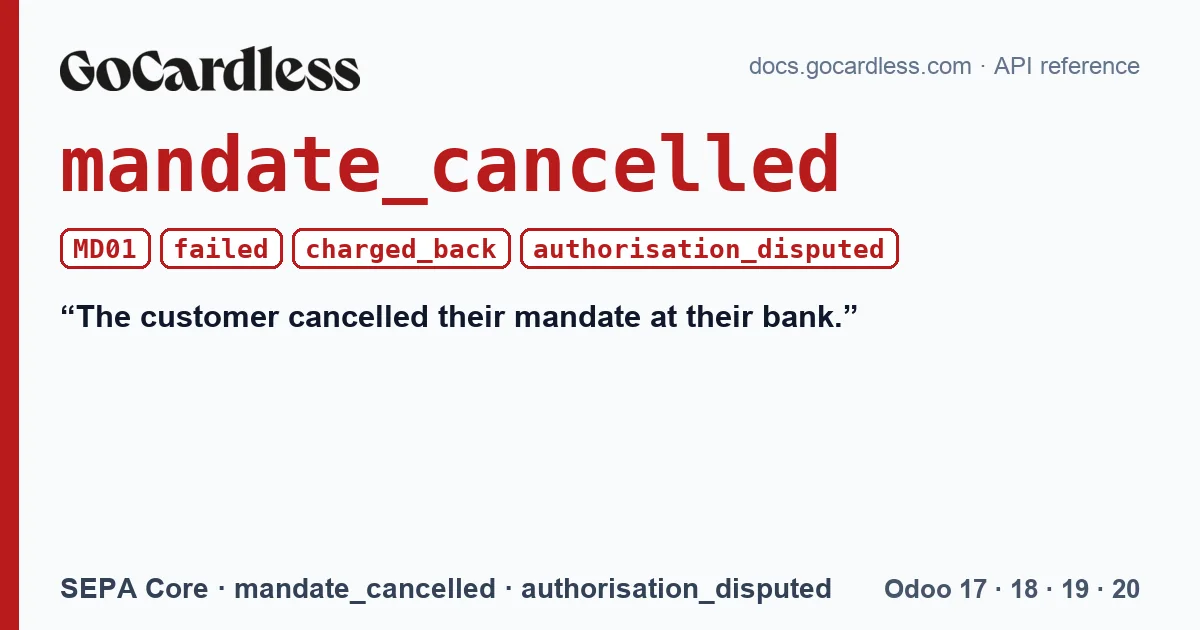
| payments · failed | mandate_cancelled | The customer cancelled their mandate at their bank. |
| payments · charged_back | mandate_cancelled | This payment was charged back by the customer's bank, because the customer disputed authorising the transaction. |
| payments · cancelled | authorisation_disputed | This payment has been cancelled because the payer disputes authorising its mandate. |
| payments · cancelled | mandate_cancelled | This payment has been cancelled because the payer disputes authorising its mandate. |
The four rows come from the SEPA Core table in GoCardless's documentation and all carry MD01; the cancelled payment appears with two causes and the same text. The mandate is also cancelled, and GoCardless reports it with its own event: “A payment under this mandate failed, indicating that the mandate has been cancelled at the customer's bank. Any subscriptions and pending payments will also be cancelled.”.
What changes depending on the moment
If the customer cancels the mandate before the collection is made, the payment fails: the money never arrived. If they dispute it after it has been collected, it is a chargeback: the money arrived and goes back out. And if there were payments waiting to be submitted, GoCardless cancels them before sending them. The connector notes in its code that it saw the cause authorisation_disputed with MD01 on a sandbox test payment, as a chargeback of an already settled payment.
What Odoo does with the connector
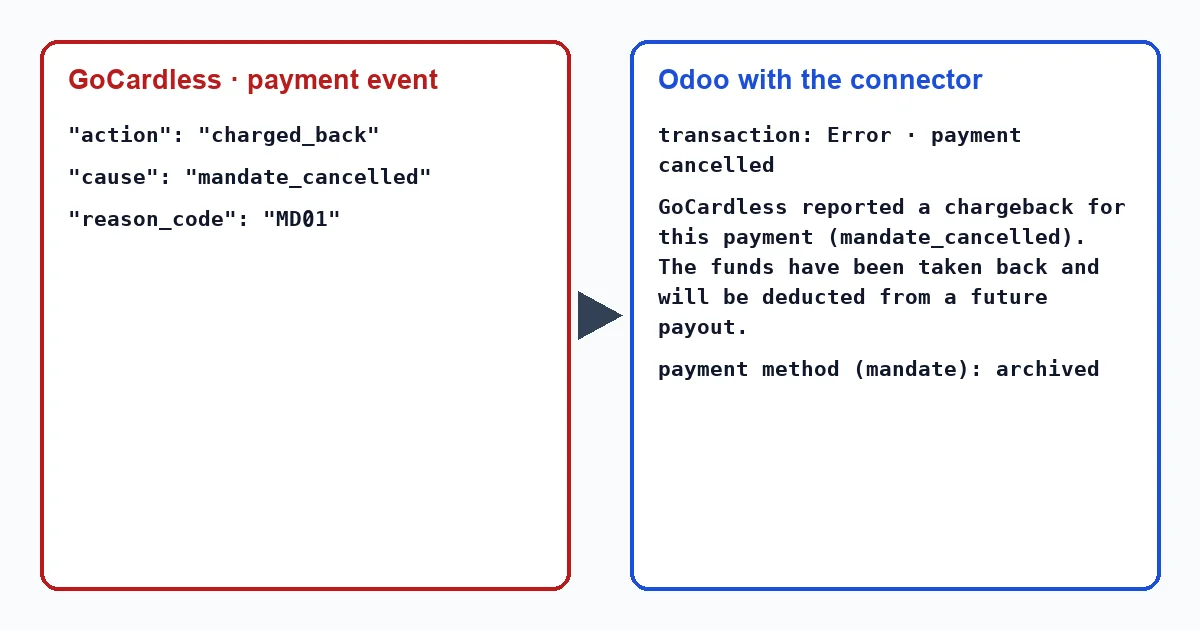
The transaction is opened from the invoice, with the “Payment Transaction” button at the top; the transactions menu only appears in developer mode, and in Odoo 20 it does not exist. In all three cases the transaction ends in “Error” with the cause in view. The message depends on the event: “GoCardless could not collect this payment (mandate_cancelled).” for a failure, and “GoCardless reported a chargeback for this payment (mandate_cancelled). The funds have been taken back and will be deducted from a future payout.” for a chargeback. If Odoo already had the invoice marked as paid with that collection, the connector cancels the payment and the invoice becomes outstanding again.
What matters is the mandate. mandate_cancelled and authorisation_disputed are among the four causes with which the connector treats it as dead, so:
- it archives the customer's payment method, which stops being offered for collections;
- it writes in the customer's record “The GoCardless direct debit mandate of … is no longer usable (mandate_cancelled). No further collection can be taken against it. Ask the customer to set up a new mandate.”;
- it creates an activity “GoCardless mandate lost”.
Several events arrive with the same news, the payment one and the mandate one, but the notice is shown only once: the second finds the mandate already archived.
The connector writes all these texts when it applies the event, with nobody in front of it. In an Odoo in English they appear in English, as quoted: “GoCardless could not collect this payment (mandate_cancelled).”, “GoCardless reported a chargeback for this payment (mandate_cancelled). The funds have been taken back and will be deducted from a future payout.”, “The GoCardless direct debit mandate of … is no longer usable (mandate_cancelled). No further collection can be taken against it. Ask the customer to set up a new mandate.” and “GoCardless mandate lost”.
What to do
Before asking for a new mandate, understand why they cancelled it. A customer who stopped wanting the service needs a cancellation, not another signature. If it was their mistake or a change at their bank, ask them to sign again and collect the open invoices with the new mandate. If they say they never authorised the charge, check how the mandate was signed before continuing to charge them.
Is it worth retrying a payment with MD01?
No. The mandate no longer exists for their bank, and with the mandate archived the “Retry collection” button does not appear on the transaction. A new mandate signed by the customer is needed.
With our connector
In Odoo 17, 18, 19 and 20, the connector distinguishes the failure from the chargeback, reopens the invoice if needed, retires the mandate and leaves you the task of talking to the customer on their record. What it does not do is request the new mandate on its own: that conversation is yours.
Keep reading
Checked in the connector's source code (version 17.0, 18.0, 19.0 and 20.0) and the linked sources
Sources
- Module source code: flexigo_payment_gocardless: const.py, line 15 in 17.0 (d203ee6), 18.0 (e2ab18b), 19.0 (ce7f5a3) and 20.0 (688d86b)
- Module source code: flexigo_payment_gocardless: models/payment_transaction.py, line 442 in 17.0 (d203ee6), line 442 in 18.0 (e2ab18b), line 441 in 19.0 (ce7f5a3) and line 456 in 20.0 (688d86b)
- Module source code: flexigo_payment_gocardless: const.py, line 76 in 17.0 (d203ee6), 18.0 (e2ab18b), 19.0 (ce7f5a3) and 20.0 (688d86b)
- Module source code: flexigo_payment_gocardless: const.py, line 71 in 17.0 (d203ee6), 18.0 (e2ab18b), 19.0 (ce7f5a3) and 20.0 (688d86b)
- Module source code: flexigo_payment_gocardless: models/payment_transaction.py, line 725 in 17.0 (d203ee6), line 725 in 18.0 (e2ab18b), line 724 in 19.0 (ce7f5a3) and line 748 in 20.0 (688d86b)
- Module source code: flexigo_payment_gocardless: models/payment_transaction.py, line 713 in 17.0 (d203ee6), line 713 in 18.0 (e2ab18b), line 712 in 19.0 (ce7f5a3) and line 736 in 20.0 (688d86b)
- Module source code: flexigo_payment_gocardless: models/payment_transaction.py, line 754 in 17.0 (d203ee6), line 754 in 18.0 (e2ab18b), line 753 in 19.0 (ce7f5a3) and line 777 in 20.0 (688d86b)
- Module source code: flexigo_payment_gocardless: models/payment_token.py, line 131 in 17.0 (d203ee6), line 131 in 18.0 (e2ab18b), line 131 in 19.0 (ce7f5a3) and line 130 in 20.0 (688d86b)
- Module source code: flexigo_payment_gocardless: models/payment_token.py, line 83 in 17.0 (d203ee6), line 83 in 18.0 (e2ab18b), line 83 in 19.0 (ce7f5a3) and line 82 in 20.0 (688d86b)
- Module source code: flexigo_payment_gocardless: i18n/flexigo_payment_gocardless.pot, line 436 in 17.0 (d203ee6), line 436 in 18.0 (e2ab18b), line 436 in 19.0 (ce7f5a3) and line 438 in 20.0 (688d86b)
- Module source code: flexigo_payment_gocardless: i18n/flexigo_payment_gocardless.pot, line 529 in 17.0 (d203ee6), line 529 in 18.0 (e2ab18b), line 529 in 19.0 (ce7f5a3) and line 531 in 20.0 (688d86b)
- Module source code: flexigo_payment_gocardless: i18n/flexigo_payment_gocardless.pot, line 1148 in 17.0 (d203ee6), line 1148 in 18.0 (e2ab18b), line 1148 in 19.0 (ce7f5a3) and line 1155 in 20.0 (688d86b)
- Module source code: flexigo_payment_gocardless: i18n/flexigo_payment_gocardless.pot, line 495 in 17.0 (d203ee6), line 495 in 18.0 (e2ab18b), line 495 in 19.0 (ce7f5a3) and line 497 in 20.0 (688d86b)
- docs.gocardless.com/docs/api-reference/events/mandate
- Module source code: flexigo_payment_gocardless: __manifest__.py, line 31 in 17.0 (d203ee6), 18.0 (e2ab18b), 19.0 (ce7f5a3) and 20.0 (688d86b)
- docs.gocardless.com/docs/api-reference/events/payment
- Module source code: flexigo_payment_gocardless: views/payment_transaction_views.xml, line 13 in 17.0 (d203ee6), 18.0 (e2ab18b), 19.0 (ce7f5a3) and 20.0 (688d86b)
- Module source code: flexigo_payment_gocardless: models/payment_transaction.py, line 63 in 17.0 (d203ee6), 18.0 (e2ab18b), 19.0 (ce7f5a3) and 20.0 (688d86b)
- Module source code: flexigo_payment_gocardless: models/payment_transaction.py, line 418 in 17.0 (d203ee6), line 418 in 18.0 (e2ab18b), line 417 in 19.0 (ce7f5a3) and line 432 in 20.0 (688d86b)
- Module source code: flexigo_payment_gocardless: i18n/flexigo_payment_gocardless.pot, line 1016 in 17.0 (d203ee6), line 1016 in 18.0 (e2ab18b), line 1016 in 19.0 (ce7f5a3) and line 1031 in 20.0 (688d86b)
- github.com/odoo/odoo/blob/20.0/addons/payment/i18n/payment.pot
- github.com/odoo/odoo/blob/17.0/odoo/http.py
- github.com/odoo/odoo/blob/20.0/addons/account_payment/views/account_move_views.xml