

 Español
 Català
 Deutsch
 Français
 Português
 Italiano
 Nederlands
 Polski
What GoCardless says
| Reason | Type | GoCardless text |
|---|---|---|
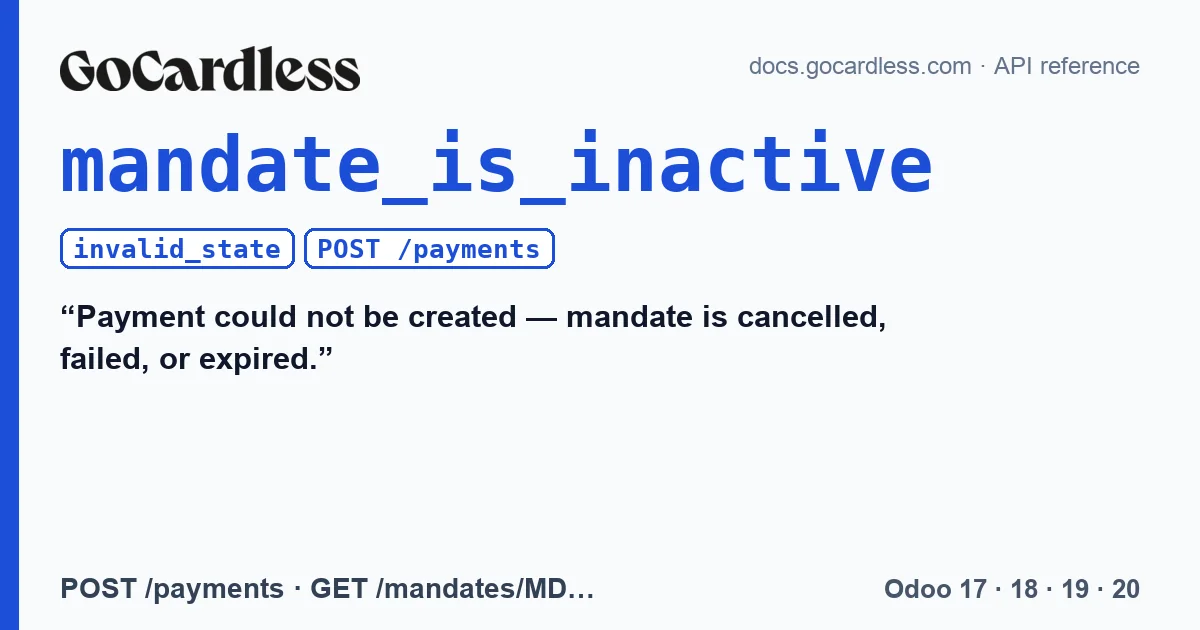
mandate_is_inactive | invalid_state | “Payment could not be created” and “mandate is cancelled, failed, or expired.” |
GoCardless separates the two parts of the text with a dash. invalid_state errors mean, according to GoCardless, that the action is not valid in the resource's current state. Here the resource is the mandate: cancelled, failed or expired, it no longer accepts collections.
How this error comes about
Normally Odoo learns that a mandate has died through a GoCardless event before it tries to collect against it. This error appears when that did not happen: the notice did not arrive or arrived late, or the mandate was cancelled just before the collection. The collection may come from a subscription that renews or from a payment recorded with the customer's saved payment method. GoCardless notices arrive by webhook: with the two-click connection, through FlexigoTech Cloud; in advanced mode, to the endpoint you created yourself in the GoCardless Dashboard. If that path fails, Odoo does not find out in time.
What the connector does
Without special handling, you would see the error as is, with the API text, and the mandate would keep being offered for the next invoice. The connector does something else:
- It recognises the reason
mandate_is_inactivein the response. - It asks GoCardless about that mandate to confirm its status.
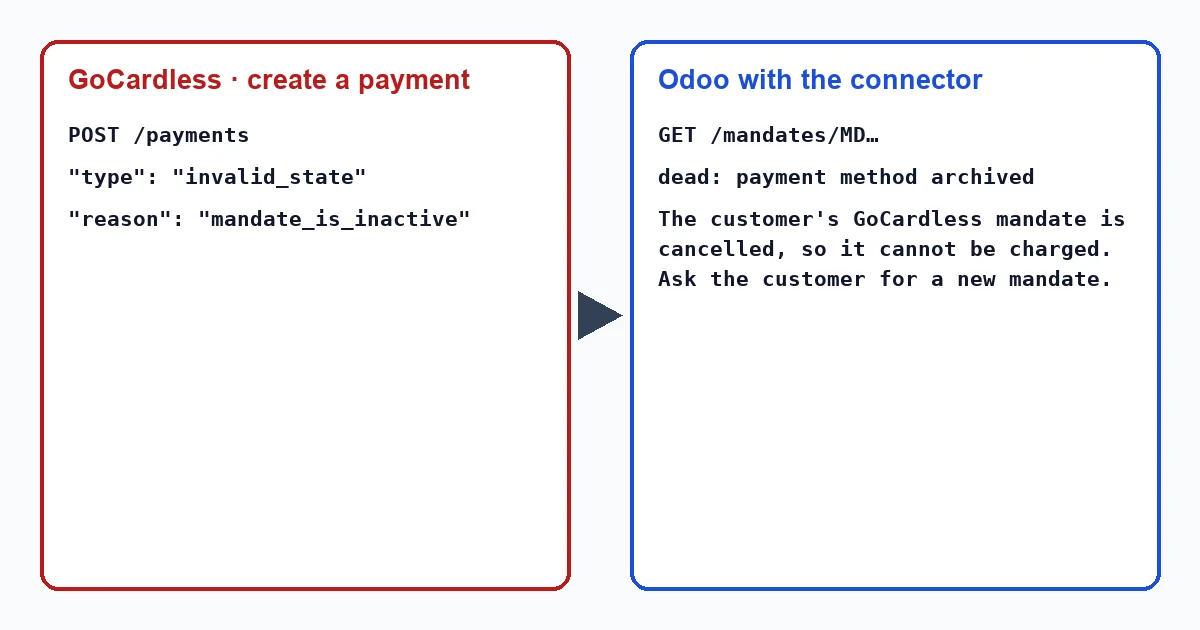
- If it is cancelled, failed, expired, consumed or blocked, it archives it in Odoo. If this is the first news of that dead mandate, it writes it on the customer's record, with the mandate status in brackets (“The GoCardless direct debit mandate of … is no longer usable (cancelled). No further collection can be taken against it. Ask the customer to set up a new mandate.”), and creates the activity “GoCardless mandate lost”.
- It moves the transaction to “Error” with its own message, instead of the raw error: “The customer's GoCardless mandate is …, so it cannot be charged. Ask the customer for a new mandate.”
If the mandate turns out to be active, the connector leaves it alone and the transaction shows the GoCardless error: “GoCardless rejected the request.” followed by the API message and its request_id. The retry button for a collection, when GoCardless answers mandate_is_inactive, gets the same treatment.
In an Odoo database in English these texts appear in English, as quoted here, whoever launches the collection. If a scheduled action launches it, such as a subscription renewal, the same applies: they are written with no one present and, in an English Odoo, they appear exactly as quoted: “The GoCardless direct debit mandate of … is no longer usable (cancelled). No further collection can be taken against it. Ask the customer to set up a new mandate.”, “GoCardless mandate lost”, “The customer's GoCardless mandate is …, so it cannot be charged. Ask the customer for a new mandate.” and “GoCardless rejected the request.”
Why it is better not to retry
GoCardless says so in the description of invalid_state errors: the user must be informed and must not be allowed to retry. A cancelled mandate does not become active again by insisting; it needs a new signature from the customer or, in some cases and only with special GoCardless permissions, a reactivation.
What to do
- Check the transaction message and the connector note on the customer's record. The transaction is opened from the invoice, with the “Payment Transaction” button at the top; the transactions menu only shows in developer mode, and in Odoo 20 it does not exist. Both texts state the mandate's status.
- Ask the customer for a new mandate and collect the pending invoice with it.
- If it happens often, check that GoCardless webhooks reach your Odoo: they are what warns you before the collection arrives. Even so, the connector requests lost events from GoCardless every hour.
Why does the connector check the mandate instead of simply archiving it?
Because it only archives what GoCardless confirms as dead. If the check says the mandate is active, archiving it would force the customer to sign again for no reason.
With our connector
In Odoo 17, 18, 19 and 20 the connector turns an API error into a clear task: the dead mandate leaves the list of payment methods, the customer is warned on their record, and the invoice stays pending until there is a mandate that works.
Keep reading
Checked in the connector's source code (version 17.0, 18.0, 19.0 and 20.0) and the linked sources
Sources
- Module source code: flexigo_payment_gocardless: const.py, line 15 in 17.0 (d203ee6), 18.0 (e2ab18b), 19.0 (ce7f5a3) and 20.0 (688d86b)
- Module source code: flexigo_payment_gocardless: models/payment_transaction.py, line 247 in 17.0 (d203ee6), line 247 in 18.0 (e2ab18b), line 247 in 19.0 (ce7f5a3) and line 258 in 20.0 (688d86b)
- Module source code: flexigo_payment_gocardless: models/payment_provider.py, line 71 in 17.0 (d203ee6), 18.0 (e2ab18b), 19.0 (ce7f5a3) and 20.0 (688d86b)
- Module source code: flexigo_payment_gocardless: __manifest__.py, line 6 in 17.0 (d203ee6), 18.0 (e2ab18b), 19.0 (ce7f5a3) and 20.0 (688d86b)
- docs.gocardless.com/docs/api-reference/mandate
- Module source code: flexigo_payment_gocardless: models/payment_transaction.py, line 278 in 17.0 (d203ee6), line 278 in 18.0 (e2ab18b), line 278 in 19.0 (ce7f5a3) and line 289 in 20.0 (688d86b)
- Module source code: flexigo_payment_gocardless: const.py, line 33 in 17.0 (d203ee6), 18.0 (e2ab18b), 19.0 (ce7f5a3) and 20.0 (688d86b)
- Module source code: flexigo_payment_gocardless: models/payment_token.py, line 131 in 17.0 (d203ee6), line 131 in 18.0 (e2ab18b), line 131 in 19.0 (ce7f5a3) and line 130 in 20.0 (688d86b)
- Module source code: flexigo_payment_gocardless: const.py, line 134 in 17.0 (d203ee6), 18.0 (e2ab18b), 19.0 (ce7f5a3) and 20.0 (688d86b)
- Module source code: flexigo_payment_gocardless: models/payment_provider.py, line 397 in 17.0 (d203ee6), 18.0 (e2ab18b), 19.0 (ce7f5a3) and 20.0 (688d86b)
- Module source code: flexigo_payment_gocardless: models/payment_transaction.py, line 469 in 17.0 (d203ee6), line 469 in 18.0 (e2ab18b), line 468 in 19.0 (ce7f5a3) and line 487 in 20.0 (688d86b)
- Module source code: flexigo_payment_gocardless: const.py, line 117 in 17.0 (d203ee6), 18.0 (e2ab18b), 19.0 (ce7f5a3) and 20.0 (688d86b)
- Module source code: flexigo_payment_gocardless: i18n/flexigo_payment_gocardless.pot, line 1148 in 17.0 (d203ee6), line 1148 in 18.0 (e2ab18b), line 1148 in 19.0 (ce7f5a3) and line 1155 in 20.0 (688d86b)
- Module source code: flexigo_payment_gocardless: i18n/flexigo_payment_gocardless.pot, line 495 in 17.0 (d203ee6), line 495 in 18.0 (e2ab18b), line 495 in 19.0 (ce7f5a3) and line 497 in 20.0 (688d86b)
- Module source code: flexigo_payment_gocardless: i18n/flexigo_payment_gocardless.pot, line 521 in 17.0 (d203ee6), line 521 in 18.0 (e2ab18b), line 521 in 19.0 (ce7f5a3) and line 523 in 20.0 (688d86b)
- docs.gocardless.com/docs/api-reference/events/mandate
- Module source code: flexigo_payment_gocardless: __manifest__.py, line 31 in 17.0 (d203ee6), 18.0 (e2ab18b), 19.0 (ce7f5a3) and 20.0 (688d86b)
- docs.gocardless.com/docs/api-reference/responses-and-errors
- Module source code: flexigo_payment_gocardless: models/payment_transaction.py, line 321 in 17.0 (d203ee6), line 321 in 18.0 (e2ab18b), line 321 in 19.0 (ce7f5a3) and line 332 in 20.0 (688d86b)
- Module source code: flexigo_payment_gocardless: i18n/flexigo_payment_gocardless.pot, line 1233 in 17.0 (d203ee6), line 1233 in 18.0 (e2ab18b), line 1233 in 19.0 (ce7f5a3) and line 1240 in 20.0 (688d86b)
- Module source code: flexigo_payment_gocardless: models/payment_token.py, line 83 in 17.0 (d203ee6), line 83 in 18.0 (e2ab18b), line 83 in 19.0 (ce7f5a3) and line 82 in 20.0 (688d86b)
- github.com/odoo/odoo/blob/20.0/addons/payment/i18n/payment.pot
- Module source code: flexigo_payment_gocardless: models/payment_provider.py, line 462 in 17.0 (d203ee6), 18.0 (e2ab18b), 19.0 (ce7f5a3) and 20.0 (688d86b)
- github.com/odoo/odoo/blob/17.0/odoo/http.py
- github.com/odoo/odoo/blob/20.0/addons/account_payment/views/account_move_views.xml