

 Español
 Català
 Deutsch
 Français
 Português
 Italiano
 Nederlands
 Polski
Where the button is and when you see it
Where is the button and what is it called?
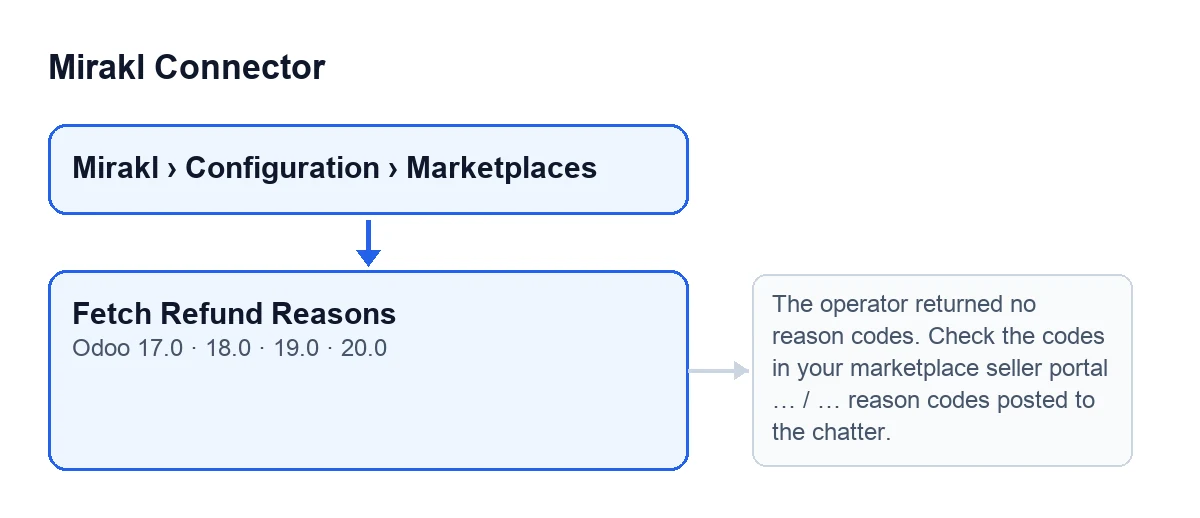
You get to it from the menu Mirakl › Configuration › Marketplaces, which opens the Mirakl Instances screen. The Mirakl section of the menu is only visible to internal Odoo users: if you are not one, you do not see that section. With Odoo in English the button is called Fetch Refund Reasons; in other languages the label changes, as the second diagram shows.
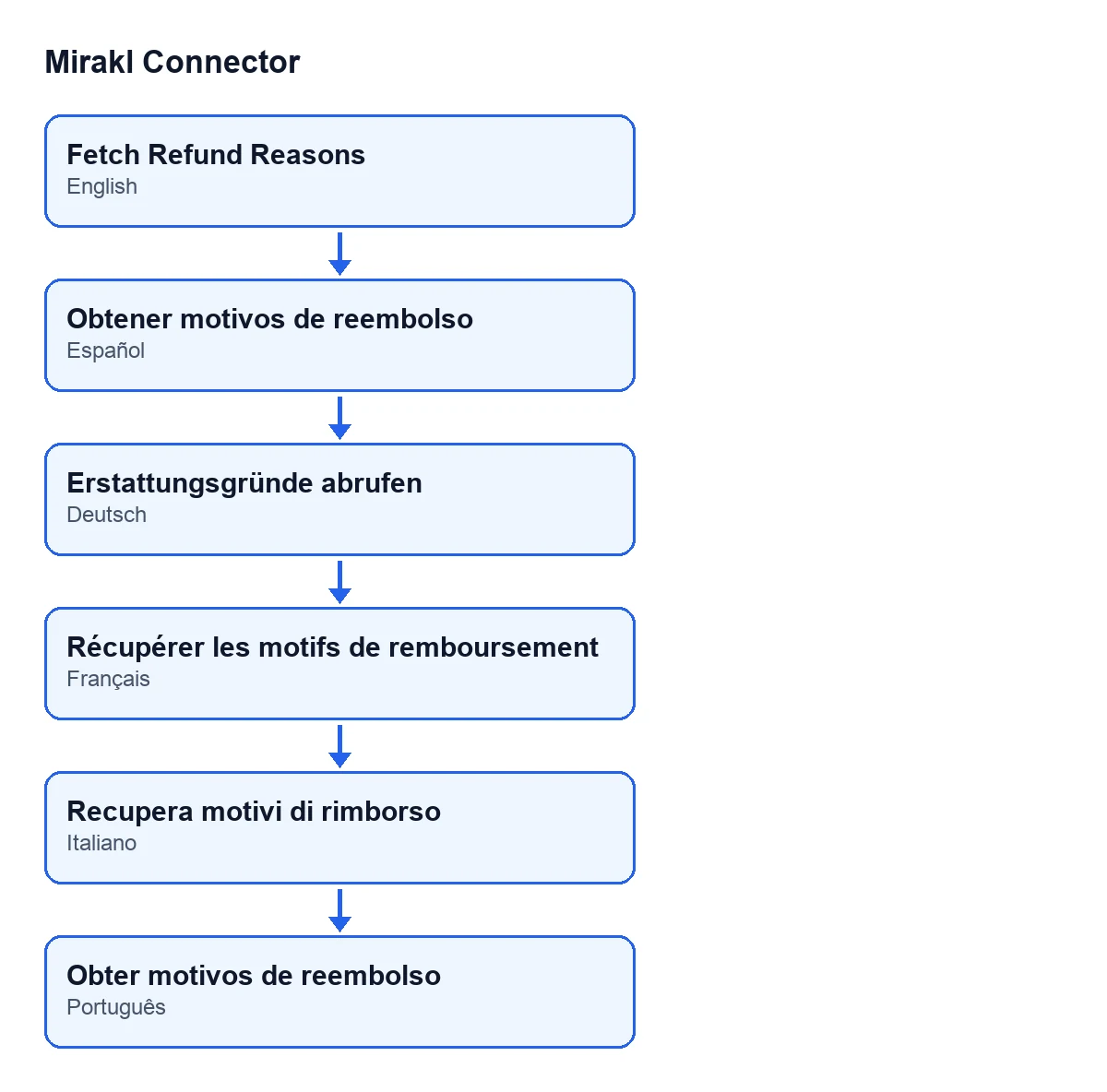
Obtener motivos de reembolso, in German Erstattungsgründe abrufen, in French Récupérer les motifs de remboursement, in Italian Recupera motivi di rimborso and in Portuguese Obter motivos de reembolso.When does it appear?
The button is always visible on the Mirakl Instances screen, and it is in Odoo 17, 18, 19 and 20. It does not depend on any state or any checkbox on the form.
What is it for?
According to the module's own code, it lists the operator's refund reason codes and posts them to the instance's chatter, so you know what to put in Refund Reason Code. The same code notes that Mirakl rejects refunds that do not carry a valid operator code.

What it does when you press it
What does it do, step by step?
It works on the instance you have open. First it asks Mirakl for the operator's reasons. Then it takes the reasons it receives and turns them into one line per reason: code, label and, in brackets, the type (a hyphen if the reason has no type). Finally it writes a note in the chatter and shows a notification.
Which reasons does the list include?
It first filters the reasons whose type contains the word REFUND, whatever the capitalisation. If none contains it, it posts every reason it received. If there is nothing left to post, the button stops with an error (see below).
What changes in Odoo when it finishes?
A note appears in the instance's chatter that begins Operator reason codes (use the CODE in 'Refund Reason Code'): and continues with the lines, one per reason. A notification titled Mirakl also appears, with the text … reason codes posted to the chatter., where the ellipsis is the number of lines posted; the notification does not stay fixed on screen. Each press makes a fresh request and adds another note, so you can press again whenever you want to refresh the list.
How do I check that it worked?
Open the instance's chatter: the note is there with one line per reason. Each line carries the code, which is what the module's own code says to use in Refund Reason Code.
Errors and requirements
What happens if the operator returns no codes?
The action stops with the message The operator returned no reason codes. Check the codes in your marketplace seller portal instead. No note is posted. What to do is what the message itself says: look up the codes in your marketplace seller portal.
And if the connection to Mirakl fails?
When you press the button you can get Connection error calling Mirakl: … and Mirakl request failed after retries. These messages come from the request to Mirakl, which the module repeats on some temporary server responses before giving up. In that case the action stops before the note is written to the chatter. Since each press makes a fresh request, you can press the button again.
What does it cost and what does it need?
Mirakl Connector is a one-off purchase per version, published on Odoo Apps for Odoo 17, 18, 19 and 20; the price for each version is on its listing, and you can buy directly on the module page. It also needs a FlexigoTech Cloud subscription, Connector plan: €49 a month or €490 a year excluding VAT, up to 3 marketplace accounts (the Pro plan, €98 a month or €980 a year, up to 10). The connection goes through FlexigoTech Cloud, which stores the credentials encrypted and emails you if synchronisation fails. Without a subscription, or with the service suspended, what the subscription provides stops; your data stays in your Odoo.
Other calls to Mirakl and how we help
This button is the refund reasons query. The module also calls Mirakl at other times, with other requests: when a delivery is validated it may call Mirakl to read the order or send tracking, and the scheduled task Mirakl - Sync Orders runs every ten minutes and is active on install.
If you are implementing Odoo and want to connect a Mirakl marketplace, FlexigoTech implements Odoo 17, 18, 19 and 20 and builds custom connectors and integrations.
Keep reading
Checked in the connector's source code (version 20.0) and the linked sources
Sources
- Module source code: flexigobe_mirakl_connector 20.0 (aa05e537): views/mirakl_instance_views.xml
- Module source code: flexigobe_mirakl_connector 20.0 (aa05e537): models/mirakl_instance.py
- Module source code: flexigobe_mirakl_connector 20.0 (aa05e537): models/mirakl_api_mixin.py
- Module source code: flexigobe_mirakl_connector 20.0 (aa05e537): models/mirakl_ai.py
- apps.odoo.com/apps/modules/20.0/flexigobe_mirakl_connector
- flexigotech.com/precios.html
- flexigotech.com/en/services.html