

 Español
 Català
 Deutsch
 Français
 Português
 Italiano
 Nederlands
 Polski
What it covers: platforms and flows
The module's README lists its features with codes such as FR-001, FR-002 or FR-003. They are enough to clear up several mistaken ideas before buying a marketplace connector.
Myth: this connector is for a single marketplace
The module's README names four platforms, with the API for each: Cdiscount (France), REST API v2; Allegro (Poland), REST API with OAuth2; Bol.com (Netherlands and Belgium), REST API v10; and Kaufland (Germany), REST API v2. The Odoo Apps listing, in the FlexigoTech Cloud section, refers to calls to your Allegro, Bol, Kaufland and Octopia seller accounts. The sequence below steps through the order, offer, settlement and connection lists; the connection list shows all four platforms connected.
Nothing to Invoice, offer list filtered by Active, Settlements list under the Marketplaces menu (Bol.com NL, Kaufland DE and Allegro PL) and connection list filtered by Connected for Allegro PL, Bol.com NL, Cdiscount FR and Kaufland DE.Myth: it only brings orders into Odoo
The catalogue travels too, in the other direction: the module synchronises product listings and pushes your catalogue to each platform. Orders come in automatically, through a scheduled pull or a webhook. The order lifecycle is also handled from the module: confirm, ship and cancel. If you were after an order importer, you get that plus more parts of the sales loop.
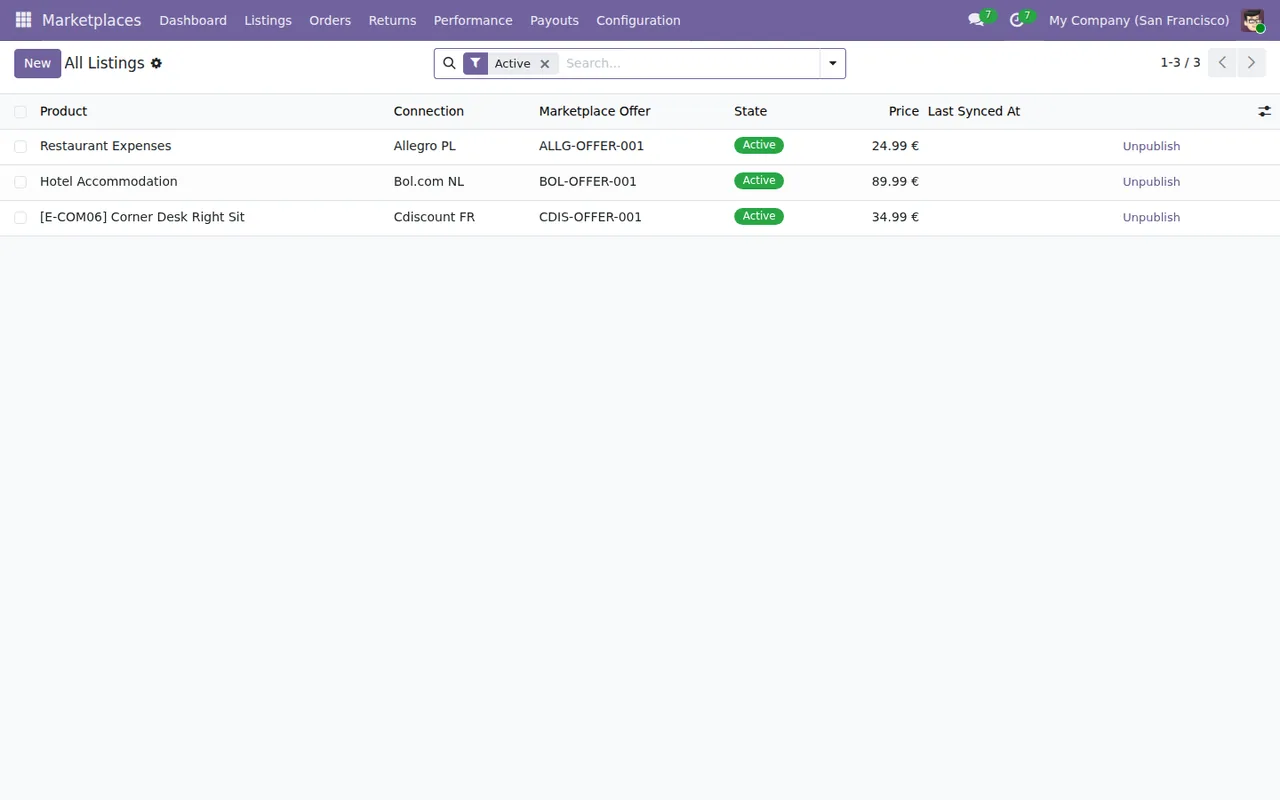
Marketplaces › All Listings with the Active filter: three listings showing product, connection, offer, Active status, price and the Unpublish button.The product form in Inventory also shows a GPSR & Marketplace tab, with its GPSR fields, a warnings table and the product's marketplace listings.
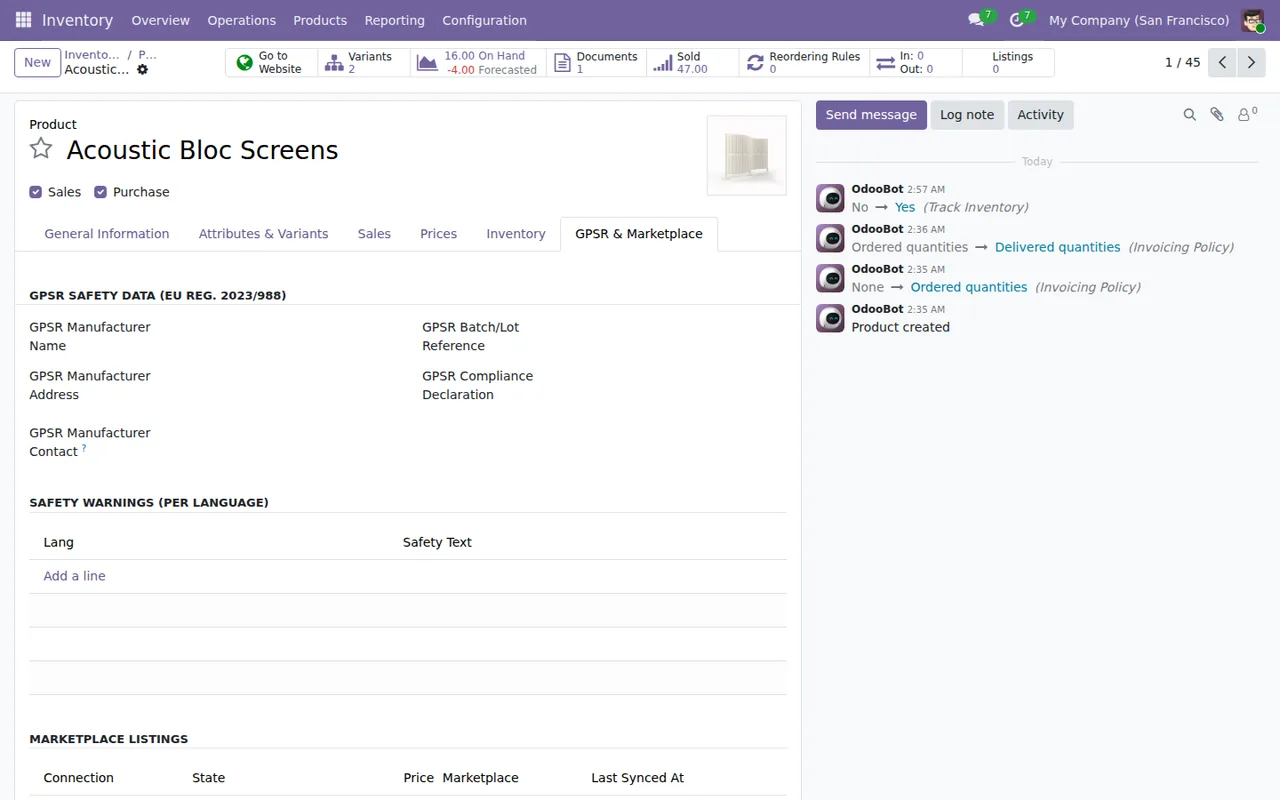
Acoustic Bloc Screens, GPSR & Marketplace tab, still without records: empty GPSR fields, a warnings table with no lines and a chatter with OdooBot entries.Myth: returns sort themselves out
The README describes a return and refund workflow with an approval step (approval gate, in its wording). If someone in your team handles returns today, that approval step is part of the workflow you will be using, so it is worth deciding who owns it.
Myth: marketplace payouts have to be reconciled by hand
The module imports settlements (Settlements) and matches them automatically against Odoo journal entries. It also posts settlements to the Odoo general ledger. If your accountant reconciles each marketplace's payouts today, this part affects them directly: walk them through the flow before you switch it on.
What you need before installing it
Myth: you just press install
The installation steps in the README include these:
- Copy the
flexigo_multimarketplacefolder into your Odoo addons path. - Install the
cryptographyPython package if it is not already present. - Restart the Odoo server and activate developer mode.
To carry them out you need to be able to work with the files and Python packages on the server running your Odoo. If a provider manages that server, talk to them before buying. Once the module is in place, each marketplace connection keeps its credentials (OAuth2 or API key) in a credential vault, and the module runs a connectivity check before saving any connection. The settings are covered in the connector set-up guide.
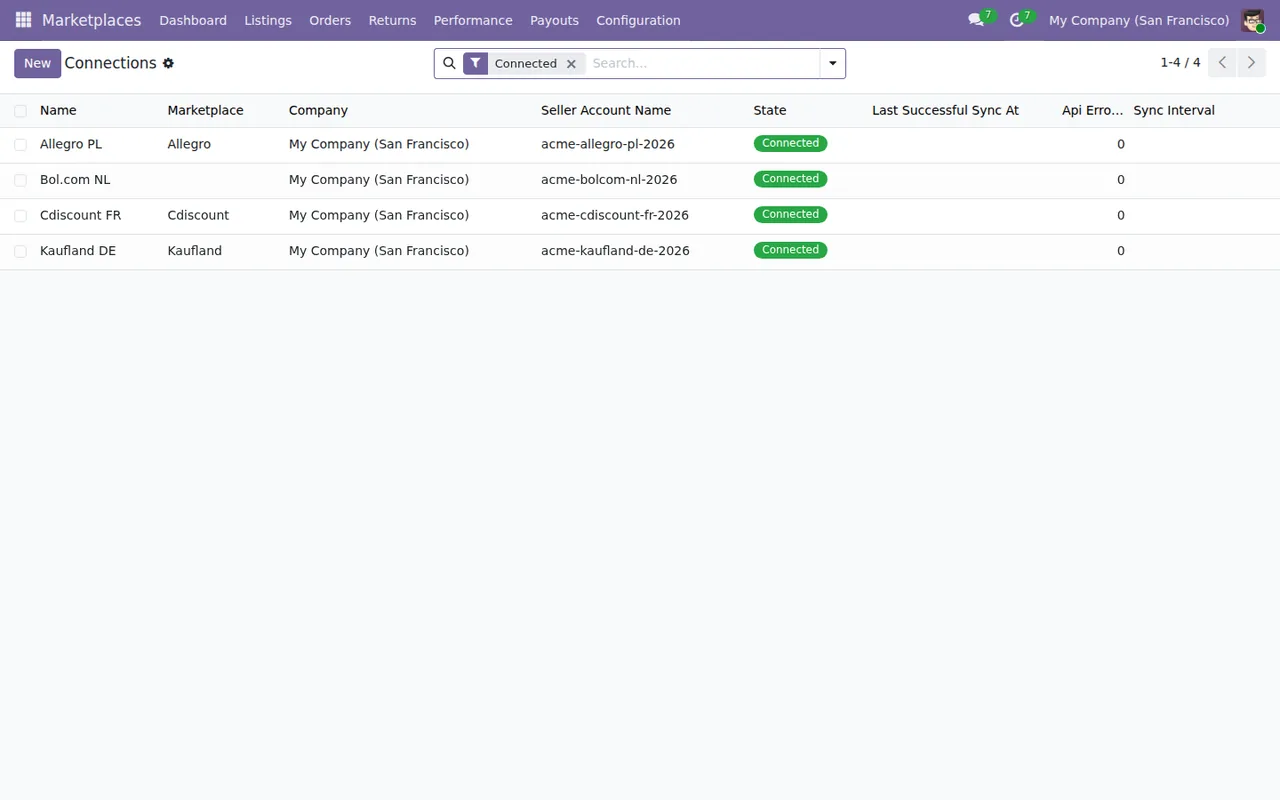
Marketplaces › Connections with the Connected filter: Allegro PL, Bol.com NL, Cdiscount FR and Kaufland DE, with company, seller account, Connected status and API errors at zero.Myth: I pay for the module once and that is it
The module costs €9 per Odoo version, one-off payment excluding VAT, for 17, 18, 19 and 20, and in all those versions its manifest says «Needs FlexigoTech Cloud subscription (from 49 EUR/month, VAT excl.)»: the Connector plan costs €49/month or €490/year excluding VAT with up to 3 platform accounts (Pro: €98/month or €980/year, up to 10).
The connection goes through FlexigoTech Cloud, which stores credentials encrypted, monitors synchronisation and emails you if it fails; if the platform changes its API, the module and the service are adapted. The listing adds maintenance of the cloud service and of the connection, and support with the first response within 1 working day. Without a subscription, or with the service suspended, whatever the subscription provides stops; your data stays in your Odoo.
The listing also states that you contract and pay for your account on each platform, Odoo and your hosting yourself, and that FlexigoTech does not take care of migrating your database to a new Odoo version. On the Odoo App Store, each Odoo version is bought there.
Criteria for deciding whether it suits you
- If you sell on Cdiscount, Allegro, Bol.com or Kaufland and want to push the catalogue, bring in orders and settlements and handle returns through an approval step from Odoo, the module brings those pieces together according to its README.
- If you run several companies in Odoo, the README states multi-company isolation: each company manages its own connections.
- If you want to separate who configures from who operates, access is role-based with two profiles:
AdministratorandManager. - If today you cannot copy modules into the addons path or install Python packages on your server, sort that out before buying.
- If you will sell with more accounts than the Connector plan allows, look at the Pro plan when working out the cost.
- If you want to see which menus it adds and what each record goes through, read how it works under the bonnet.
You can read the full description on the Odoo Apps listing for the version you use.
How FlexigoTech can help
At FlexigoTech we implement Odoo 17, 18, 19 and 20 and build bespoke connectors and integrations. We can support the Odoo implementation around the connector and, if you need Odoo linked to another system, we approach it as a bespoke integration.
Keep reading
Checked in the connector's source code (version 20.0) and the linked sources
Sources
- Module source code: flexigo_multimarketplace 20.0 (2270b5c0): README.rst
- Module source code: flexigo_multimarketplace 20.0 (2270b5c0): static/description/index.html
- apps.odoo.com/apps/modules/20.0/flexigo_multimarketplace
- apps.odoo.com/apps/modules/17.0/flexigo_multimarketplace
- apps.odoo.com/apps/modules/18.0/flexigo_multimarketplace
- apps.odoo.com/apps/modules/19.0/flexigo_multimarketplace
- flexigotech.com/en/services.html
- flexigotech.com/precios.html