

 Español
 Català
 Deutsch
 Français
 Português
 Italiano
 Nederlands
 Polski
Where the message appears and what triggers it
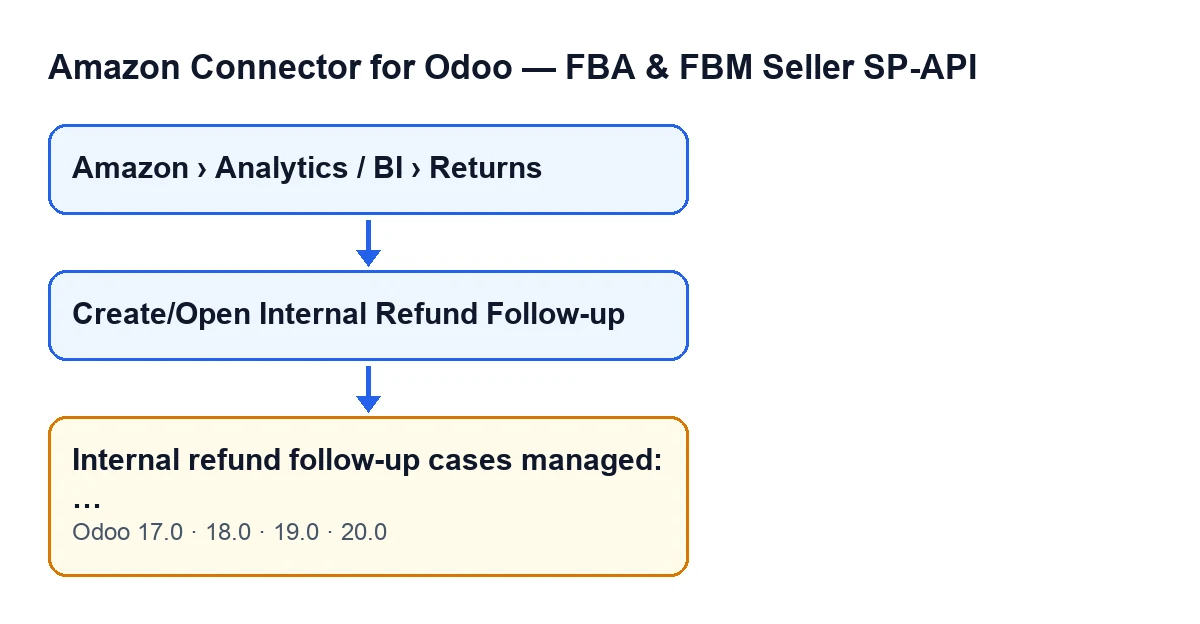
In Amazon › Analytics / BI › Returns, every segment of the menu asks for the Viewer permission. The return view has the button Create/Open Internal Refund Follow-up. When you press it, the module finds or creates an internal refund case for the return and then decides what to show you.
One of the outcomes is the notice Internal refund follow-up cases managed: …, with the number of cases in place of the ellipsis and the title Amazon SP-API. It is a success notice: it does not stay fixed on screen and it blocks nothing.
The text is in the published code of the 17, 18, 19 and 20 branches of Odoo.
With a single case there is no notice: its form opens
At the end, the module counts the distinct cases it has handled. If there is exactly one, it opens that case's form instead of showing the notice; the notice is the code's other outcome, the one used when the count is anything other than one.
On a single return, the module handles one case (the one that already existed or a new one). So if you press the button on a return and were expecting the notice, what you will see is the case's form.
The number counts cases managed, not only created
After checking your permissions, the module looks, for each return, for an existing refund case for that return on that account. If one exists, it does not create another: it updates the return's link to its primary case, updates the case's last action, external status and last error, and adds it to the count.
So the number in the notice mixes new cases and cases that were already there. The notice does not tell you how many were created.
The button only shows with an amount and no primary case
In Odoo 17, 18, 19 and 20 the button is hidden when the Primary Postsale Case field has a value or when Refund Amount is zero or negative. In plain words: it only appears on returns with a positive refund amount and no primary case.
A return without a primary case may already have a refund case of its own. In that situation the module reuses it rather than creating another.
Seeing the menu is not enough to run the action
The Returns menu is visible with Viewer on all three segments, but the first thing the action does is check your permissions. Unless it runs as the superuser, you need at least operator access to the connector and write permission on the return. The module works on the basis that the read-only profile can only read, and that hiding a button in the view is not a real security barrier, so it checks on the server side.
If your profile is read-only, ask whoever administers your Odoo to give you the right access before pressing the button.

What the button does before it notifies you
The deadline and the sales order are worked out on creation
If the return has no case yet, the module tries to find the Odoo sales order. For that, the return needs an Amazon order identifier and an account. It compares that identifier with several references on the sales orders of the same company as the account (among them the customer reference, the source document and the name) and, if it finds nothing, keeps looking by other routes, such as the non-cancelled delivery orders linked to a sales order. If one of those searches turns up more than one possible order, it discards them rather than pick one. When it finds the order through its references or through the delivery orders and that order had no Amazon order identifier stored, the module writes it there.
The case deadline is the current moment plus the account's response time in hours. If the account has none set, 24 hours are used, and never less than one hour.
What ends up written on the case and on the return
The case is created as a partial refund, in the open state. Its title is Amazon partial refund … followed by the order identifier, or if that is missing, the Amazon RMA, or if that is missing, the line's internal number. The description is Case created from an Amazon return. SKU: … Amazon RMA: … Return status: …, with a dash where a value is missing. It also stores the refund amount and the return reason, the currency of the account's company and the deadline.
The module then updates the return's link to its primary case. Finally it updates the case's external status: the last action is recorded as Amazon refund feed, the status is the return's refund processing status and, if that is empty, the module sets a ready status when the Amazon refund total is greater than zero and a draft status otherwise, and the return's last refund error is copied across, if there is one.
What to check afterwards
- If a form opened instead of a notice, that is the case that was managed for that return.
- If the button does not appear on a return, review its condition: it is hidden when
Primary Postsale Casehas a value or whenRefund Amountis zero or negative. - If you lack permission when pressing the button, the action checks your operator access and write permission first: ask for them to be granted.
How FlexigoTech can help
The module is a one-off purchase per Odoo version (17, 18, 19 and 20) and needs the FlexigoTech Cloud subscription, Connector plan: €49/month or €490/year excluding VAT. The module price is on the Odoo Apps page and on the module page. If you are implementing Odoo and want refund follow-up to fit your permissions and your orders, FlexigoTech implements Odoo and builds custom connectors and integrations.
Keep reading
Checked in the connector's source code (version 20.0) and the linked sources
Sources
- Module source code: flexigobe_amazon_seller_connector 20.0 (8576afa5): models/amazon_spapi_return_line.py
- Module source code: flexigobe_amazon_seller_connector 20.0 (8576afa5): views/amazon_spapi_return_line_views.xml
- apps.odoo.com/apps/modules/20.0/flexigobe_amazon_seller_connector
- flexigotech.com/precios.html
- flexigotech.com/en/services.html