

 Español
 Català
 Deutsch
 Français
 Português
 Italiano
 Nederlands
 Polski
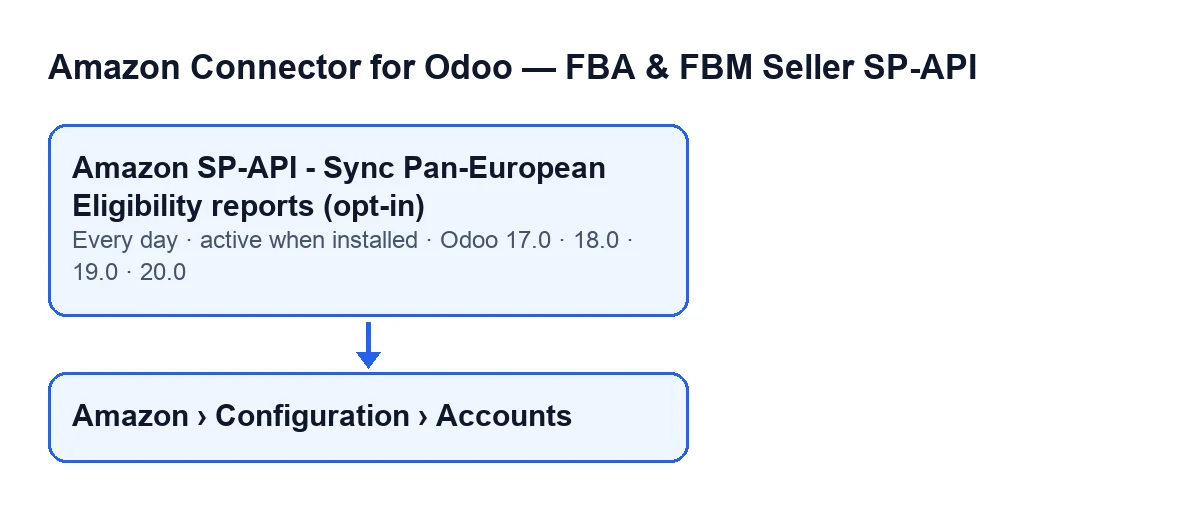
The Amazon Connector for Odoo scheduled action that syncs Pan-European eligibility is called Amazon SP-API - Sync Pan-European Eligibility reports (opt-in). In Odoo 20.0, each run does the following.
What the task form does not tell you
It runs once a day and is active on install
The task runs once a day and is active from the moment you install the module: you do not need to create or enable it. It exists in the 17.0, 18.0, 19.0 and 20.0 branches; in Odoo 17.0 it is configured to repeat without end. If you expect activity several times a day, you will not see it: the schedule is daily.
Only active accounts with the sync enabled are picked up
On each run, the task searches for the Amazon accounts that meet two conditions: the account is active and it has Pan-European eligibility sync enabled. An account that fails either condition stays out of the search.
Each account is handled on its own
The task goes through the accounts it found one by one, and each one sits inside its own error handling. If an account fails on something not caught earlier, a warning with the account name is left in the server log and the task moves on to the next one. The task finishes without an error even if an account has failed.
Two legs per account: FBA and MFN (self-fulfilled)
For each account, the module goes through two legs one after the other, each with its own report type: FBA and MFN (self-fulfilled). If one leg fails, the module records the error in the summary and carries on with the other: the whole account is not abandoned.
The summary it builds starts with Amazon Pan-EU eligibility sync finished., continues with Account: …, which carries the name the account is displayed under, and with Source: CRON when the task launched it, and then adds what each leg returns.
A summary that says finished does not mean everything went well
When both legs are done, the module stores on the account the date and time of the last run and the summary text, cut short if it is very long. It does so whether or not there was an error, and from the task errors are not raised again. So a recent date only tells you the task went through the account, and the first line of the summary is the same even if a leg failed. To know whether something failed you have to read the whole summary, not just the date.
Nothing is posted to the chatter from the task
When the scheduled task launches it, the summary is not posted as a message on the account form and errors are not raised: they stay in the stored summary. So do not expect one message per run on the account.
Where the account is and who sees the menu
The account forms open from Amazon › Configuration › Accounts. Each part of the menu asks for a permission: Amazon asks for Viewer, and Configuration and Accounts ask for Manager. If your user lacks the permission for a part, you do not see that part.
Inside the form, the Name field is on the Identity tab, in the Account group, and it also appears in the Accounts list. The server log warning uses the account name.

What to check if the task does nothing
- That the task is still active: it is active on install, but it is worth confirming.
- That a day has passed since the last run: it runs once a day.
- That the account is active: an inactive account is not picked up by the search.
- That the account has Pan-European eligibility sync enabled: without it the account is not picked up either.
- That the server log has no warning of a failed sync carrying the account name.
- That the summary of the last run does not show an error in the
FBAorMFN (self-fulfilled)leg, even if it starts withAmazon Pan-EU eligibility sync finished. - That your user has the
Managerpermission, if you cannot see theConfigurationmenu.
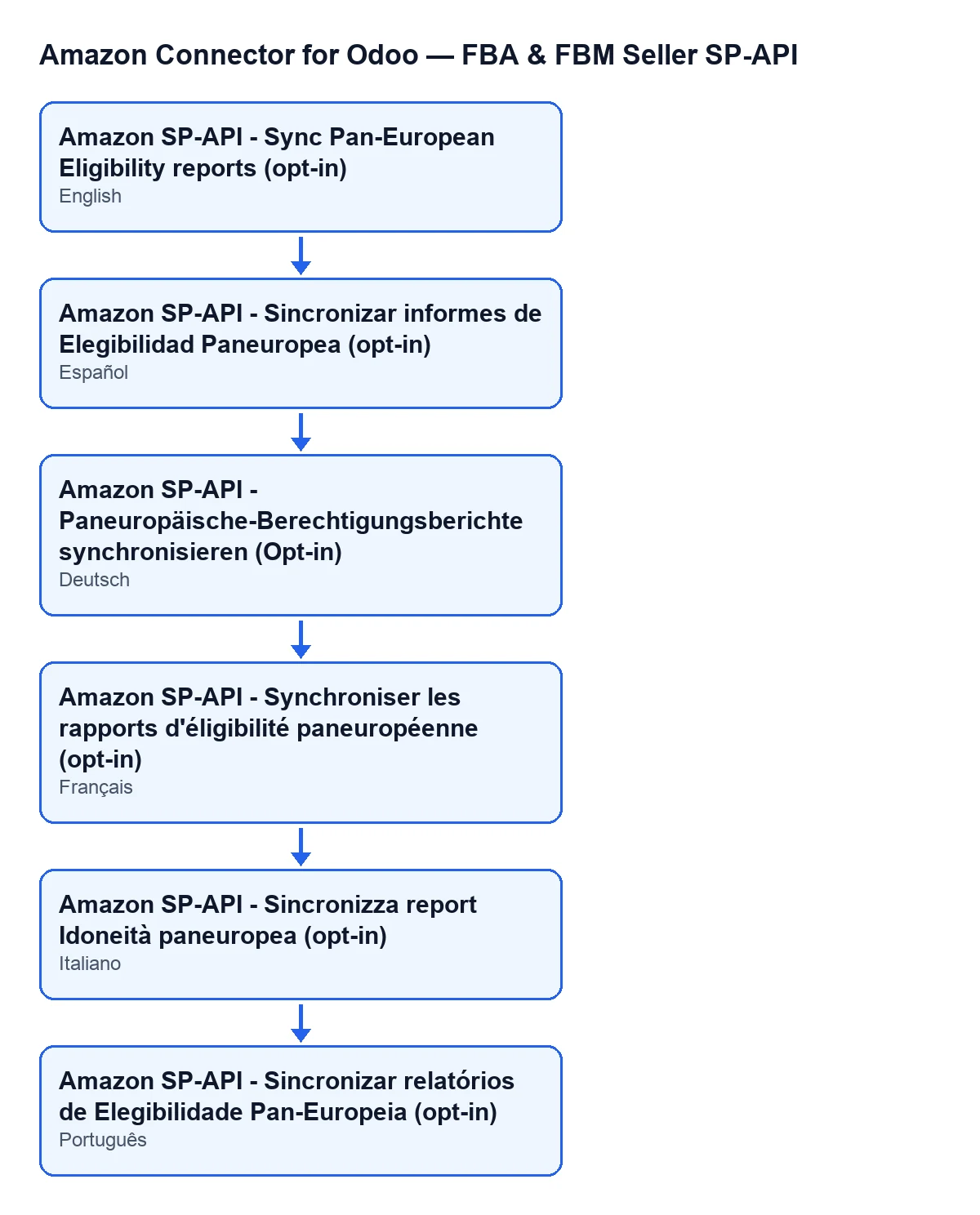
To spot the task in the scheduled actions list, search for the name that matches your Odoo language: in English, the one given at the start; in Spanish, German, French, Italian or Portuguese, the one in the second diagram.
How FlexigoTech can help
FlexigoTech implements Odoo 17, 18, 19 and 20 and builds connectors and custom integrations. If you would like us to review your Amazon account setup calmly, write to us from the module page.
The module is a one-off purchase per Odoo version and needs the FlexigoTech Cloud subscription (Connector plan: €49 a month or €490 a year, excluding VAT, up to 3 accounts on the platform). The details for each version are on the Odoo Apps listing.
Keep reading
Checked in the connector's source code (version 17.0 and 20.0) and the linked sources
Sources
- Module source code: flexigobe_amazon_seller_connector 20.0 (8576afa5): data/ir_cron_data.xml
- Module source code: flexigobe_amazon_seller_connector 17.0 (165f66af): data/ir_cron_data.xml
- Module source code: flexigobe_amazon_seller_connector 20.0 (8576afa5): models/amazon_spapi_account.py
- flexigotech.com/precios.html
- flexigotech.com/en/services.html
- apps.odoo.com/apps/modules/20.0/flexigobe_amazon_seller_connector